Glamorph payments, powered by Stripe
Payment links and booking deposits for beauty professionals
Collect online in the way the appointment begins: send a payment request yourself for a client you are already speaking with, or make a deposit or full payment part of your public booking flow.
Availability depends on the business country of your connected Stripe account, not the language of this page.
Glamorph
Glamorph is client management and online booking software for independent beauty professionals and small teams. It connects bookings, appointments, client details, signed documents, photos, payments, expenses, and service history in one complete client record. It is not a booking marketplace, salon POS, or enterprise salon suite.

"I was drowning in DMs and camera rolls"
50+ clients. Thousands of photos. Zero organization. I built Glamorph because I needed it myself: and every beauty pro I knew had the exact same problem.
One payment workflow for direct clients and online bookings
Use a direct payment link when you arrange the appointment yourself. Use booking payment rules when clients choose a service and time through your Glamorph booking page.
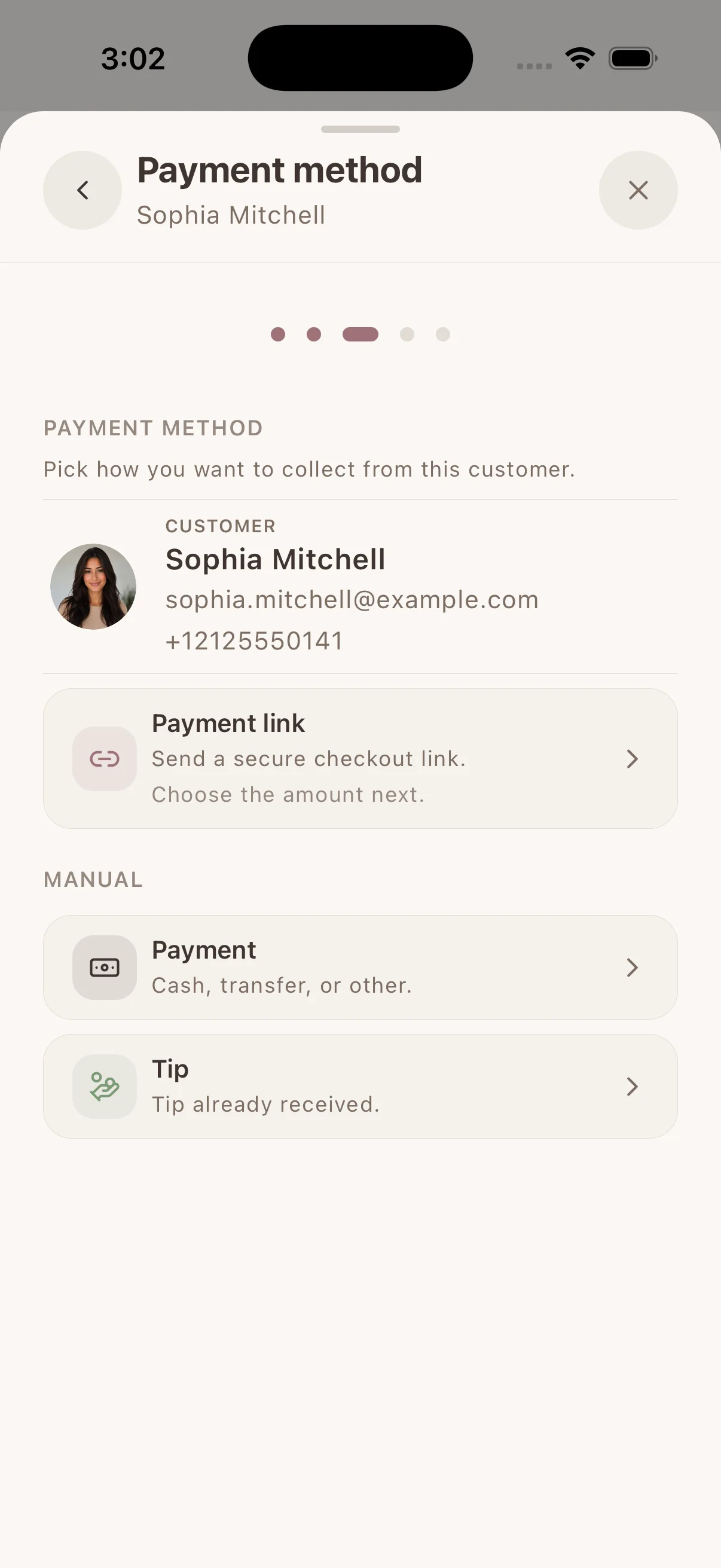
Send a payment request directly to a client
Open the client or appointment, choose exactly what you are collecting, and share the secure checkout link by message or email. The request starts with the client context already attached.
Appointment deposit
Request part of the appointment total before the service.
Full payment or balance
Collect the full price or the amount still due for an appointment.
Tip
Send a separate tip request connected to the completed work.
Custom payment request
Ask a selected client for a one-time amount without attaching an appointment.
Decide what clients pay during online booking
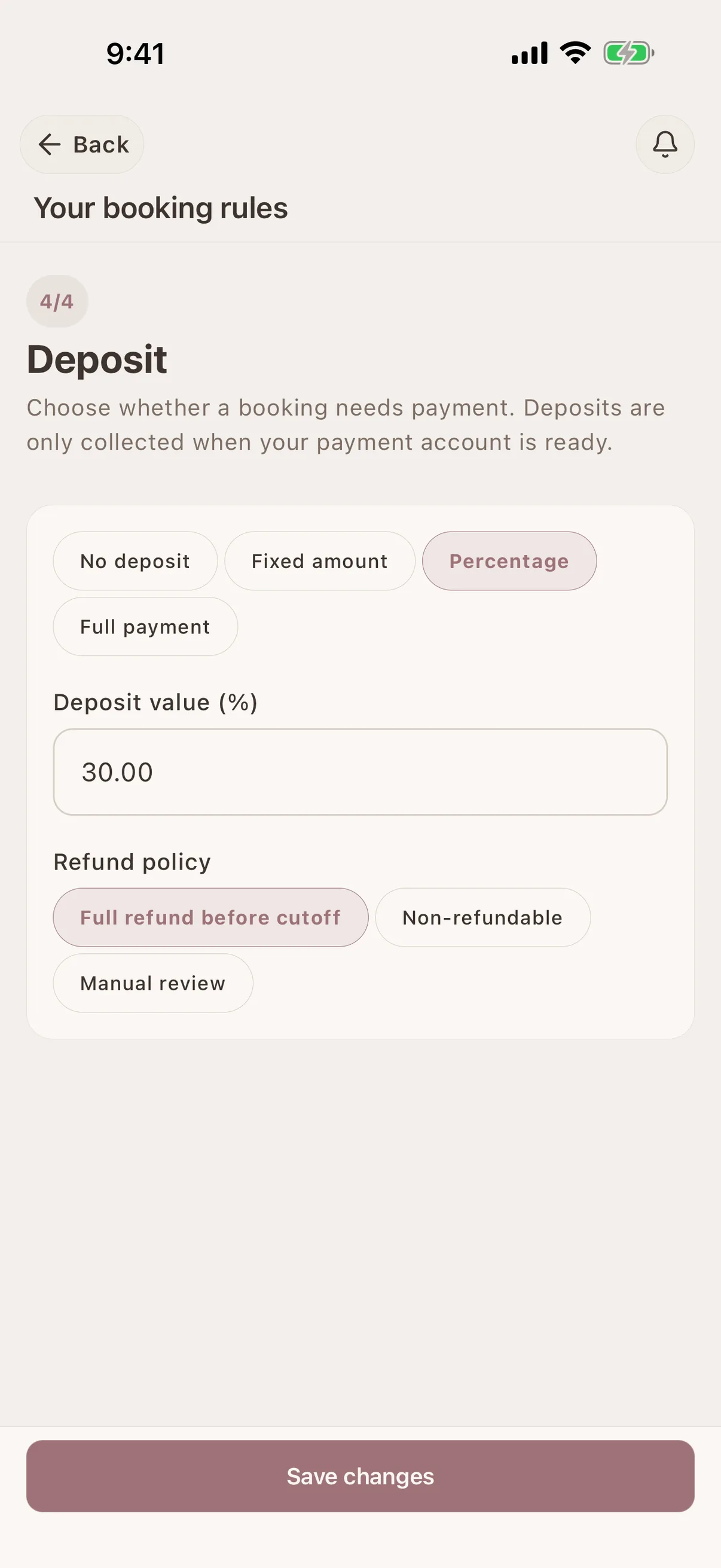
Set the upfront-payment rule for services on your public booking page. Glamorph checks that your payment account and service prices are ready before a paid booking flow can be published.
No upfront payment
Let clients book without paying online first.
Fixed deposit
Require the same advance amount for each eligible booking.
Percentage deposit
Collect a percentage of the selected service price.
Full prepayment
Require the full service price before the booking is confirmed.
Automatic confirmation or approval first
With automatic booking, required payment is part of confirming the appointment. If you review requests first, approve the request and Glamorph then asks the client to pay; the appointment is confirmed after successful payment.
Choose the refund rule before you publish
Set bookings to allow a full refund before your cancellation cutoff, make the upfront payment non-refundable, or review refunds manually. Your selected rule stays connected to the paid booking and its cancellation flow.
Confirmed payments return to the client history
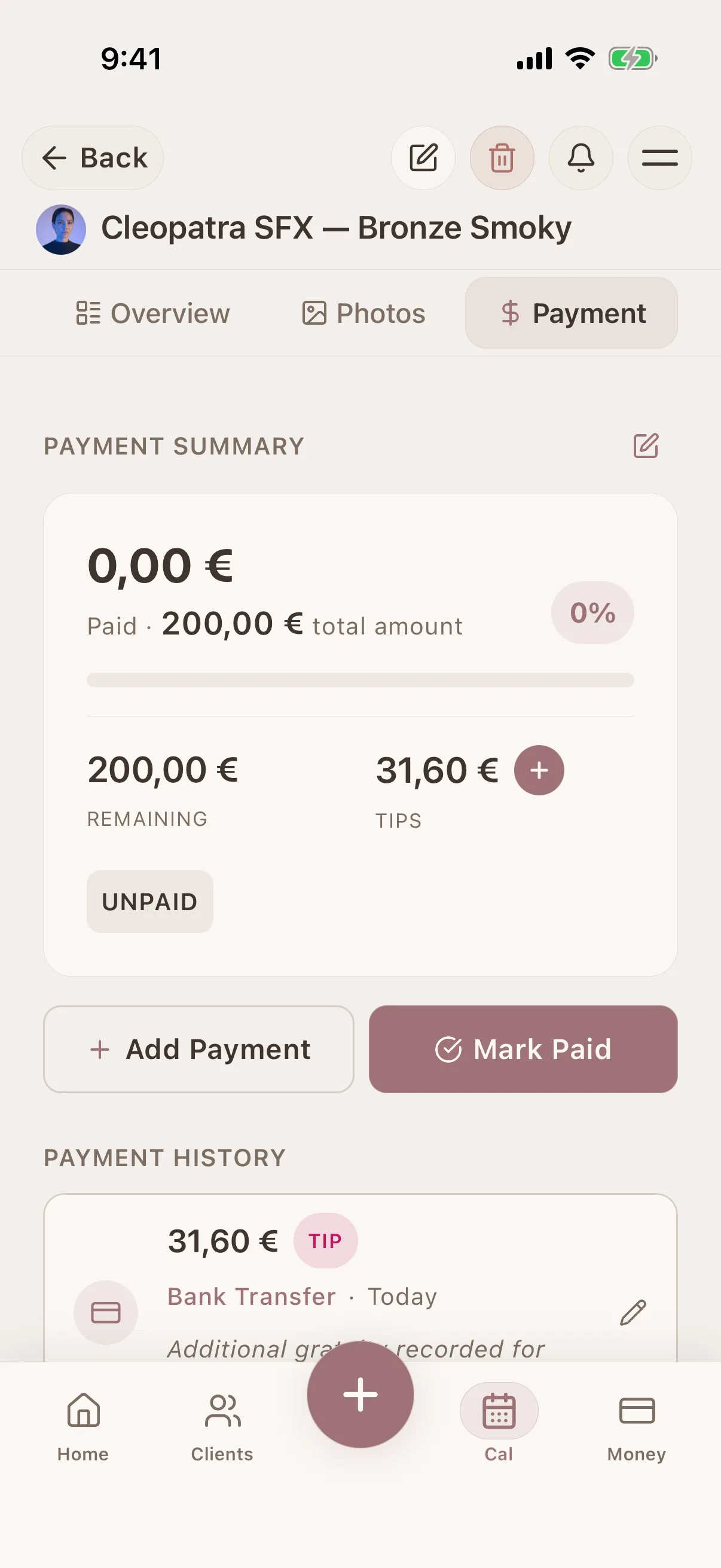
A successful direct or booking payment becomes part of the Glamorph payment record for that client and appointment. The paid amount and any remaining balance stay visible beside the work; cash, bank transfer, or an external terminal can still be recorded separately.
Your client gets a simple hosted checkout
The client opens the link in a browser and pays on a secure hosted checkout page. They do not need a Glamorph account and you do not collect their card details inside Glamorph.
Keep active links under control
Open Active links to share, copy, preview, or stop a link that can still be used. If an appointment amount or payment record changes, Glamorph prevents an outdated request from remaining available where possible.
Client PaymentsFrom payment rule to confirmed client payment
- 1Connect an eligible Stripe account and complete the payment-readiness checks.
- 2Send a direct client payment link, or choose the deposit rule for your public booking page.
- 3The client completes payment on Stripe's secure hosted checkout; no Glamorph app is required.
- 4After Stripe confirms the payment, Glamorph updates the booking and the relevant client payment history.
Clear costs, before you collect
Direct payment links and booking payments use Glamorph's integrated Stripe flow. Payments collected elsewhere can still be recorded manually.
Manual payment tracking
Record cash, bank transfer, card-terminal, or other payments in Glamorph. Glamorph does not charge a transaction fee for payments you only record manually.
Glamorph fee for integrated collection: 0.5%
Charged on each successful payment collected through Glamorph's Stripe integration. This fee is separate from your Glamorph subscription.
Stripe processing fees
Stripe charges its own fees separately. Rates vary by merchant country, payment method, and account terms.
See Stripe's current pricingGlamorph
Where this fits in real client work
Connect this feature with the parts of Glamorph that help you remember the client, prepare faster, and follow up cleanly.
See all featuresUse it with
Glamorph
Collect the right amount before or after the appointment
Send a direct payment link or make a deposit or full prepayment part of online booking, then keep the confirmed payment with the client record.
Starting from ≈ €9.99 per month · Free trial included
Payment links and booking deposit questions
What is the difference between a payment link and a booking deposit?+
A direct payment link is created by you from a client or appointment and shared through your usual channel. A booking deposit is required automatically by the rule on your public booking page when a client chooses a service and time.
Which amounts can I request with a direct payment link?+
You can request an appointment deposit, the full or remaining balance, a tip, or a custom one-time amount for a selected client.
Can online booking require a fixed deposit, a percentage, or full payment?+
Yes. Your booking rule can require no upfront payment, a fixed deposit, a percentage of the service price, or the full service price. Paid booking requires a ready payment account and valid service pricing.
What happens when I approve booking requests manually?+
If a booking requires your approval and also requires payment, the client is asked to pay after you approve the request. The appointment is confirmed after the payment succeeds.
Does my client need the Glamorph app?+
No. The client opens the secure checkout link in a normal browser and pays on the hosted payment page.
What happens to a booking payment when the client cancels?+
It follows the refund rule you published for online booking: full refund before the cutoff, non-refundable, or manual review. The available cancellation flow also depends on the booking status and timing.
Can I stop a payment link?+
Yes. Active links can be previewed, copied, shared, or stopped. Stopping a link makes that checkout unavailable without deleting the payment trail.
How much does Glamorph charge?+
Glamorph charges 0.5% on each successful payment collected through the integration. Stripe's own processing fees apply separately. Manual payment tracking has no Glamorph transaction fee.
Is a payment link available in every country?+
No. Availability depends on the business country and capabilities of the connected Stripe account, not the language used in Glamorph or on this page.
Take your client history with you
Use Glamorph for the details that usually live in DMs, notes, and your camera roll.
≈ €9.99 per month
Trusted by beauty professionals across