Client management for lash artists
Let clients book online, then open their lash map photos, curl, length, adhesive notes, signed forms and payment history before every fill. One app for solo artists and small lash studios.


The messy part of beauty work
The client details lash artists need before the next appointment
Glamorph keeps those details attached to the right client
- 01
Review sensitivities before the next set
Keep reported reactions, adhesive notes and consultation documents in the client record. Review them before treatment. Glamorph does not decide whether an adhesive or service is safe.
- 02
Keep the lash map with the client
Photograph your paper map or upload a digital one. Save it with the session so you can review the previous design before a fill.
- 03
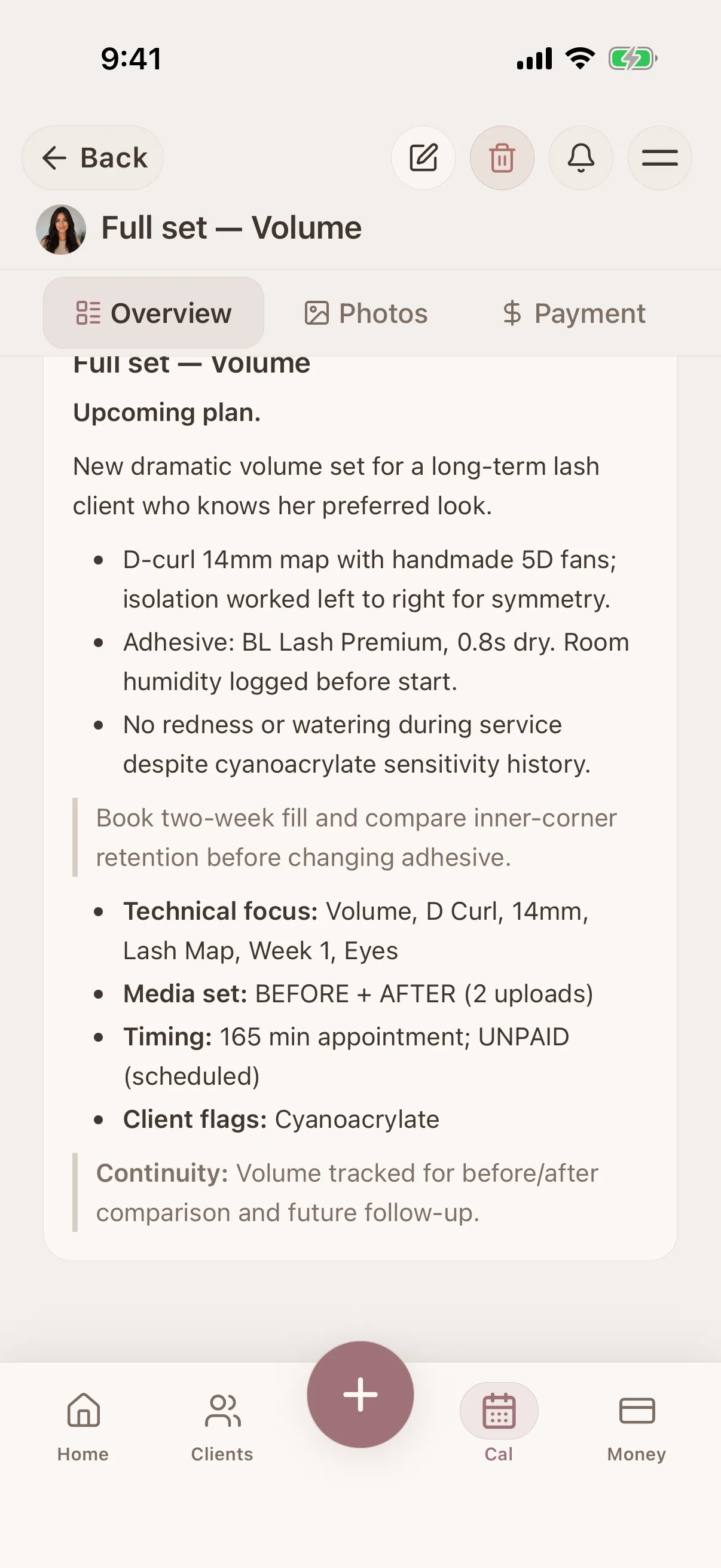
Record the curl, length and thickness
Save the specifications and application notes you used at each appointment. The next artist can review the same history when their workspace role allows access.
- 04
Put retention photos in context
Attach close-ups to dated sessions and add your own tags, such as 'week-3'. Review those photos alongside the previous application notes.
- 05
Connect the booking to the fill history
Set services, availability, buffers and time off, then publish your booking page. Confirmed bookings join the calendar you use for your client work.
- 06
See payments for full sets and fills
Keep the service price, deposit and balance in the session record. Record a complimentary correction too, so your history reflects the work you did.
Who Glamorph is built for
For independent lash artists and small studios that want online booking, client profiles, signed forms and payment history together.
Good fit
Solo lash artists
Save lash map photos, curl, length, thickness and reported sensitivities in each client's history.
Volume & mega-volume specialists
Record fan sizes, lengths, curls and application notes per session, then review them before a fill.
Lash + brow combo artists
One profile per client across both services. Allergies and history in one place.
Small lash studios and teams
Share client history and manage professional calendars with separate logins and permission roles.
Not the right fit
Chains needing enterprise operations
Glamorph does not replace inventory, payroll, fiscal POS or enterprise multi-location management.
What is Glamorph?
Glamorph is beauty business software for independent professionals and small teams. It brings online booking, calendars, client history, photos, signed documents, payments, and team work together in one place.
Your workflow, transformed
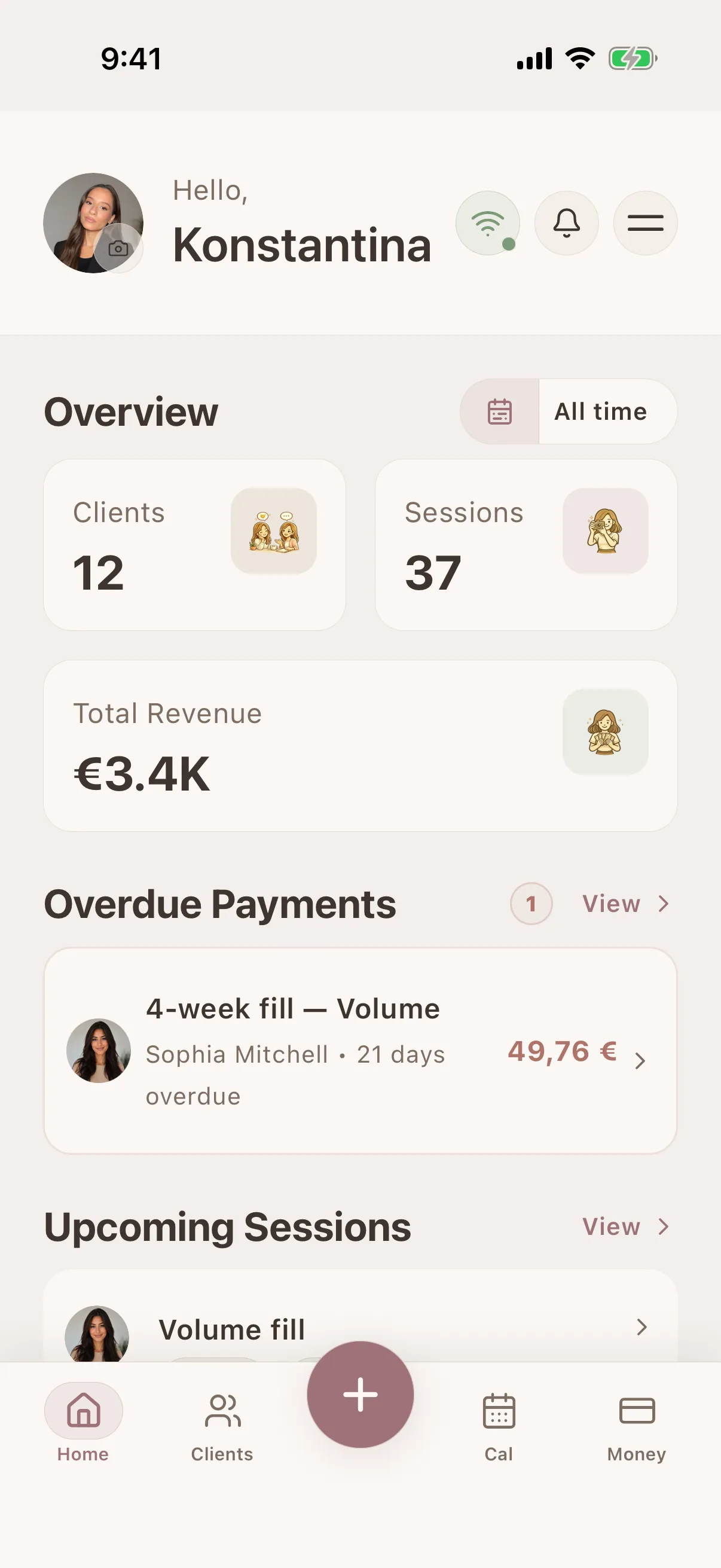
Keep bookings, client notes, photos and payments together.
Before Glamorph
Paper lash maps separate from the client's record
With Glamorph
Lash map photos attached to the relevant client or session
Before Glamorph
Curl, length and adhesive details spread across notes
With Glamorph
Curl, length, thickness, fan size, isolation notes saved per session
Before Glamorph
Retention photos mixed into your camera roll
With Glamorph
Dated photos organized with your own retention-week tags
Before Glamorph
Deposit and balance records kept elsewhere
With Glamorph
Confirmed bookings, fills and payments in the same client history
Results you can repeat
Keep the notes, photos, payments, and history that make the next appointment smoother.
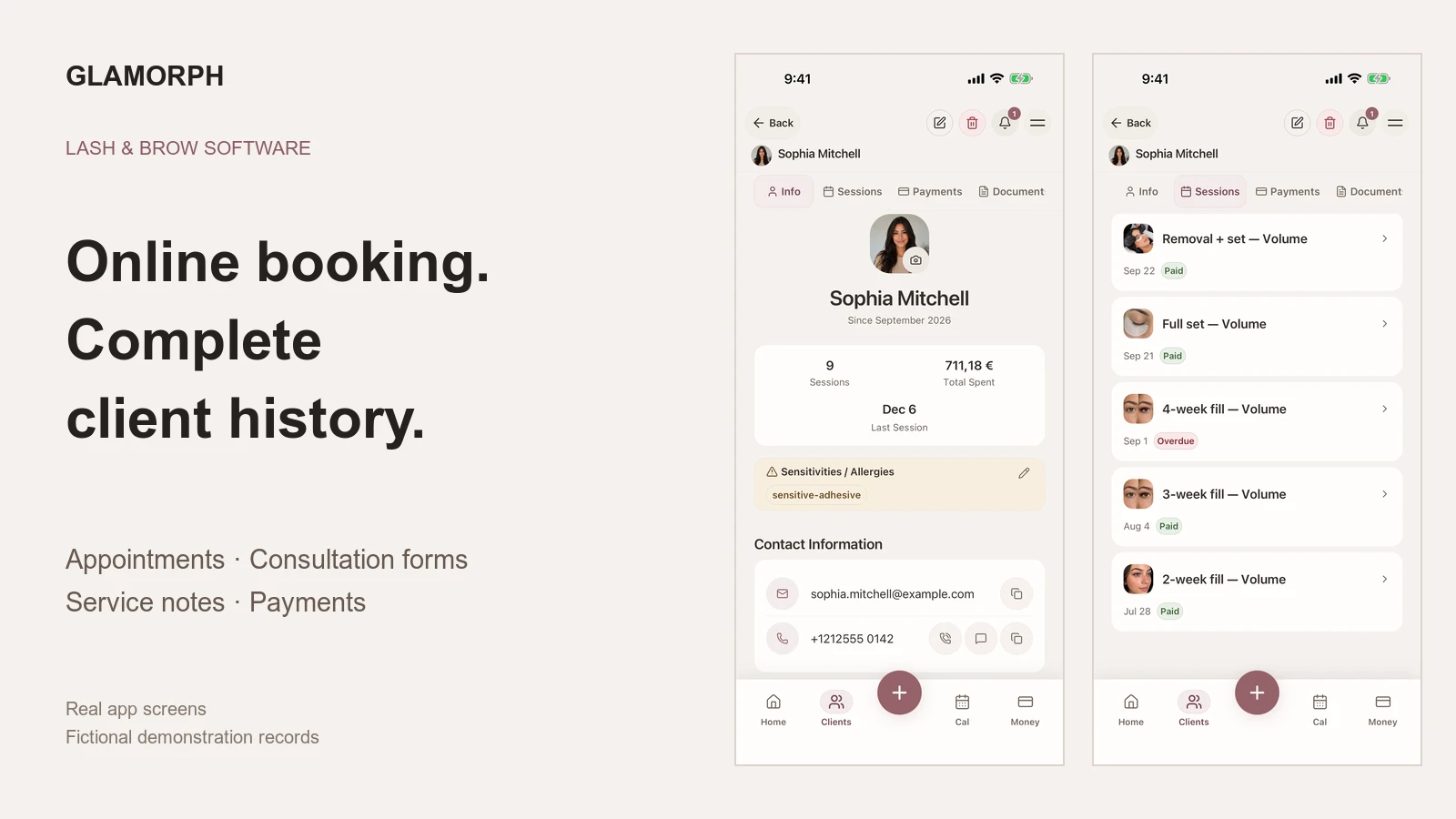
Client profiles for lash maps and fill history
Keep client preferences and reported sensitivities with lash map photos, application notes and previous sessions. Open the record before the next appointment.
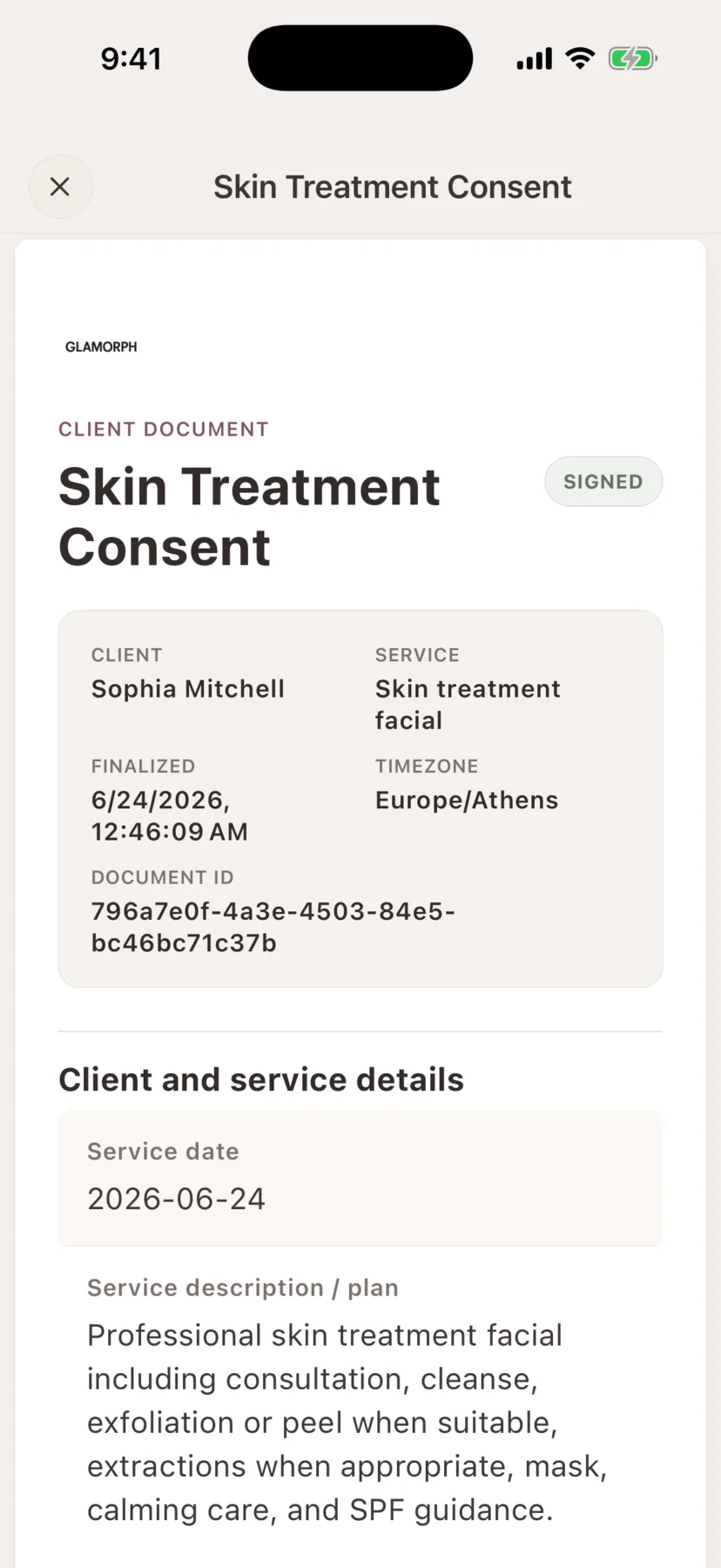
Consent, intake and photo-release forms in the client record
Create consent forms, intake forms, patch tests, aftercare instructions and photo releases, then keep the signed PDF with the client history.
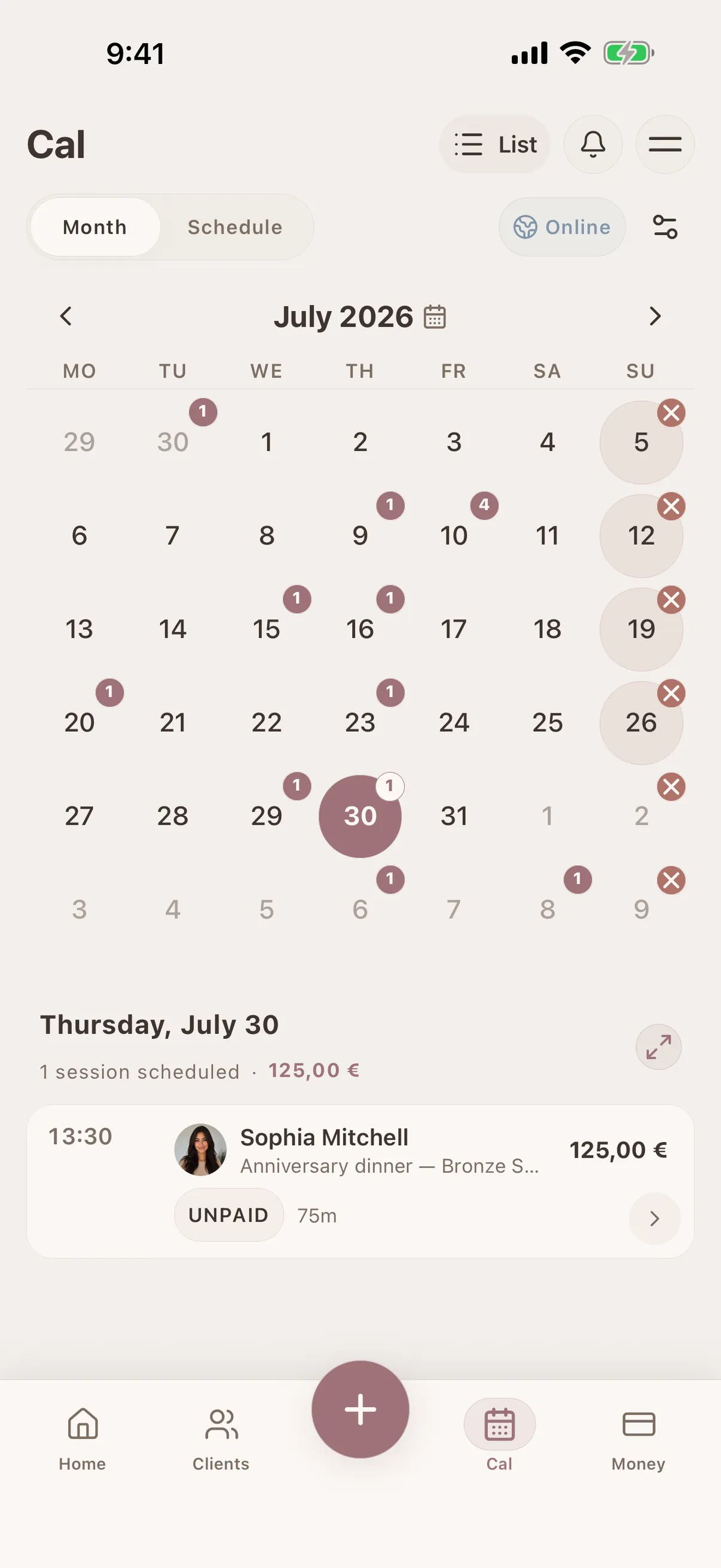
Online booking that starts the client record
Publish services and live availability, let clients choose a time, and bring each confirmed booking into the same calendar and client history used for lash maps, sensitivities and fills.
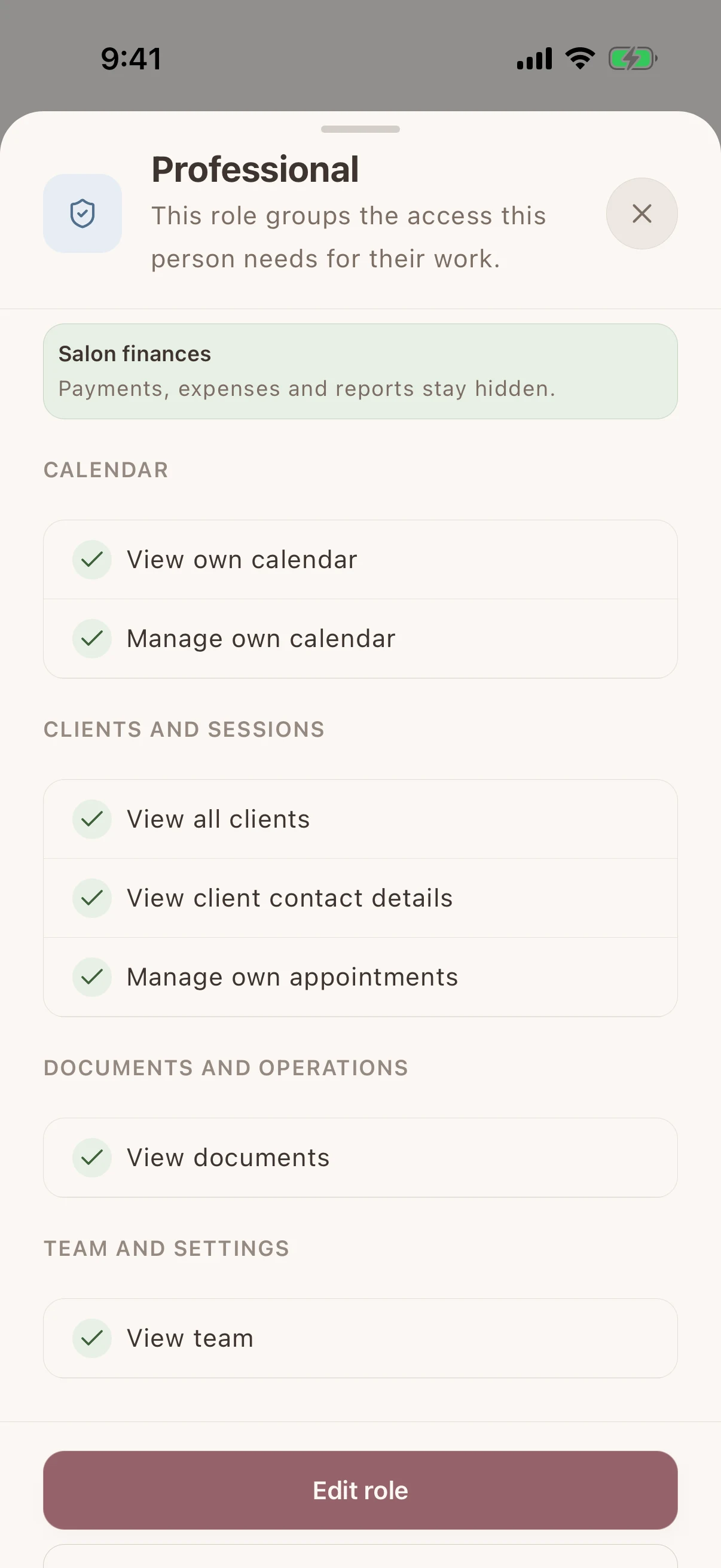
Shared client history, separate staff access
Give each team member their own login and calendar. Choose who can see client records, signed documents and financial information without sharing the owner's account.
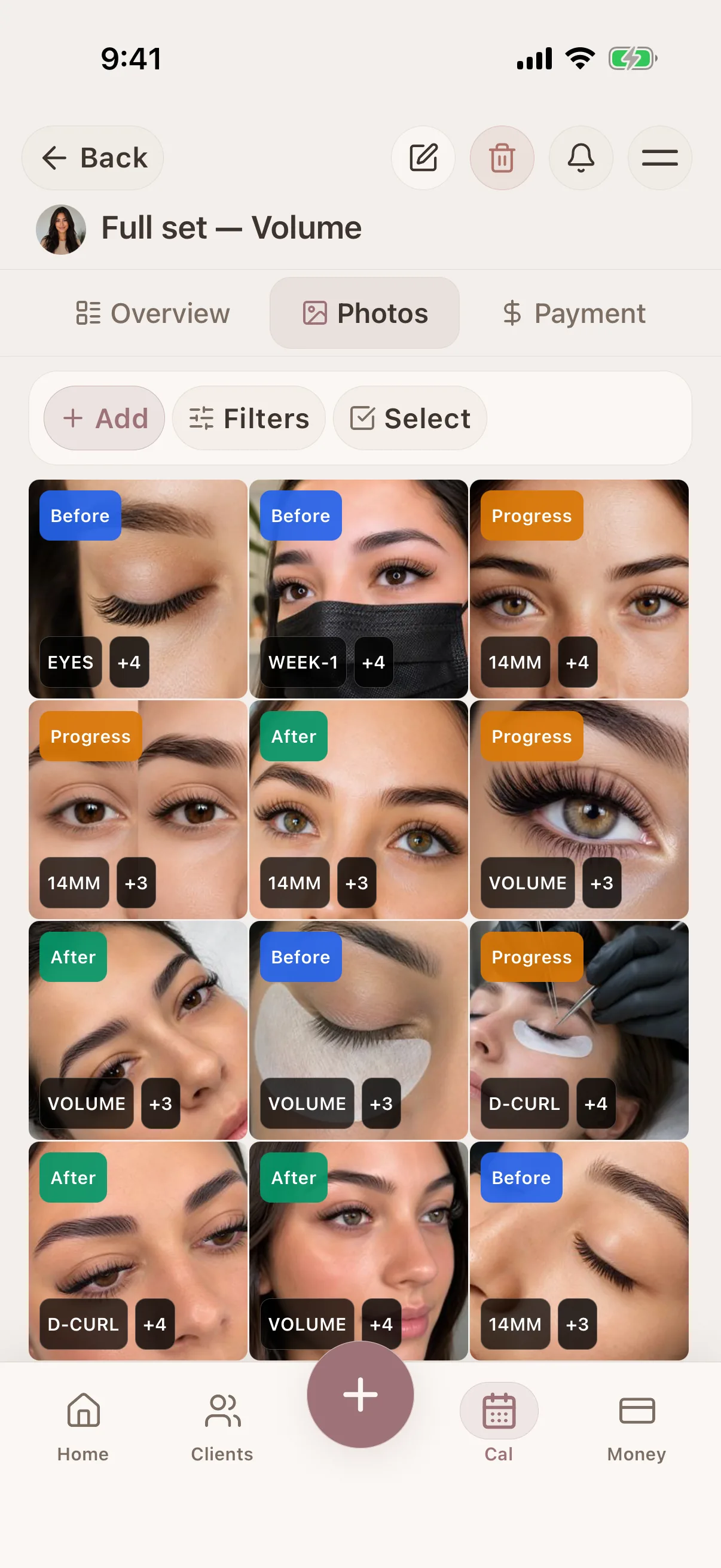
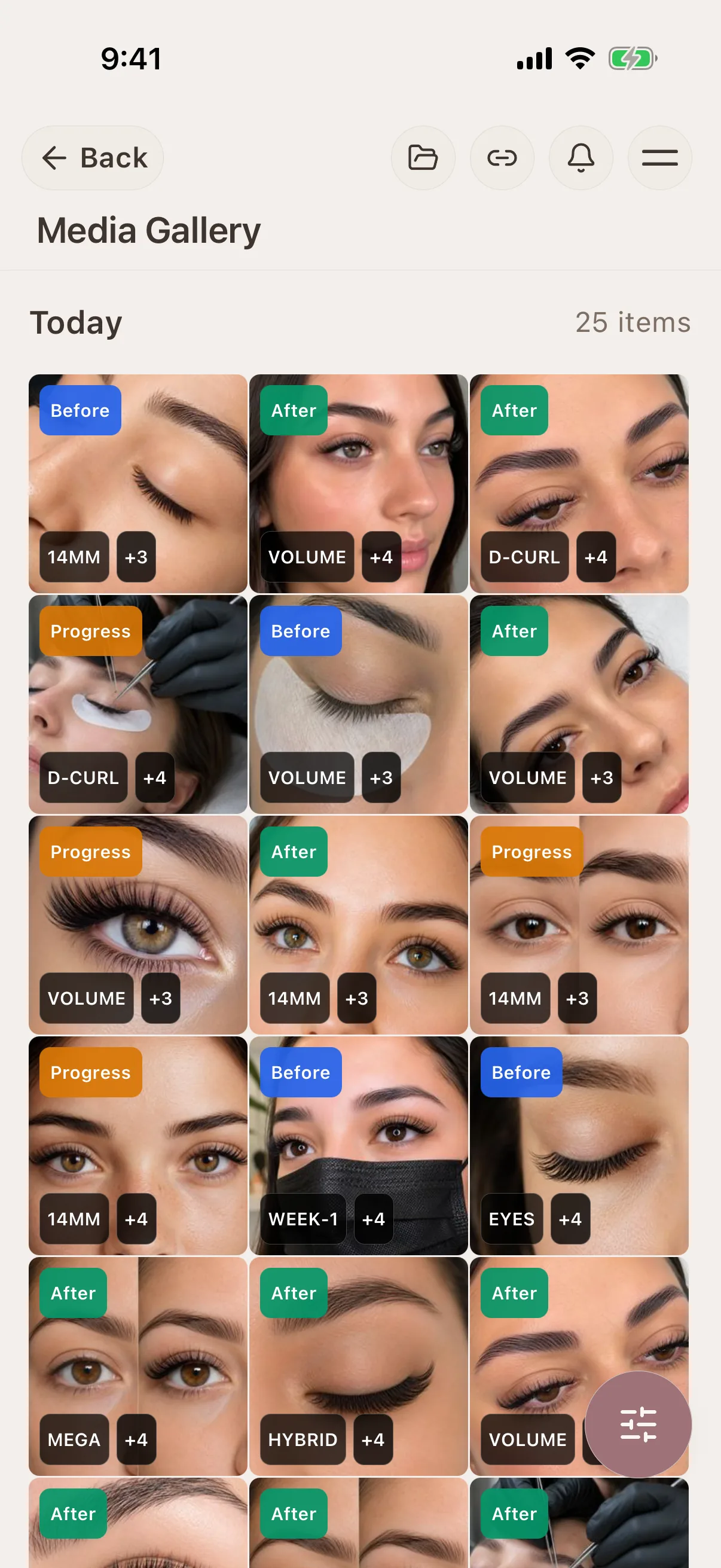
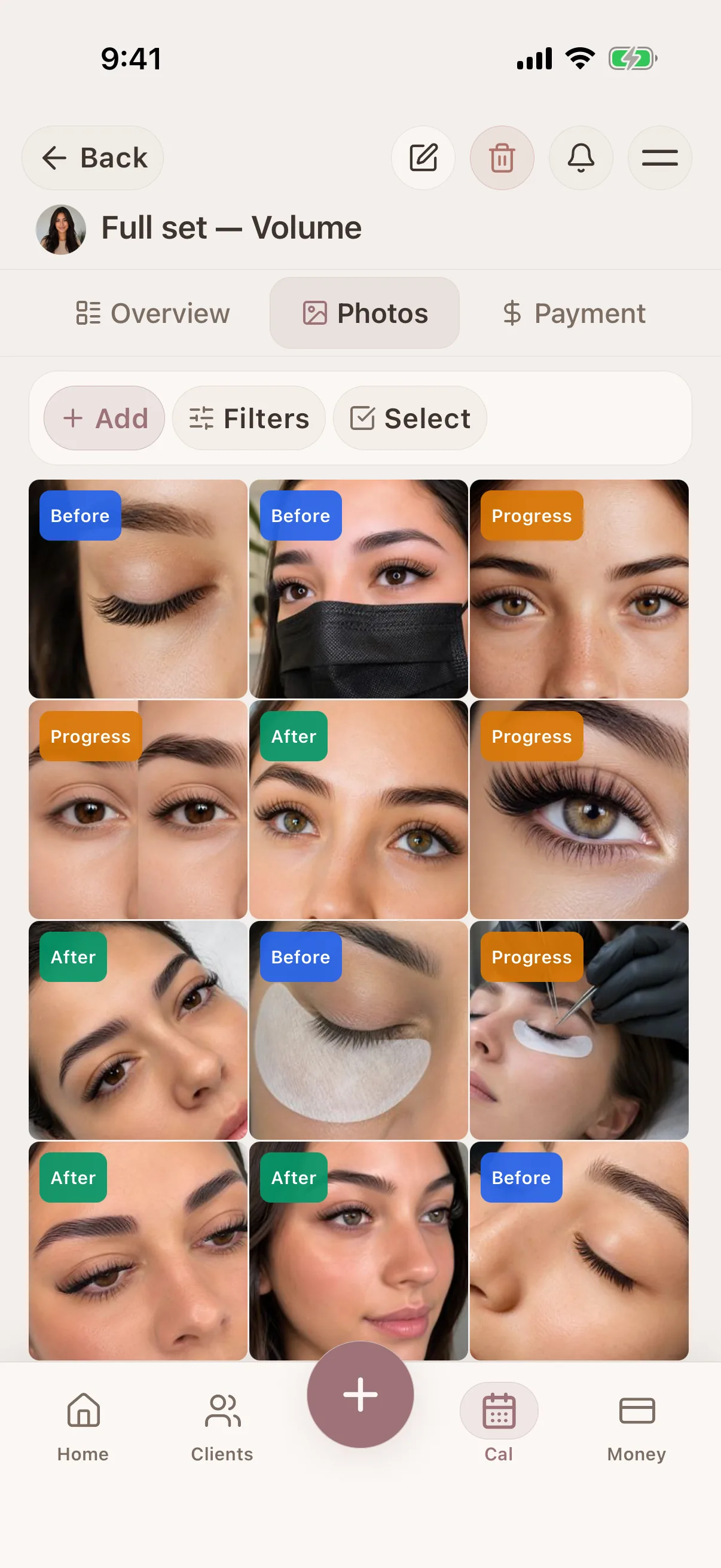
Review before, after and follow-up photos
Keep close-ups with each session and compare photos from full sets and fills. Check the client's permission before using their images in another consultation.
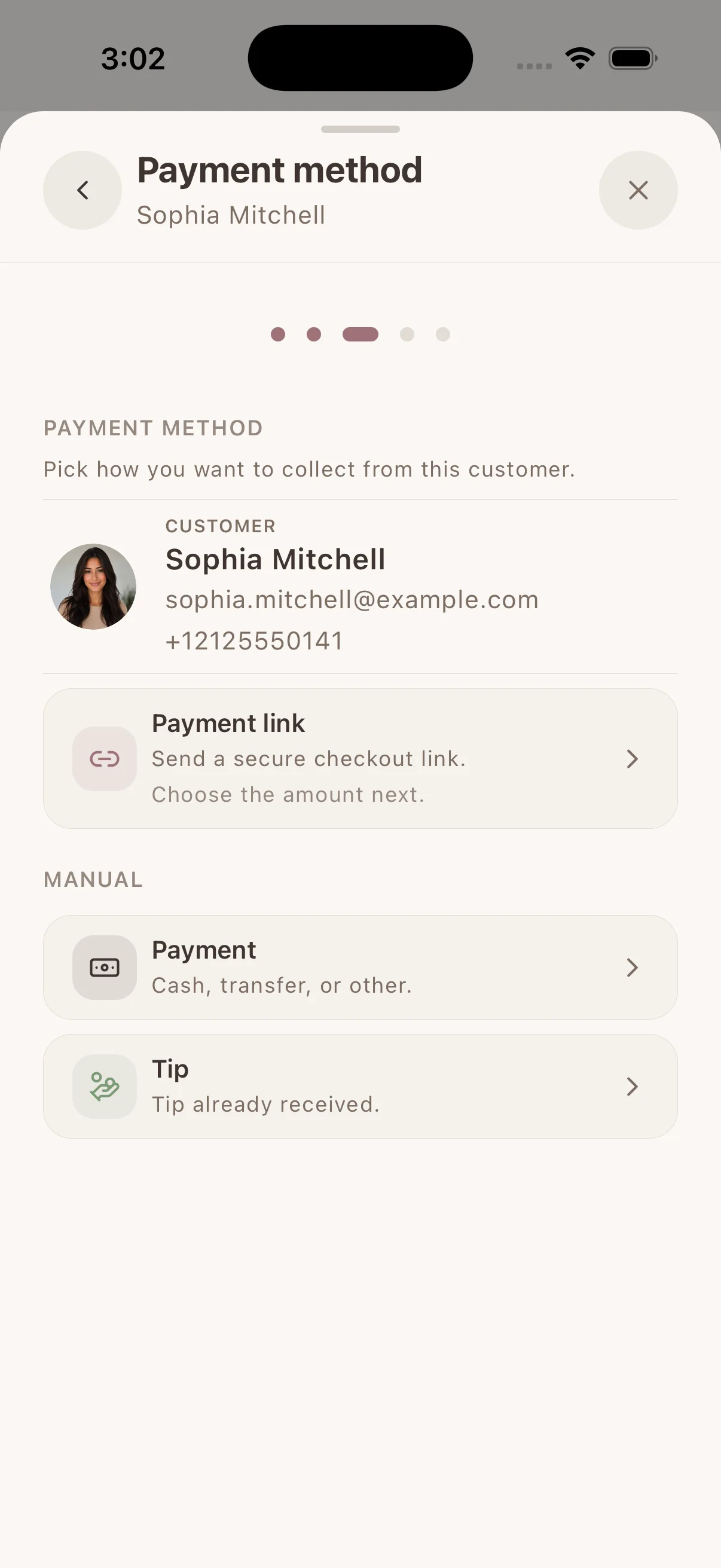
Collect & track payments
Collect by payment link, supported phone or connected terminal through Stripe, SumUp or Square. Available methods depend on your provider, business country and device. Keep confirmed payments with the client. Record cash or other payments separately.
Real workflows
A simple way to keep the details together before, during, and after the appointment.

Prepare for every repeat beauty appointment from real client history
See what happened last time, what the client preferred, what changed, and what is booked next—without reconstructing the story from memory or messages.
Learn more
Find every beauty client photo in the session where it belongs
Keep consultation, before-and-after, progress, and reference images connected to the client, service history, and notes that explain them.
Learn more
Let beauty clients book without back-and-forth messages
Share one booking link from your social profiles, website, or anywhere clients find you. They choose a service, professional, and genuinely available time without waiting for you to answer.
Learn moreCompare booking software for your lash business
What to check for full sets, fills, consultation forms and returning-client history.
From the first booking to the next visit
Spend less of the appointment finding information. Keep the booking, the work and the payment with the same client.
Let clients choose a time that works
Share your own booking page with services and live availability. Confirmed bookings and appointments you enter yourself use the same calendar.
Client profiles for lash maps and fill history
Keep client preferences and reported sensitivities with lash map photos, application notes and previous sessions. Open the record before the next appointment.
Finish the visit with everything in place
Save the work, photos and signed forms with the appointment. Collect an eligible payment or record what was paid, then find that history at the next visit.
iOS · Android · Web App
See it in action
Swipe through real app screens
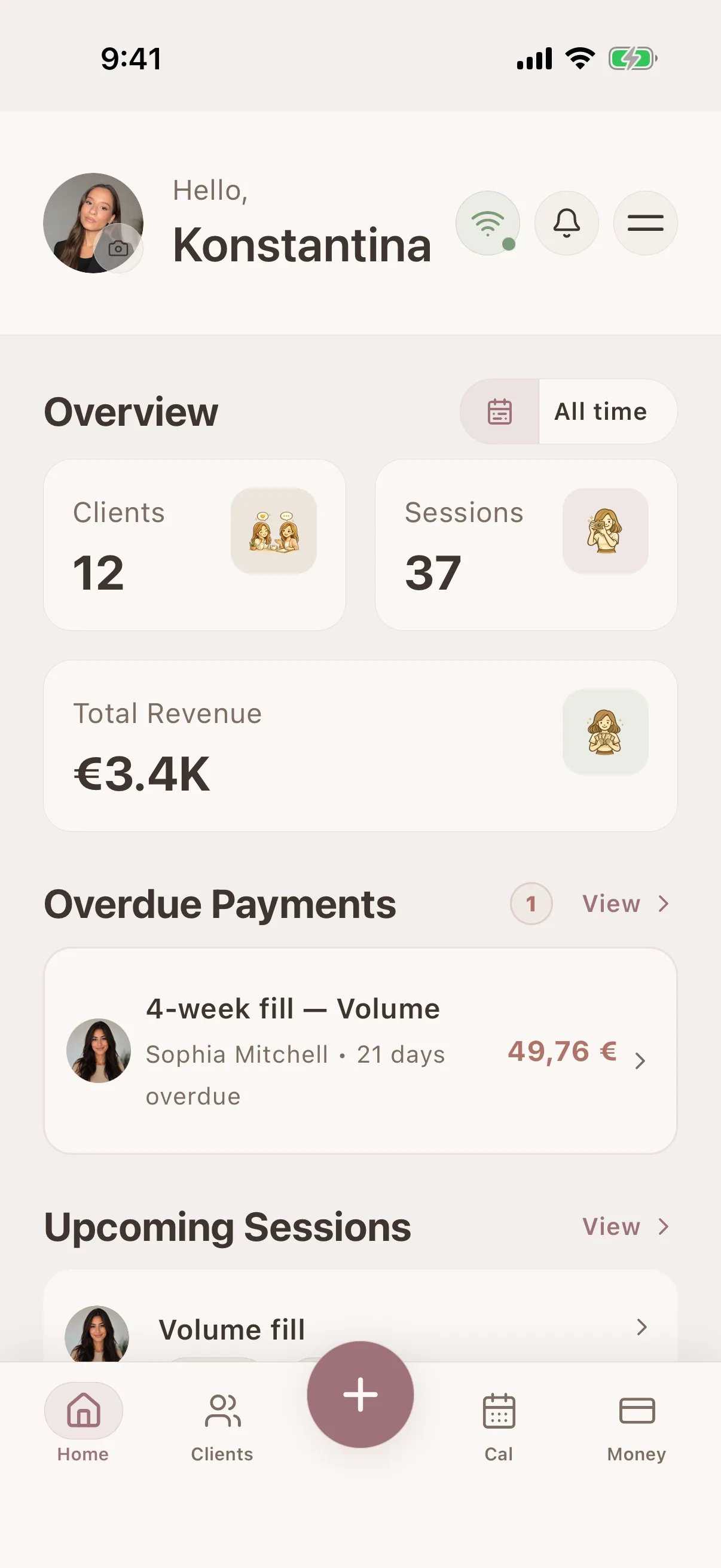
Glamorph
Swipe through real app screens
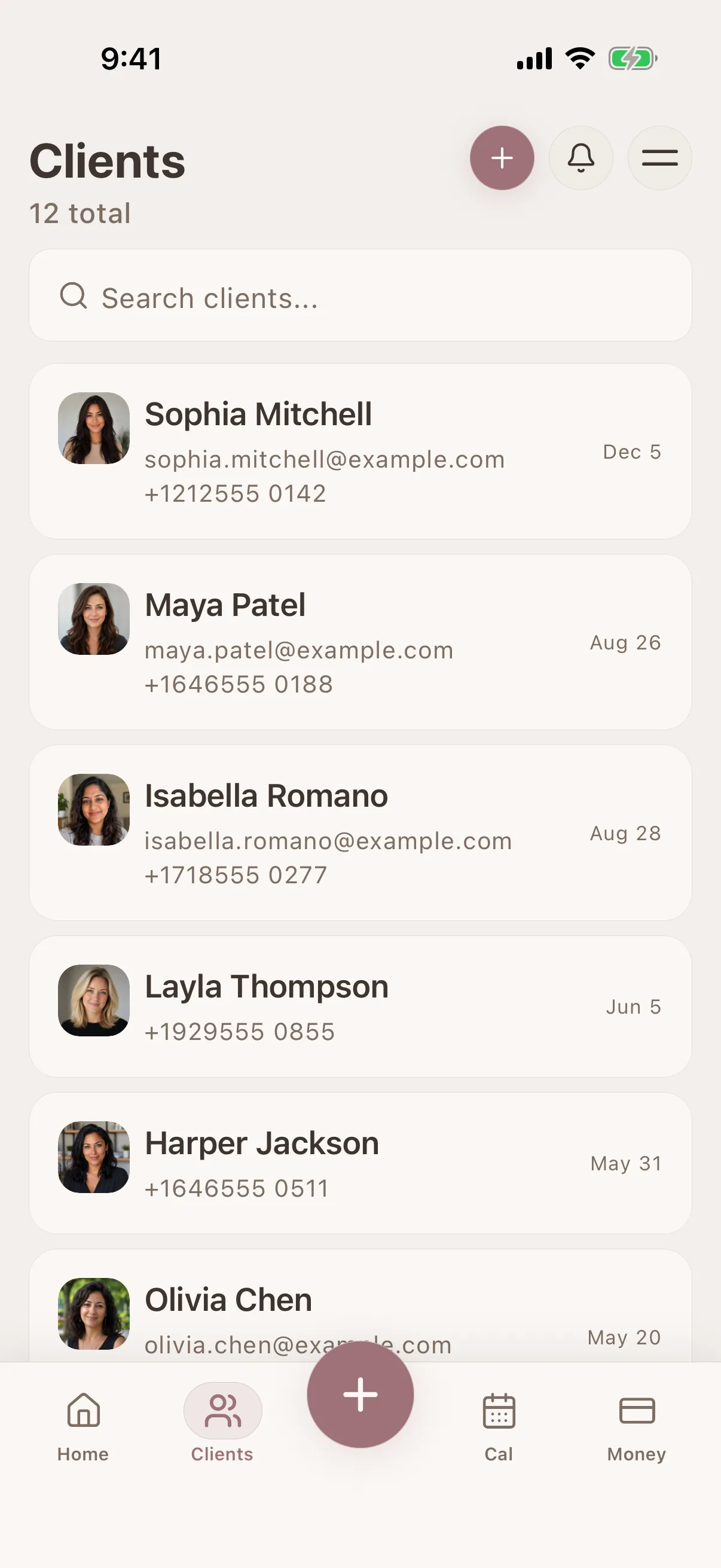
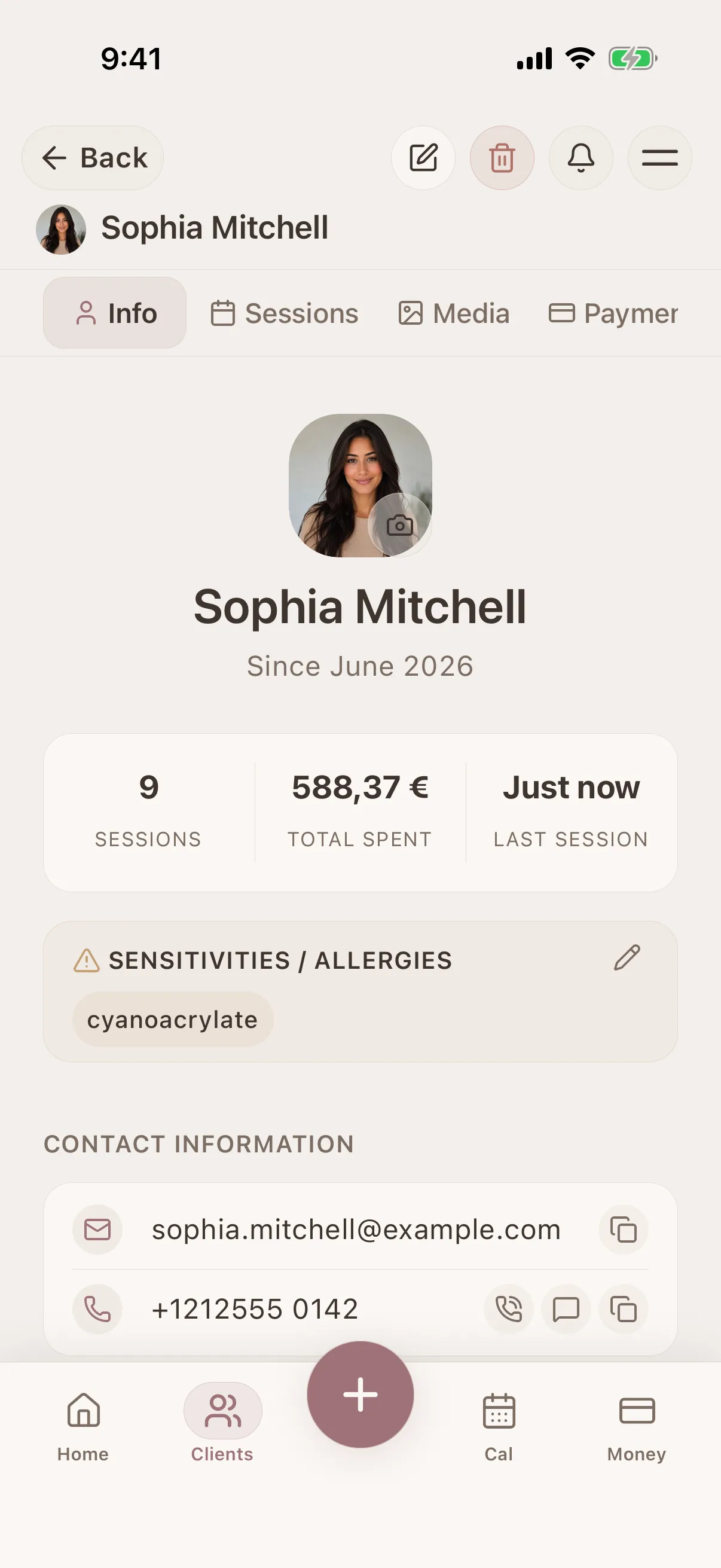
Client profile view
All details, history & preferences in one place
Client profile view
All details, history & preferences in one place
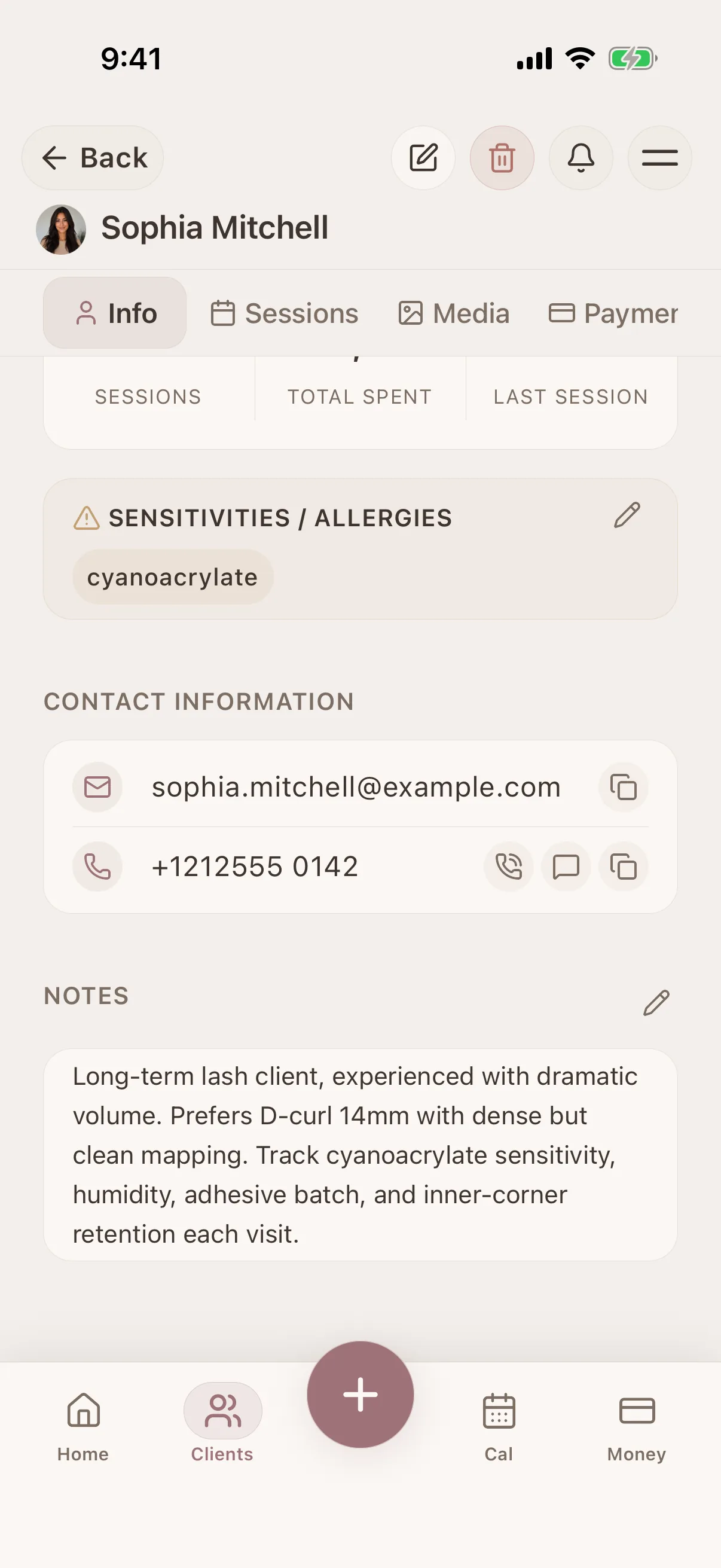
Client profile view
All details, history & preferences in one place
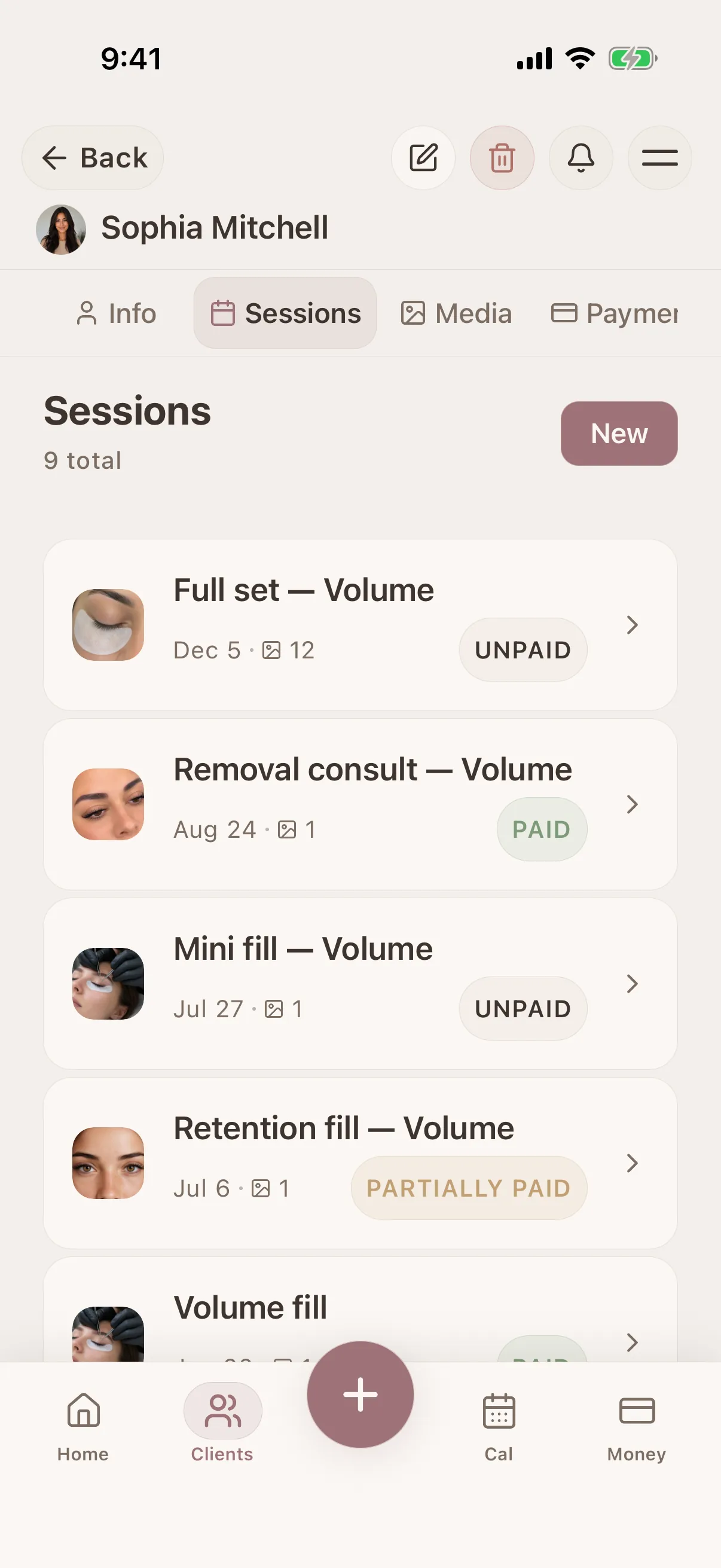
Session timeline
Full history of every client interaction
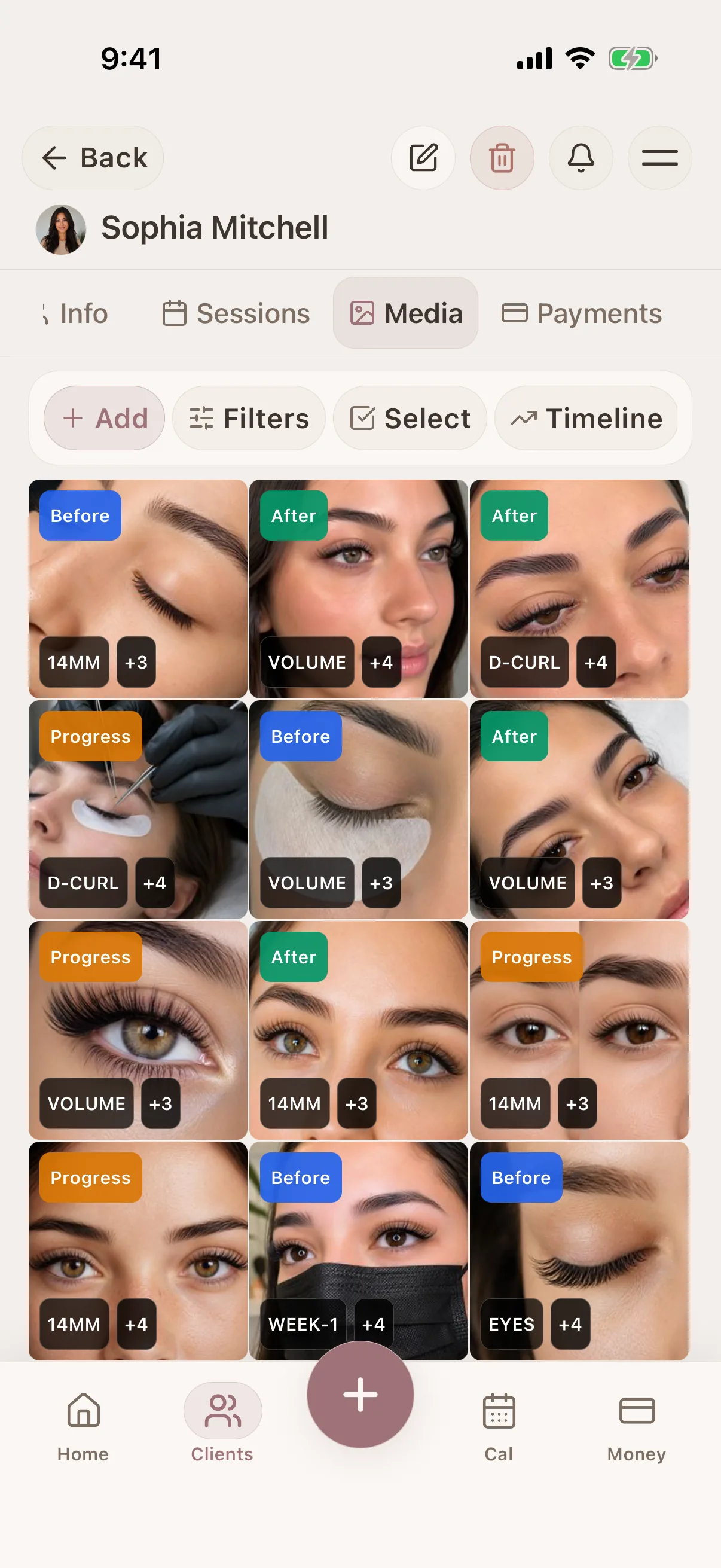
Photo tagging & search
Tag and filter photos in the client record
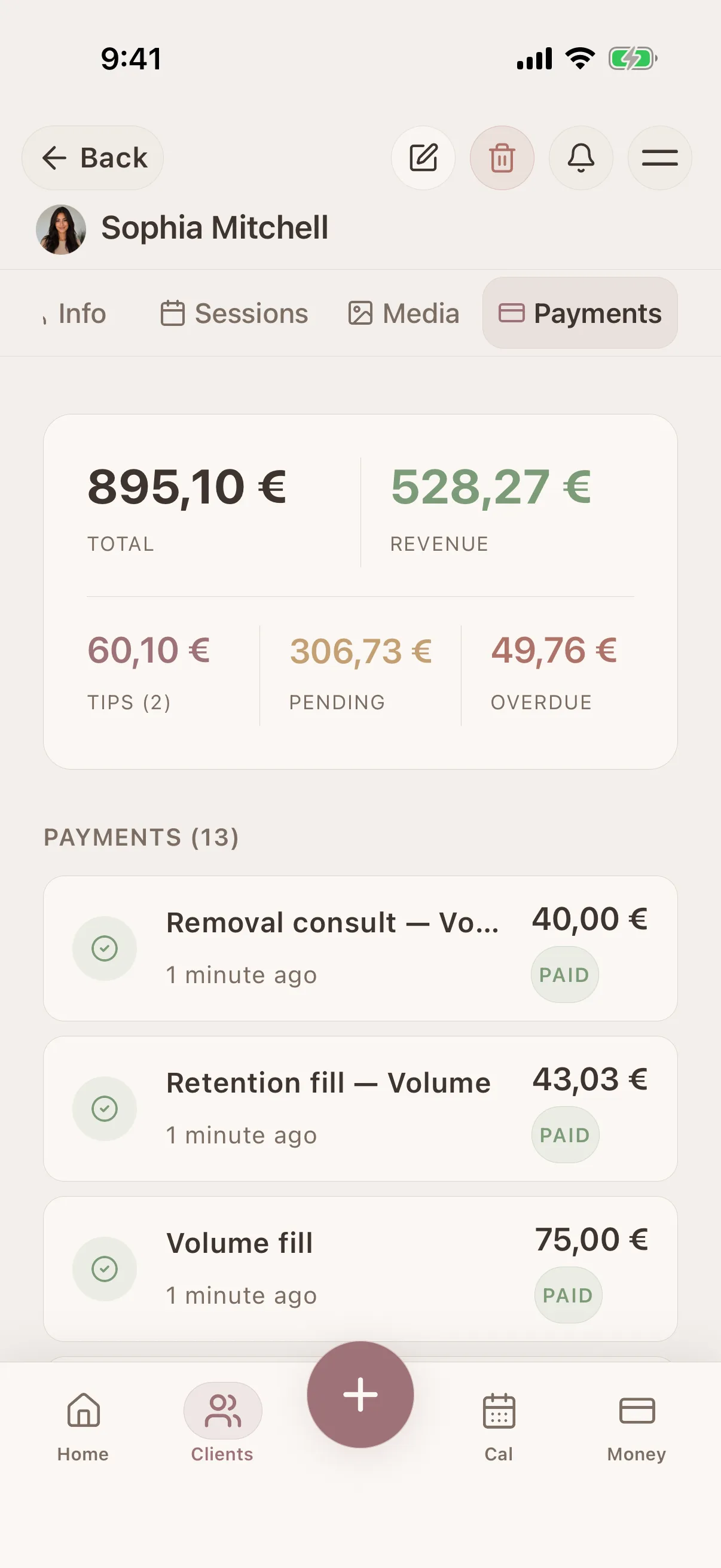
Payment history
Client payments and outstanding balances
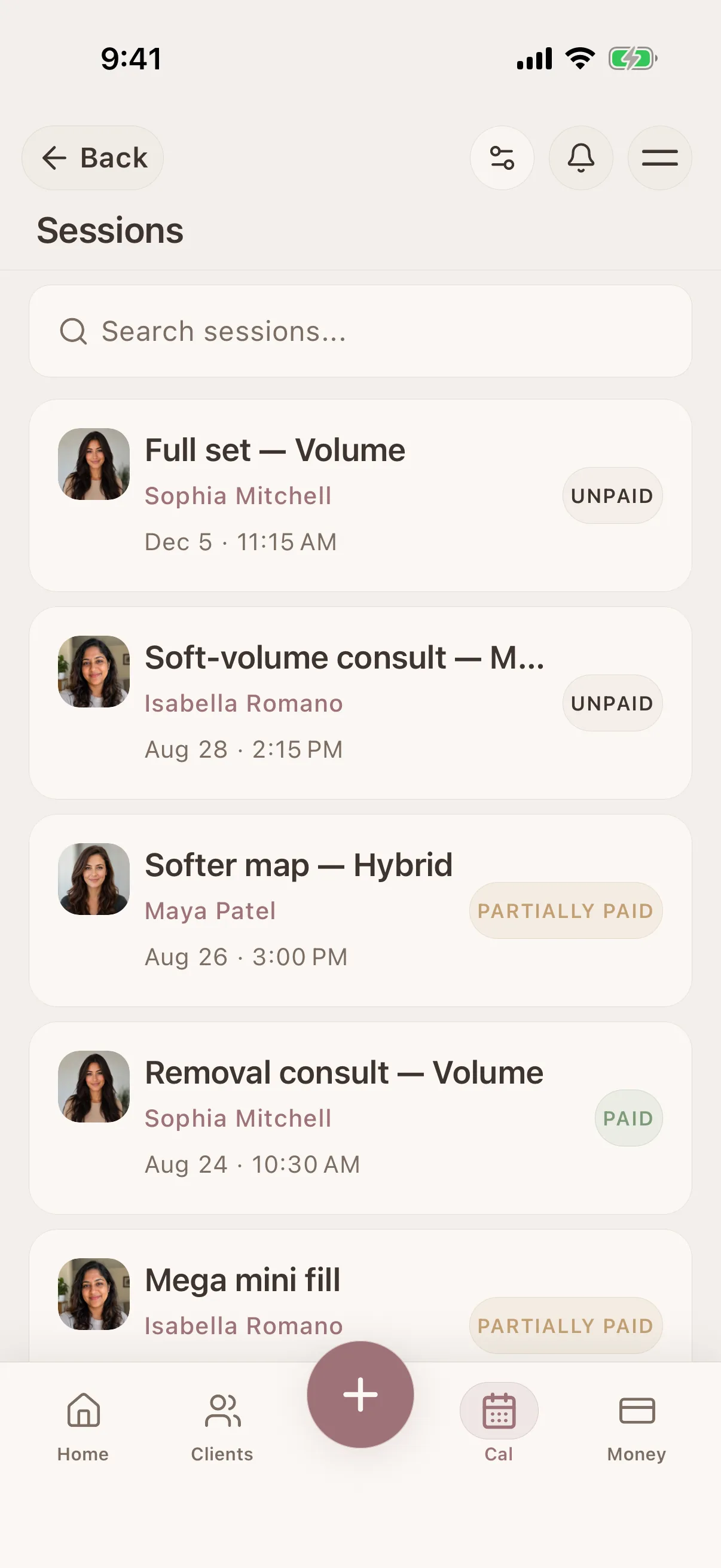
Session detail view
Products, notes, photos & payment per session
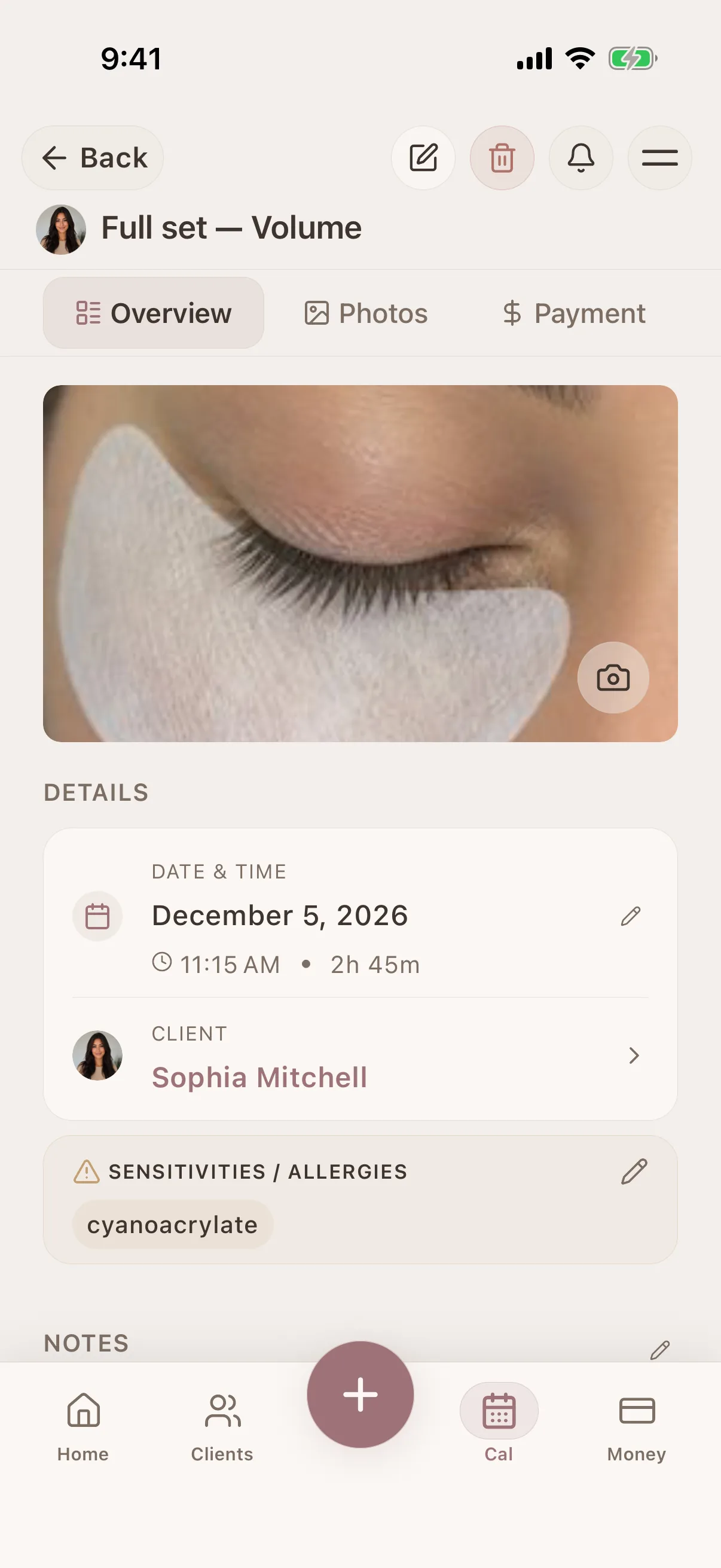
Session detail view
Products, notes, photos & payment per session
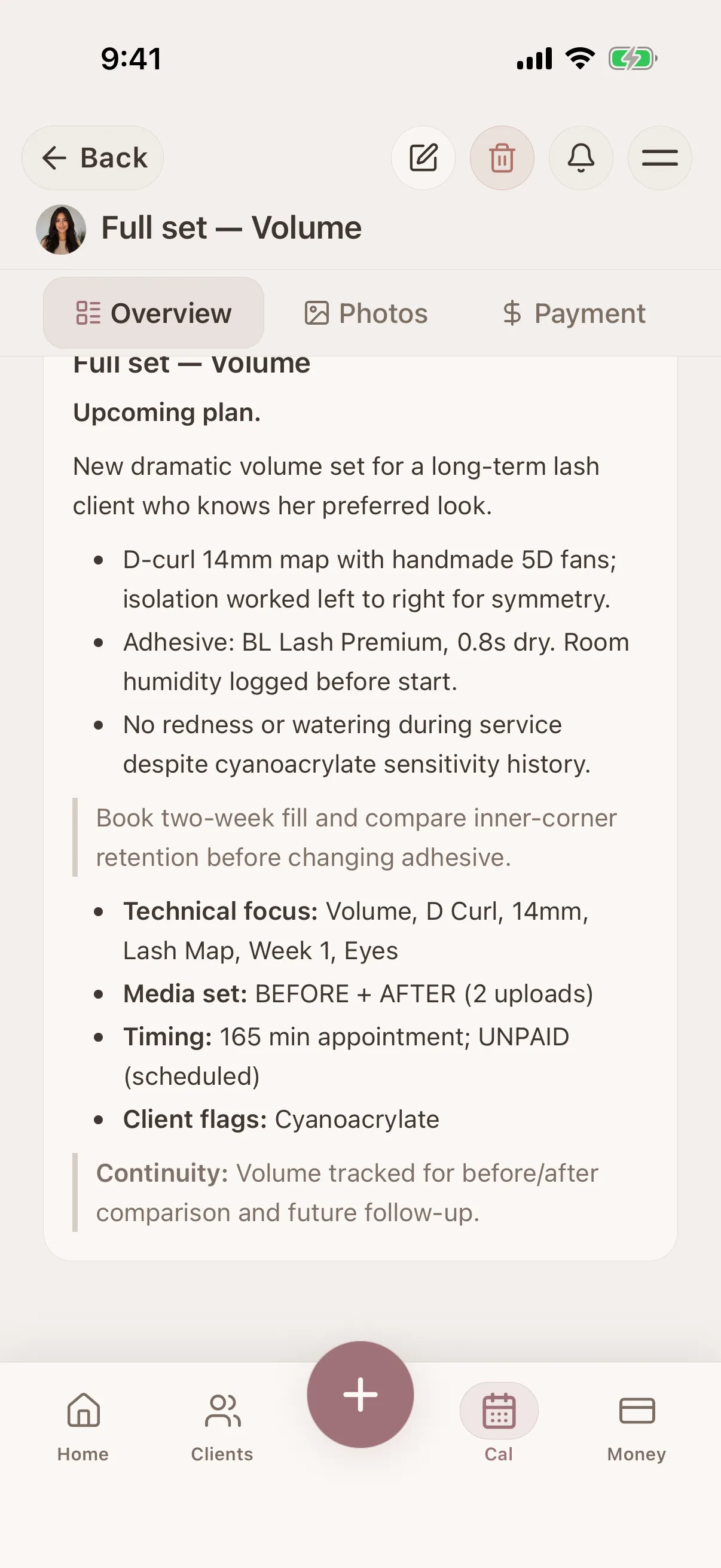
Session detail view
Products, notes, photos & payment per session
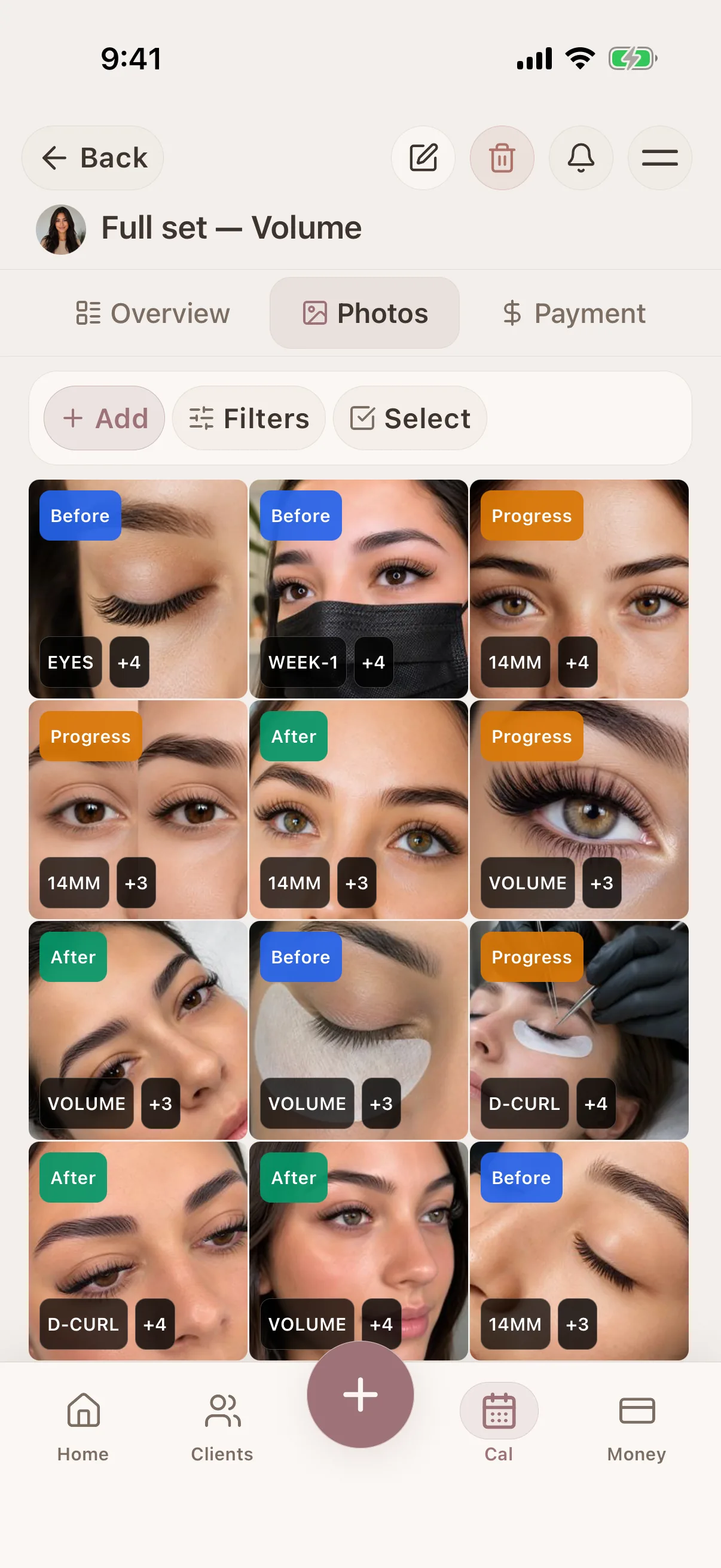
Photo tagging & search
Tag and filter photos in the client record
Photo tagging & search
Tag and filter photos in the client record
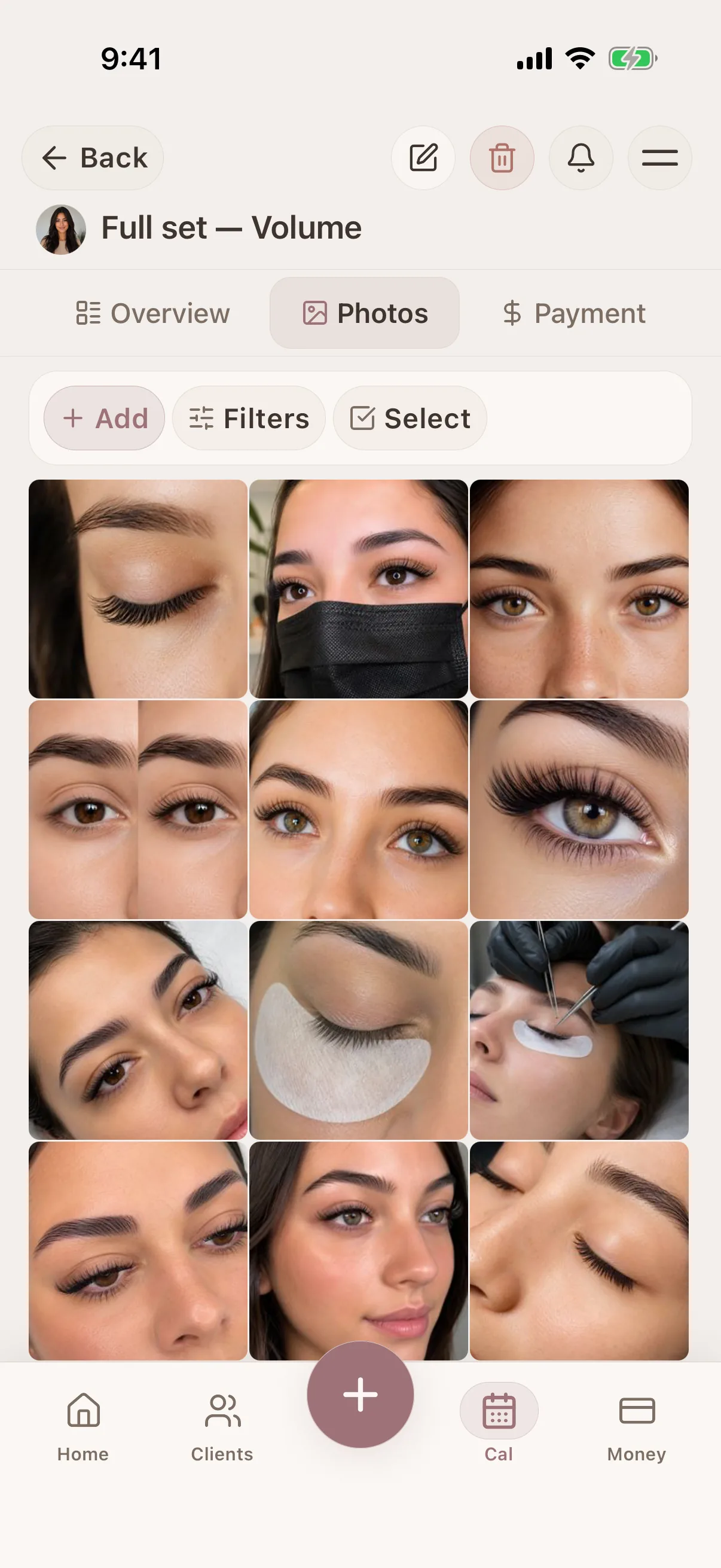
Photo tagging & search
Tag and filter photos in the client record
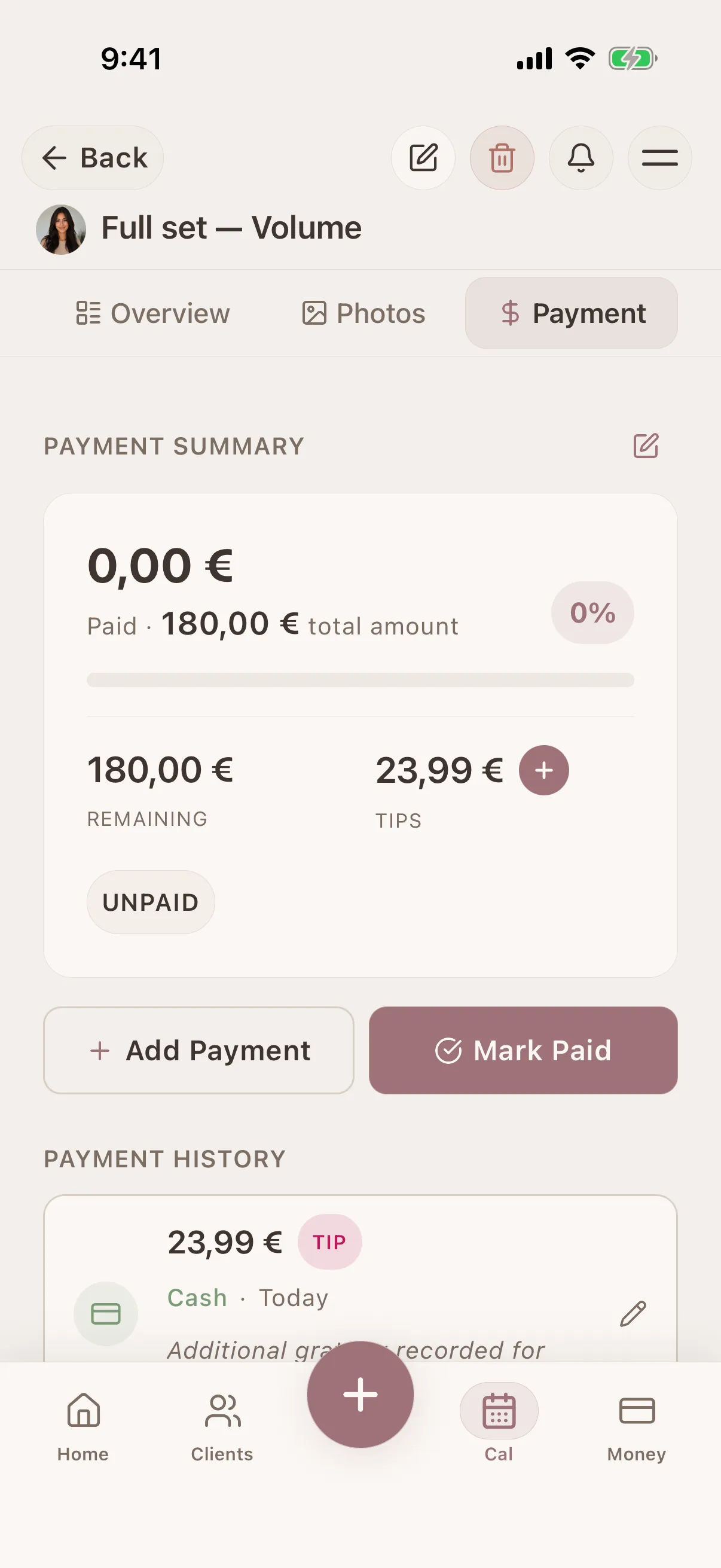
Payment history
Client payments and outstanding balances
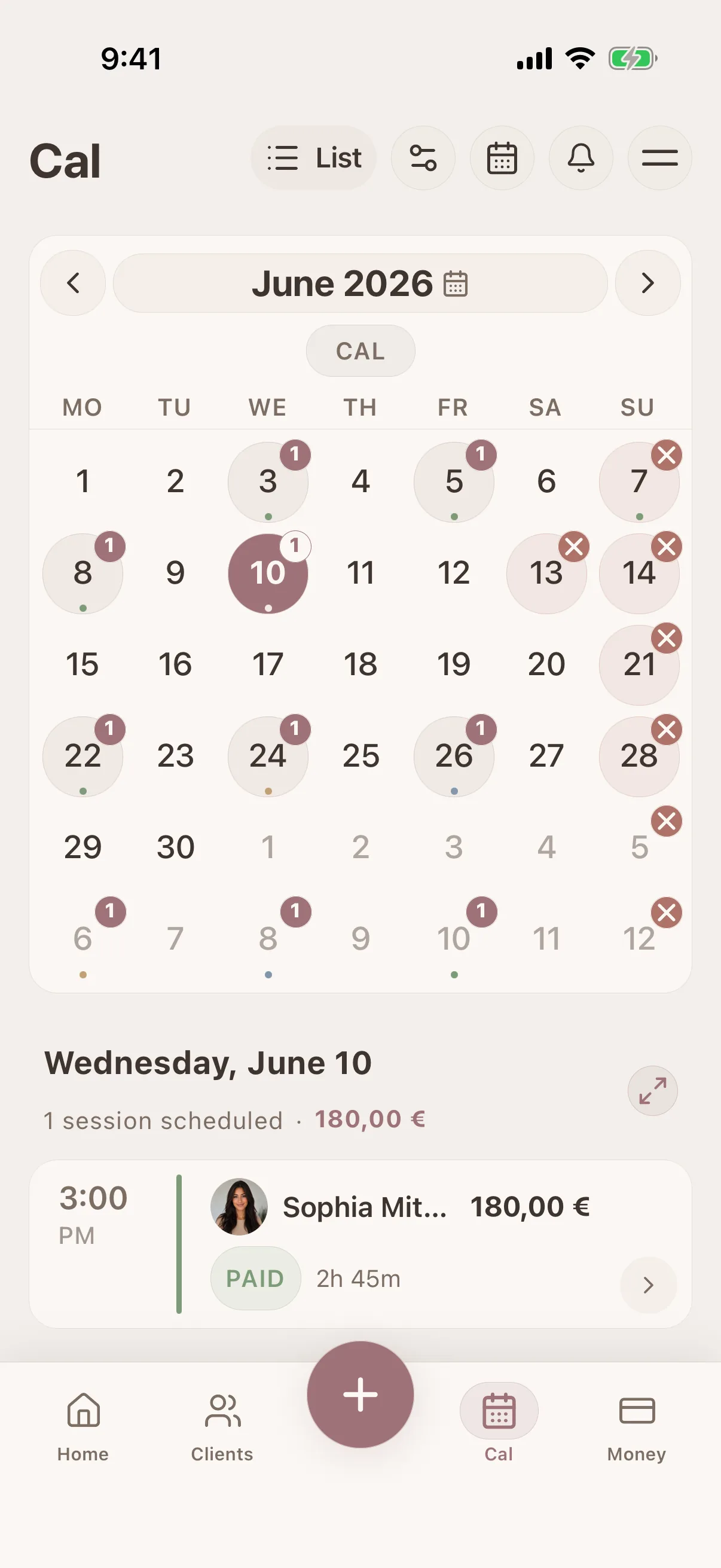
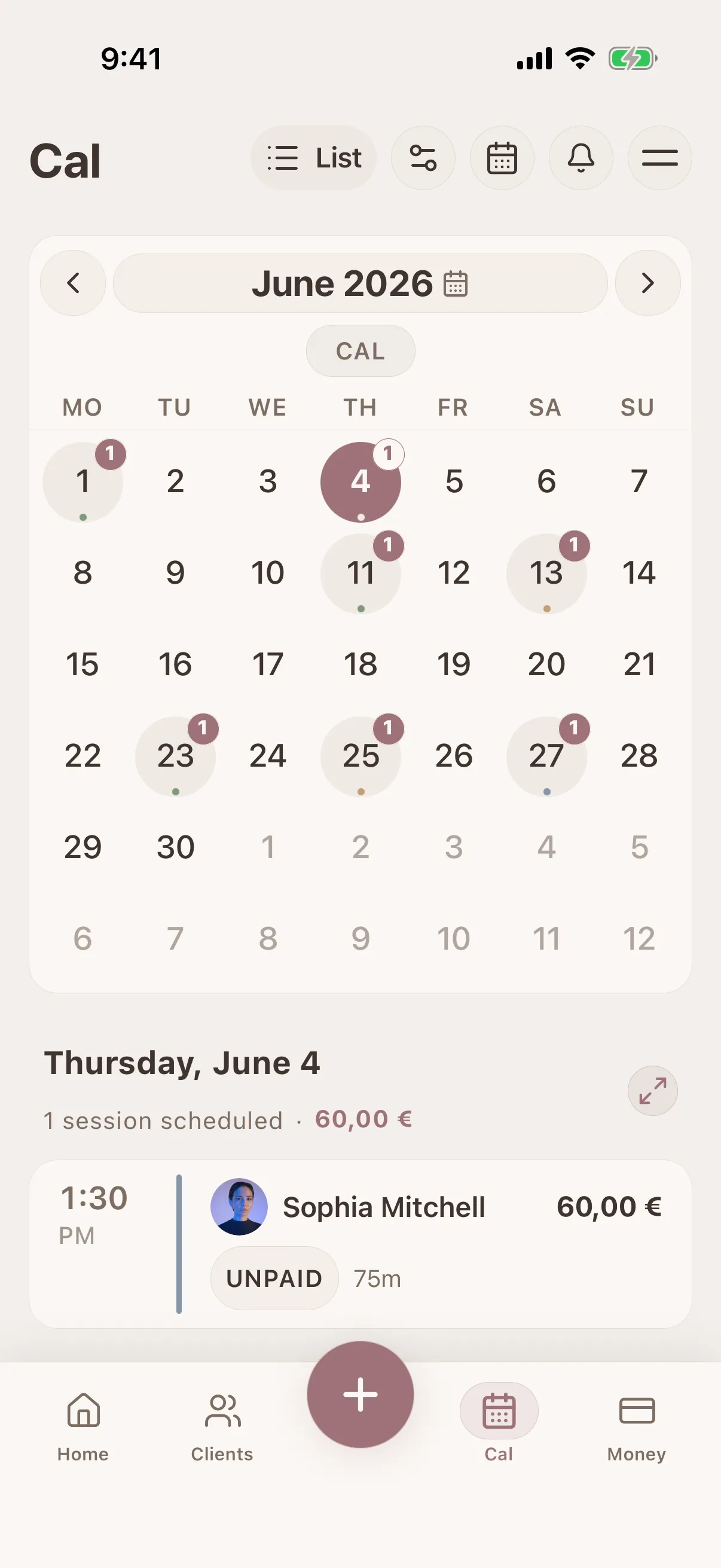
Calendar & scheduling
Visual calendar with drag-and-drop booking
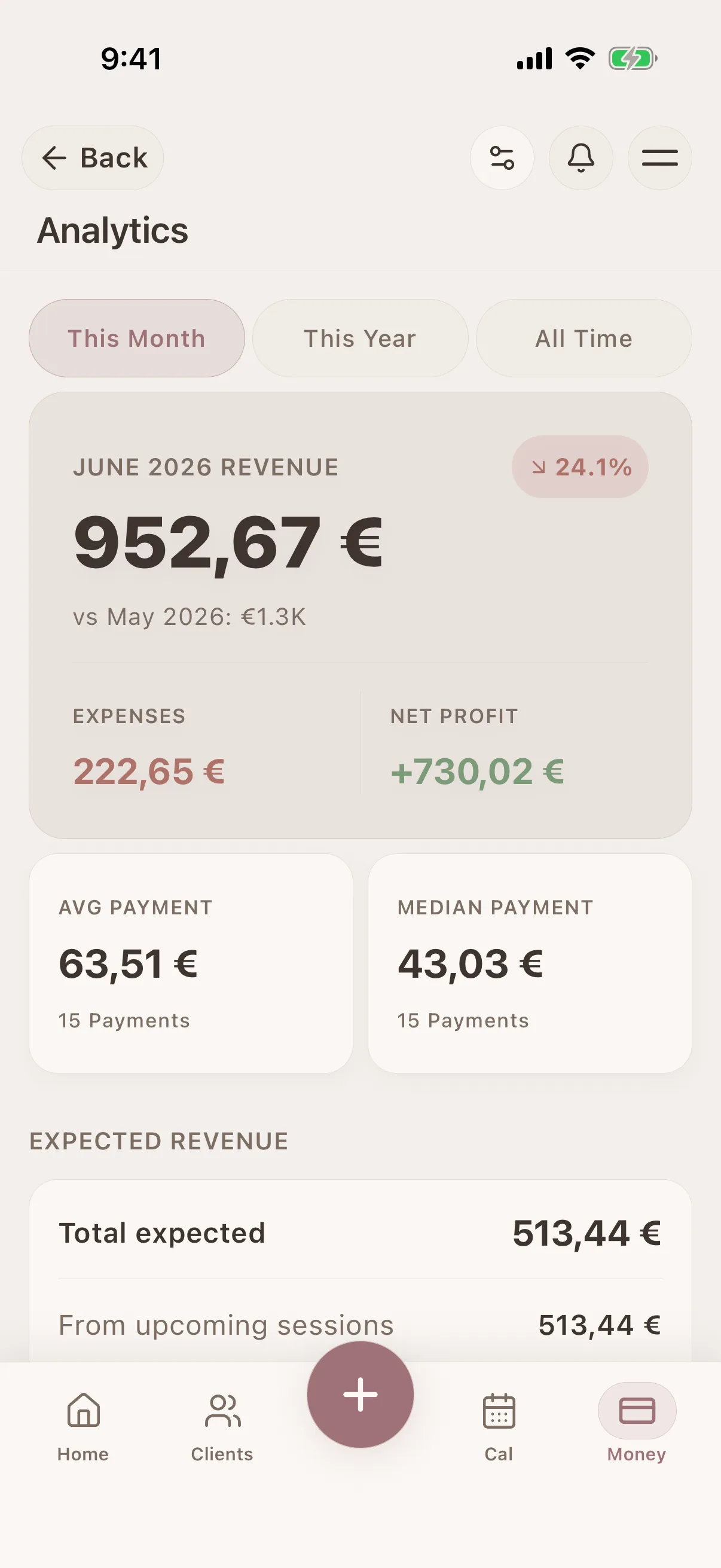
Payment history
Client payments and outstanding balances
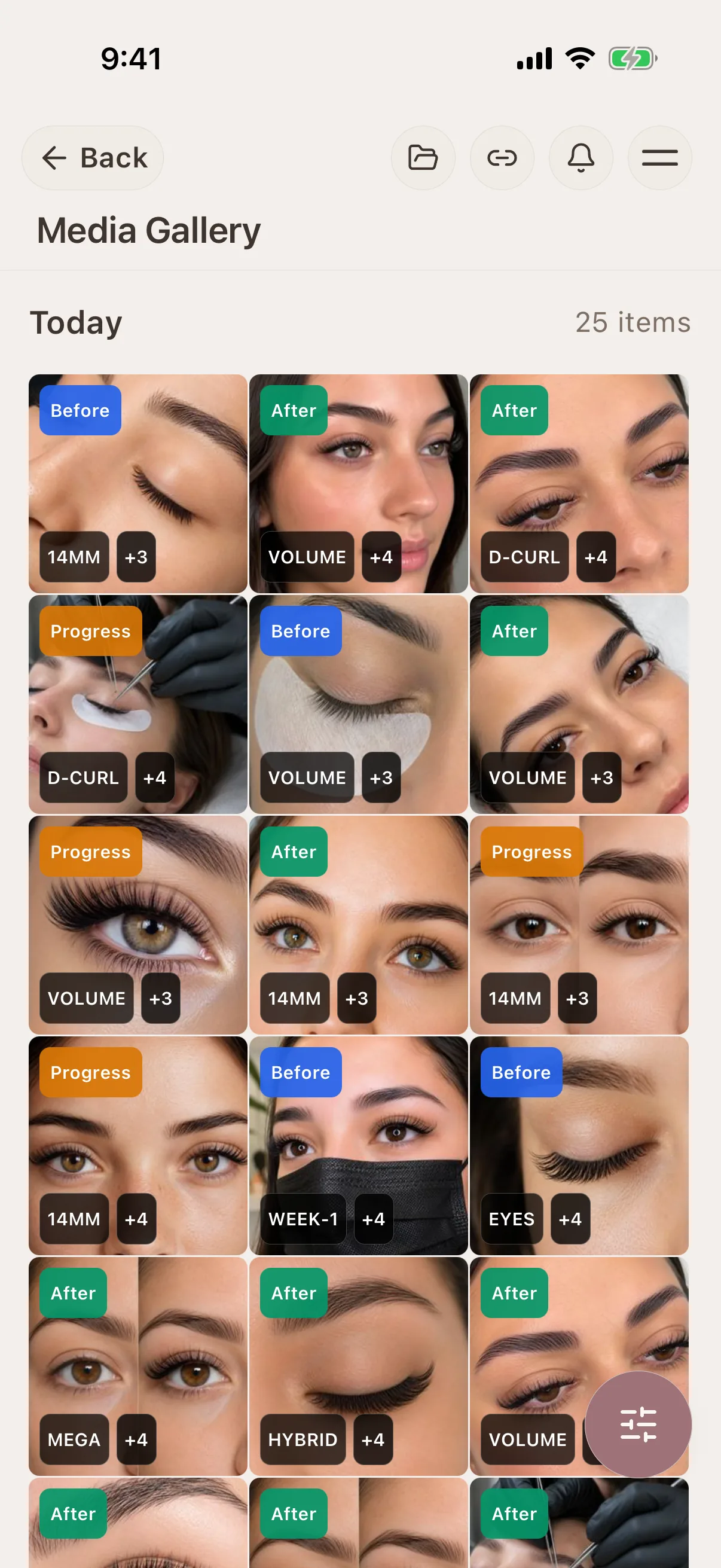
Photo tagging & search
Tag and filter photos in the client record
See Glamorph for your beauty profession
Glamorph connects client profiles, treatment history, formulas, photos, documents, appointments and payments in one workspace without turning a small beauty business into an enterprise-software project.

"Built from beauty work, developed for the business around it"
Glamorph co-founder Konstantina Tsormpa is a makeup and bridal artist. That background informs the attention to client history, while booking, payments and shared workspaces support independent professionals and small teams across beauty services.
Use Glamorph on iOS, Android and the web
Glamorph is beauty business software for independent professionals and small teams. It brings online booking, calendars, client history, photos, signed documents, payments, and team work together in one place.
Starting from €11.99 per month · Free trial included
Frequently asked questions
Can I save lash maps and review them at the next fill?
Yes. Attach a photo or digital map and add curl, length, adhesive and application notes to the session. Glamorph stores the reference. It does not generate a lash design.
Can I record adhesive sensitivities and retention photos?
Yes. Save what the client reports and link dated notes and photos to the relevant session. These records support your professional review. They do not diagnose reactions, recommend products or guarantee retention.
Can clients book online, or can I enter appointments myself?
Both. Add appointments to your calendar yourself, or set up services, hours and booking rules and publish your booking page when it is ready. Online booking is optional. Confirmed bookings connect to the calendar and client history.
Can I collect payments, not just record them?
Yes. Connect an eligible Stripe, SumUp or Square account to collect through supported payment links, phones or terminals. Methods depend on your business country, account and device. Recording cash or another payment manually does not charge the client.
Can clients sign forms, and can I keep existing PDFs?
Yes. Prepare documents for in-person or remote signing and keep the finalized PDF with the client or session. You can download, print or upload existing PDFs. Documents do not require online booking. You remain responsible for suitable wording and use.
Can I use Glamorph alone or with a small team?
Both. Work on your own without setting up a team, or invite people to a shared workspace with separate logins and calendars. Roles control access to clients, documents, booking and financial information.
Can I use Glamorph on my phone and computer?
Yes. Use Glamorph on iPhone, Android and in your browser. Client records and appointment history sync across your devices when connected to the internet.
What is included in the subscription?
The base subscription includes core features and one active appointment calendar. Additional active calendars can cost extra. Profiles and logins alone do not count as calendars. Check the current pricing and checkout terms. Integrated collection fees are separate from recording a payment manually.
Also works for
Ready to keep every client detail close?
Start with a client record. Add online booking and team access when you need them.
€11.99 per month
Trusted by beauty professionals across