
Skip to content

Piercing software for client records and appointments

Manage piercing appointments and client records with placement notes, jewellery details, signed documents and payment history. Work independently or share access with your studio team.

Piercing records and jewellery history — Glamorph. English interface with example data

What is Glamorph?

Glamorph is beauty business software for independent professionals and small teams. It brings online booking, calendars, client history, photos, signed documents, payments, and team work together in one place.

Features

One connected workspace for appointments, client work, payments and your team. Use it on laptop, iPhone and Android.

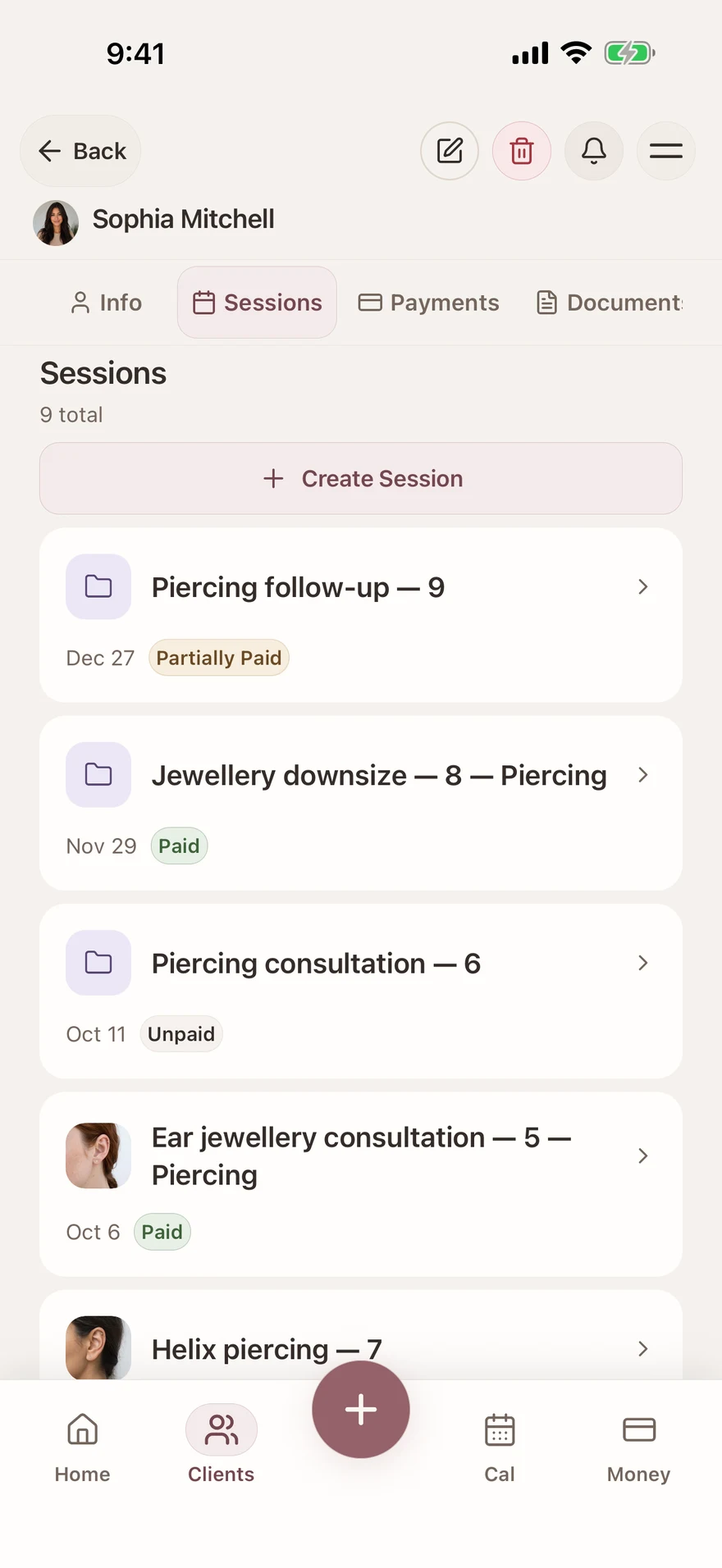
Piercing records and jewellery history

Save placement, jewellery material, gauge and post length in the session notes. Keep photos and follow-up notes with dated visits so the next professional can review the history they have permission to access.

Learn more
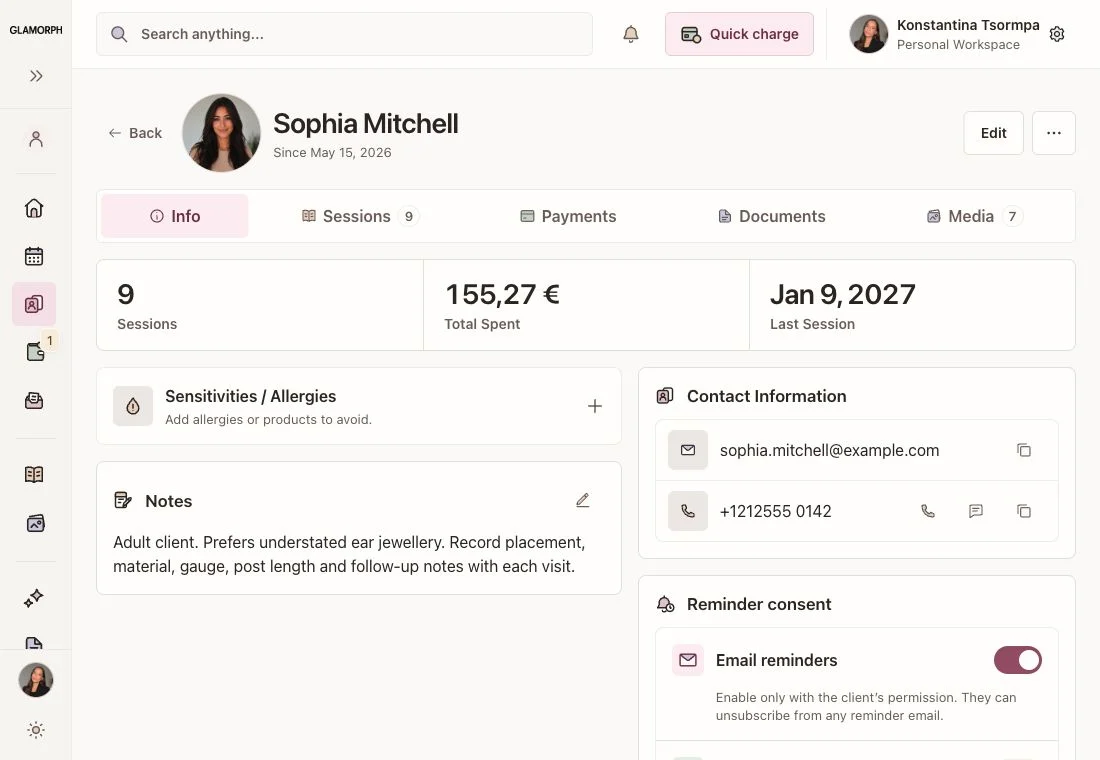
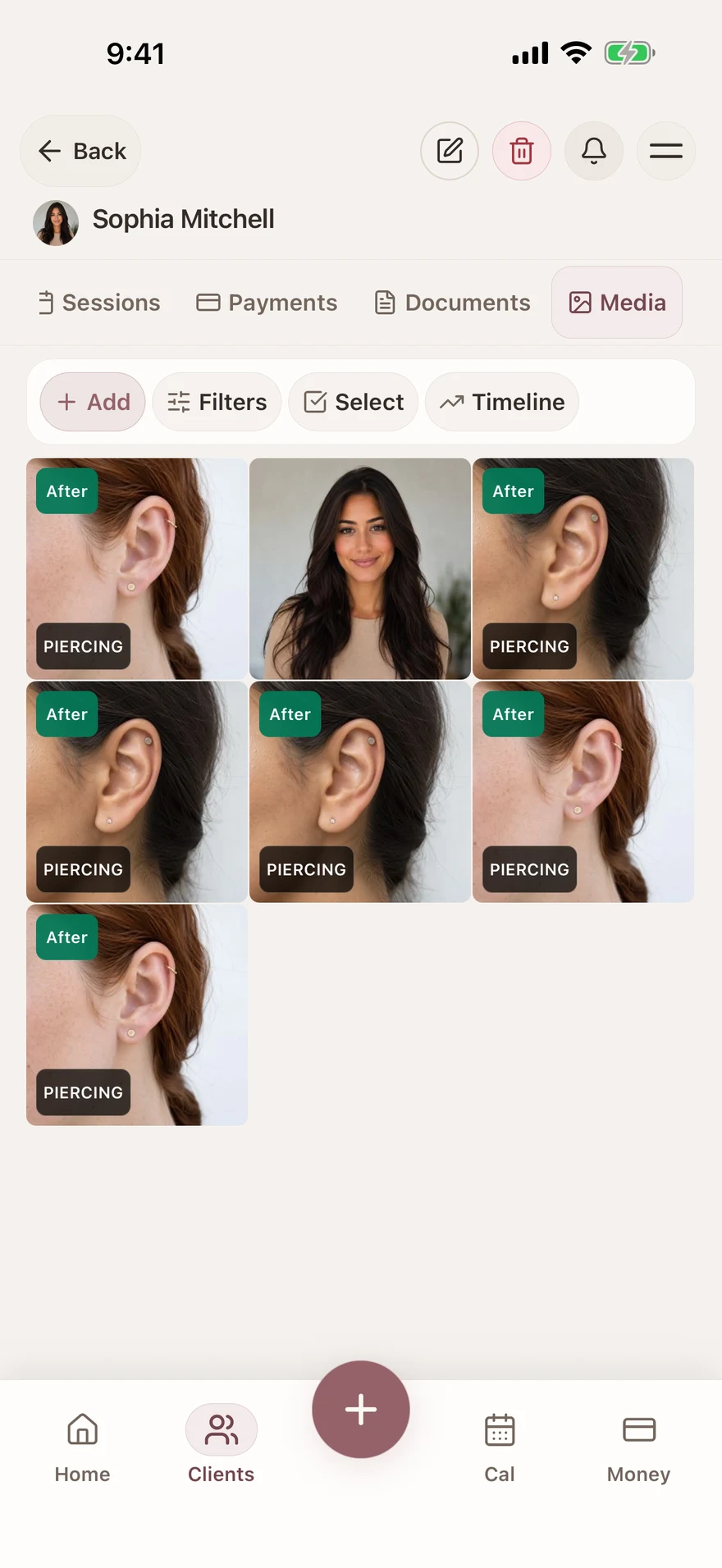
Piercing records and jewellery history — Glamorph. English interface with example data

Piercing photos and follow-up records

Save placement photos and follow-up images with the client and dated session. Keep jewellery-change notes alongside the photos so the next appointment has the relevant context.

Learn more
Piercing photos and follow-up records — Glamorph. English interface with example data

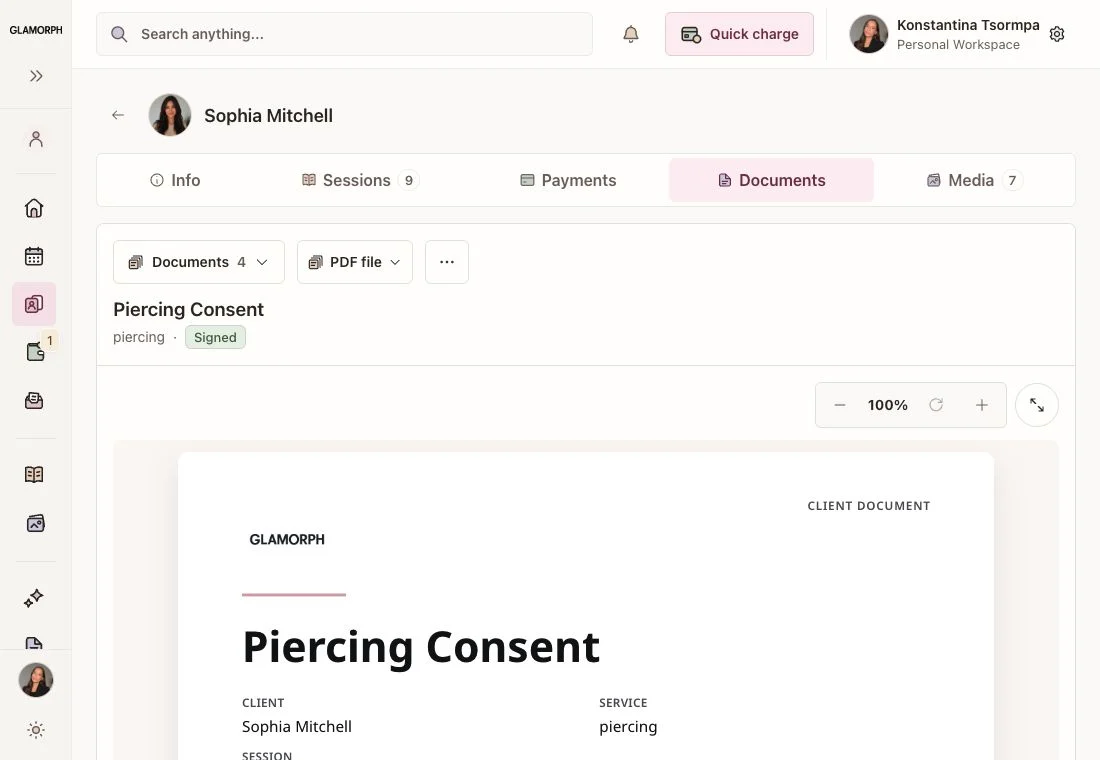
Signed documents in the client record

Adapt consultation, consent and aftercare documents to your practice. Arrange in-person or remote signing and store the finalized PDF with the relevant client or session. Documents work without online booking.

Learn more
Signed documents in the client record — Glamorph. English interface with example data

Piercing appointments and follow-up visits

Add consultations, piercing appointments, jewellery changes and follow-ups to your calendar. Offer online booking for selected services when you are ready, with durations, buffers and professional availability.

Learn more
Piercing appointments and follow-up visits — Glamorph. English interface with example data

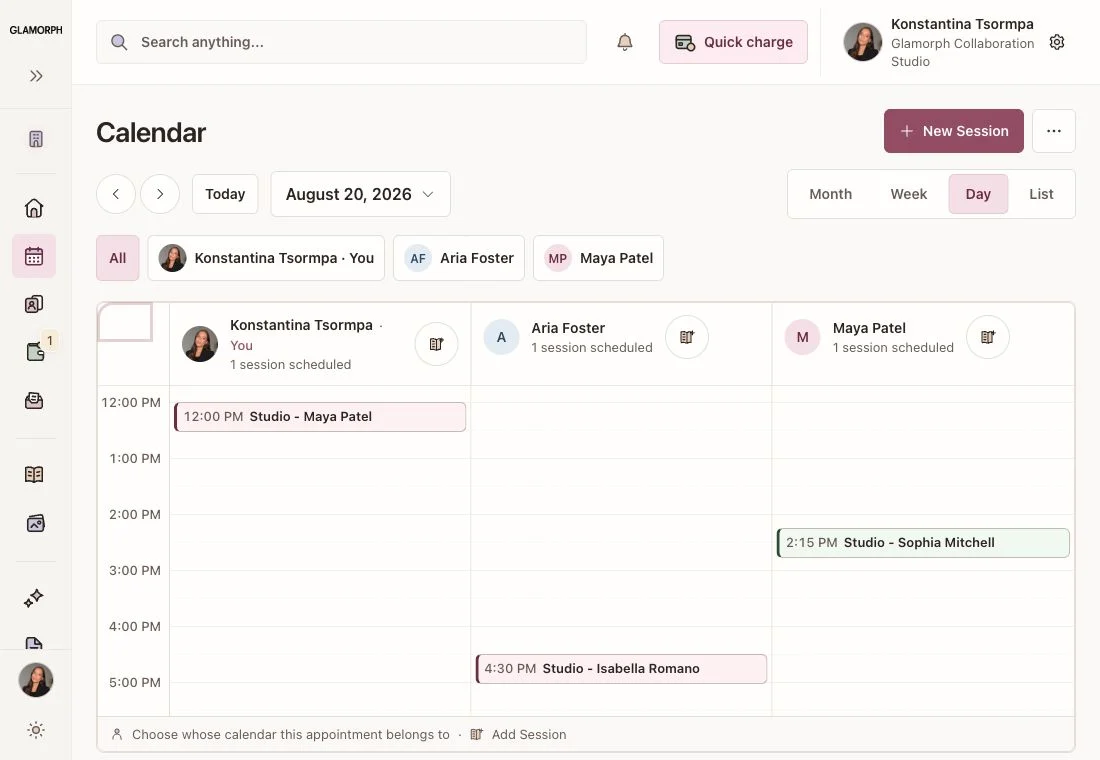
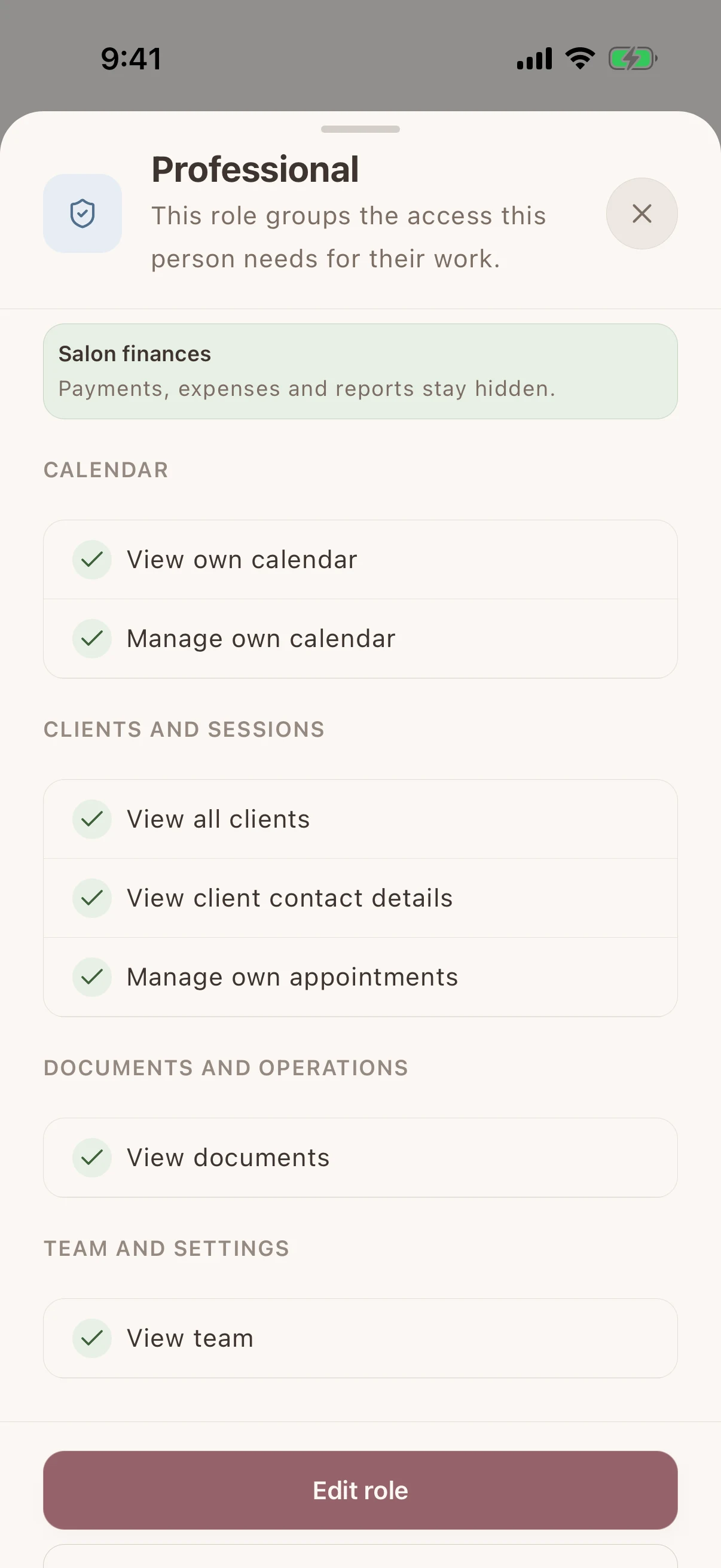
Studio calendars and staff permissions

Give each artist a separate login and calendar. Share the client records they need and control access to signed documents, payments and studio finances through workspace roles.

Learn more
Studio calendars and staff permissions — Glamorph. English interface with example data

One payment, one client history

Start from a client or appointment. Glamorph keeps the request, provider, paid amount, remaining balance and refund state connected to that work instead of leaving you to match terminal receipts to names later.

Payment processing for salons and beauty professionals

For independent artists and small studios

Use client records and appointments on your own, or share selected work with your studio team.

Good fit

  • Independent piercers

    Manage your own appointments, client history, documents and payments from one account.

  • Small studio teams

    Give colleagues individual access and calendars, with permissions for the records they need.

  • Tattoo and piercing studios

    Keep different services in one workspace while recording each client's sessions, photos and documents.

Not the right fit

  • Does Glamorph manage jewellery stock or sterilization records?

    Glamorph stores the jewellery details you enter in client and session notes. It does not manage jewellery inventory, sterilization logs, age verification or specialist compliance. Your documents and operational procedures remain your responsibility.

Use Glamorph on iOS, Android and the web

Glamorph is beauty business software for independent professionals and small teams. It brings online booking, calendars, client history, photos, signed documents, payments, and team work together in one place.

Starting from €11.99 per month · Free trial included

Piercing records and jewellery history — Glamorph. English interface with example data

Frequently asked questions

What can I record about a piercing and its jewellery?

Save placement, jewellery material, gauge and post length in the session notes. Keep photos and follow-up notes with dated visits so the next professional can review the history they have permission to access.

Can clients book online, or can I enter appointments myself?

Both. Add appointments to your calendar yourself, or set up services, hours and booking rules and publish your booking page when it is ready. Online booking is optional. Confirmed bookings connect to the calendar and client history.

Can I collect payments, not just record them?

Yes. Connect an eligible Stripe, SumUp or Square account to collect through supported payment links, phones or terminals. Methods depend on your business country, account and device. Recording cash or another payment manually does not charge the client.

Can clients sign forms, and can I keep existing PDFs?

Yes. Prepare documents for in-person or remote signing and keep the finalized PDF with the client or session. You can download, print or upload existing PDFs. Documents do not require online booking. You remain responsible for suitable wording and use.

Can I use Glamorph alone or with a small team?

Both. Work on your own without setting up a team, or invite people to a shared workspace with separate logins and calendars. Roles control access to clients, documents, booking and financial information.

Can I use Glamorph on my phone and computer?

Yes. Use Glamorph on iPhone, Android and in your browser. Client records and appointment history sync across your devices when connected to the internet.

What is included in the subscription?

The base subscription includes core features and one active appointment calendar. Additional active calendars can cost extra. Profiles and logins alone do not count as calendars. Check the current pricing and checkout terms. Integrated collection fees are separate from recording a payment manually.

Does Glamorph manage jewellery stock or sterilization records?

Glamorph stores the jewellery details you enter in client and session notes. It does not manage jewellery inventory, sterilization logs, age verification or specialist compliance. Your documents and operational procedures remain your responsibility.