
Online Booking Software for Beauty Professionals
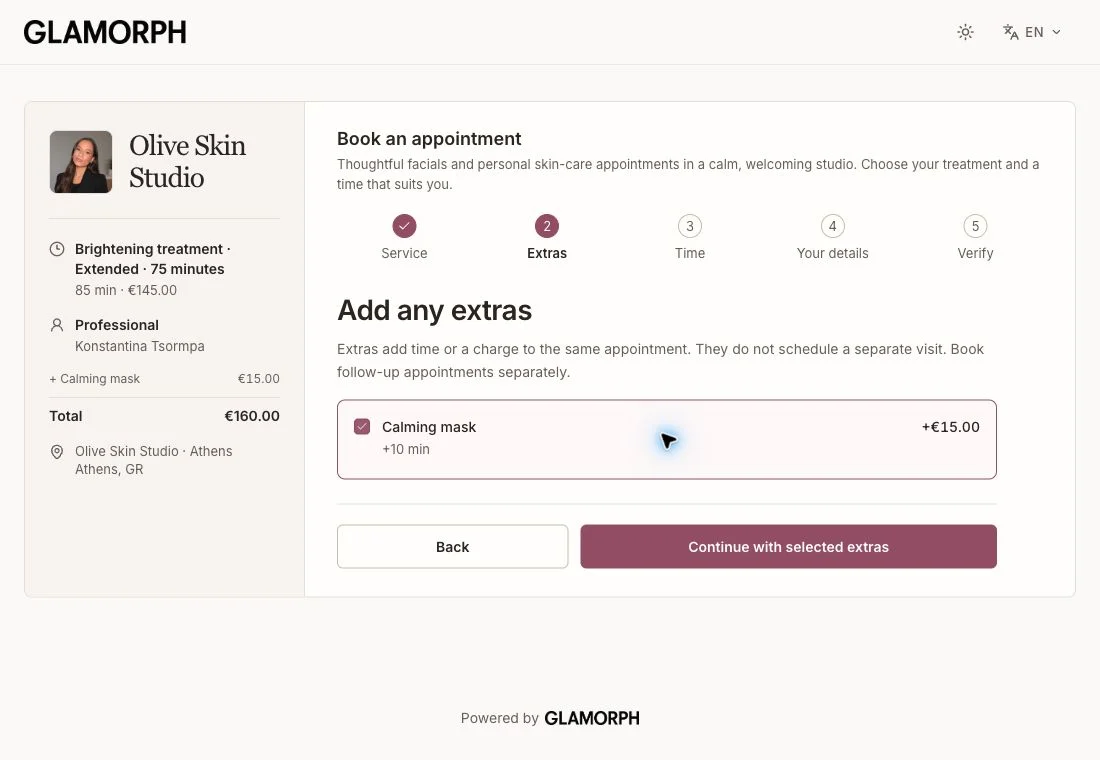
Share your own booking page so clients can choose a service, professional and available time. Every confirmed appointment joins the same Glamorph calendar and client history.


Glamorph
Glamorph is client management and online booking software for independent beauty professionals and small teams. It connects bookings, appointments, client details, signed documents, photos, payments, expenses, and service history in one complete client record. It is not a booking marketplace, salon POS, or enterprise salon suite.

"I was drowning in DMs and camera rolls"
50+ clients. Thousands of photos. Zero organization. I built Glamorph because I needed it myself: and every beauty pro I knew had the exact same problem.
How it helps your business
See how this feature makes your daily work easier
One booking flow, one client history
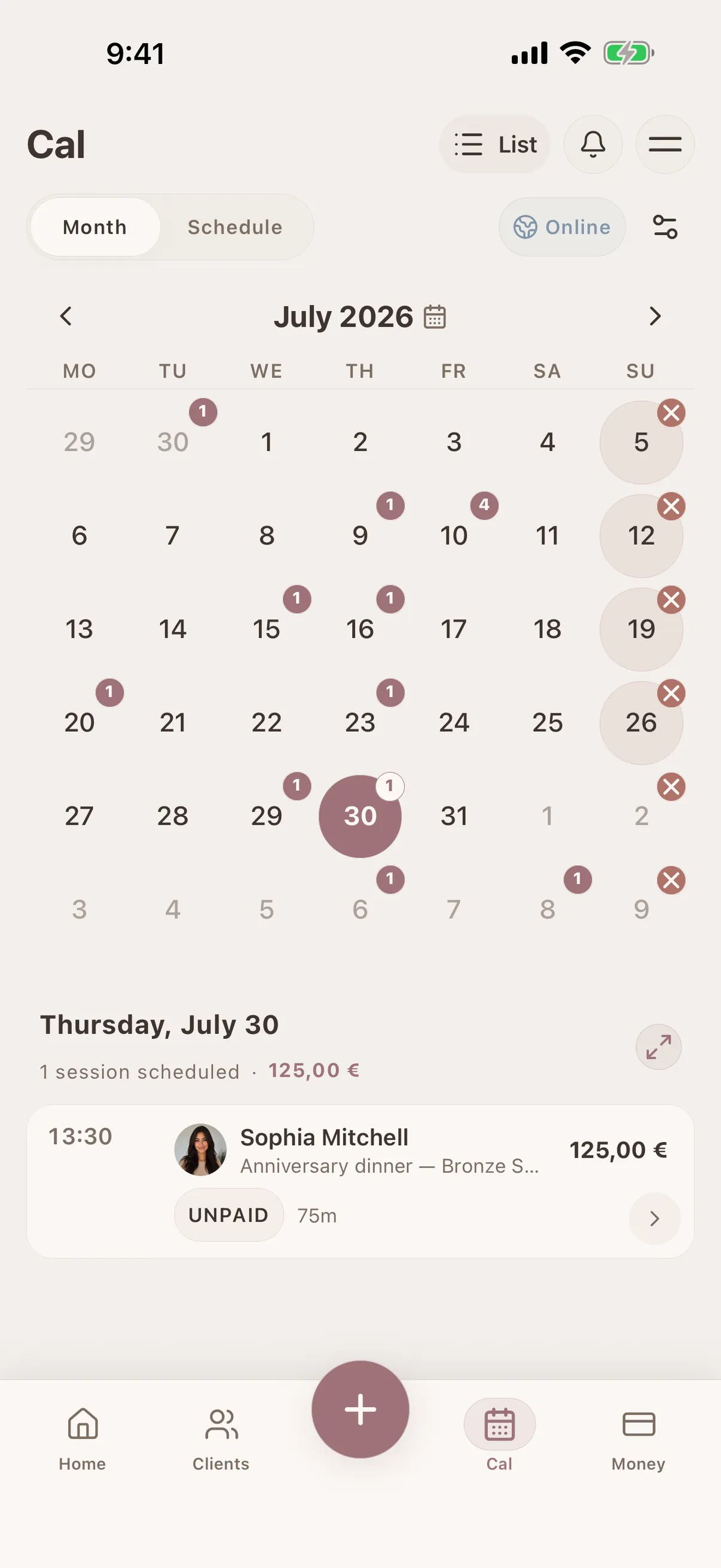
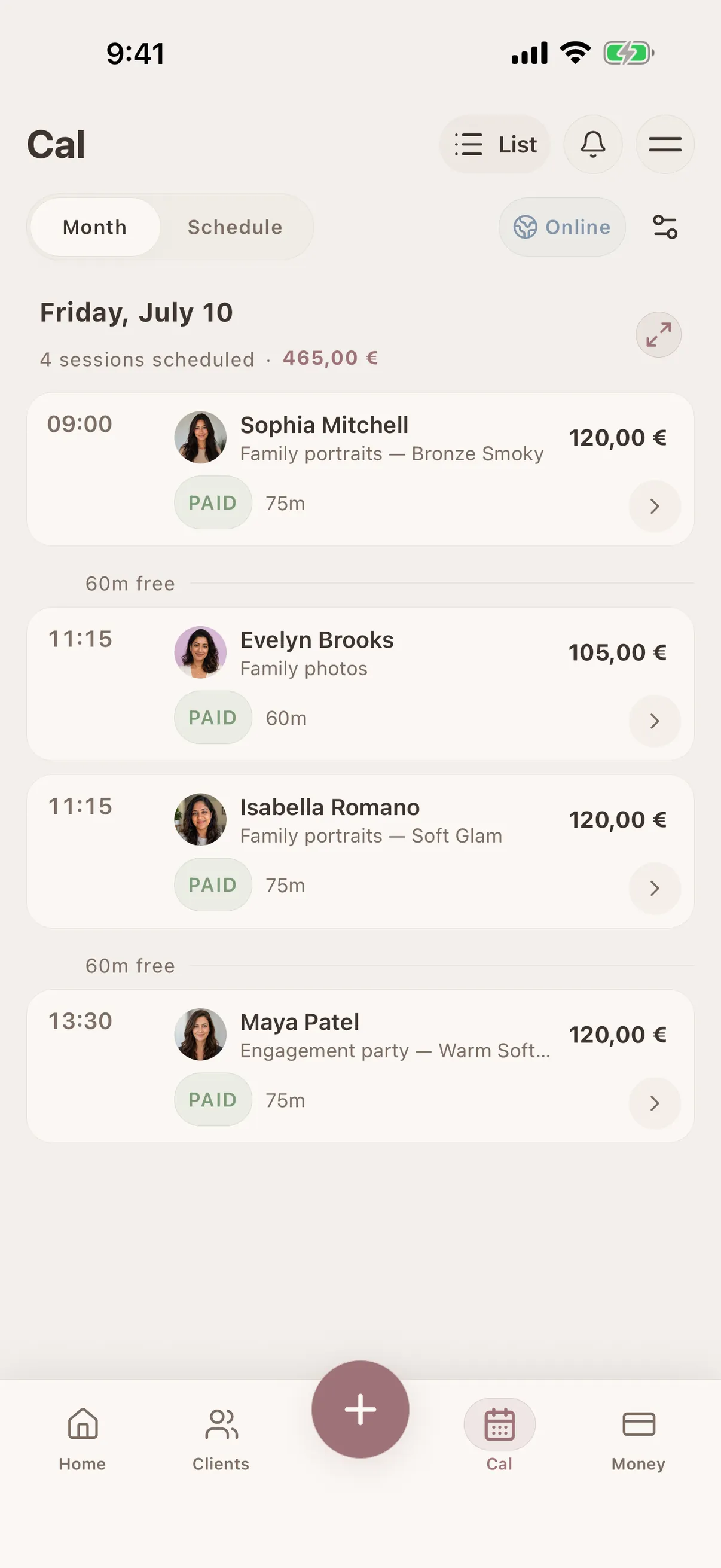
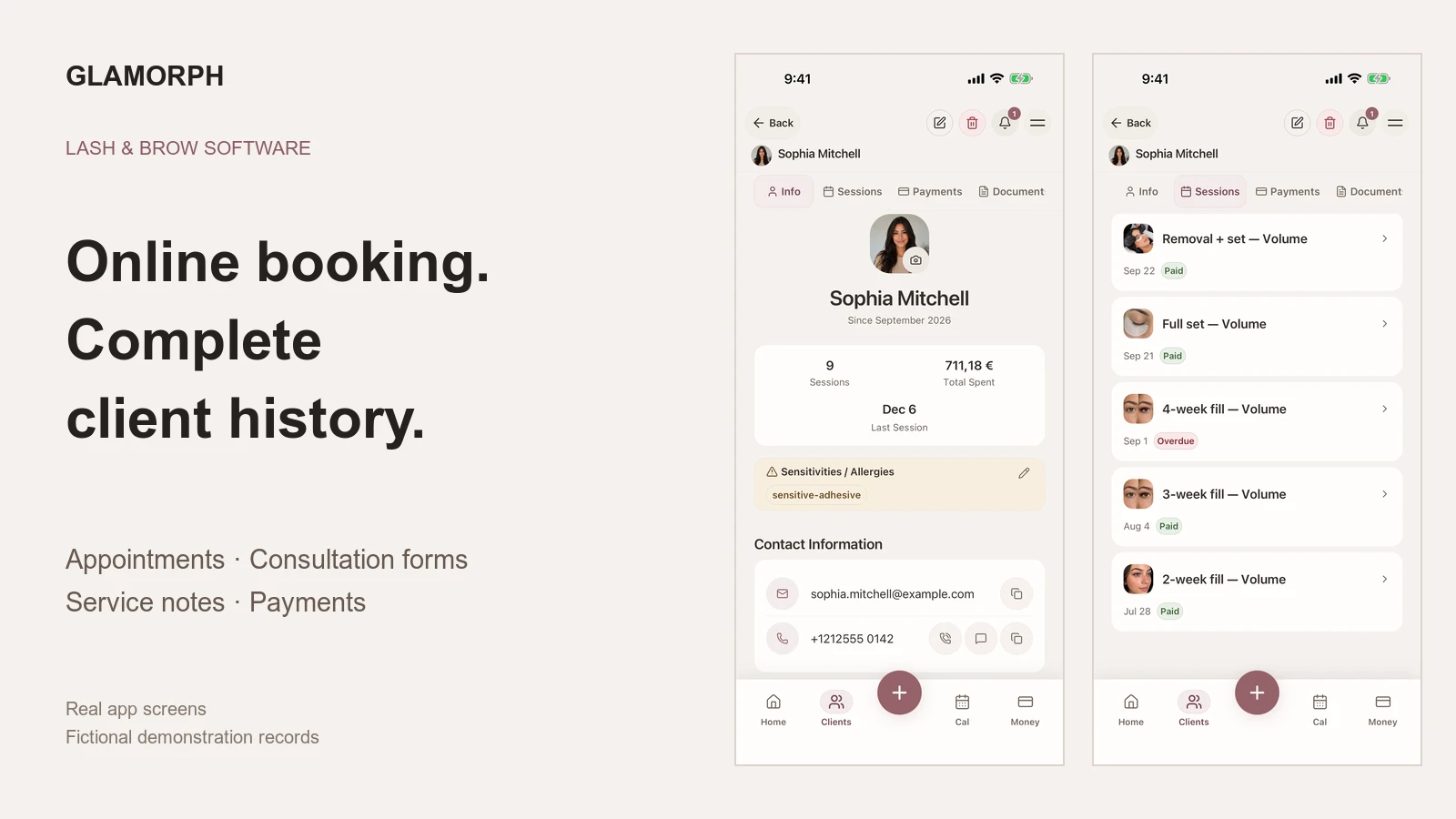
A confirmed online booking creates a new client or matches an existing one, then appears in the same Glamorph calendar on mobile and web. Session notes, photos, documents and payments stay connected to that client instead of living in a separate booking tool.

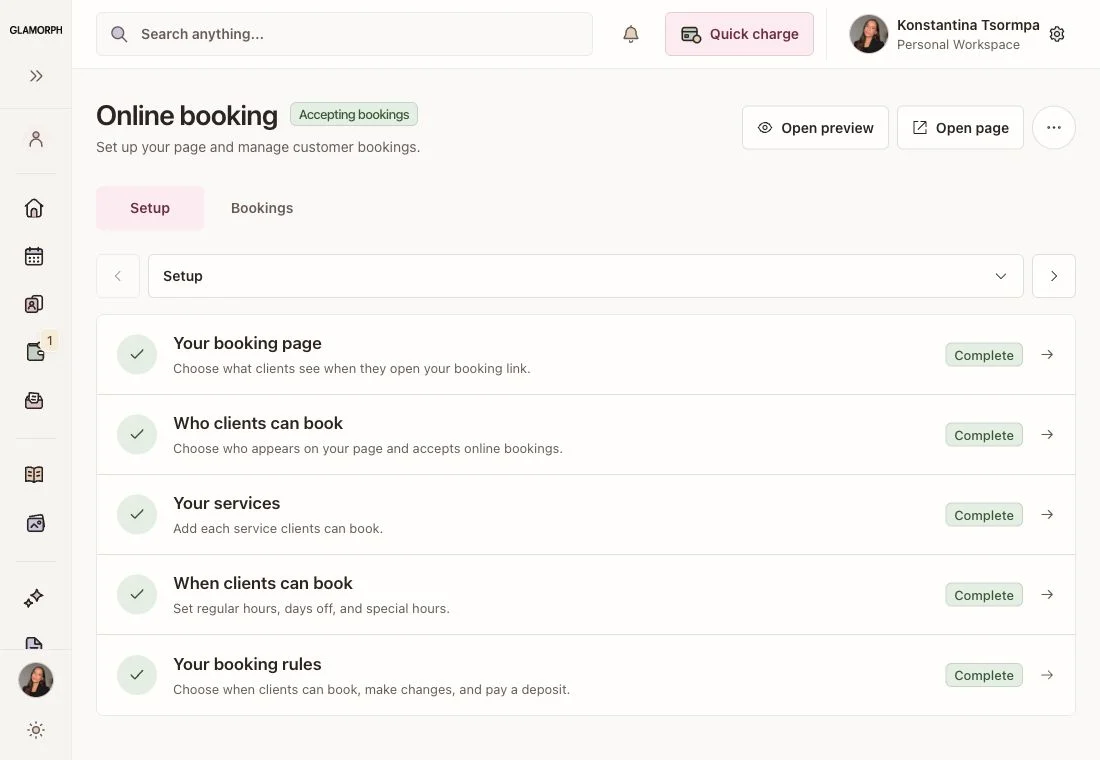
A booking page you control
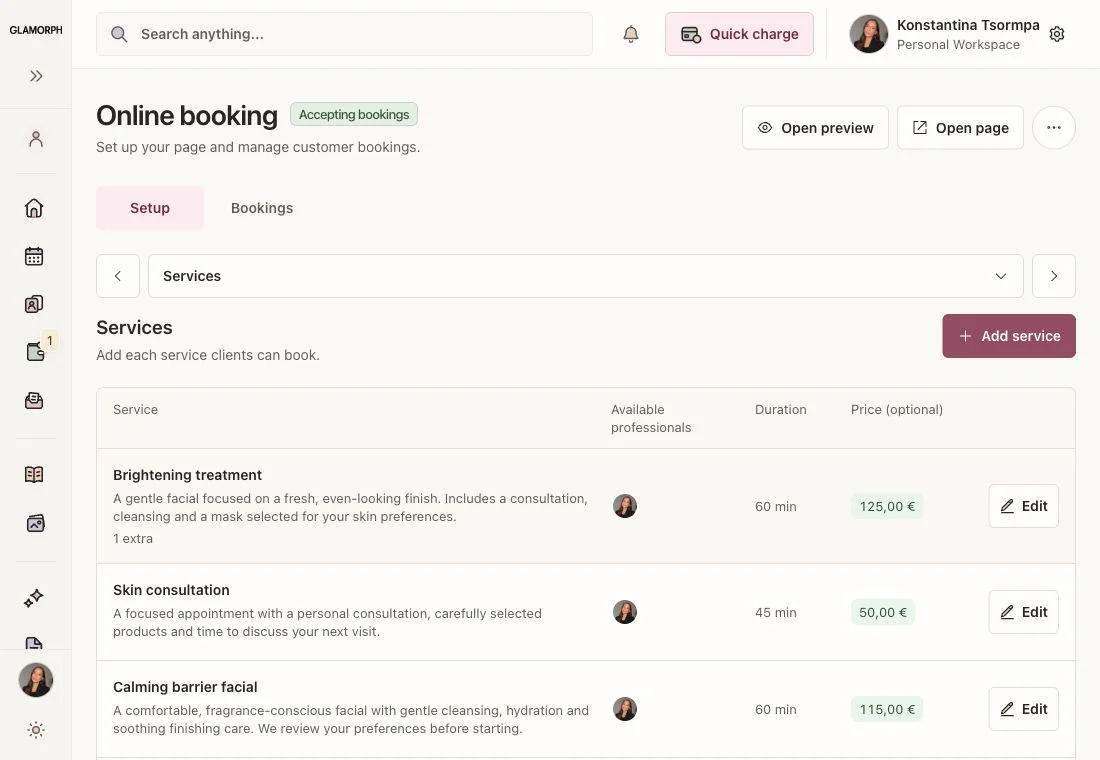
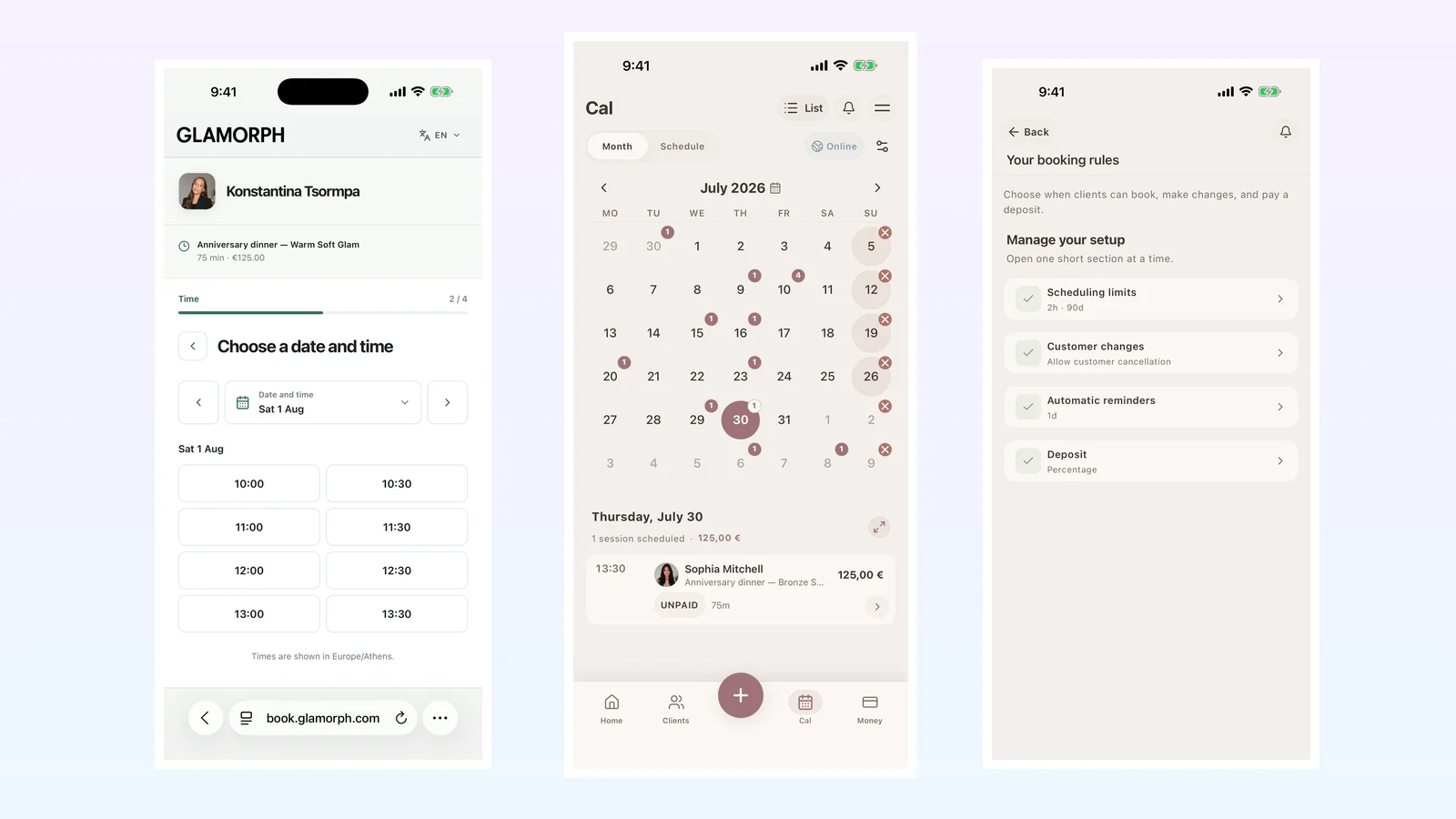
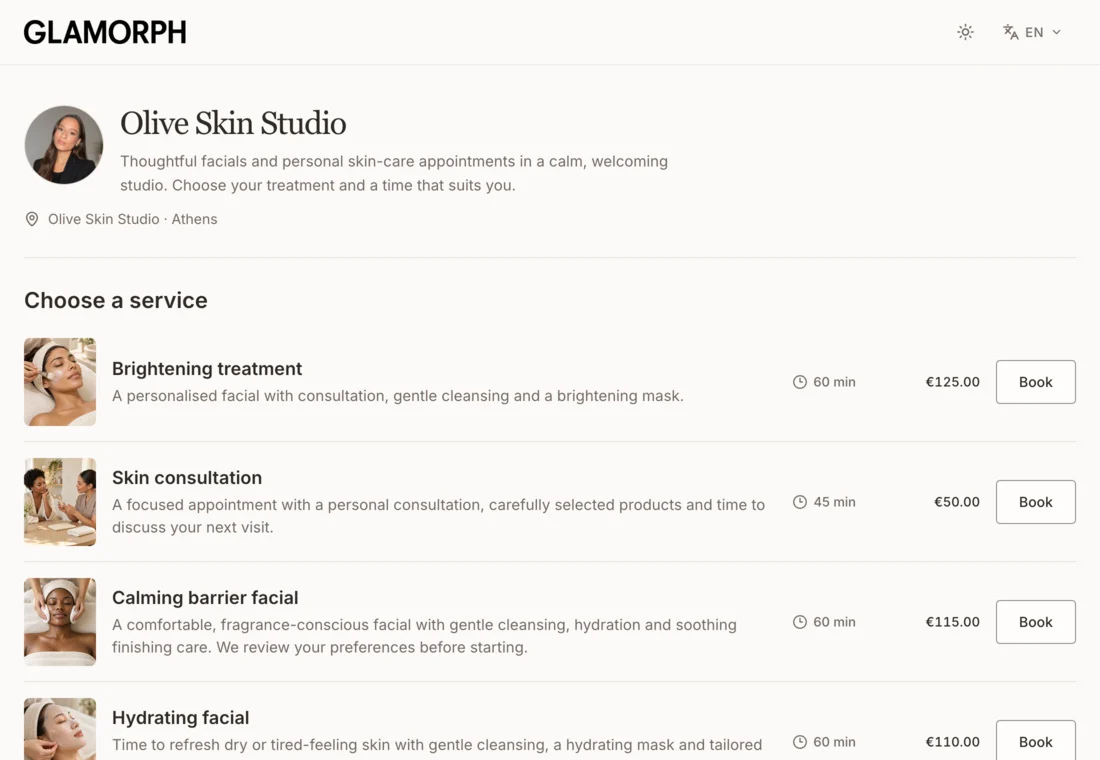
Choose the public name, summary, image, page address, language, time zone, location and contact details. Publish when setup is ready, share the live link or pause new bookings without disrupting existing appointments.

Live availability protected by your rules
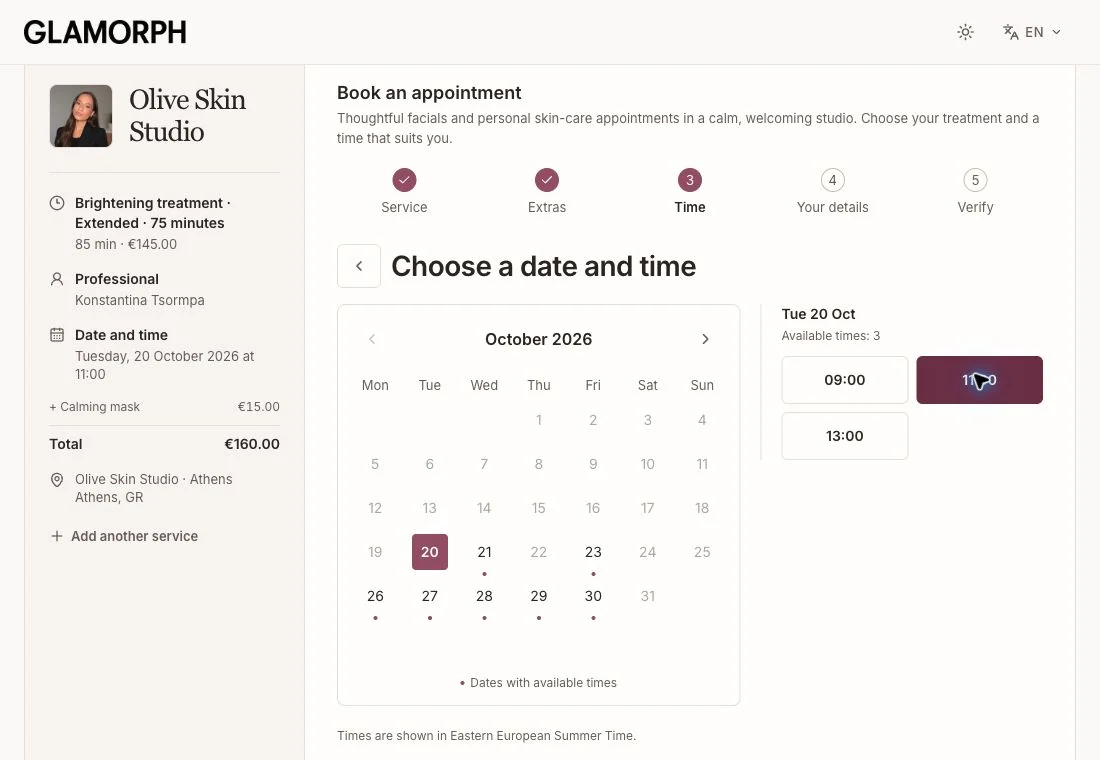
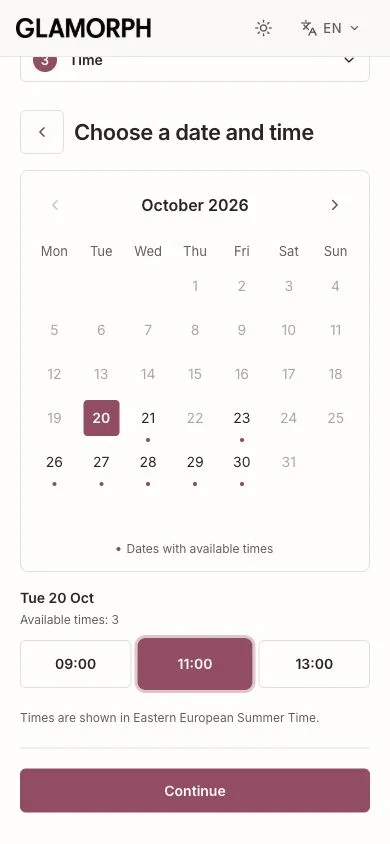
Offer services and eligible professionals using weekly hours and date overrides. Minimum notice, how far ahead clients can book, slot intervals, daily limits, service duration, buffers and a final server-side conflict check keep the public page aligned with your real calendar.

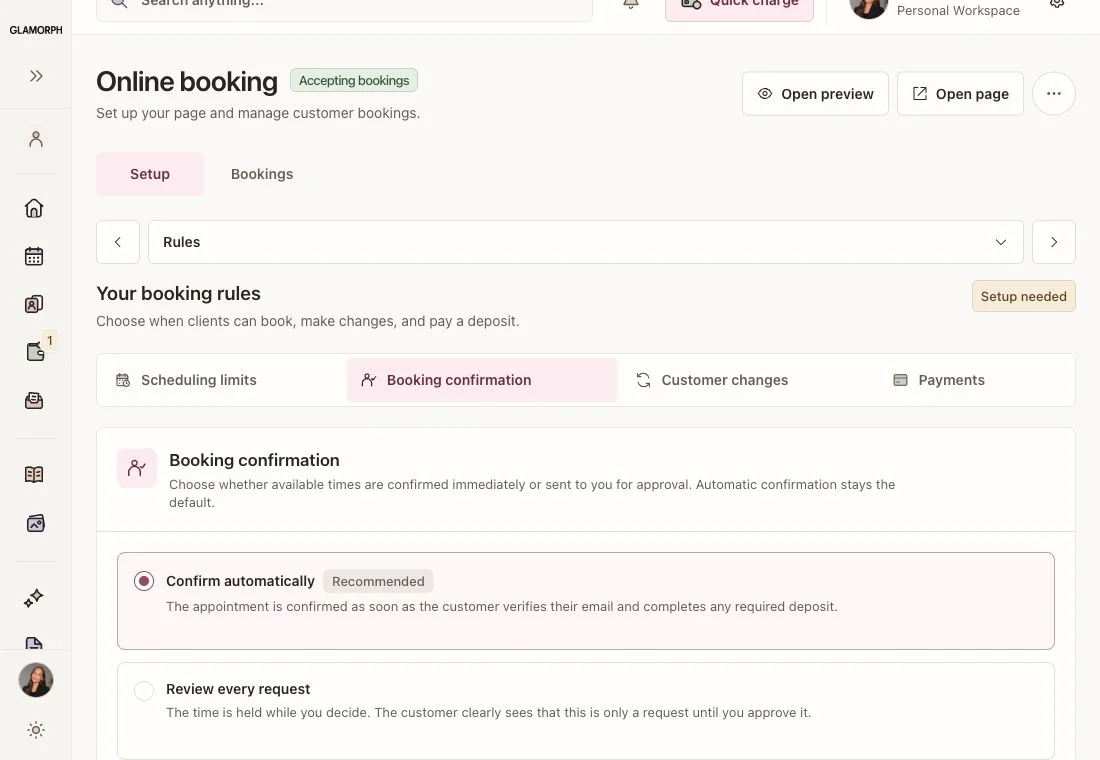
Confirm instantly or review every request
Choose automatic confirmation when a free slot should become a booking immediately, or professional approval when you want to accept or decline each request. Set an approval window so requests do not remain pending indefinitely.

Verified clients and scheduled email reminders
Every client enters an email address and confirms a six-digit code before the booking request is created. Glamorph then sends localized confirmation or request updates, configurable email reminders and a secure management link for the appointment.

Your rules for deposits, changes and refunds
Where the merchant country, connected account and payment provider support online collection, choose no deposit, a fixed amount, a percentage or full payment. Set cancellation cutoffs, customer rescheduling and refund handling while preserving cancelled booking and payment history.

Glamorph
Where this fits in real client work
Connect this feature with the parts of Glamorph that help you remember the client, prepare faster, and follow up cleanly.
See all featuresUse it with
Real workflows
Glamorph
Stay ready before the next appointment
Know what happened last time, what is booked next, and what still needs your attention.
Starting from ≈ €9.99 per month · Free trial included


Frequently asked questions
Can clients book appointments themselves?+
Yes. Share your published booking page so clients can choose a visible service, an eligible professional and a live available time, then verify their email to complete the booking.
Do I control when clients can book?+
Yes. You control weekly hours, date overrides, minimum notice, maximum advance time, slot intervals, daily limits, service duration and buffers. Glamorph checks the final slot on the server to prevent stale or overlapping bookings.
Can I approve booking requests instead of confirming automatically?+
Yes. Choose automatic confirmation for immediate bookings or professional approval to accept or decline each verified request within your chosen approval window. The client receives the appropriate request, confirmation or decline email.
Do clients need to verify their email, and are reminders sent by email?+
Yes. A client must enter a valid email address and confirm the six-digit code Glamorph sends before a booking or request is created. You can schedule one or more email reminders before the appointment; lifecycle emails also cover confirmation, requests, changes and cancellation.
Can clients reschedule or cancel without contacting me?+
Yes, when your booking rules allow it. Each customer receives a secure management link for viewing, rescheduling, cancelling and downloading an ICS calendar event.
Can I require a deposit for an online booking?+
Where the professional's merchant country, connected account and payment provider support online collection, booking rules can require a fixed amount, a percentage or full payment. Glamorph records the payment and applies the configured cancellation and refund workflow. Online booking itself remains available without Stripe, but deposits are not offered in unsupported merchant markets.
Does online booking create a separate calendar?+
No. Confirmed bookings join the same Glamorph calendar and client history used across mobile and web. Changes to an online booking are handled on the server so availability, deposits, refunds and notifications remain consistent.
Does online booking work offline?+
Publishing, live availability and changes to an online booking require an internet connection. Synced client and session records remain available in Glamorph's offline-friendly workflows, but an online reschedule or cancellation is never queued for later.
Take your client history with you
Use Glamorph for the details that usually live in DMs, notes, and your camera roll.
≈ €9.99 per month
Trusted by beauty professionals across
From the blog
Tips and guides for beauty professionals

Best Online Booking Software for Beauty Professionals in 2026
Compare six beauty booking systems by the full client journey: availability, approval, deposits, reminders, client changes, calendar, and client records.
Read article
How to Keep Beauty Clients Coming Back: 7 Retention Habits
Beauty client retention tips: prebook the next visit, make booking easy, follow up, personalize each service, measure return rate, and win clients back.
Read article