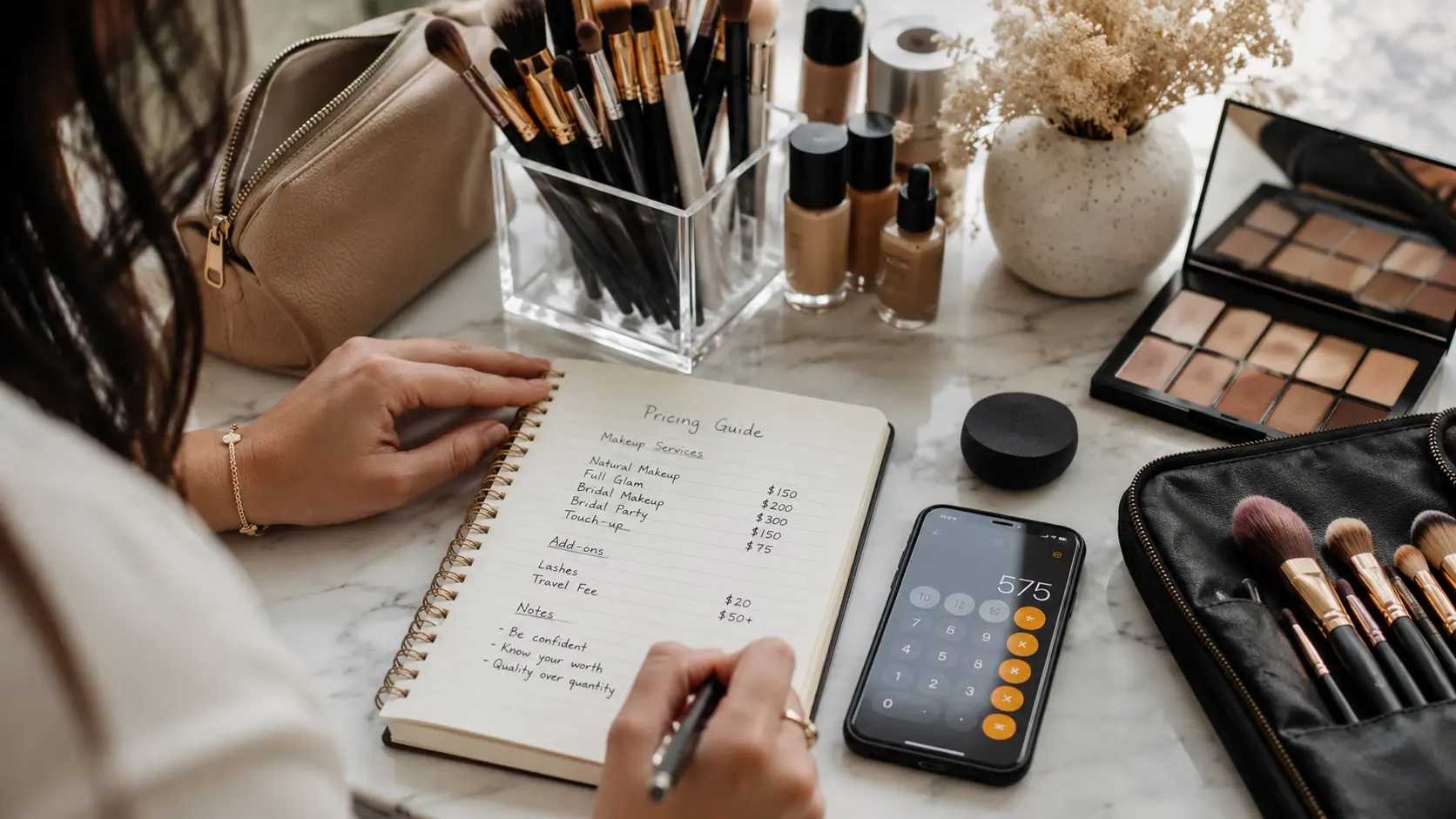
Expense tracking for beauty professionals
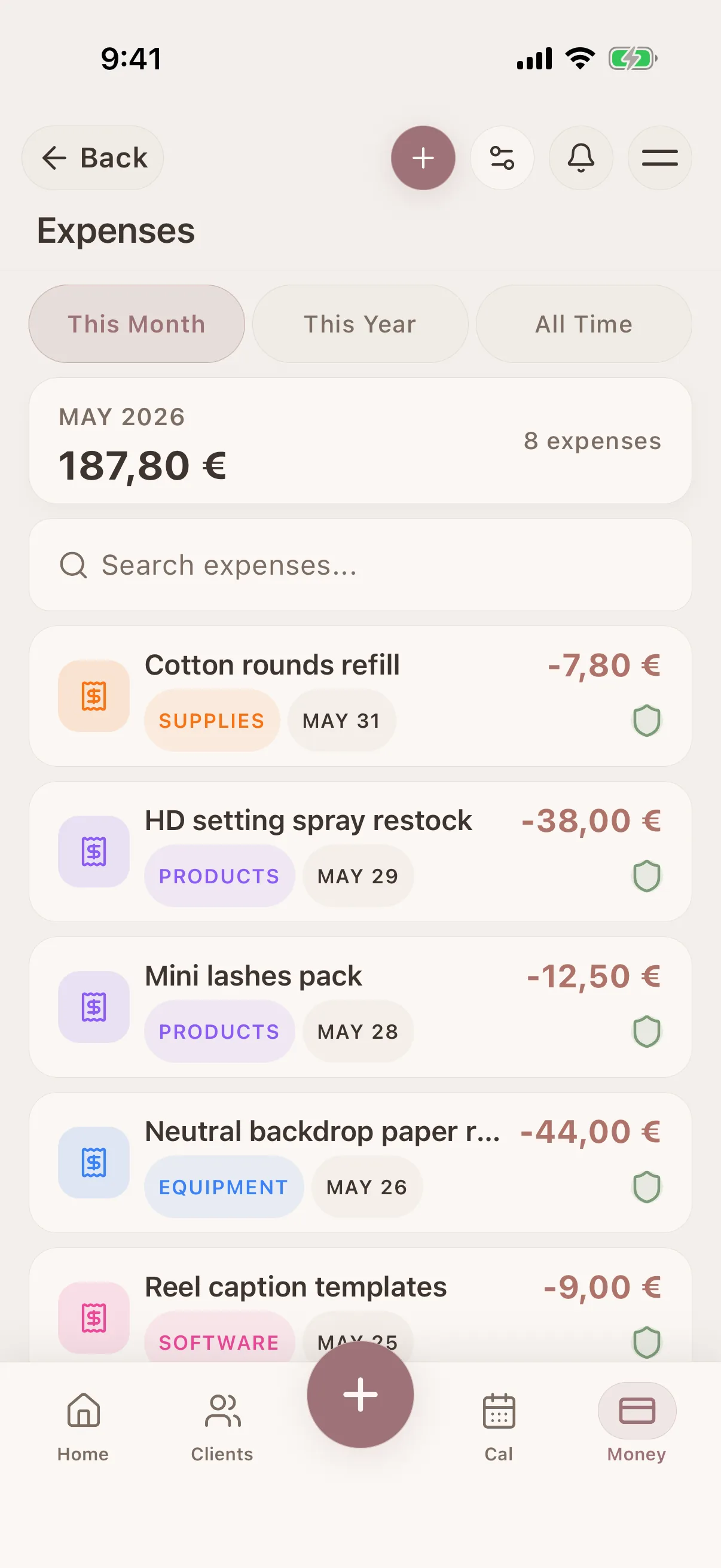
Record products, supplies, travel, rent, software and other costs in a guided flow. Add receipts, review recurring expenses and compare recorded income with spending.


Glamorph is beauty business software for independent professionals and small teams. It brings online booking, calendars, client history, photos, signed documents, payments, and team work together in one place.

"Built from beauty work, developed for the business around it"
Glamorph co-founder Konstantina Tsormpa is a makeup and bridal artist. That background informs the attention to client history, while booking, payments and shared workspaces support independent professionals and small teams across beauty services.
How it helps your business
See how this feature makes your daily work easier
Fast entry with details when you need them
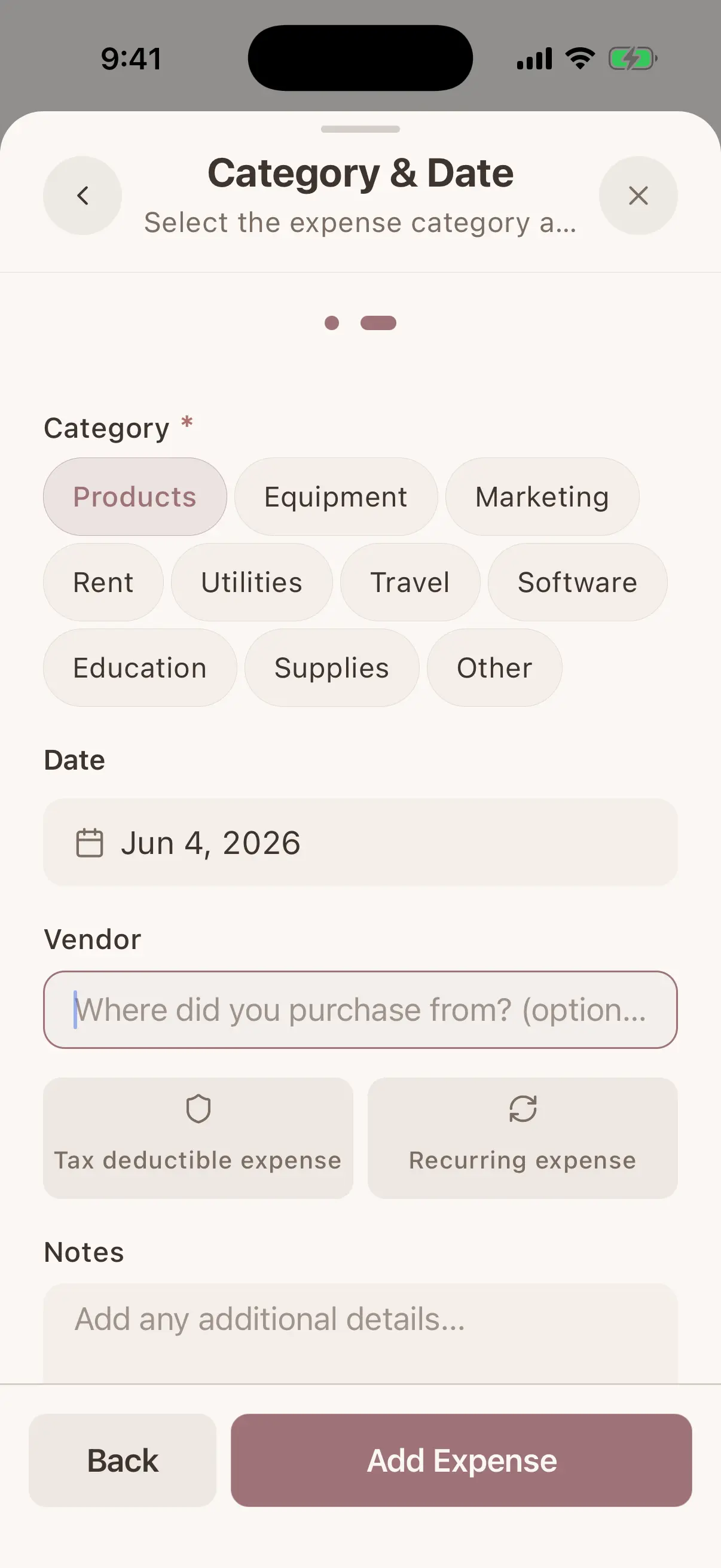
The short path asks for amount, description, category and date. Open more details only when you need vendor, payment method, reference number, notes, tax amount, business-use percentage or a link to the related client session.
Keep receipt photos with the expense
Photograph or upload supporting receipts and open them again from the expense record. Receipts use the same protected media lifecycle as other Glamorph files instead of living as unidentified images in your camera roll.
Recurring costs with review or automatic posting
Create weekly, monthly or yearly schedules for rent, software, utilities and other repeating costs. Ask Glamorph to remind you first so you can add or skip each occurrence, or explicitly choose automatic posting for a fixed predictable amount. Pause or resume a schedule at any time.
Search, filter and export clean records
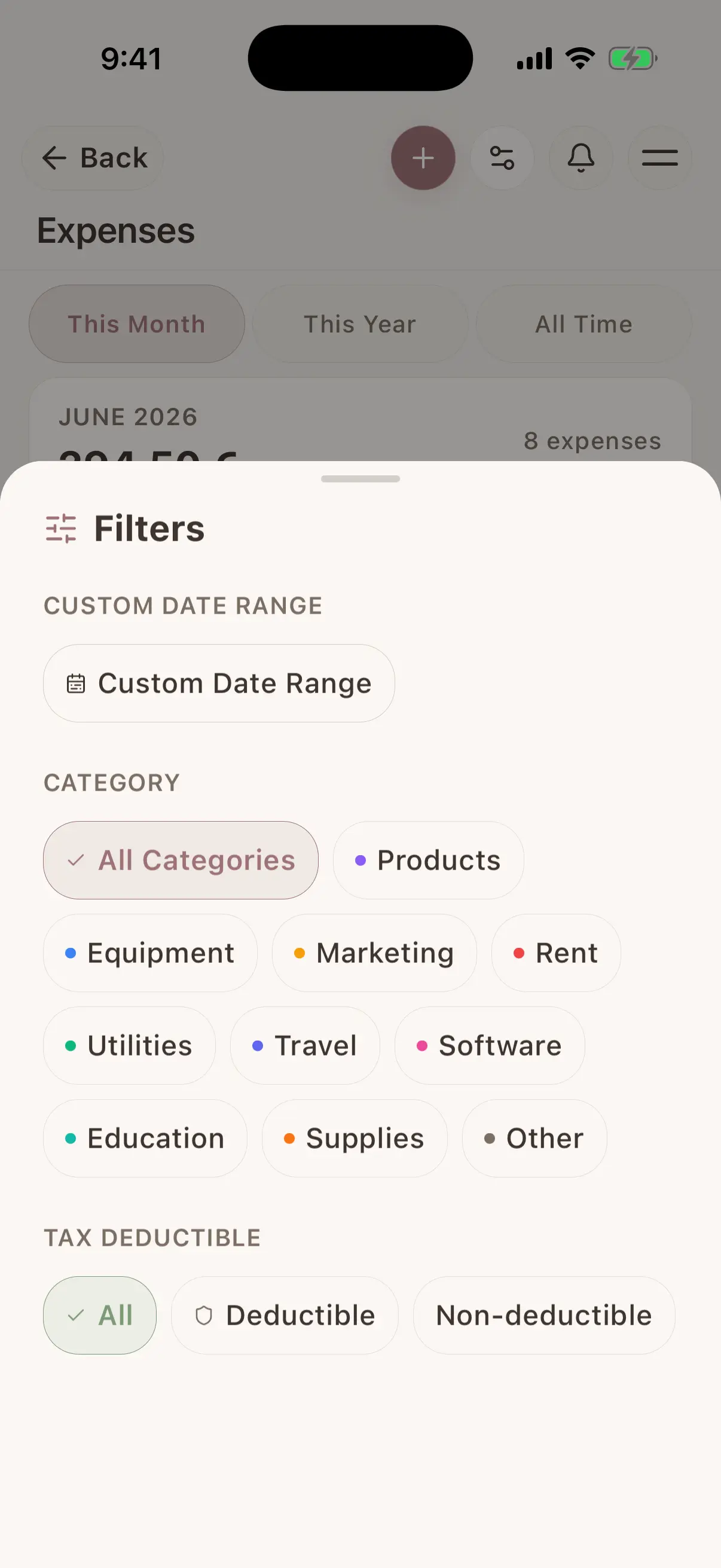
Find expenses by description, vendor or notes and filter by date, category, currency, payment method, tax-review state, receipt, recurrence or linked session. Export the filtered result as a spreadsheet-safe CSV when you need to review it elsewhere.
Totals that respect each currency
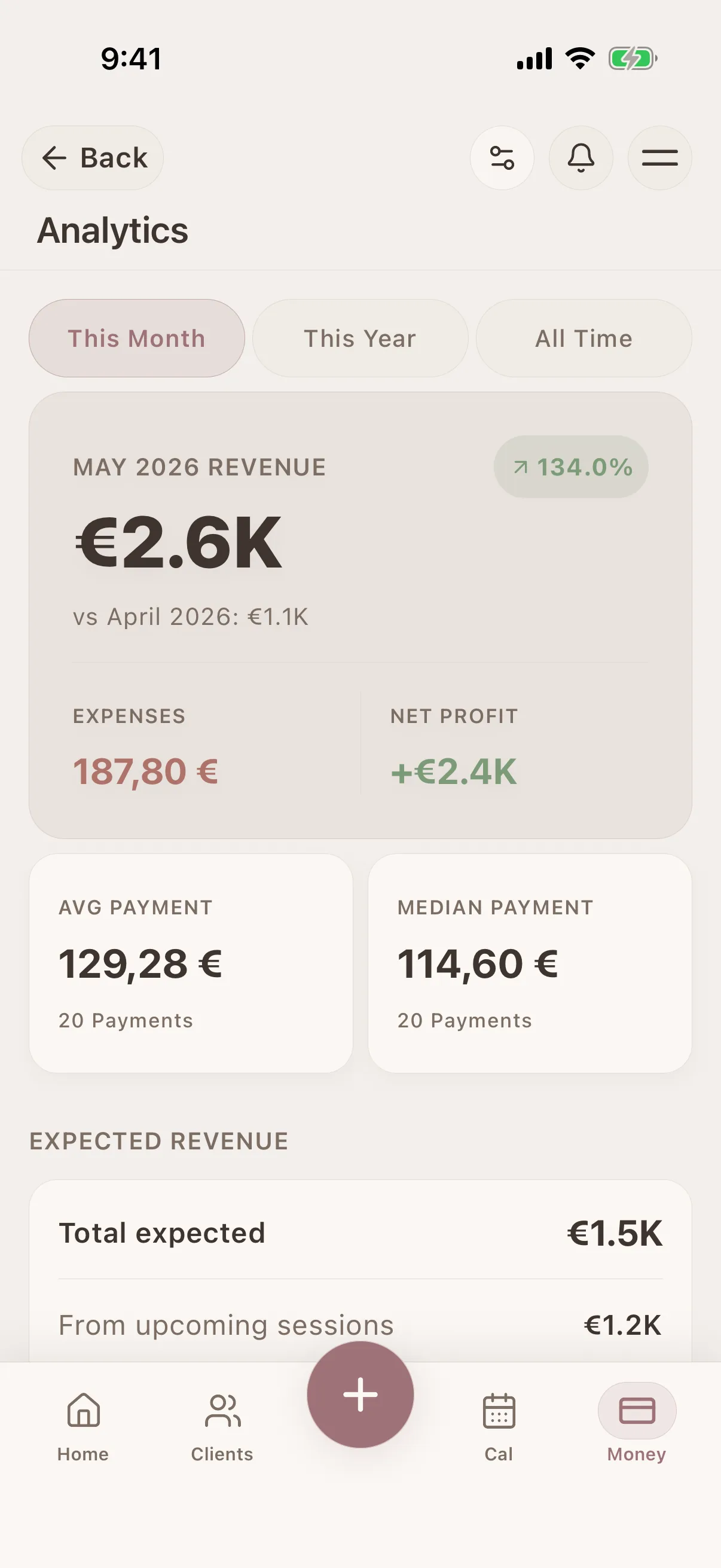
Review monthly and yearly spending, averages and category breakdowns. When records use different currencies, Glamorph keeps separate currency totals instead of adding them into one misleading number.
Recorded income minus recorded expenses
See client payments and business costs in the same money workspace to understand the recorded net result for a period. Glamorph is a practical business ledger, not a fiscal POS, bookkeeping system, tax return or substitute for an accountant.
Where this fits in real client work
Connect this feature with the parts of Glamorph that help you remember the client, prepare faster, and follow up cleanly.
See all featuresUse it with
Stay ready before the next appointment
Know what happened last time, what is booked next, and what still needs your attention.
Starting from €11.99 per month · Free trial included
Frequently asked questions
What beauty business expenses can I record?
Use the built-in categories for products, equipment, marketing, rent, utilities, travel, software, education, supplies and other costs. Each record can also include a vendor, payment method, reference number, notes, tax details, business-use percentage, receipt and related client session.
Can I attach receipts to an expense?
Yes. Add receipt photos to the expense record, view them later and remove an incorrect attachment. Receipt files are protected and synchronized through Glamorph's normal media workflow.
How do recurring expenses work?
Create a weekly, monthly or yearly schedule. Review mode creates a pending occurrence that you can add or skip. Automatic mode posts a fixed cost without waiting for confirmation. You can pause or resume active schedules. Recurring schedules require an internet connection because the server prevents duplicate occurrences.
Can I mark expenses as tax deductible?
You can record tax amount and business-use percentage and mark an item for tax review. Glamorph does not decide whether a cost is deductible or prepare a tax return. Confirm the treatment with a qualified accountant under the rules that apply to your business.
Can I export my expense data?
Yes. The released export is CSV, not PDF. It uses your current expense filters and safely formats spreadsheet cells, making it suitable for further review or sharing with an accountant.
Can I compare income and expenses?
Yes. Glamorph shows recorded client-payment revenue and recorded business expenses in the same money area, including the resulting difference for the selected period. This is an operational view, not an accounting profit-and-loss statement.
What happens when expenses use different currencies?
Every expense keeps its saved currency. Statistics return separate totals for each currency rather than silently converting or combining unrelated amounts.
Can I record an expense without internet access?
The mobile app saves individual expense records offline and queues them for synchronization. Receipt upload and server-managed recurring schedules need a connection. The browser app is also online-only.
Does Glamorph replace bookkeeping or accounting software?
No. Glamorph provides lightweight expense recordkeeping beside client, session and payment history. It is not fiscal POS, invoicing, payroll, inventory, double-entry bookkeeping, tax filing or professional accounting advice.
Take your client history with you
Use Glamorph for the details that usually live in DMs, notes, and your camera roll.
€11.99 per month
Trusted by beauty professionals across