Client Management App for Beauty Professionals
Keep profiles, preferences, reported allergies and sensitivities, treatment notes, formulas, photos, signed documents, appointments and payments in one searchable client history.


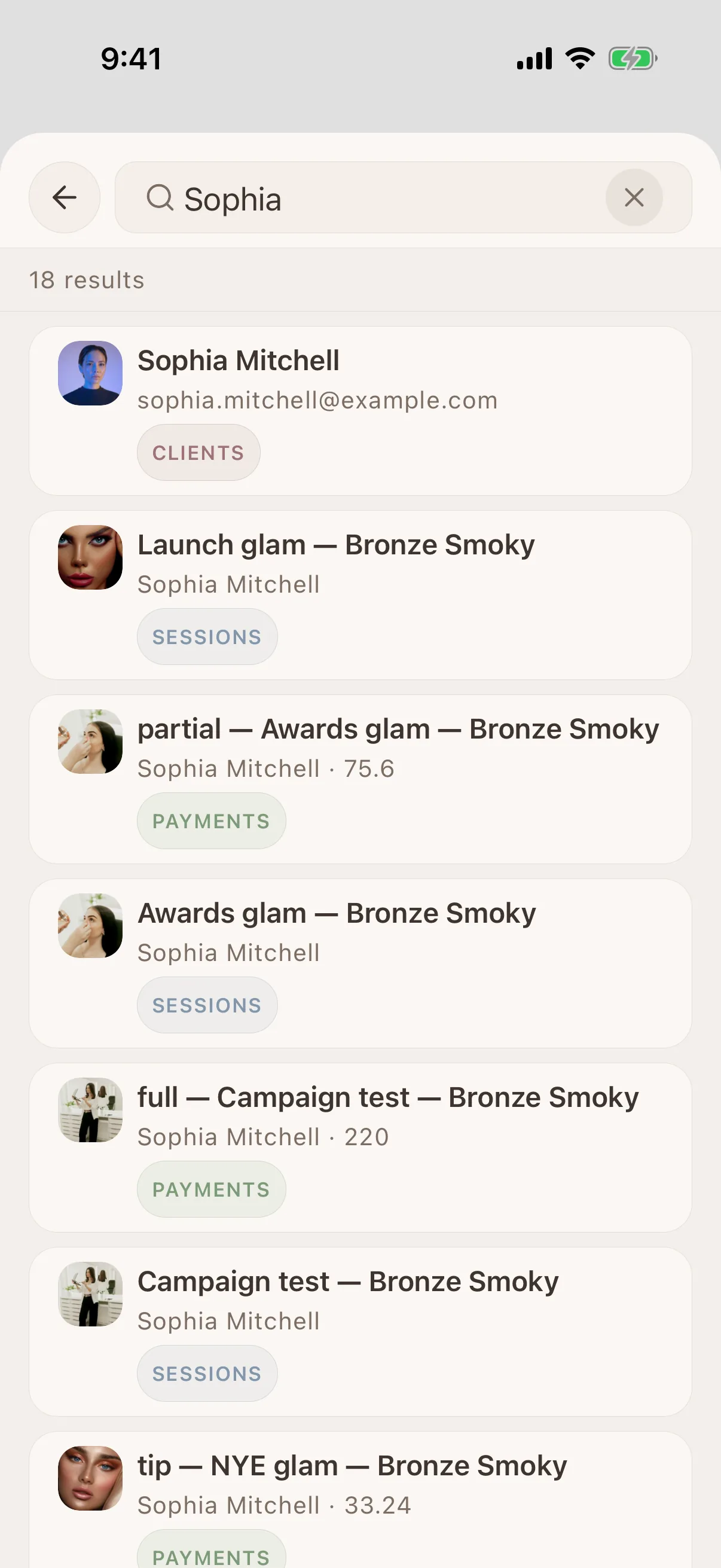
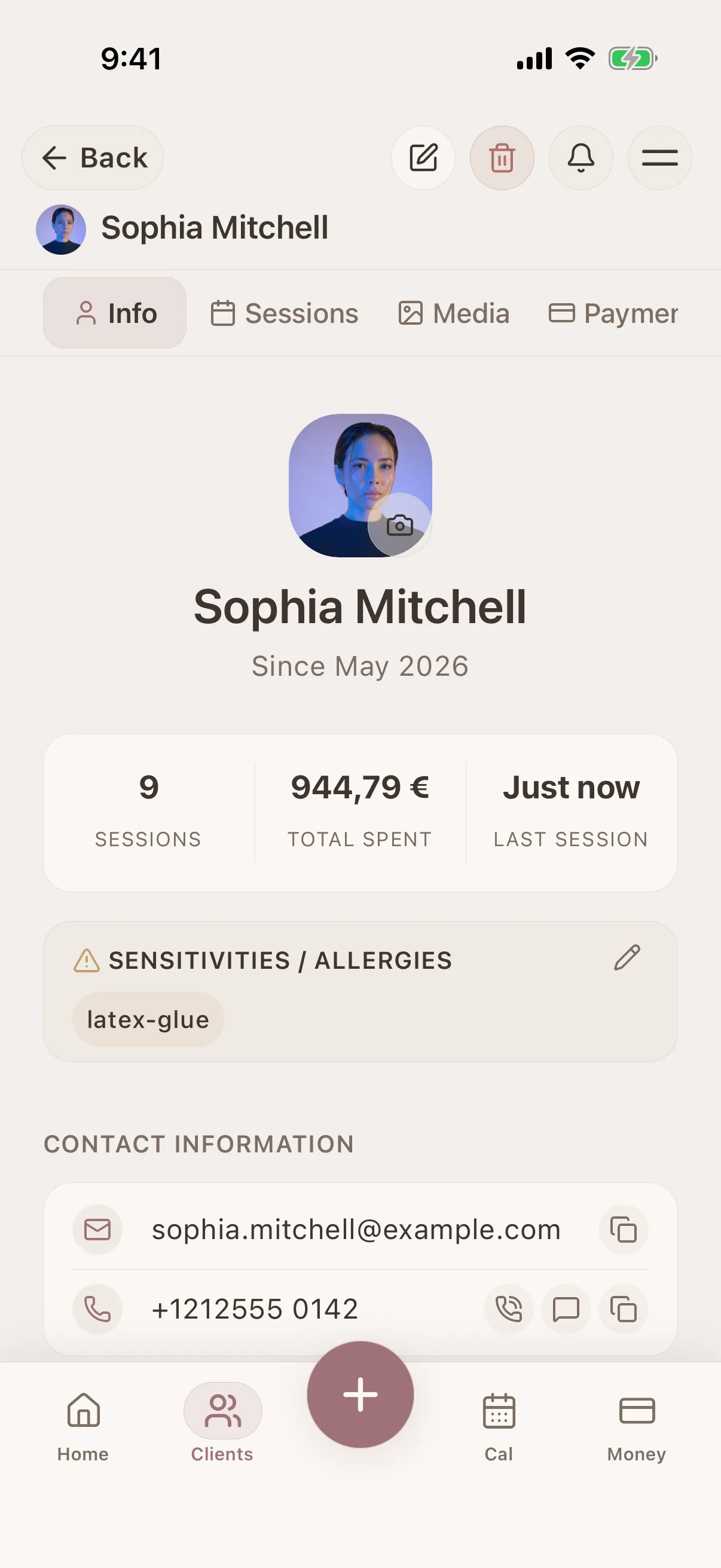
Glamorph is beauty business software for independent professionals and small teams. It brings online booking, calendars, client history, photos, signed documents, payments, and team work together in one place.
"Built from beauty work, developed for the business around it"
Glamorph co-founder Konstantina Tsormpa is a makeup and bridal artist. That background informs the attention to client history, while booking, payments and shared workspaces support independent professionals and small teams across beauty services.
How it helps your business
See how this feature makes your daily work easier
Complete beauty client records
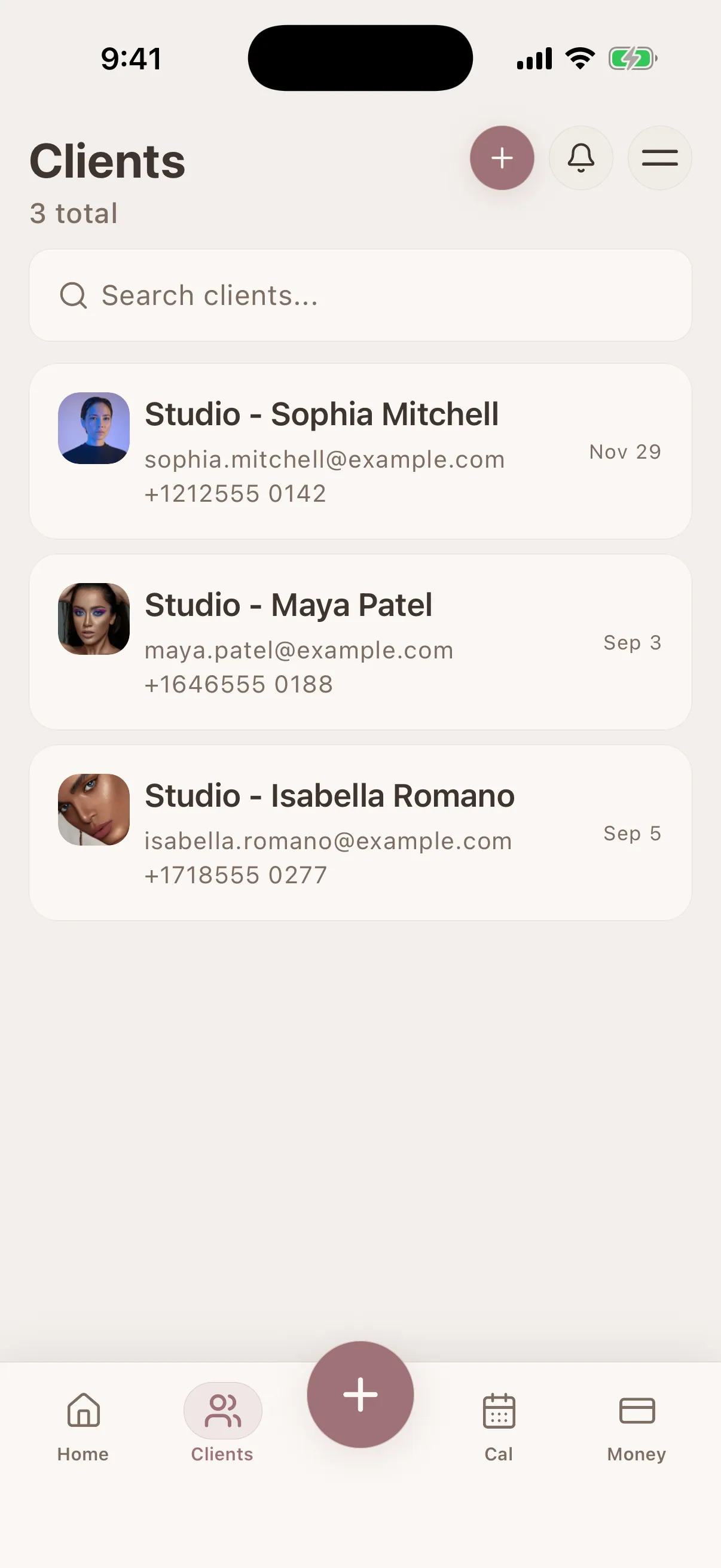
Keep contact details, preferences, client-reported allergies and sensitivities, working notes and photos in one organized profile. Record only what your work requires.
Find the right client before the service
Search by name, phone number or the notes you have written, then open the history that explains the client's last visit and next appointment.
Treatment and session history in order
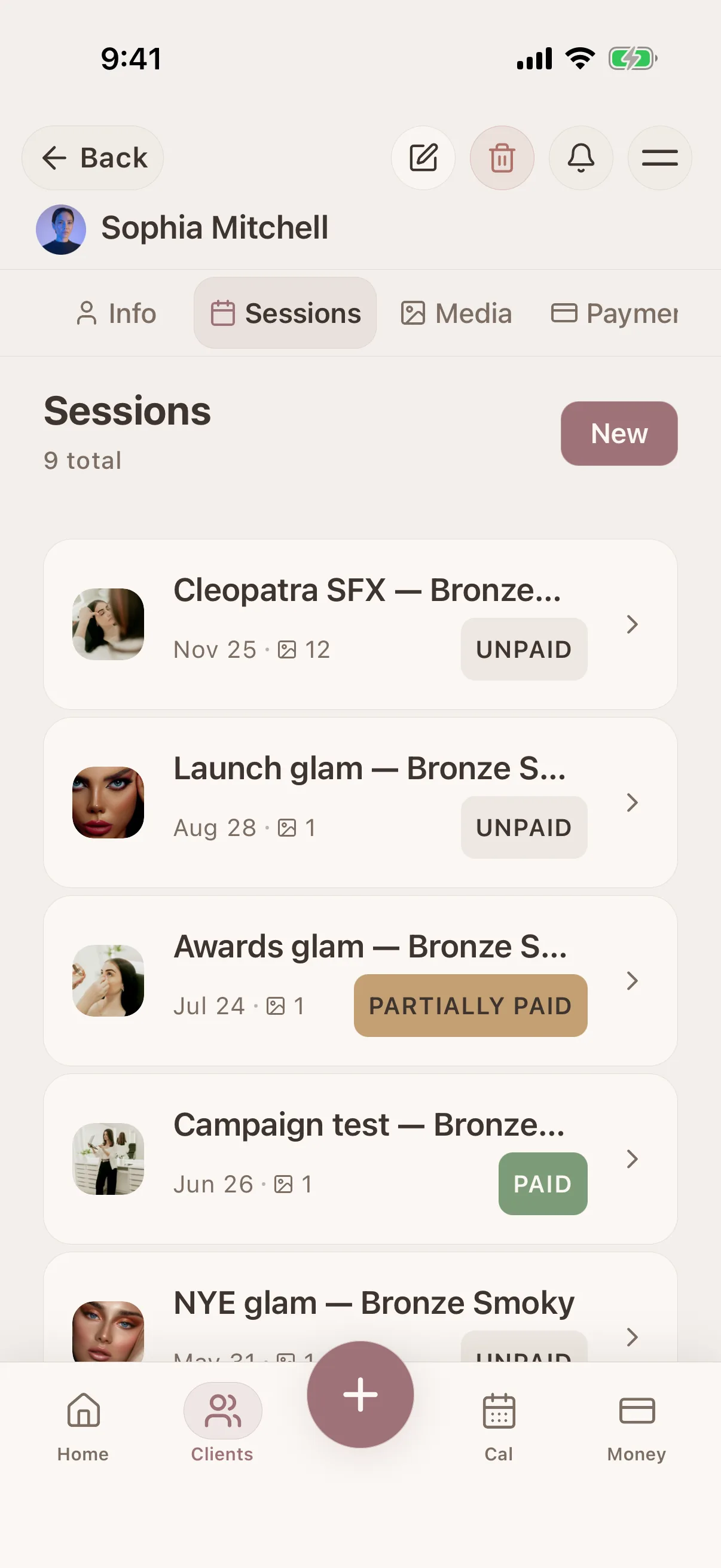
Review past and upcoming visits chronologically, with products, formulas, notes, photos, service prices and payment status connected to the correct client.
Record the technical detail you need next time
Use the session notes for products, formulas, shades, techniques, timings, client feedback, and what you want to change at the next visit.
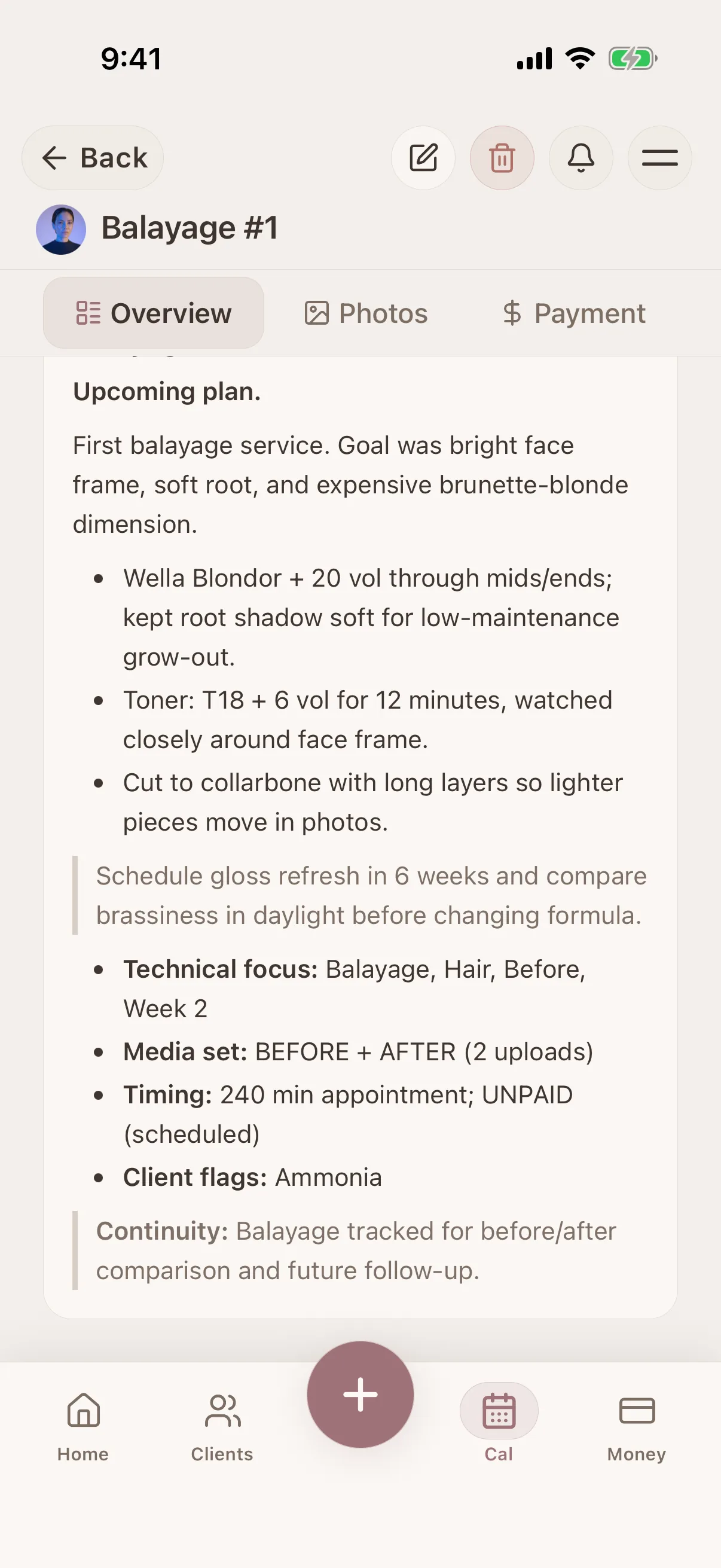
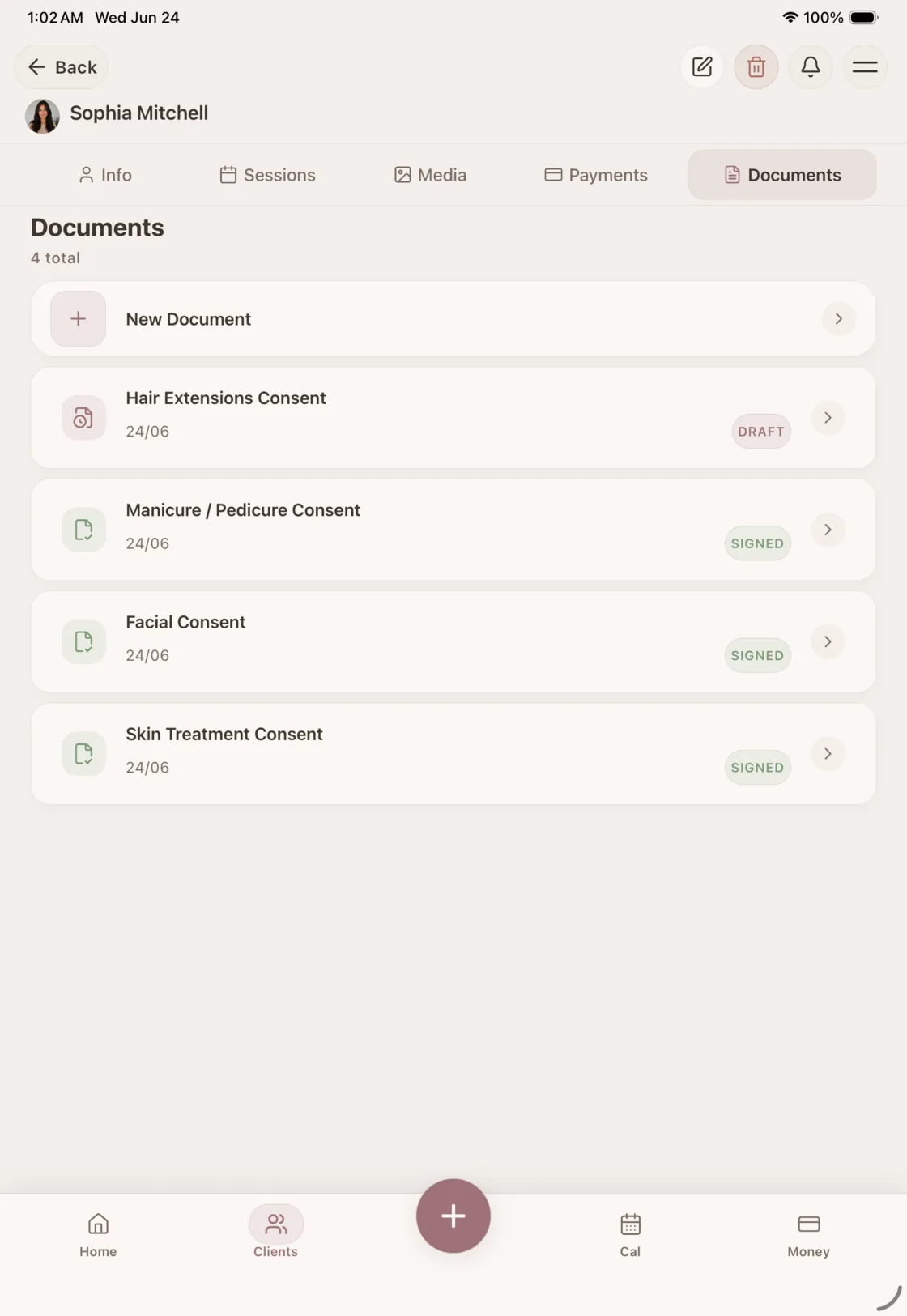
Photos, forms and formulas keep their context
Keep before, progress and after photos, signed consent PDFs, aftercare documents and technical service notes with the client or visit they belong to.
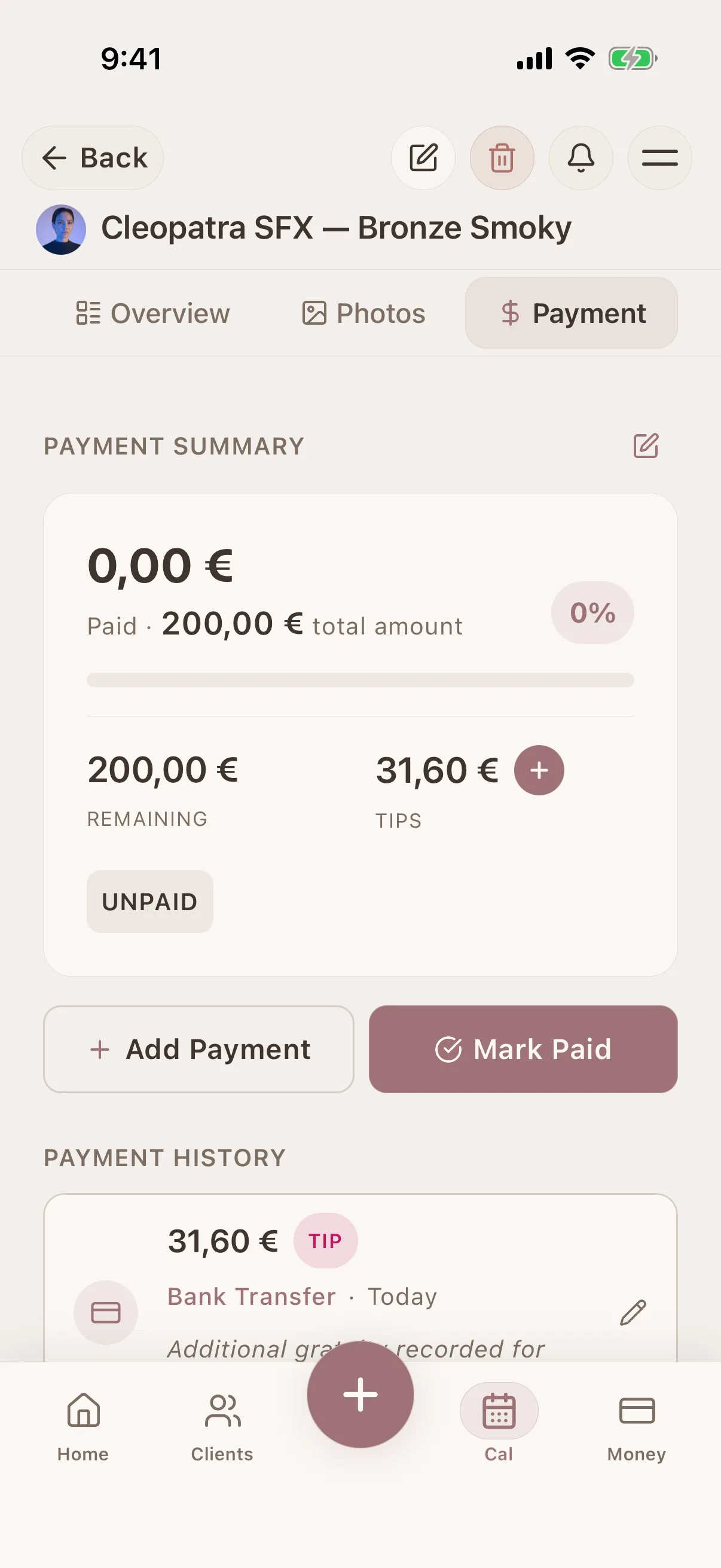
Keep the service price and balance in context
Add itemized services or a session total, then see what has been paid and what remains. The client record, treatment history, and money record stay connected.
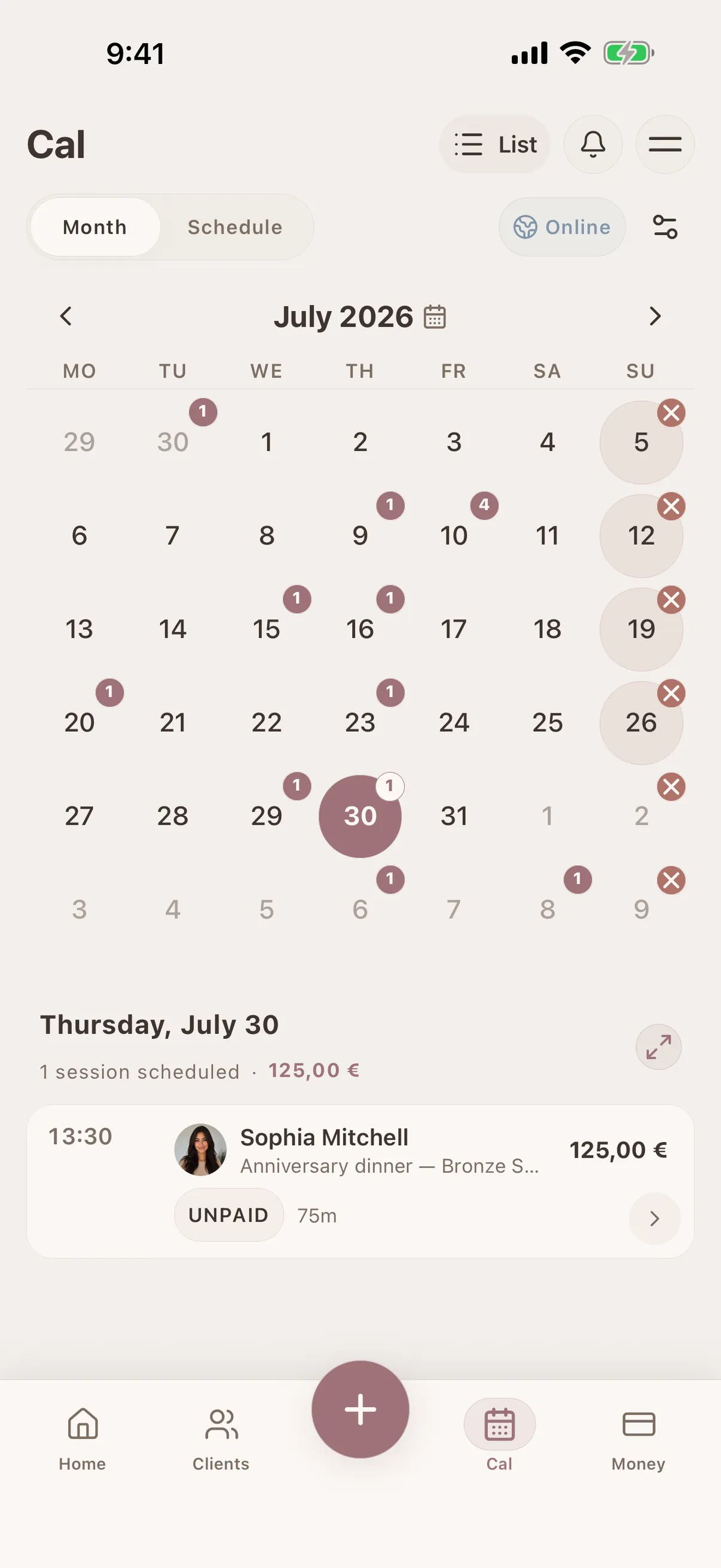
From online booking to the complete client record
A confirmed online booking creates or matches the client and enters the same Glamorph calendar. After the service, notes, photos, formulas, documents and payments continue in one lasting history.
One record for solo work or a small team
Work from one account as an independent professional, or share client history in a workspace where roles control access to clients, calendars, documents, payments and reports.
Where this fits in real client work
Connect this feature with the parts of Glamorph that help you remember the client, prepare faster, and follow up cleanly.
See all featuresUse it with
Real workflows
Stay ready before the next appointment
Know what happened last time, what is booked next, and what still needs your attention.
Starting from €11.99 per month · Free trial included
Frequently asked questions
What should a beauty client record include?
Keep the details you need to prepare and repeat the service: contact information, preferences, client-reported allergies or sensitivities, treatment or session notes, products or formulas, photos, signed documents, appointment history and payment status. Collect only what is relevant to your work and local obligations.
Is Glamorph booking software or a client management app?
It is both, with client history at the center. You can manage client records without enabling public booking, or publish an optional booking page so confirmed appointments enter the same calendar and client history.
Is my client data secure?
Glamorph protects account and workspace data with authenticated access and role controls where applicable. Only invite people who need access, choose the appropriate role, and follow the privacy and retention rules that apply to your business.
Can I access my clients across devices and while offline?
Yes. Glamorph is available on iPhone, iPad, Android and the web. Core client and session records already available in the mobile app can remain usable during brief connection loss and synchronize after reconnection. The web app and live online-booking actions require internet.
Does online booking connect to the client record?
Yes. After confirmation, Glamorph creates or matches the client and places the appointment in the same calendar and history. You do not need a separate booking list or manual copying.
Who is Glamorph's client management app for?
Glamorph is built for independent hairstylists, estheticians, nail technicians, lash and brow artists, makeup artists, mobile beauty professionals and small beauty teams whose work depends on a complete repeat-client history.
Can I import my existing client list?
Yes. Add clients manually or use the optional CSV import preview to review and approve compatible rows before they are created. The same plan limits apply to manual and imported clients.
Does Glamorph replace full salon management software?
Glamorph covers client records, treatment history, photos, documents, calendars, online booking, payment collection and history, expenses and small-team access. It does not replace payroll, inventory, fiscal POS, complex room scheduling or enterprise multi-location software.
What is a session record in Glamorph?
A session is the working record for one client visit or appointment. It connects the date, service details, notes, media, price, and payment status to that client's continuing history.
What details can I save for a beauty session?
You can save the session name, date and time, duration, location, assigned professional, rich notes, photos and videos, itemized services, total price, due date, and payment balance.
Can I record hair formulas, products, or treatment reactions?
Yes. Use the session notes to record the formula, shade, product, technique, timing, result, reaction, and next-visit adjustment in the level of detail your work requires.
Take your client history with you
Use Glamorph for the details that usually live in DMs, notes, and your camera roll.
€11.99 per month
Trusted by beauty professionals across
From the blog
Tips and guides for beauty professionals
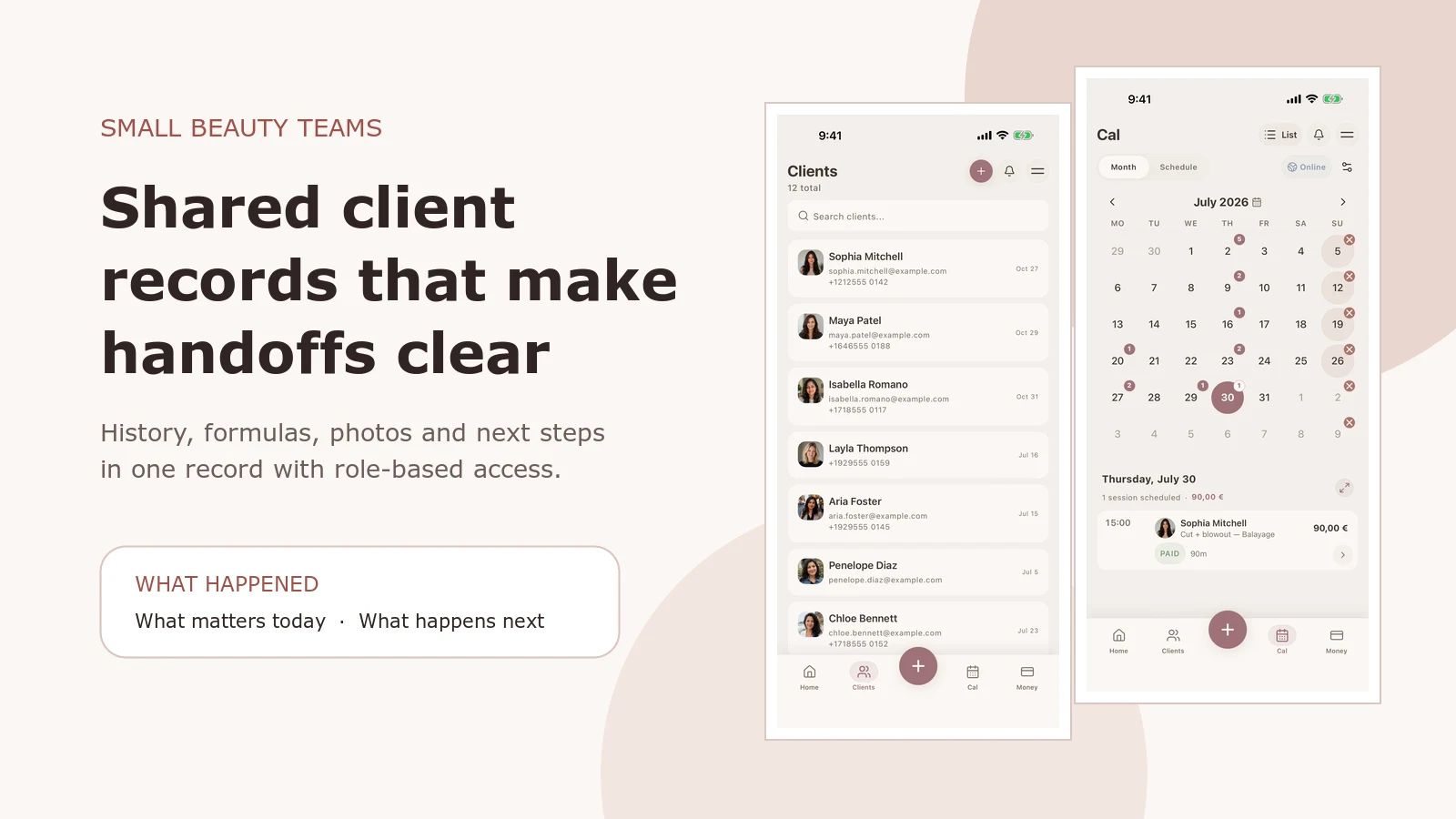
Salon Client Management Software: A Small-Team Workflow
See how Glamorph connects salon client records, booking, photos, signed forms, payments and team access. A practical workflow for small beauty teams.
Read article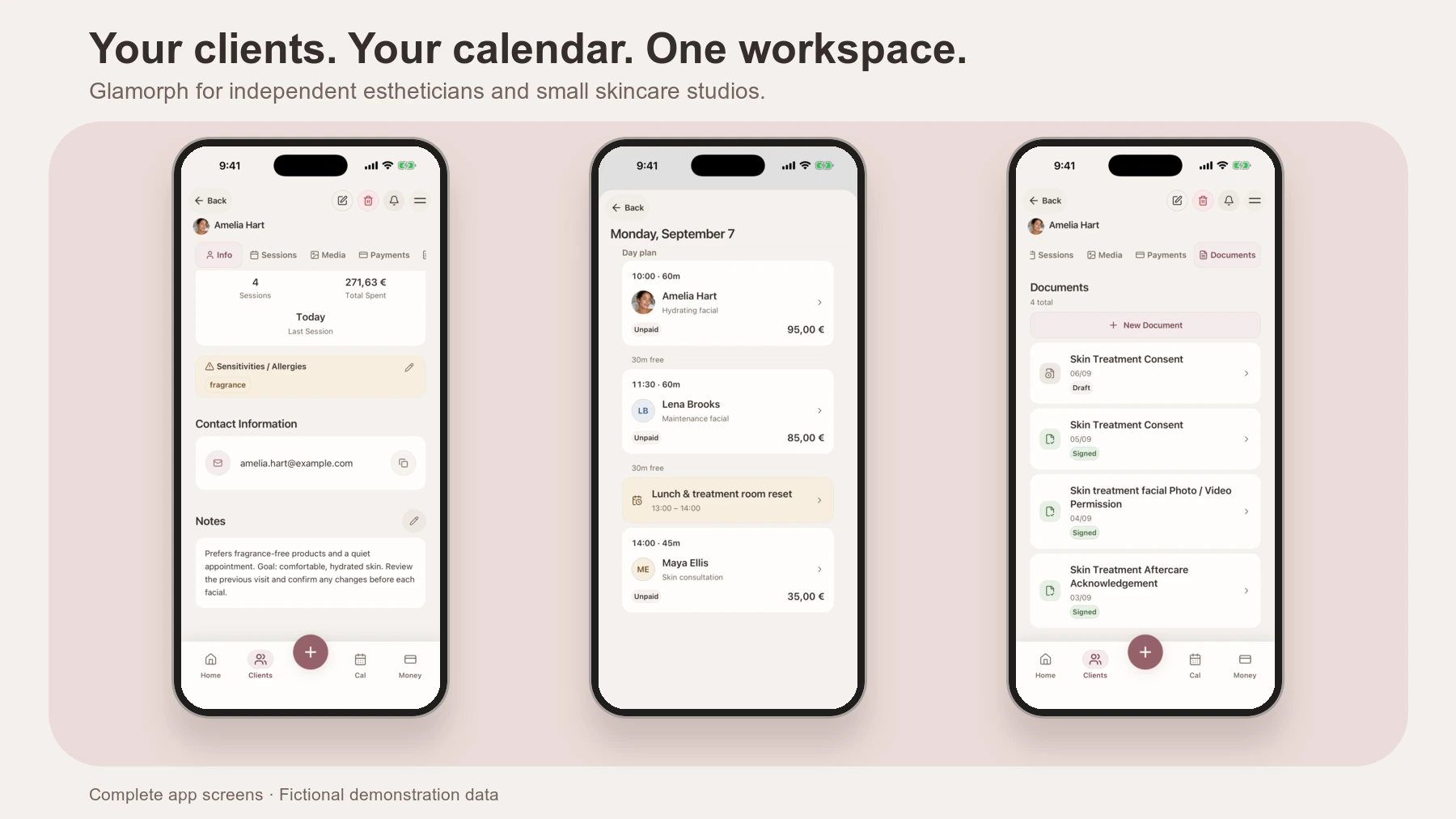
Best Apps and Software for Estheticians
Compare Glamorph, Vagaro, GlossGenius and Fresha for esthetician booking, consultation forms, treatment records and payments. Find the fit for your studio.
Read article