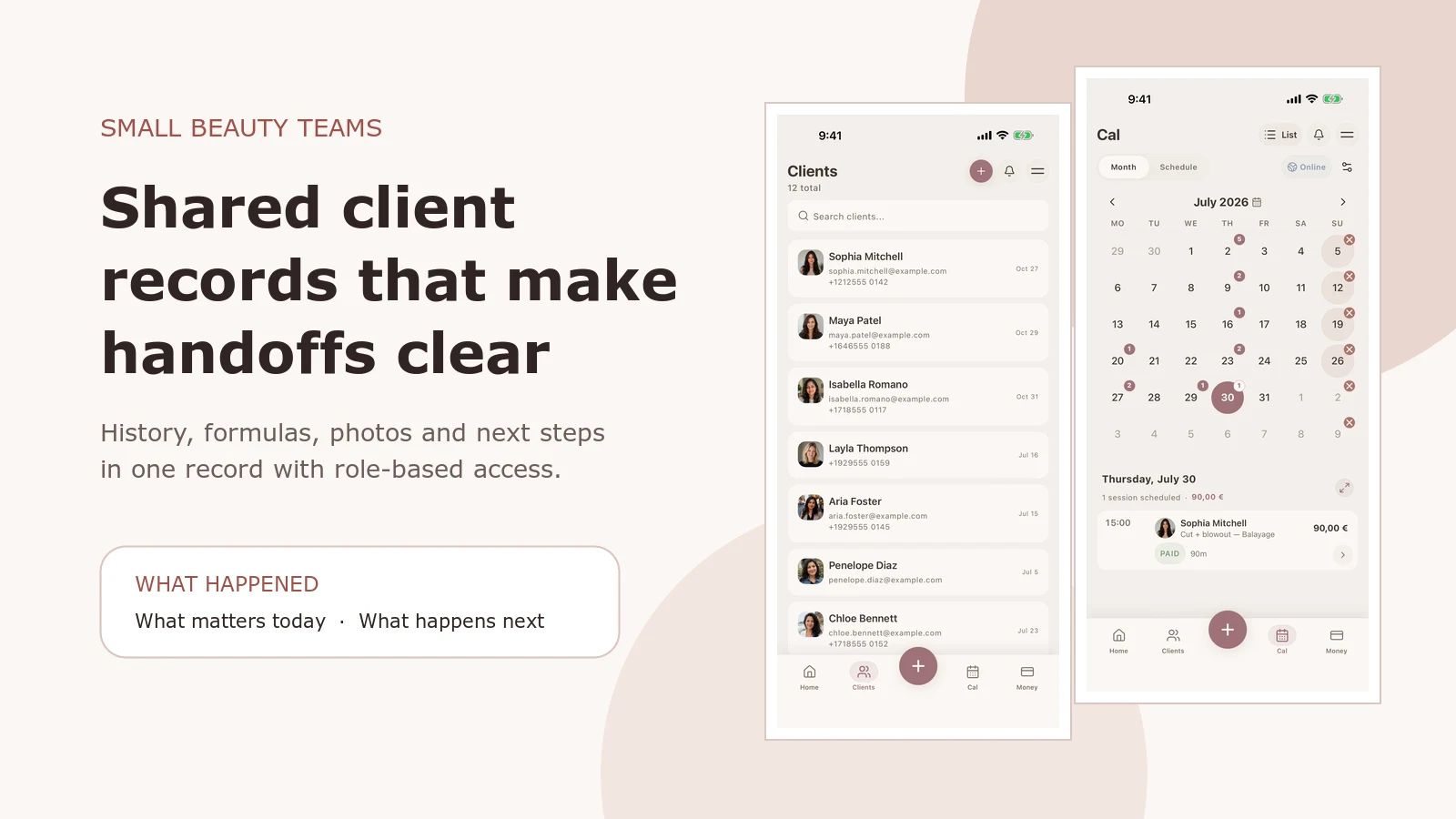
A small beauty team should share one client history. Each person should only see the information they need for their work.
Before a handoff, the next professional should be able to find the latest service, formulas or products, reported sensitivities, useful photos and the next-step note. Use individual logins and defined roles instead of a shared password.
This guide is for small salons, studios and beauty teams. It is a practical client-record workflow, not an employment, privacy or treatment protocol. Apply the access, retention, licensing and consent rules that cover your business and location.
What should a small salon team share?
Share enough context to deliver a consistent service, but do not make every record visible to everyone by default.
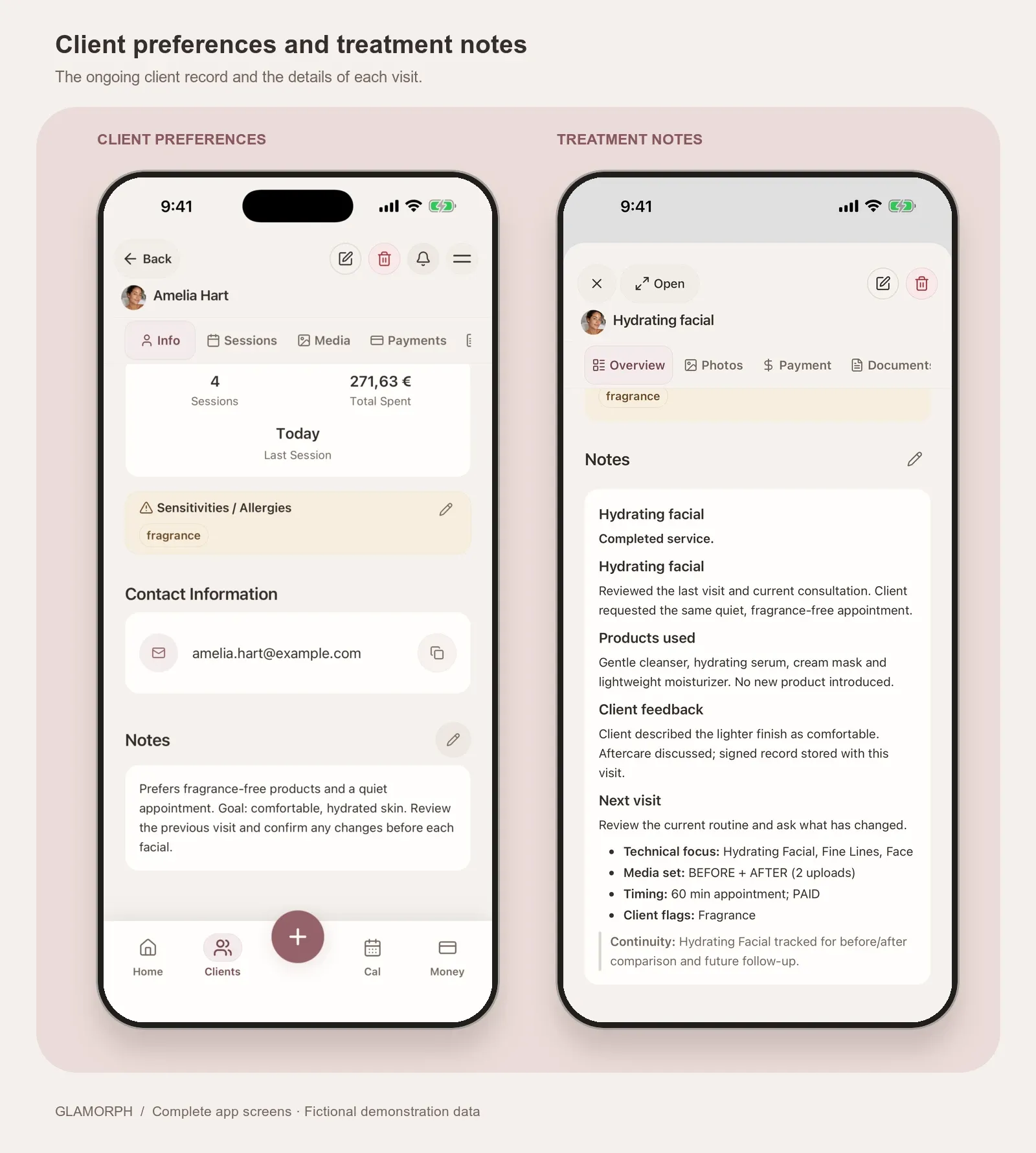
- Client profile: contact and service preferences, plus relevant client-reported allergies or sensitivities.
- Latest session: what was actually done, who did it, the products or formula, the result and the next-time note.
- Appointment history: what was booked, when it happened and who last worked with the client.
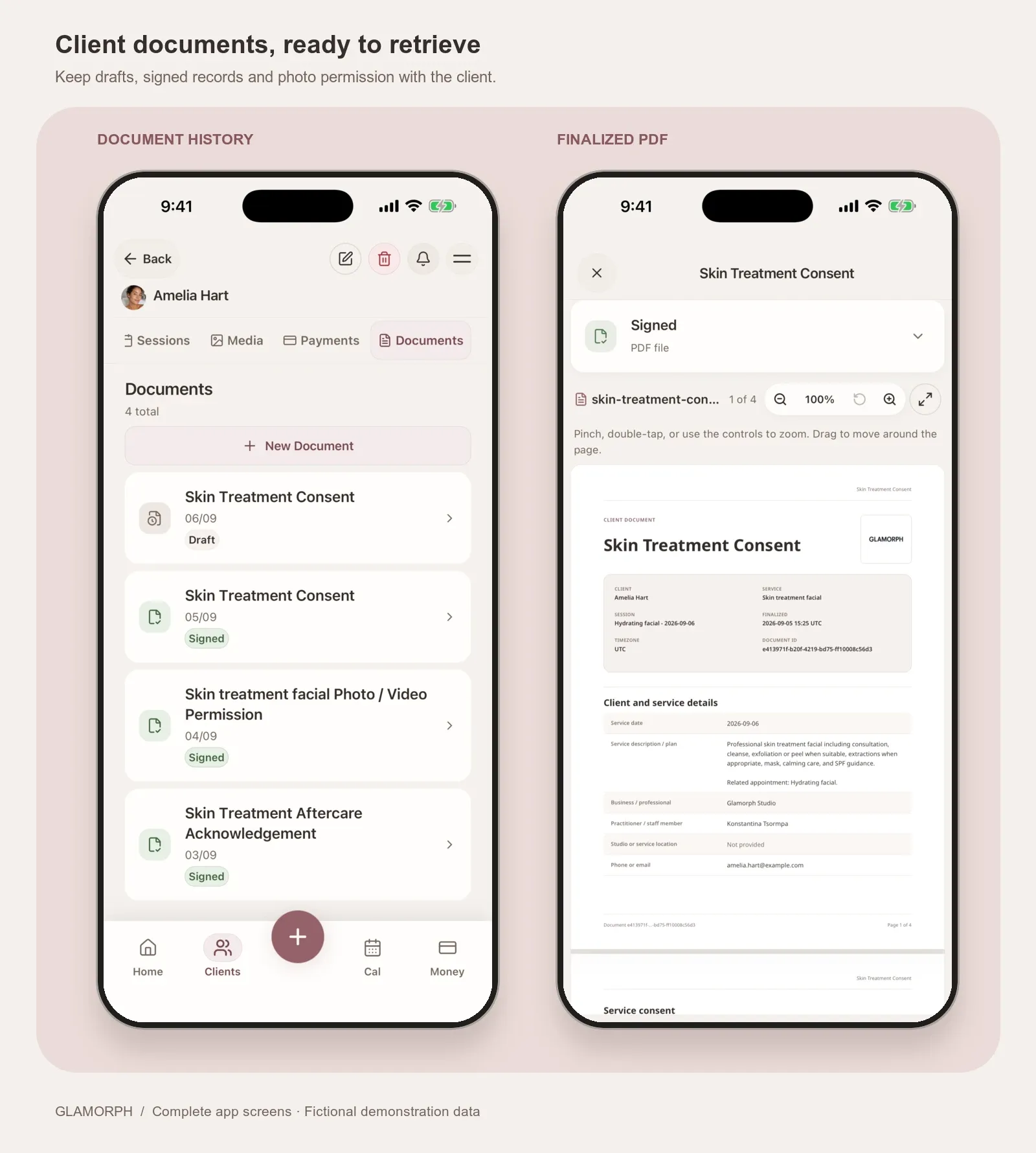
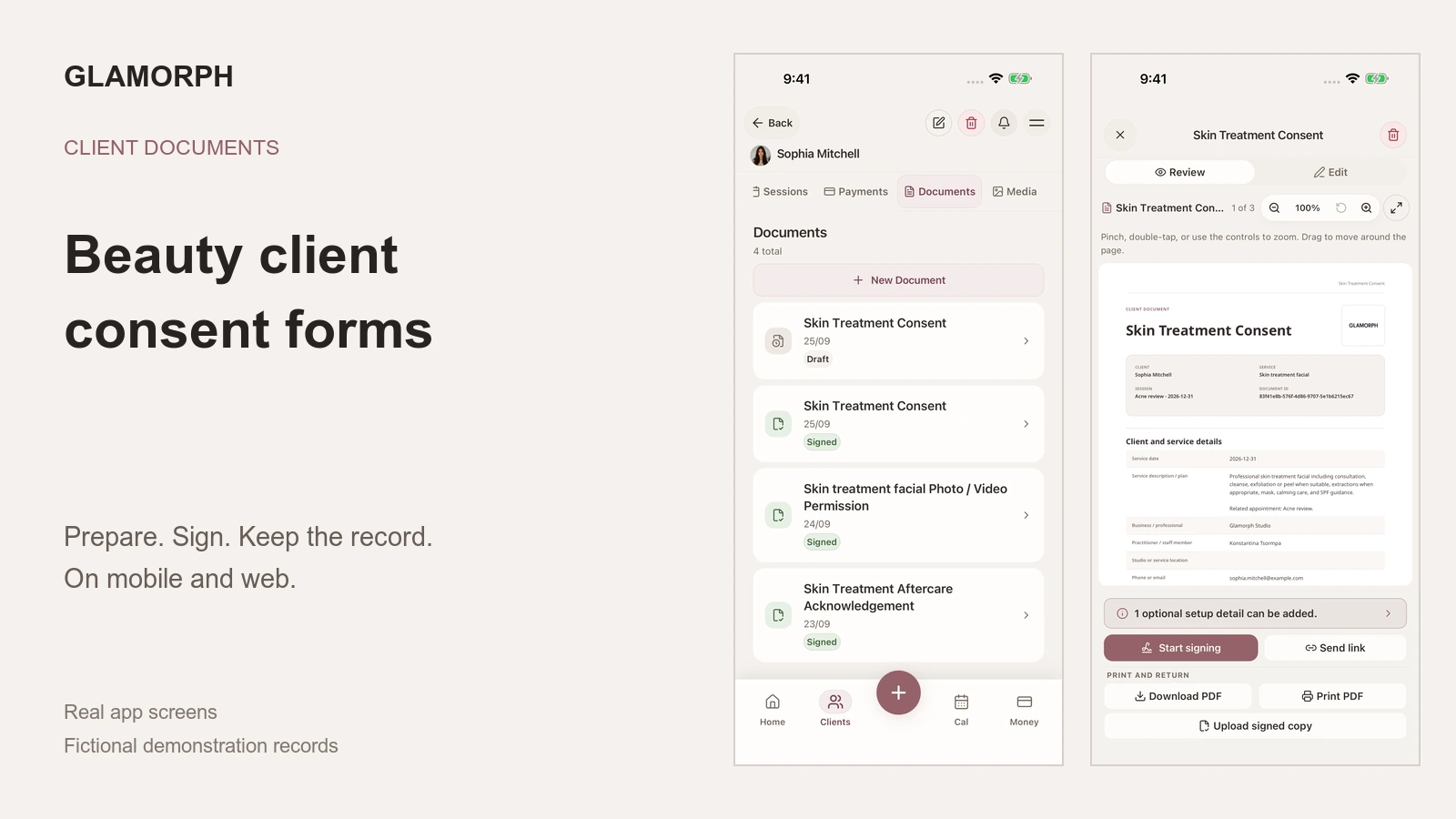
- Photos and documents: dated images and the current consultation, consent, aftercare or photo-use record.
- Payment context: deposit, balance and status only where the person’s role permits it.
The handoff should answer three questions: what happened, what matters today and what must happen next? If your system cannot answer those quickly, more fields will not fix the workflow.

One client record can support several roles without turning every role into an all-access administrator.
Follow one client journey, not separate staff notebooks
Consider a color client who books through the front desk, sees a colorist and has an assistant help with part of the service.
- At booking, the front desk confirms the service, preferred professional and practical appointment notes.
- Before the visit, the colorist reviews the previous formula, result photos, client feedback and reported sensitivities.
- During the service, the colorist records the formula actually mixed, timing, changes and result. The assistant sees only the context needed for their assigned work.
- At checkout, the authorized person records the deposit, balance and payment status.
- After the visit, the responsible professional adds the final photo, aftercare and next-time plan.
- Before the next booking, the same history is available even if a different authorized professional serves the client.
This is the difference between a shared record and a shared folder. A folder stores files. A client record preserves the sequence, ownership and meaning of what happened.
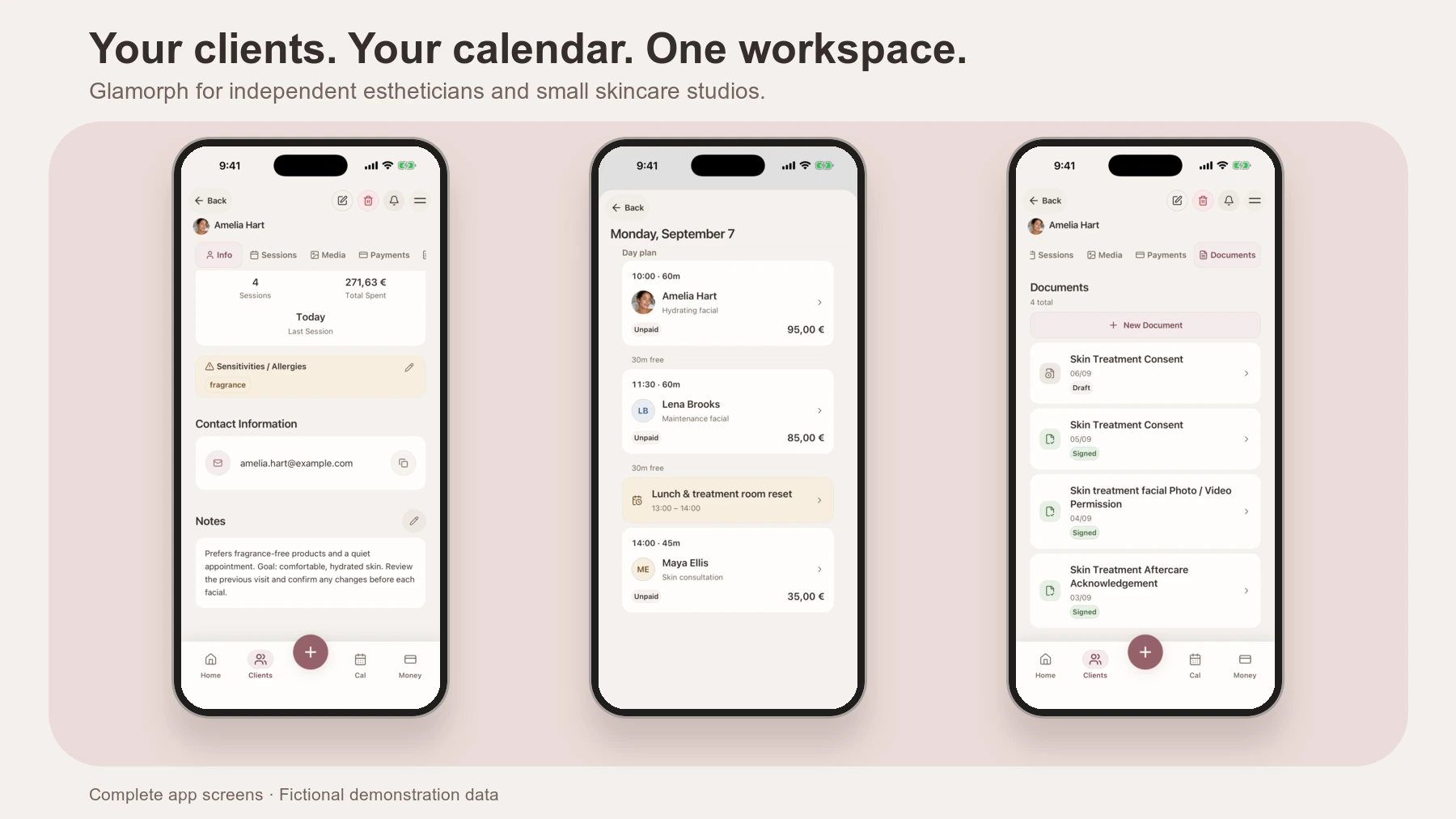
Glamorph’s team workspaces connect client profiles, calendars, sessions, photos, documents, notes and recorded payments in one workspace. Each team member still has their own login and permissions.
Connect online booking to the same handoff
Online booking should not create a second client list or calendar. A confirmed booking should become the first step in the same client history the team uses during and after the service.
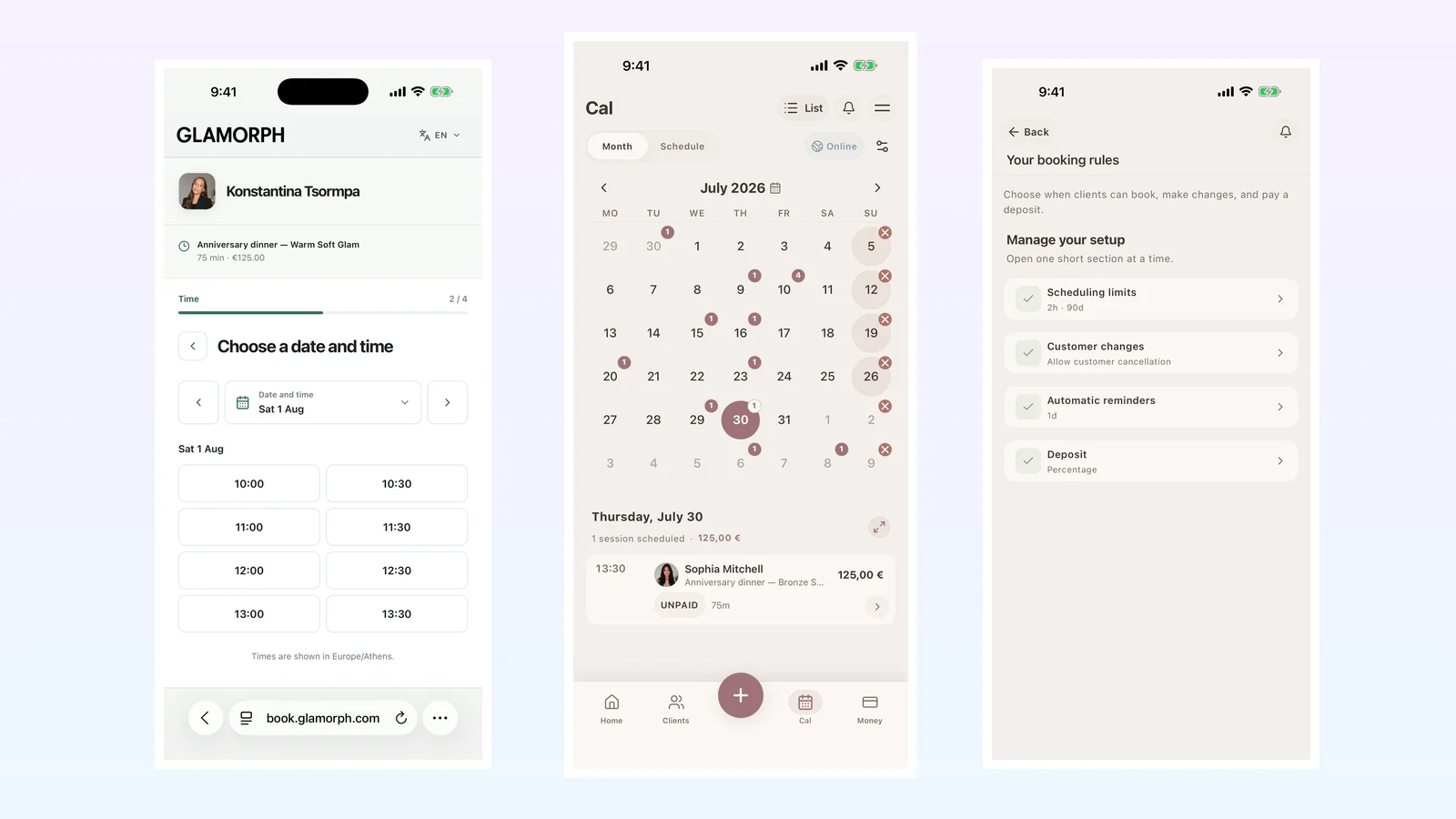
In Glamorph, a client chooses a visible service, eligible professional and live available time from your published page. The booking creates or matches the client and enters the same calendar on mobile and web.
For straightforward services, you can confirm a free slot automatically. For consultations, corrections or other work you want to review first, use professional approval and accept or decline the request within your chosen window.
See online booking for beauty professionals for availability rules, reminders, customer changes and market-dependent deposits. Then use the connected calendar to open the client context before the appointment.
Decide access by job, not convenience
Start with the least access a person needs to do their job. The exact roles will vary, but a simple matrix makes the decision visible.
| Role | Usually needs | Usually does not need by default |
|---|---|---|
| Owner or workspace administrator | Team settings, access management, client records, calendars and business reporting needed to run the workspace | Personal account credentials belonging to another team member |
| Front desk or coordinator | Contact details, calendars, booking context and authorized deposit or balance status | Detailed service notes unrelated to booking, all financial reporting or team administration |
| Service professional | Assigned or permitted clients, relevant history, reported sensitivities, formulas, products, documents, photos and next plan | Other professionals’ private financial information or workspace administration |
| Assistant or temporary collaborator | The specific appointment details and tasks needed for the service | The entire client list, exports or permanent administrative access |
Your real matrix may be narrower. Do not copy a template blindly: list each role, each data area and the business reason for access.
The UK’s National Cyber Security Centre recommends separate user accounts rather than shared accounts. That lets you change one person’s access without changing the login for the whole salon.
The Information Commissioner’s Office also recommends role-based access, regular reviews and prompt removal when responsibilities change in its access-control guidance.
Build a minimum client record before adding more fields
A useful team record is specific and short enough to update after every visit.
Keep stable information on the client profile
Use the profile for facts and preferences that may matter across appointments:
- Name and necessary contact details
- Preferred contact method
- Usual services and communication preferences
- Client-reported allergies, sensitivities or previous reactions relevant to the service
- Important accessibility or comfort notes when necessary
- Photo and communication choices where your process records them
Record what the client reports without diagnosing it. “Client reports itching after Product X on 12 August” is clearer than “allergic skin.” Review dated information instead of assuming it is permanently current.
The European Commission’s data-minimisation explanation says personal data should be adequate, relevant and limited to what is necessary for the purpose. Extra fields create extra work and extra exposure; they do not automatically create a better service.
Keep each appointment in its own session record
The session should say what actually happened on that date:
- Service, date and responsible professional
- Client’s goal and relevant update since the last visit
- Products, shades, formula, ratio, settings or technique needed to understand the work
- What changed from the plan and why
- Neutral observations and the client’s own feedback
- Result photos attached to the visit
- Aftercare or follow-up given
- What to repeat, review, avoid or change next time
- Deposit, balance and payment status when relevant and permitted
“Same as last time” is not enough. Open the previous visit, then record today’s actual formula and result. Glamorph’s session tracking keeps visits chronological while the client profile keeps the full history retrievable.
Use a before-service handoff
The responsible professional should review the record before the client is in the chair or treatment space.
Five-minute pre-service review
- Confirm the correct client, service and responsible professional.
- Read the latest session and the next-time note.
- Review relevant client-reported allergies, sensitivities and changes.
- Check the previous formula, products, settings or technique.
- Open the most useful before-and-after images.
- Confirm that the correct consultation or consent record is current for your process.
- Identify anything that must be clarified directly with the client.
The record prepares the conversation; it does not replace it. Ask what has changed and confirm the plan before starting.
Close the handoff after every service
The next professional can only rely on the history if today’s professional finishes it.
Two-minute post-service closeout
- Record what was actually done, not only what was booked.
- Save exact products, formula or settings needed to understand or repeat the work.
- Add any client feedback or change in factual, dated language.
- Attach the final photos to this session and label their stage.
- Record aftercare and follow-up.
- Write one clear next-time note.
- Update the authorized payment status.
A useful next-time note is operational: “Check right index lifting; client preferred 2 mm shorter” or “Review fade after four weeks before changing the toner.” “Client happy” is pleasant but not a handoff.
Keep documents and photo permission separate
An intake form, service consent, aftercare acknowledgement and photo release answer different questions. Store them with the client or relevant session, but do not treat one signature as permission for every future purpose.
A client can agree to a service while refusing public use of a photo. A private record photo and a social-media image need distinct handling under the rules that apply to you.
The practical beauty consent and photo-permission guide explains the record types separately. Client documents shows how Glamorph keeps finalized files beside the relevant history.
What happens when someone joins, changes role or leaves?
Access management is part of the client-record workflow, not an occasional IT task.
When someone joins
- Create an individual account.
- Assign the narrowest suitable role.
- Explain which records they may open and why.
- Train them on the appointment-note standard.
- Test one realistic client handoff before relying on the process.
When responsibilities change
Review access at the same time. A move from owner to contractor, service professional to coordinator or permanent to temporary work may change what the person needs to see.
When someone leaves
Deactivate their workspace access promptly, confirm who owns upcoming appointments and keep the business’s authorized client history in the workspace. Do not delete a client record just to remove a former team member’s login.
In Glamorph, the workspace owner can deactivate a professional profile or remove access while the client and appointment history stays with the workspace. People, logins and calendars are separate: one team member should not have to impersonate another person to preserve history.
Do you need focused client management or a full salon suite?
The phrase “salon software” covers several different jobs. Start with the problem that costs your team time today:
- Scattered client history: look first for deep profiles, session records, formulas, photos and documents.
- Unbooked availability: prioritize online booking, availability rules, reminders and team calendars.
- Stock and retail: choose inventory-focused salon operations software.
- Payroll, rooms or several locations: choose a full salon-management suite built for those operations.
- Fiscal receipts or tax reporting: use an approved fiscal POS or accounting system for your location.
Glamorph for small salons is focused on client records, calendars, online booking and the connected service history used by solo professionals and small teams. It does not replace fiscal POS, inventory, payroll, medical records or complex enterprise scheduling. If one of those is the main problem, choose a system built for it.
A 15-minute team handoff setup
Use one real client journey to test the system.
- Pick a repeat service that depends on history.
- Create one client profile with only necessary stable information.
- Add the previous appointment as a separate session.
- Attach one useful result photo and the relevant completed document.
- Write a next-time note another professional can act on.
- Give a test team member the role you expect them to use.
- Ask them to prepare for the next appointment without messaging the previous professional.
- Remove any field they did not need and add only missing context that changed the service.
If the teammate can explain what happened, what matters today and what happens next, the handoff works. If they need the previous professional’s memory, the record is not finished.
Where Glamorph fits for a small beauty team
Glamorph keeps client profiles, reported sensitivities, appointments, session notes, formulas or products, photos, documents, recorded payments and follow-up context in one shared workspace across mobile and web. Roles can limit people to their own or all permitted clients and calendars, while individual logins preserve clearer access than a shared password.
It is designed for record-first workflows in small salons, studios and freelance teams. Review team workspaces if the problem is handoff and access; review the calendar if the problem is assigning appointments; and review client management if the core problem is reconstructing a client’s history.
The right system should make the next service easier to prepare for without asking the client—or the last professional—to rebuild the story.
Frequently asked questions
Should every salon team member see every client record?
No. Give each person the information required for their role, then review access when responsibilities change. An owner, front-desk coordinator, service professional and temporary assistant rarely need identical permissions.
What is the most important salon handoff note?
The most useful note states what was actually done, the exact products or formula needed to understand it, the result and one clear next action. It should be dated and connected to the appointment rather than left in a general chat.
How do salon teams avoid asking repeat clients the same questions?
Review the latest session before the client arrives. Confirm what has changed instead of asking them to reconstruct the previous formula, preferences, reported sensitivities and result from the beginning.
Finish each appointment with one short next-time note. That gives another authorized professional a useful starting point even when they did not perform the previous service.
Is client-management software the same as salon software?
Not always. Client-management software focuses on profiles, preferences, service history, notes, photos and documents. Full salon software may also cover stock, commissions, payroll, rooms, fiscal POS and multi-location operations. Choose around the operational problem you actually have.
Can a salon review online booking requests before accepting them?
Yes. Glamorph can confirm an available slot automatically or send it for professional approval. The review option is useful when a new service, correction or consultation needs a human decision before it becomes a confirmed appointment.
Written by

Professional makeup artist, bridal MUA, and founder of Glamorph
Professional makeup artist and bridal MUA with 5+ years of experience, founder of Glamorph, writing about bridal beauty, soft glam, and freelance beauty work.
You might also like

Esthetician Client Records: What to Track Before, During and After Every Treatment
A practical esthetician client-record field map for intake, consent, treatment notes, products, sensitivities, photos, aftercare, and follow-up.
Read more
Beauty Client Consent Forms: What to Include (Checklist)
Use this beauty consent form checklist to separate client intake, service consent, patch tests, photo permission, aftercare, signatures, updates, and storage.
Read more
How to Price Hair Color Services as a Solo Stylist in 2026
Price hair color services with time, product cost, toner, corrections, and client history, using practical formulas and service examples.
Read more