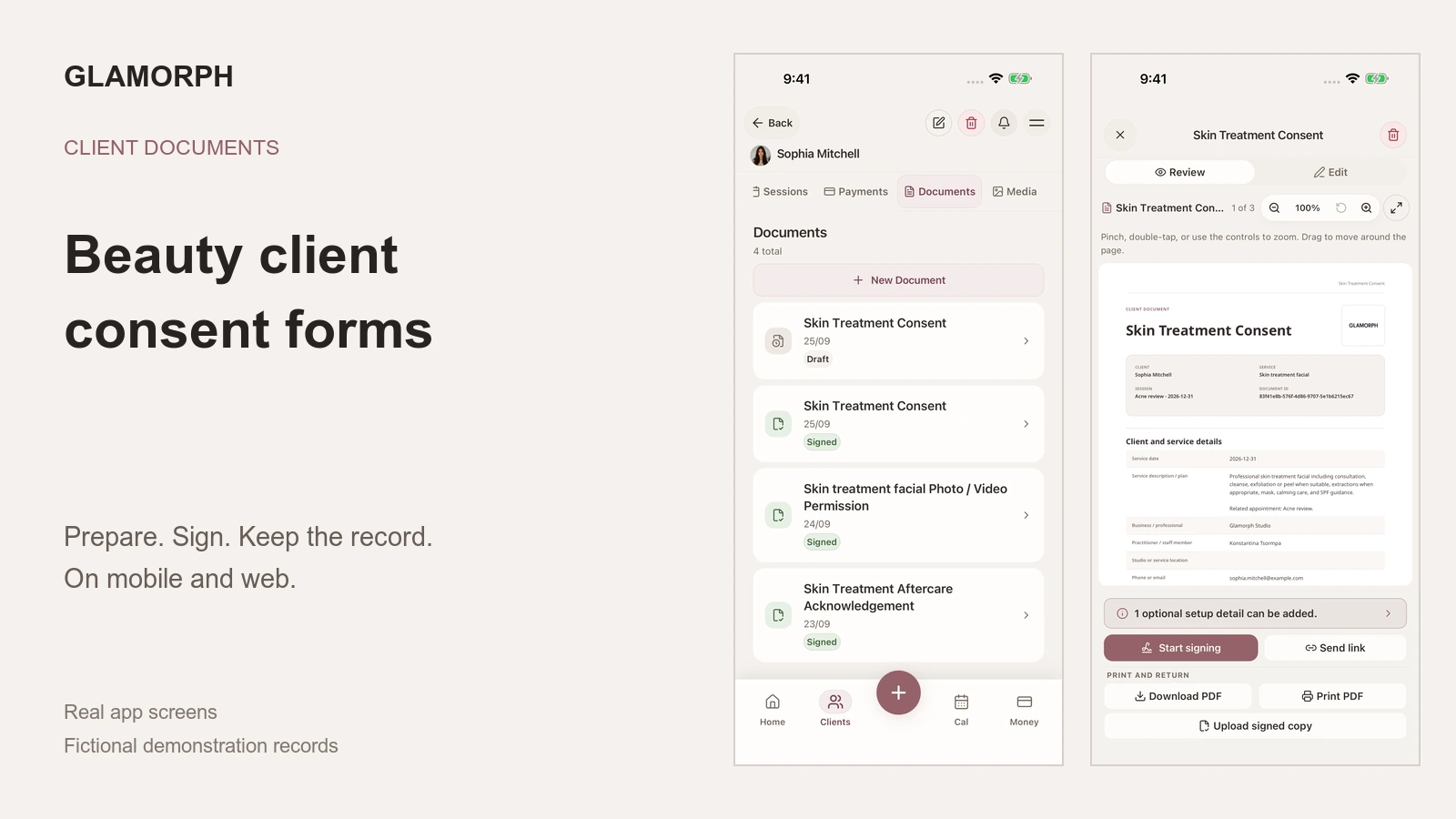
A beauty client consent form should name the client and service, explain the proposed service and relevant limitations, record the client’s questions and agreement, and preserve the date, signature and document version. Keep consultation answers, patch-test records, photo-use permission and aftercare clearly identifiable instead of hiding every purpose inside one waiver.
Glamorph lets you prepare that document, collect a signature in person or remotely, and keep the signed PDF with the client or appointment. You can also store an existing PDF or print a draft for handwritten signing. The workflow below explains what to review before choosing the form and how to keep the completed record usable.
I am Konstantina Tsormpa, a makeup artist and Glamorph founder, not a lawyer. This guide draws on our product workflow, checked on mobile and web, with fictional demonstration records. Review service-specific wording with your insurer or professional adviser. It is not a ready-to-sign legal template.
Download the esthetician consultation and consent pack
This blank workbook is for adult, non-medical beauty services. Complete the actual service details and use only the pages that fit the appointment. It does not assess whether a treatment is suitable or replace service-specific consultation and product instructions.
4 pages · A4 · 32 text fields and 4 optional photo-use checkboxes
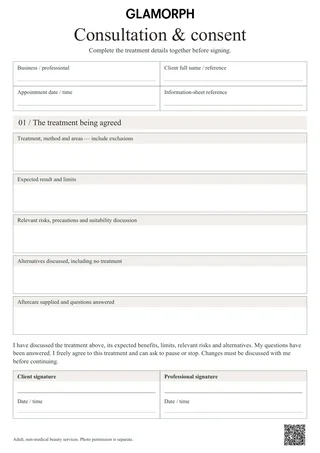
The first page records the proposed treatment, areas, exclusions, expected result, risks and alternatives discussed, aftercare and signatures. The optional body map lets you circle agreed areas and mark exclusions. Use the client’s left and right. The final sheet records what happened during the visit and any follow-up.
The photo page is a separate decision. All four boxes start unchecked: private client history, printed portfolio, a named website and named social accounts. Identify the actual images, intended use, restrictions, use period and withdrawal contact before the client chooses. Signing the treatment page does not select any photo permission.
You can type into the PDF’s fields, save a new copy and reopen it to check your entries. Mark the body map with a pen or a PDF annotation tool. Sign by hand or with your reader’s signing tool. These blank signature spaces are not certificate-signature fields. The four colour editions contain the same pages. Terracotta, beige and black and white are also available.
What should a beauty consent form include?
Use this as a field checklist. The wording and mandatory details depend on your service and location.
| Part of the record | What to make clear |
|---|---|
| Client and service | Who the document concerns, the planned service, date and professional |
| Relevant consultation | The client’s goal, relevant history and reported sensitivities or changes |
| Explanation | What is proposed, important limitations and service-specific information the client needs |
| Questions and agreement | What was discussed, any change to the plan and the client’s decision |
| Confirmation | Signer, date, signature or appropriate confirmation, document title and version |
| Separate choices | Photo use or other optional permissions, without treating them as automatic consent |
Keep the document short enough to read. A makeup client does not need a hair-color questionnaire, and someone booking a manicure should not have to work through a medical-spa intake.
For EU businesses, the European Commission’s GDPR principles include collecting only necessary data and keeping it no longer than needed. “It was on the template” is not a good reason to collect another personal detail.
Is a consultation form the same as a consent form?
No. Consultation gathers information. Consent records the client’s decision after the relevant explanation.
For makeup, a preference for a soft finish is consultation information. Agreement to the proposed service is a different question. The two can be sections of one document, but the signature should relate to the service actually discussed.
The treatment or session note comes afterwards. It records what you did, which products you used, the client’s feedback and what to review next time. A signed consent form cannot supply those missing details.
What changes for estheticians, lash artists and nail techs?
An esthetician’s form should fit the particular facial, waxing or other non-medical service. Ask about relevant product use and client-reported sensitivities without copying an unrelated medical questionnaire. Keep the service explanation separate from the record you complete afterwards. The dated visit belongs in the client’s treatment history, alongside the products, notes and photos from that appointment.
For lashes and brows, use the product instructions and professional requirements that apply to the actual service. If testing is required, preserve the product, timing, result and decision in a distinct test record. A generic “patch test done” checkbox cannot explain what was tested.
For nails, record relevant product history and reported reactions. Shape and color preferences help the appointment, but they do not replace a service-specific consultation.
Should permission to post photos be separate?
Yes. A client may be comfortable with a private progress photo and not want it on Instagram. Ask about those purposes separately and preserve the actual choice.
A useful review prompt is: “May I keep this image privately with your service record?” A separate marketing choice should explain the intended use, such as a website portfolio or social post, and whether identifying details will appear. Have the wording reviewed for your location.
The UK’s ICO guidance on valid consent explains that consent must be specific, informed and freely given, with a genuine choice to refuse or withdraw. It concerns data-protection consent, not a universal rule for every treatment document.
Keep the permission record accessible from the same client as the images. Organized before-and-after photos help you find an image. They do not, by themselves, prove permission to publish it.
How do you create a digital consent form in Glamorph?
Open the client’s Documents tab, choose a service-appropriate starter or saved template, and prepare the form. You can also start with a blank document. Check the service details, edit the wording and complete your professional fields before asking the client to sign.
The same workflow is available on mobile and web. Save wording you regularly use as a reusable template rather than copying a previous client’s signed answers. Glamorph also offers consultation, patch-test, aftercare and photo-permission starters. They are editable starting points, not universally approved legal forms.
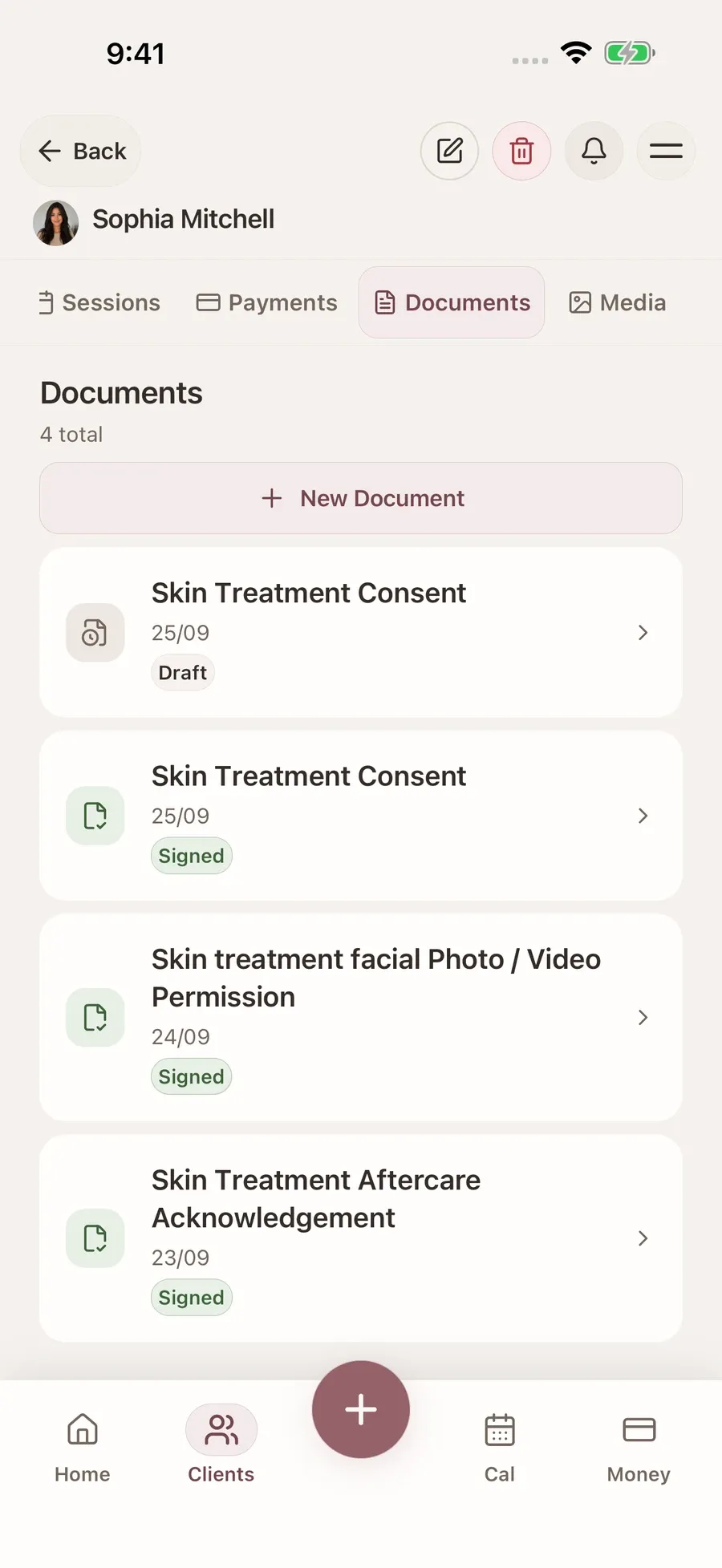
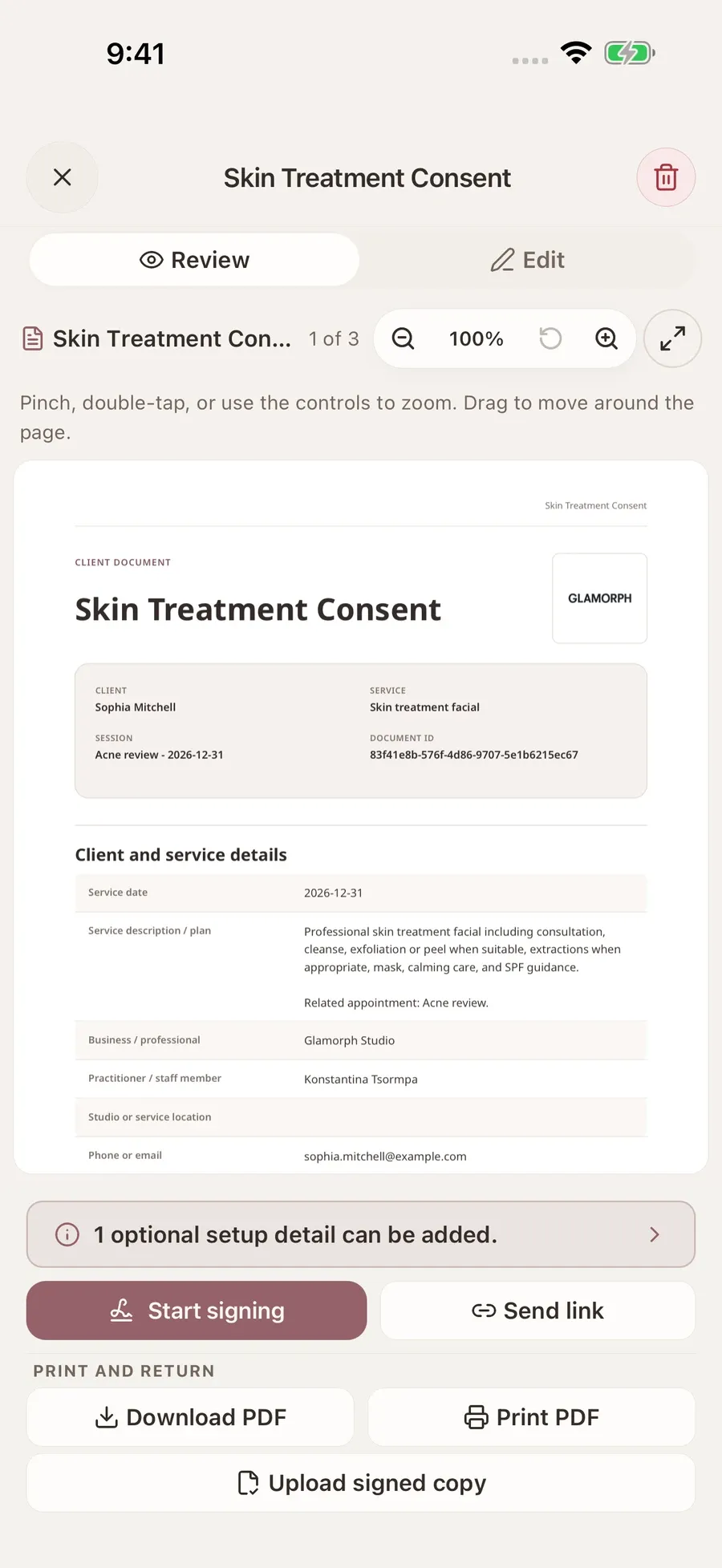
Fresh simulator captures with fictional client data. A draft remains distinct from a signed record.
You do not need a booking page or appointment to use client documents and consent forms. Attach the form directly to the client, or to a session when it belongs to that visit. Keep private practitioner notes separate from client-facing form text.
Can clients sign before their appointment?
Yes. In Glamorph, prepare the document and share its signing link. The client opens it in a browser, reviews the form, completes the relevant answers and signs. You can also collect an in-person signature on your phone, tablet or computer.
When several forms belong together, a document pack keeps them in one workflow. One shared link takes the client through the items in order, while each completed form retains its own record. Receiving a signature is not the same as reviewing the answers before treatment.
Mobile drafts can be prepared offline. Creating a remote link, uploading PDFs and retrieving a newly generated final PDF need a connection. The final signed PDF is generated after the record reaches the server.
Can you print a form or upload an existing PDF?
Yes. Print a Glamorph draft for a handwritten signature, then upload the signed PDF back to that draft. Simply printing it does not mark it as signed.
If you already have your own reviewed form, upload the PDF to the client’s record on mobile or web. It stays a stored PDF, not an editable Glamorph template. Use the form editor when you want reusable questions and Glamorph’s signing workflow.
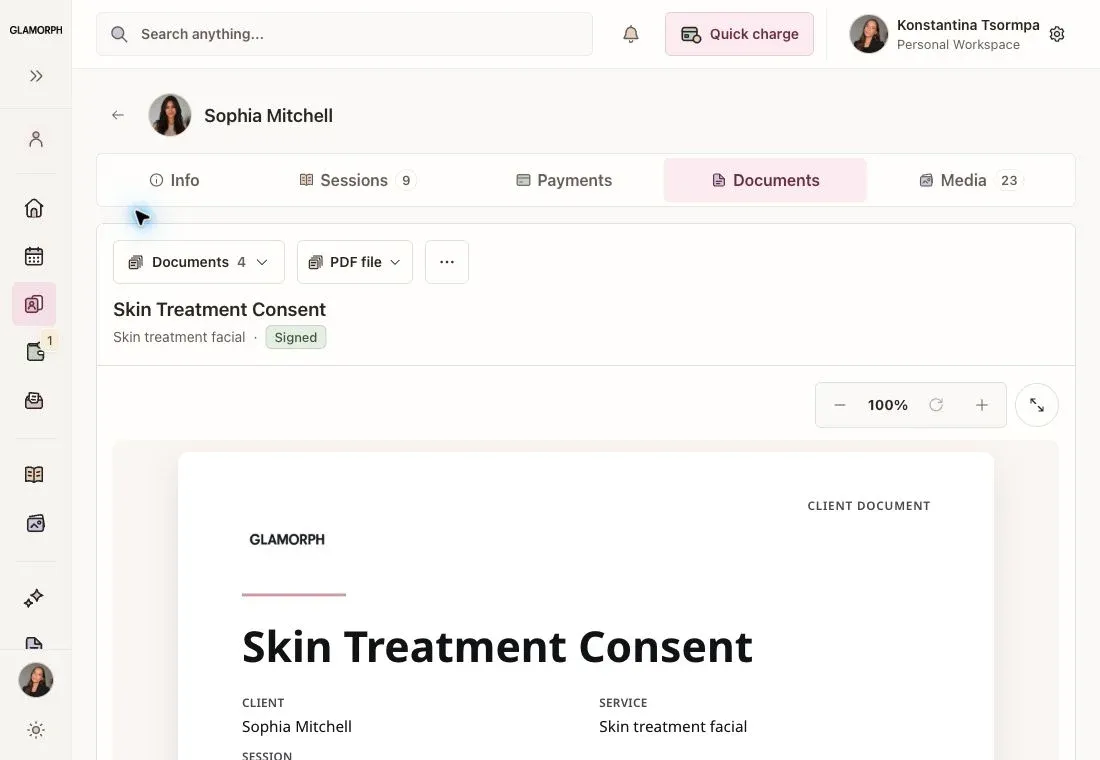
The web app’s paper-copy menu, shown with the same fictional client as the mobile captures.
Finalized PDFs can be downloaded or opened for printing on web, and opened, shared or printed on mobile. You can add your professional or workspace logo to generated documents. An existing uploaded PDF keeps its original contents.
How do you find the signed form at the next visit?
Return to the client’s Documents tab and open the relevant finalized record. Ask what has changed since the last visit, then record new information with the new service rather than rewriting an old signed form.
There is no universal annual renewal rule. Check whether the existing form still covers today’s service and whether your product instructions, insurer or local requirements call for a new one.
For a small beauty team, give each person their own login and the appropriate client and document access. Viewing documents and managing them are separate permissions. Shared access should not mean sharing the owner’s password.
How long should you keep the forms?
Set a retention rule for your location, services, insurer and professional obligations. There is no safe universal number of years to copy from another salon’s blog.
Also decide who needs access, how you will find or export a client’s records, and how you will handle a valid privacy request. Software can help organize the documents, but it cannot make those decisions for your business.
For a non-medical skincare practice, Glamorph for estheticians connects forms with treatment notes, products, photos and repeat visits. Start with one reviewed service document and make sure you can retrieve its completed version from the right client record.
Written by
Professional makeup artist and founder of Glamorph
Makeup artist and Glamorph founder with 5+ years of experience. Working closely with professionals across the beauty industry, she writes about client management, booking and everyday salon workflows.