Client management for nail technicians
Save allergy flags, gel and builder history, design photos, fill rhythm, repairs, and payment status so every appointment starts prepared.


The messy part of beauty work
The client details nail technicians need before the next appointment
Glamorph keeps those details attached to the right client
- 01
You re-applied gel she's already reacted to
HEMA and acrylate contact dermatitis is one of the fastest-growing client complaints in nail. She flared 3 weeks ago, you forgot, you applied gel again. The reaction is worse this time: and so is the review.
- 02
You can't find the design she actually loved
She's back asking for 'that chrome from last time'. Was it the mirror, the aurora, the cat-eye magnetic? Without tagged photos on her profile you guess: and the set disappoints.
- 03
Inspo photos are scattered across 4 apps
She sent 12 references on Instagram, 3 in WhatsApp and 2 in TikTok DMs. By the time her appointment lands you've found maybe 4. The set is built from incomplete information.
- 04
You don't know if she's a 2-week or a 3-week fill
Some clients lift at week 2, some go strong to week 4. Without a per-client fill rhythm visible on her profile you either book her too early (wastes your chair) or too late (she lifts and blames you).
- 05
Free repairs, deposits and partial payments live nowhere
She paid a deposit on her full set, broke a tip at work, you gave a free repair. Three weeks later you can't remember what's owed. Either you bleed revenue or you have an awkward conversation at the door.
- 06
You learned a new technique and can't find who'd want it
You just got into structured BIAB / gel-X tipless / 3D builder gel. Who on your client list is the right pitch? Without searchable history you scroll names blindly and pitch nobody.
Who Glamorph is built for
Glamorph is built for nail technicians who need allergy flags, design photos, fill history, repairs, and payments attached to each client.
Good fit
Solo nail technicians
Save reported HEMA or acrylate sensitivities, the last design, and product choices per client. Review the previous set before the next appointment.
Gel-X, BIAB, builder-gel specialists
Track which products, which shape, which structure per client: never guess what she had last time.
Chrome / cat-eye / nail-art specialists
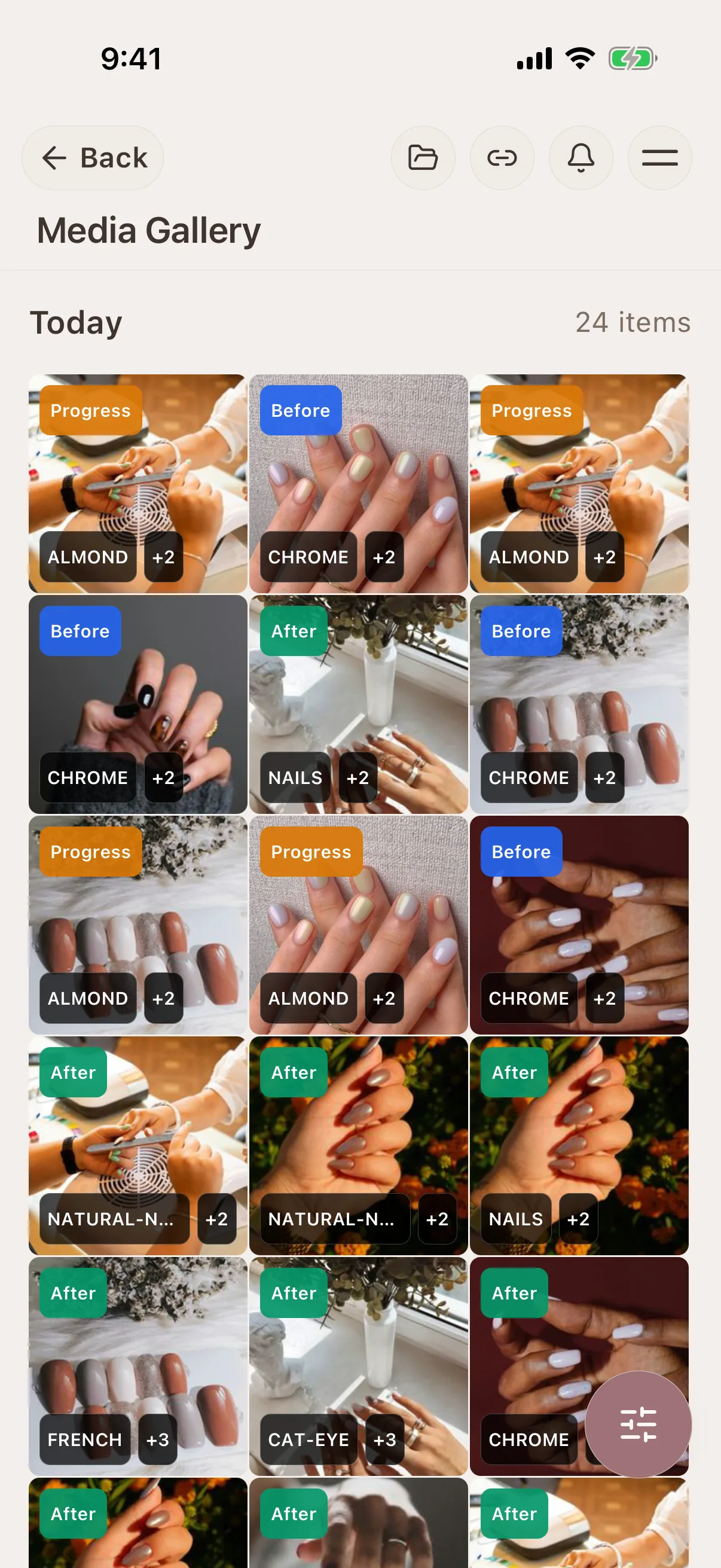
Tag each uploaded design photo so you can search for details such as "chrome from August" later.
Mobile and home nail technicians
Every client's last set and sensitivities on your phone, even at her place.
Not the right fit
Businesses needing additional operational systems
Glamorph supports solo professionals and small teams with booking, calendars, client records, documents and payments. It does not replace inventory, payroll, a legally required fiscal register or complex multi-location and resource management.
What is Glamorph?
Glamorph is beauty business software for independent professionals and small teams. It brings online booking, calendars, client history, photos, signed documents, payments, and team work together in one place.
Your workflow, transformed
Keep bookings, client notes, photos and payments together.
Before Glamorph
Inspiration photos lost between Instagram saves, Pinterest and screenshots
With Glamorph
Inspo photos saved to her profile, tagged by finish + shape
Before Glamorph
You can't recall which chrome she loved: mirror, matte or aurora
With Glamorph
Every set photographed and tagged: chrome / cat-eye / BIAB / gel-X / french
Before Glamorph
Deposits, full sets, infill prices and free repairs all blur together
With Glamorph
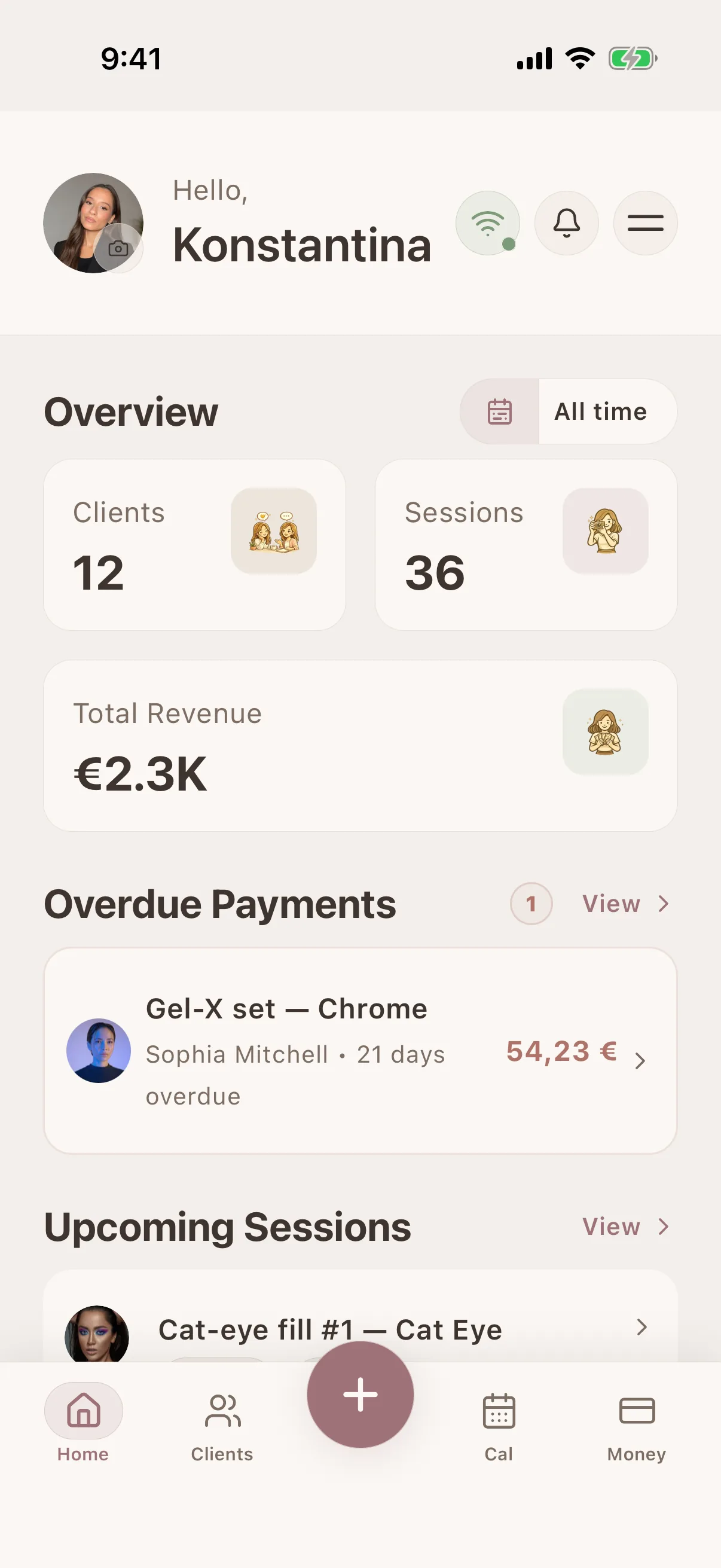
Per-session ledger: deposits, full sets, fills, repairs, what she owes
Before Glamorph
She wants 'the same as last time' and you genuinely cannot remember
With Glamorph
Open her file and see exactly what she had + what she loved last time
Results you can repeat
Keep the notes, photos, payments, and history that make the next appointment smoother.
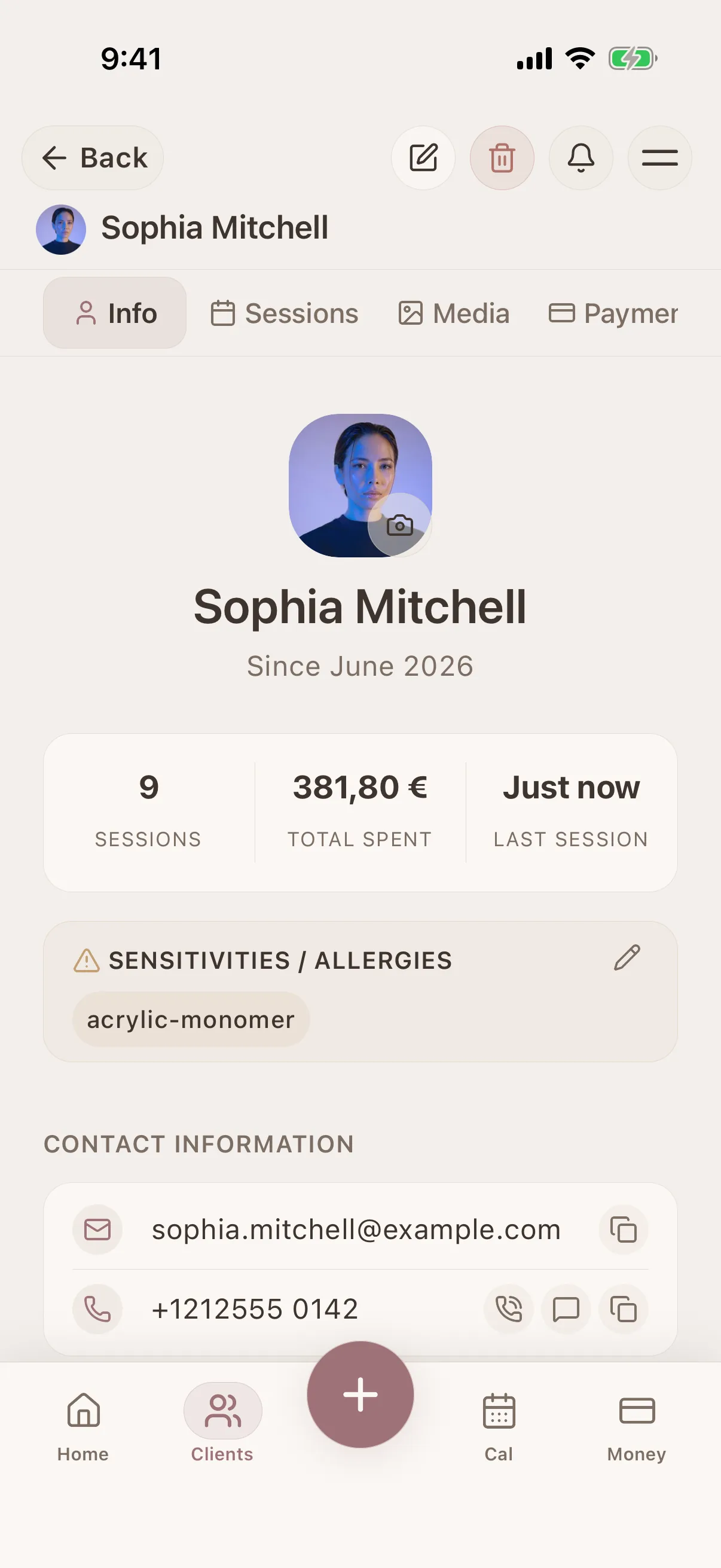
Nail profile per client: the part you need open the second she walks in
HEMA / acrylate / MMA sensitivity flag, gel vs. acrylic vs. polygel vs. BIAB history, preferred shape (almond, coffin, ballerina), fill rhythm, brand preferences (CND Shellac, OPI, Kiara Sky).
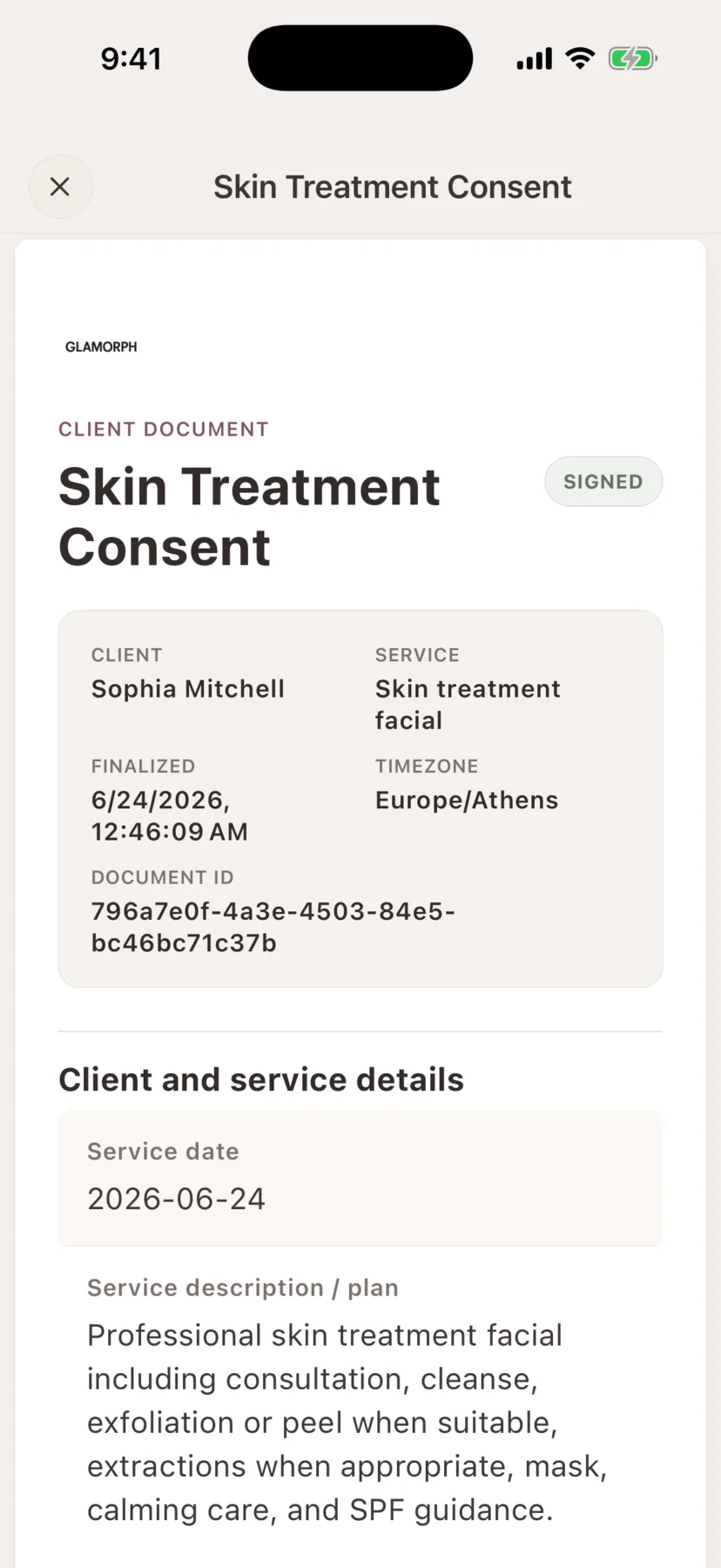
Consent, intake and photo-release forms in the client record
Create consent forms, intake forms, patch tests, aftercare instructions and photo releases, then keep the signed PDF with the client history.
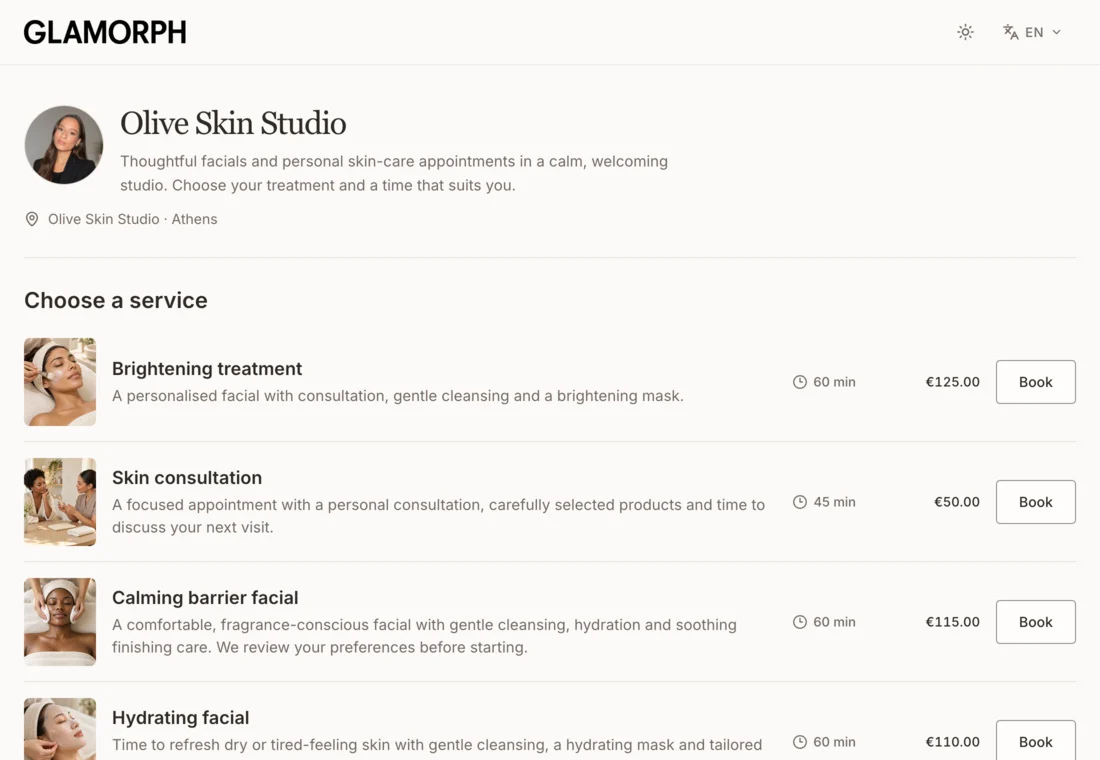
Online booking connected to the client record
Let clients book services, variations and add-ons on your own booking page. Keep appointments, client history and payments connected, whether you work solo or with a team.
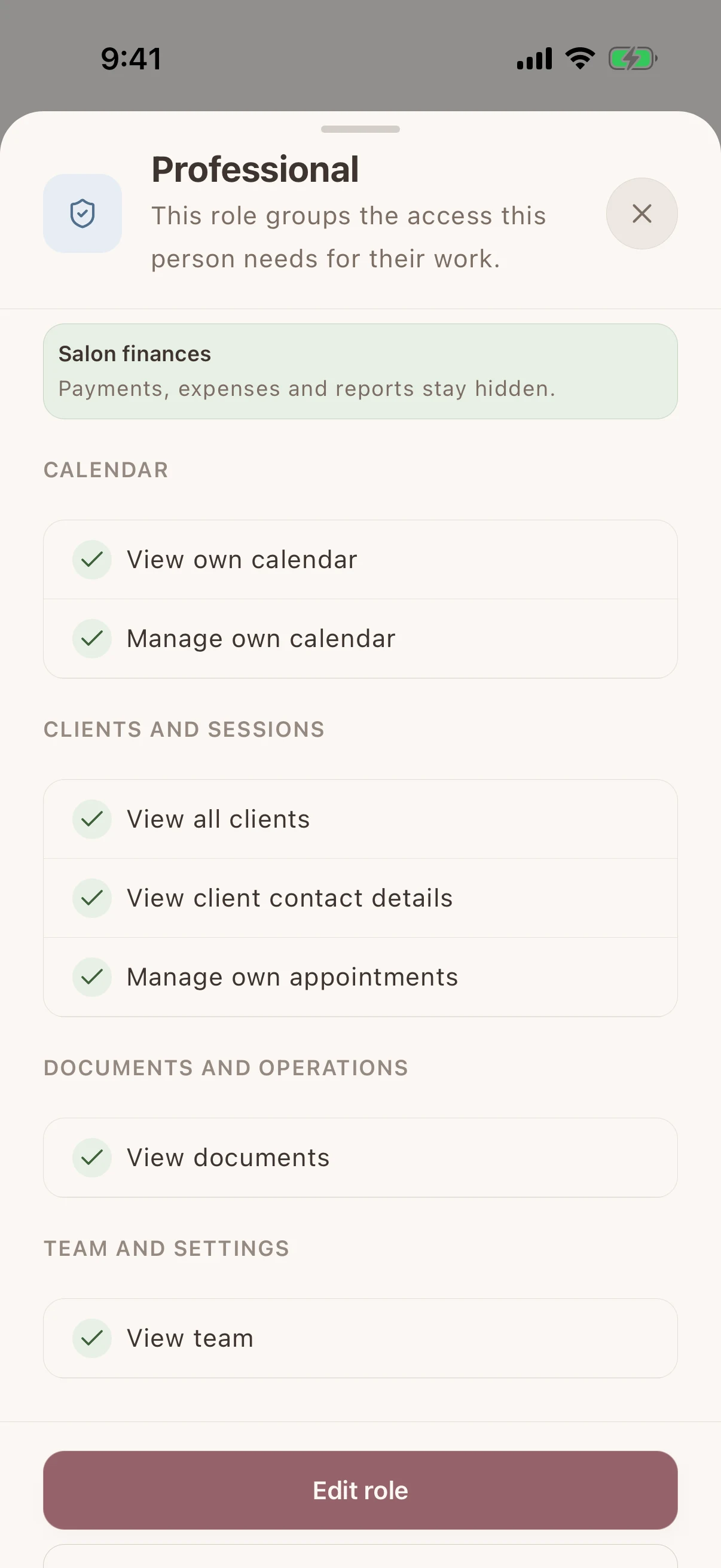
Shared client history, separate staff access
Give each team member their own login and calendar. Choose who can see client records, signed documents and financial information without sharing the owner's account.
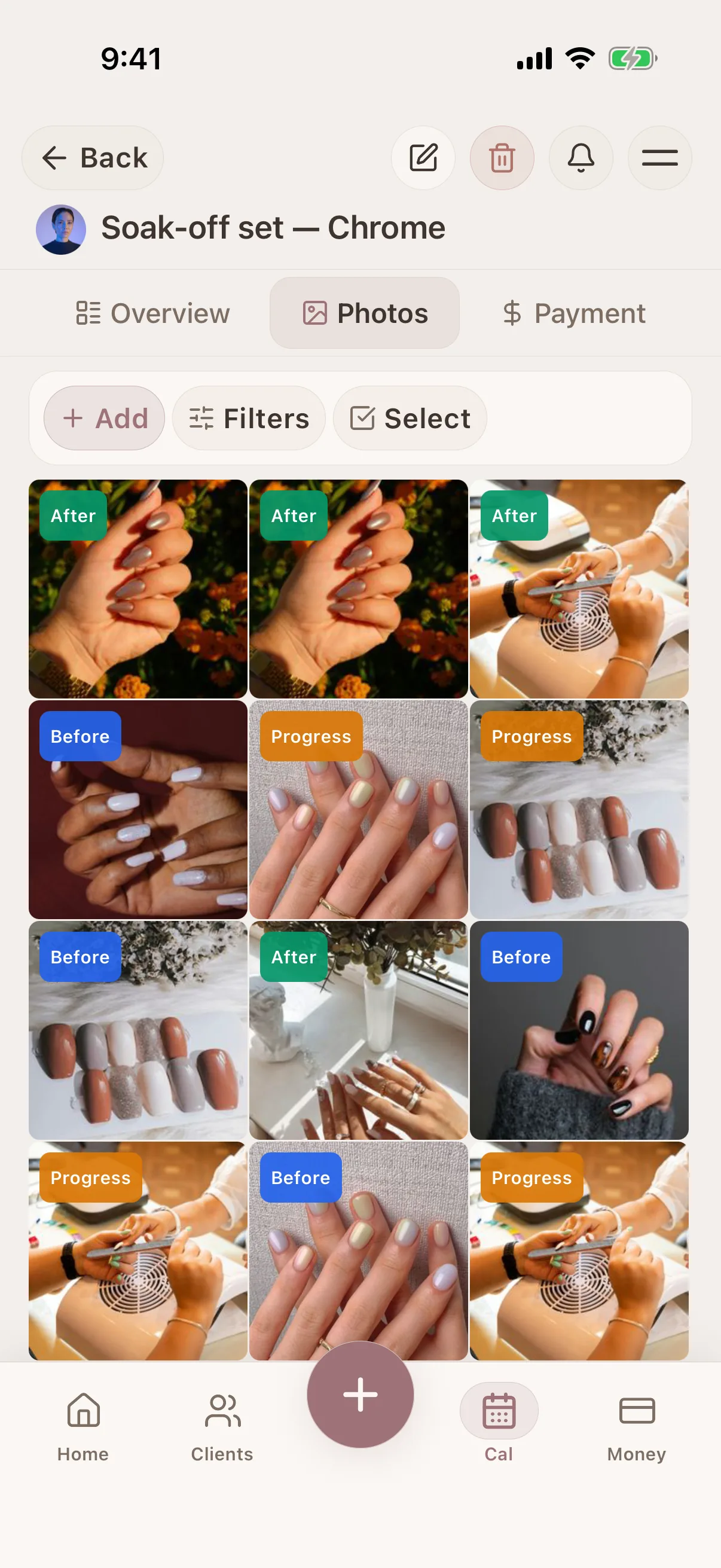
Inspo + finished set, side by side: the proof for the next consult
Save the references she sent, then attach the finished set. Show new clients real, your-own-client outcomes: not random Pinterest pics.
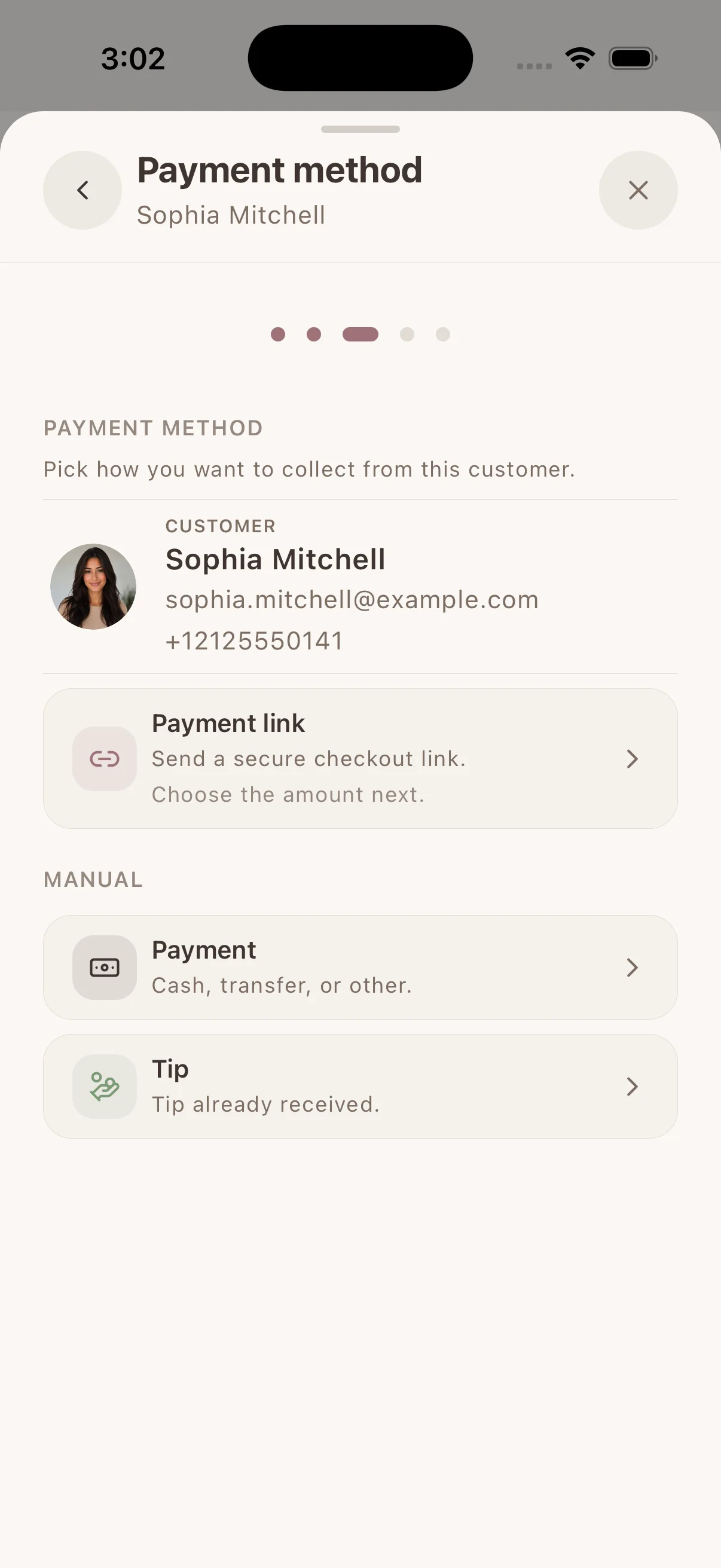
Collect & track payments
Collect by payment link, supported phone or connected terminal through Stripe, SumUp or Square. Available methods depend on your provider, business country and device. Keep confirmed payments with the client. Record cash or other payments separately.
Real workflows
A simple way to keep the details together before, during, and after the appointment.

Prepare for every repeat beauty appointment from real client history
See what happened last time, what the client preferred, what changed, and what is booked next—without reconstructing the story from memory or messages.
Learn more
Find every beauty client photo in the session where it belongs
Keep consultation, before-and-after, progress, and reference images connected to the client, service history, and notes that explain them.
Learn more
Let beauty clients book without back-and-forth messages
Share one booking link from your social profiles, website, or anywhere clients find you. They choose a service, professional, and genuinely available time without waiting for you to answer.
Learn moreChoose software for your nail business
Compare booking, payment collection and the product, photo and maintenance history you need when a client returns.

From the first booking to the next visit
Spend less of the appointment finding information. Keep the booking, the work and the payment with the same client.
Let clients choose a time that works
Share your own booking page with services and live availability. Confirmed bookings and appointments you enter yourself use the same calendar.
Nail profile per client: the part you need open the second she walks in
HEMA / acrylate / MMA sensitivity flag, gel vs. acrylic vs. polygel vs. BIAB history, preferred shape (almond, coffin, ballerina), fill rhythm, brand preferences (CND Shellac, OPI, Kiara Sky).
Finish the visit with everything in place
Save the work, photos and signed forms with the appointment. Collect an eligible payment or record what was paid, then find that history at the next visit.
iOS · Android · Web App
See it in action
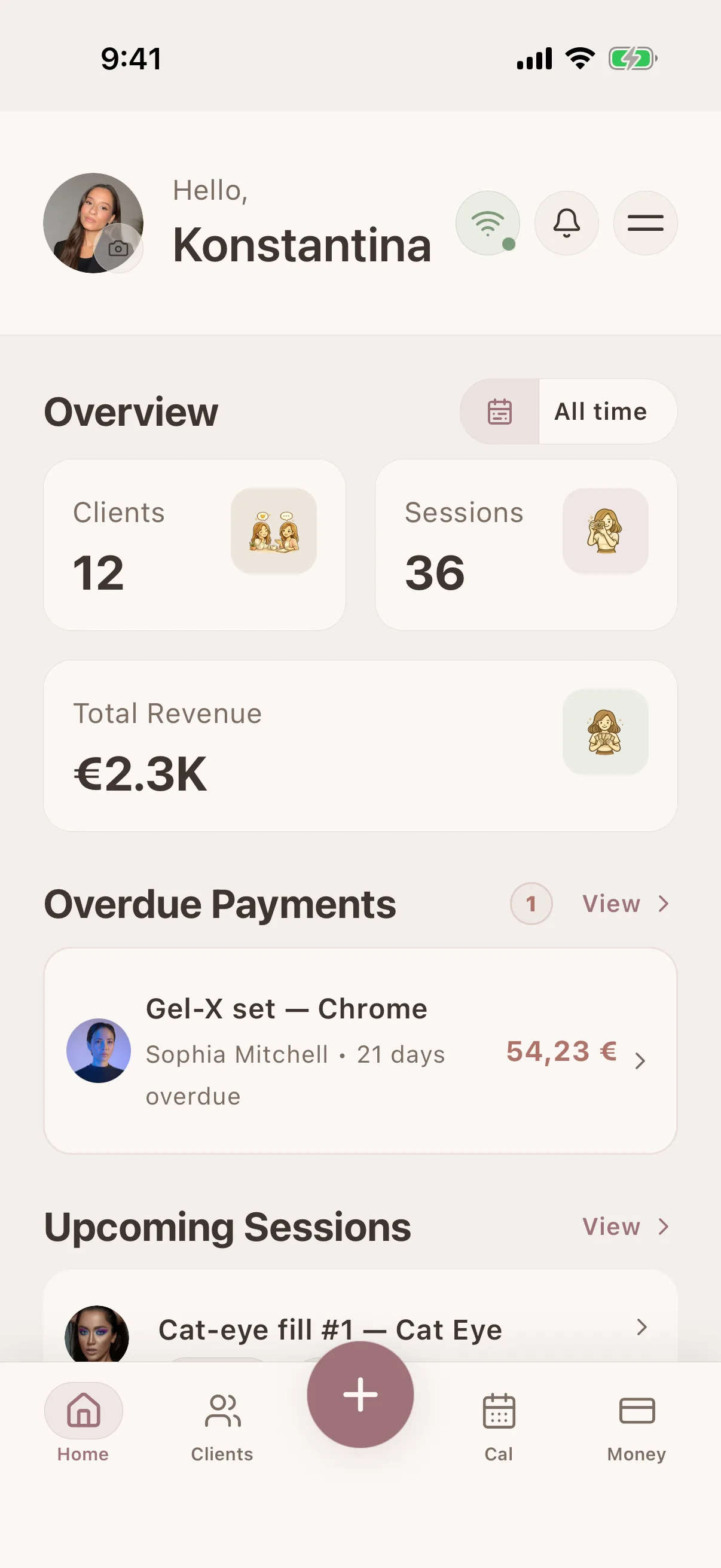
Swipe through real app screens
Glamorph
Swipe through real app screens
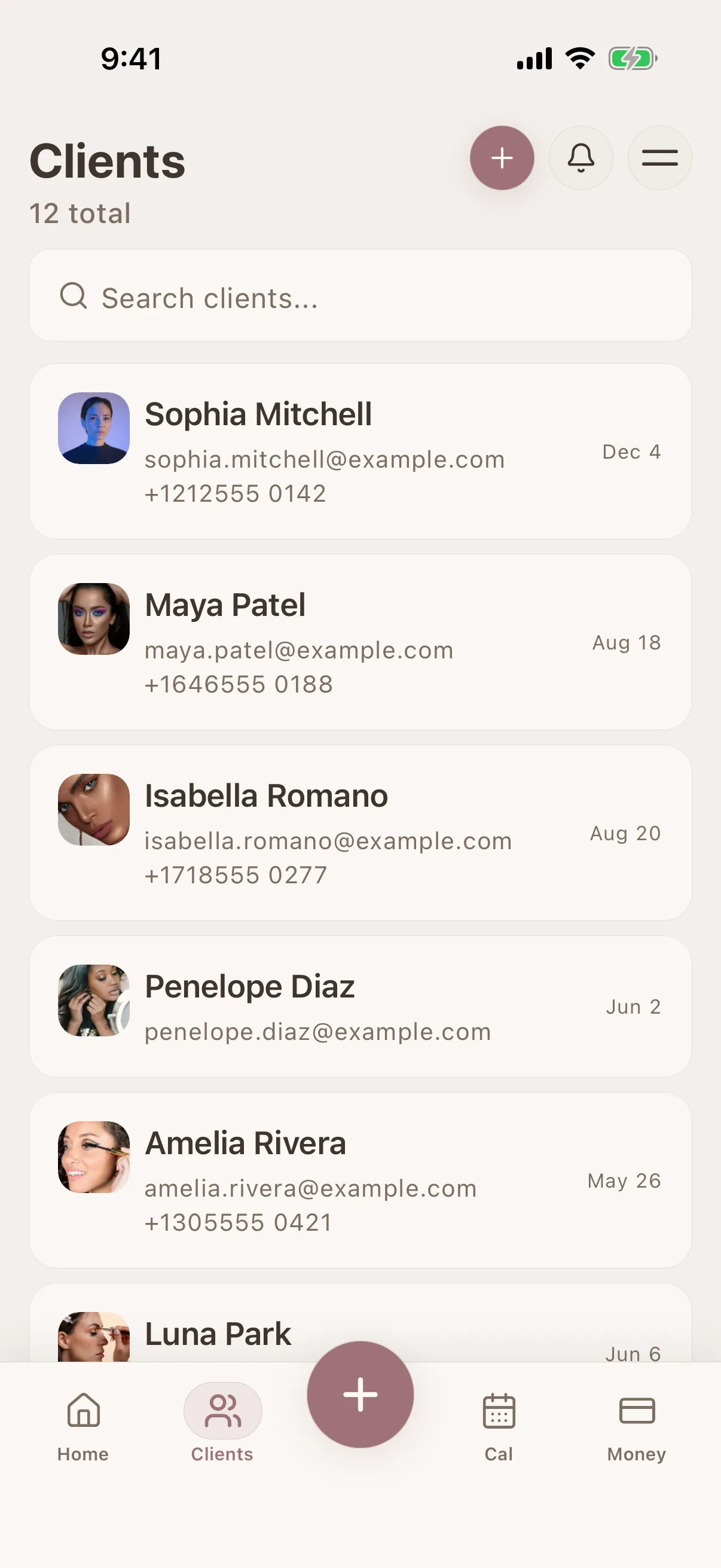
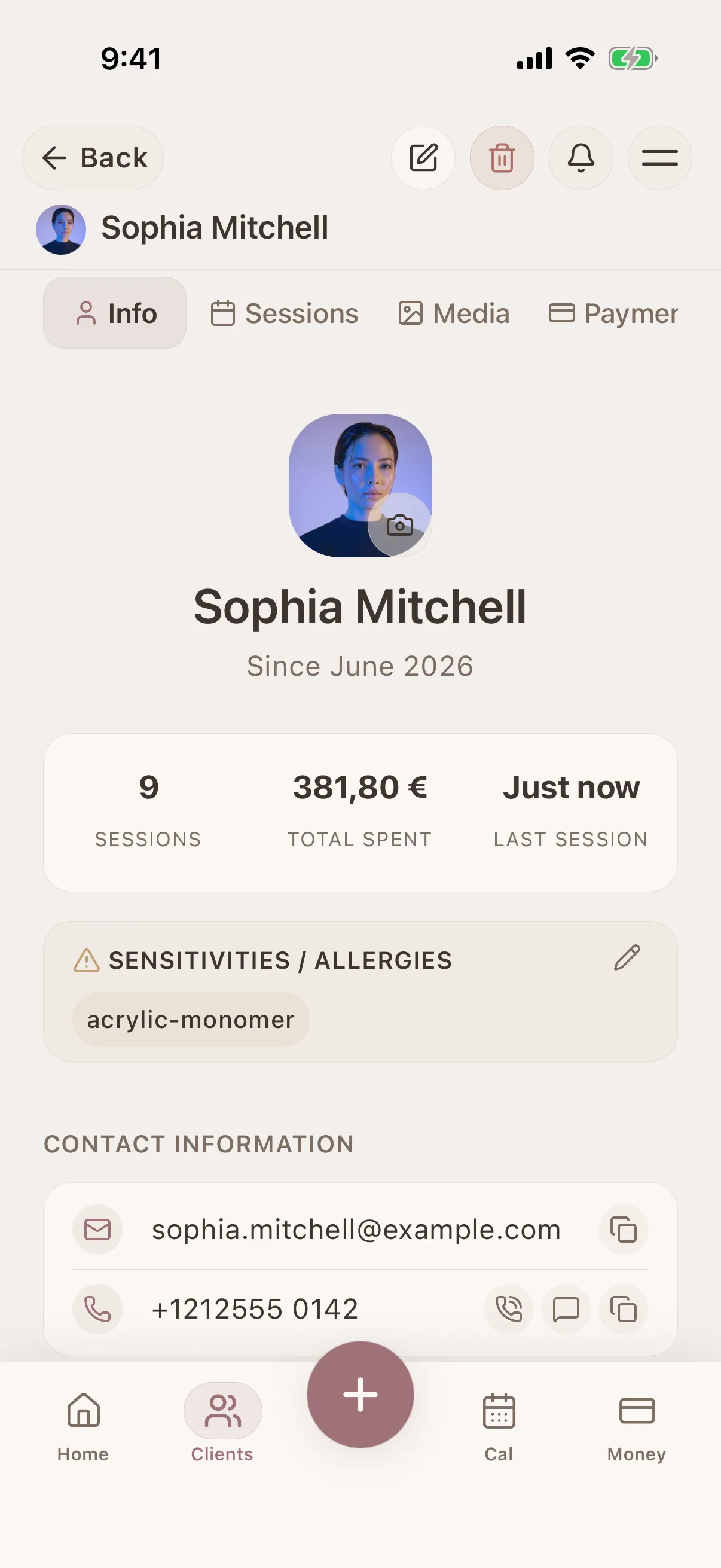
Client profile view
All details, history & preferences in one place
Client profile view
All details, history & preferences in one place
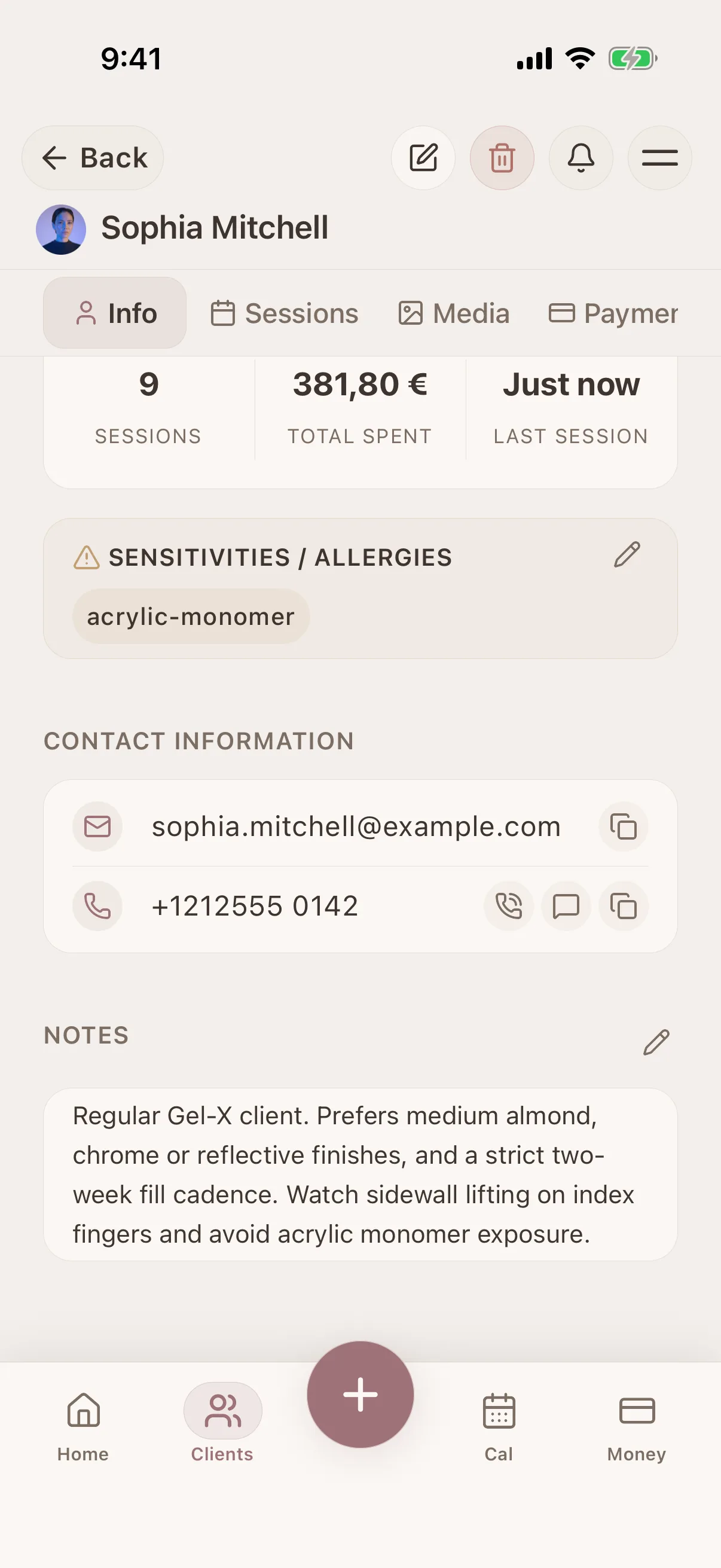
Client profile view
All details, history & preferences in one place
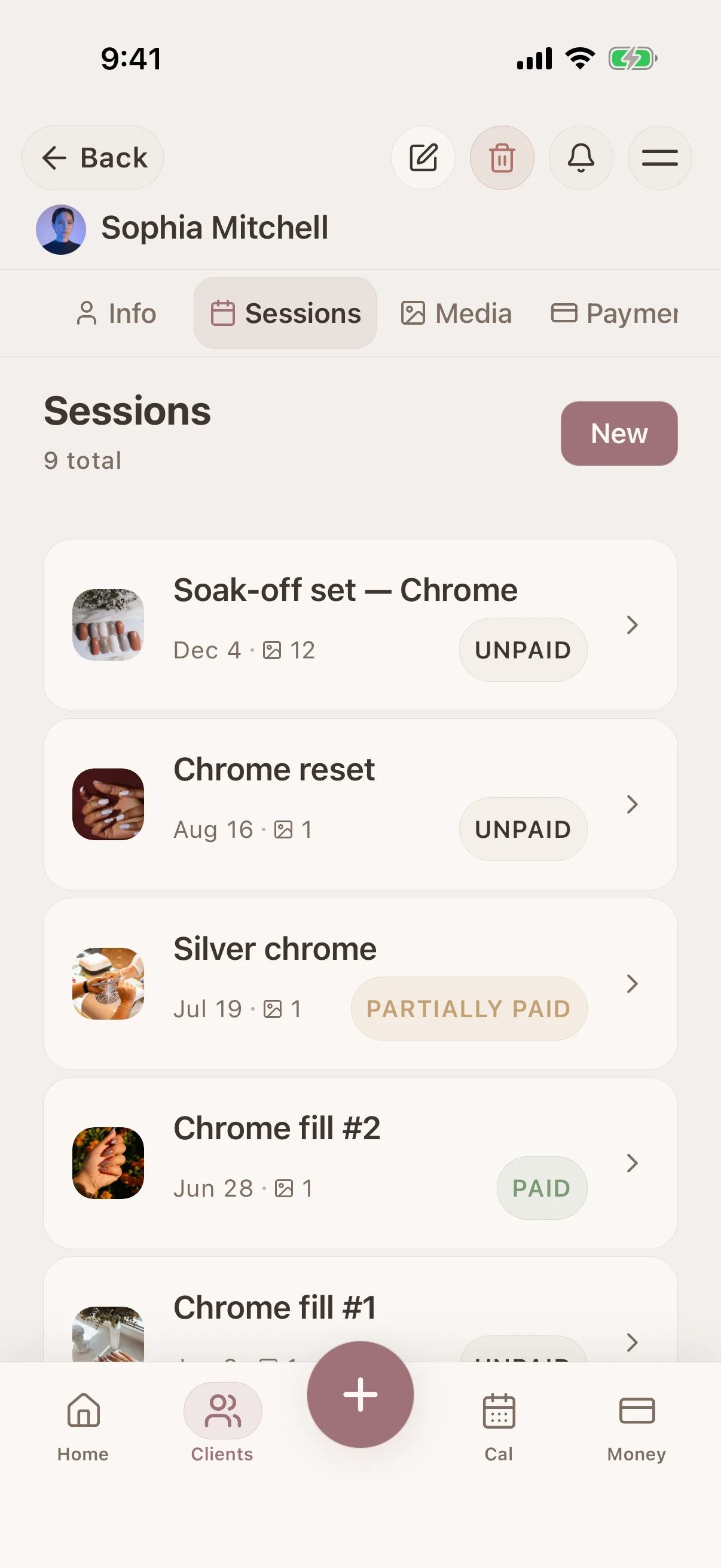
Session timeline
Full history of every client interaction
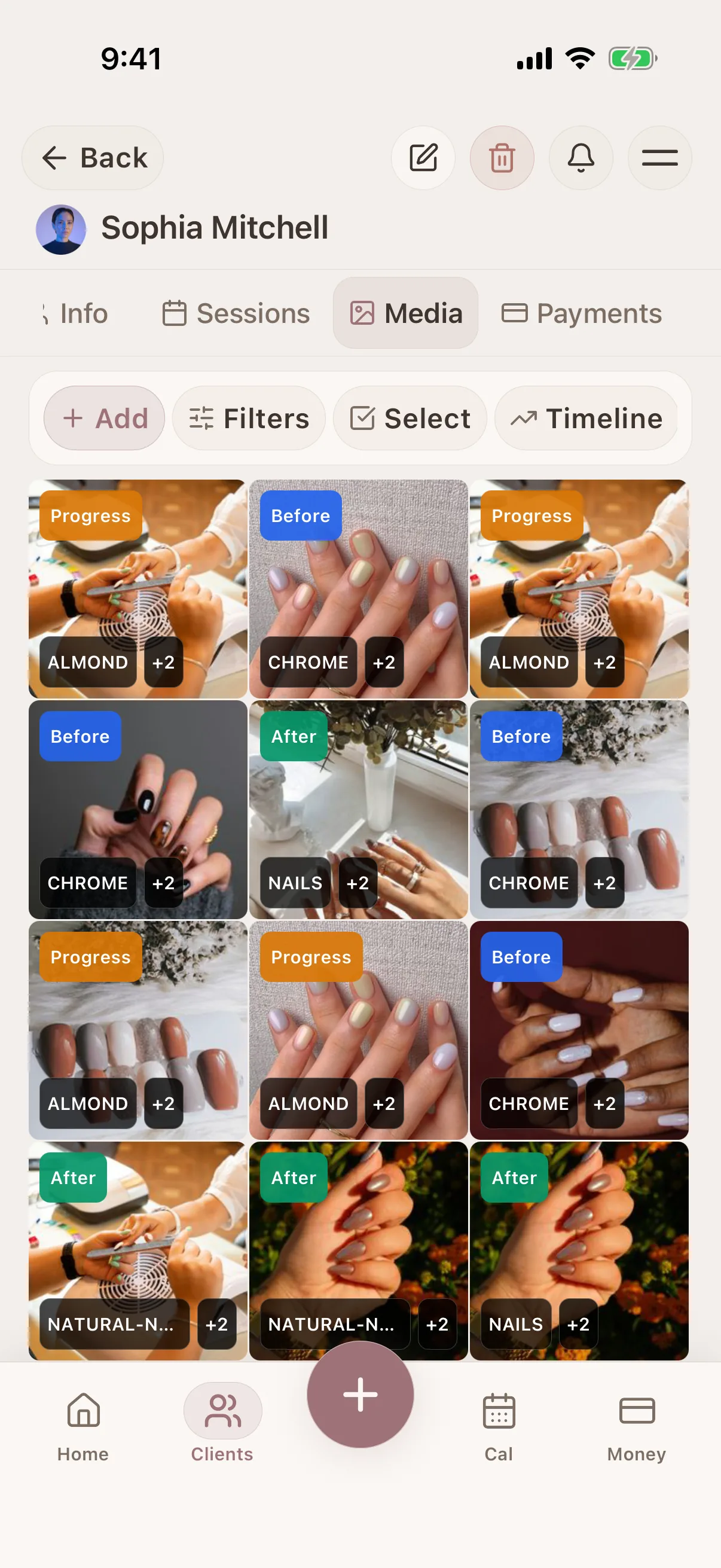
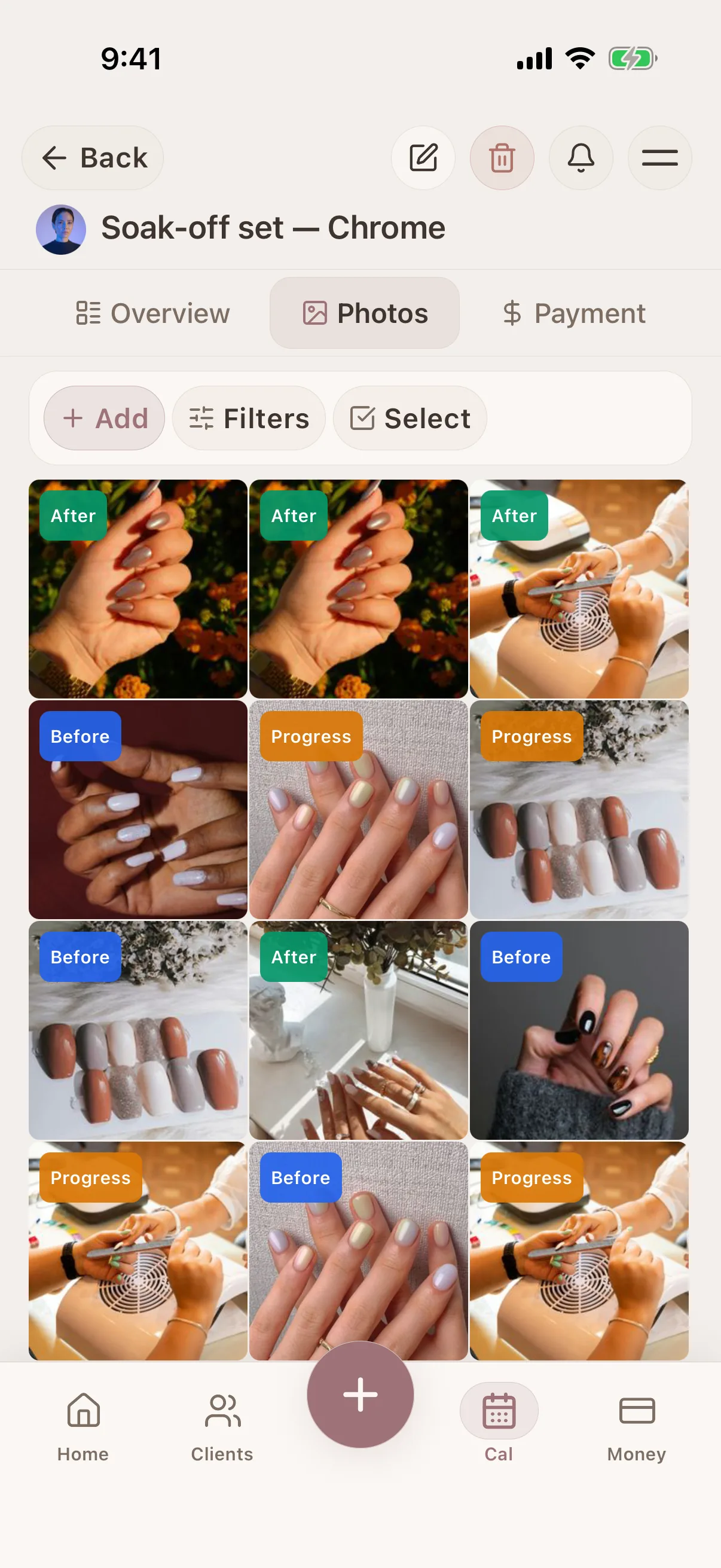
Photo tagging & search
Tag and filter photos in the client record
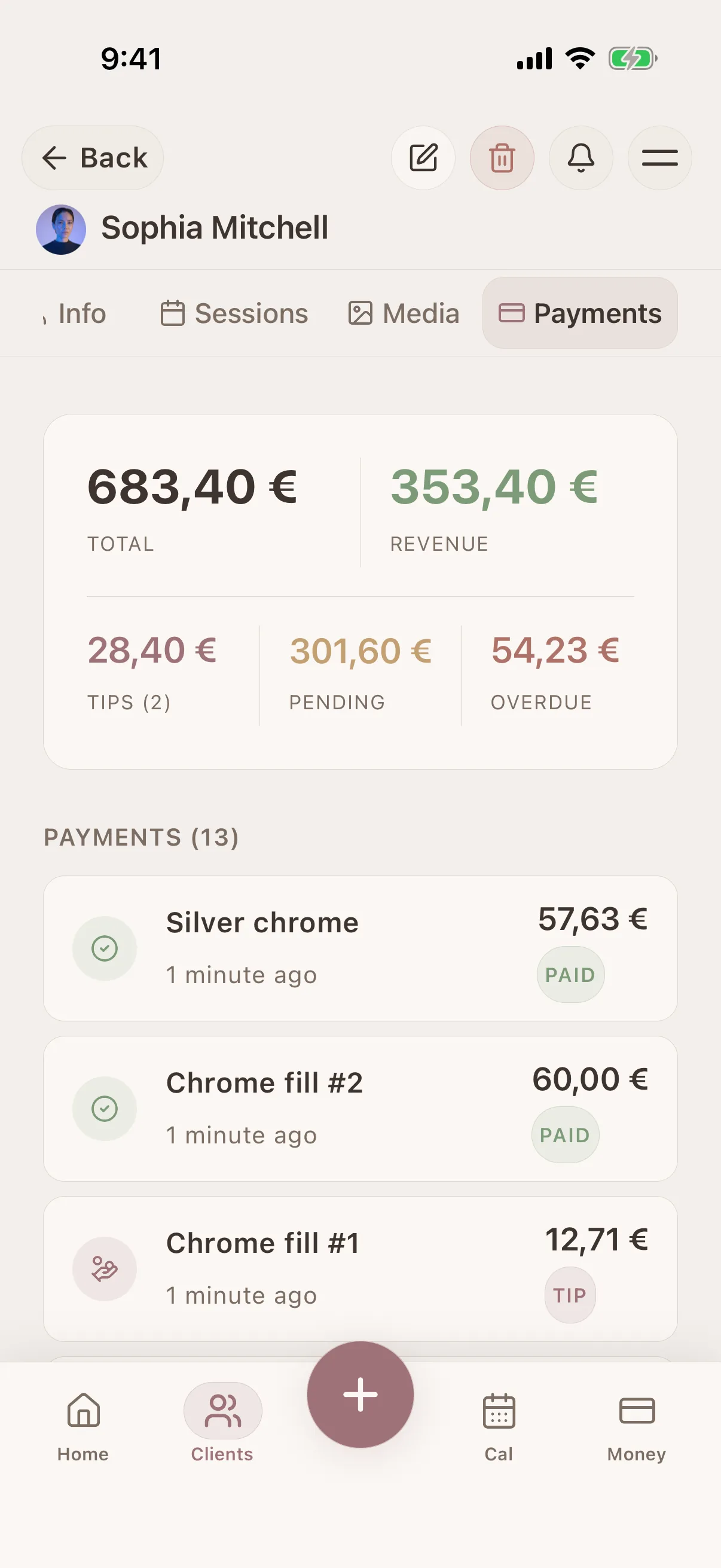
Payment history
Client payments and outstanding balances
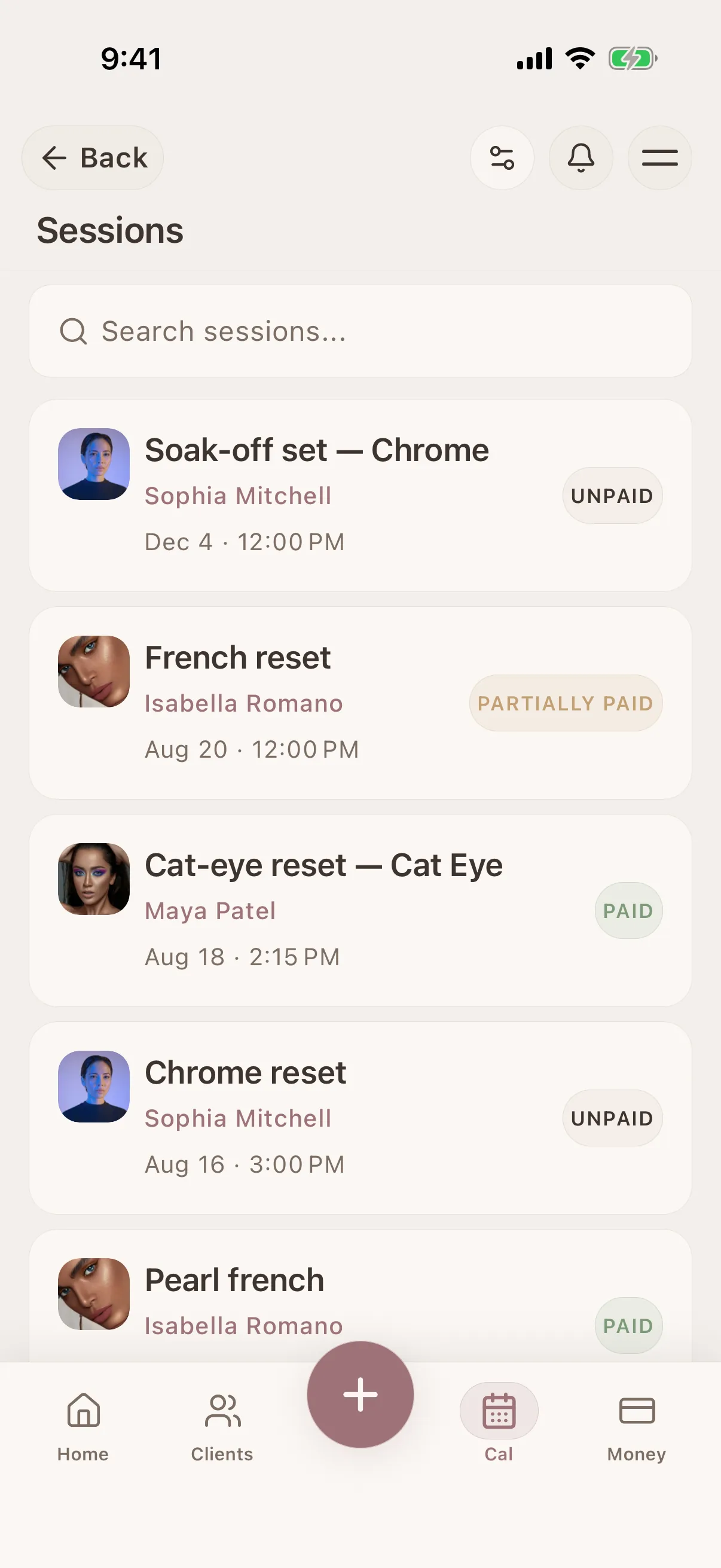
Session detail view
Products, notes, photos & payment per session
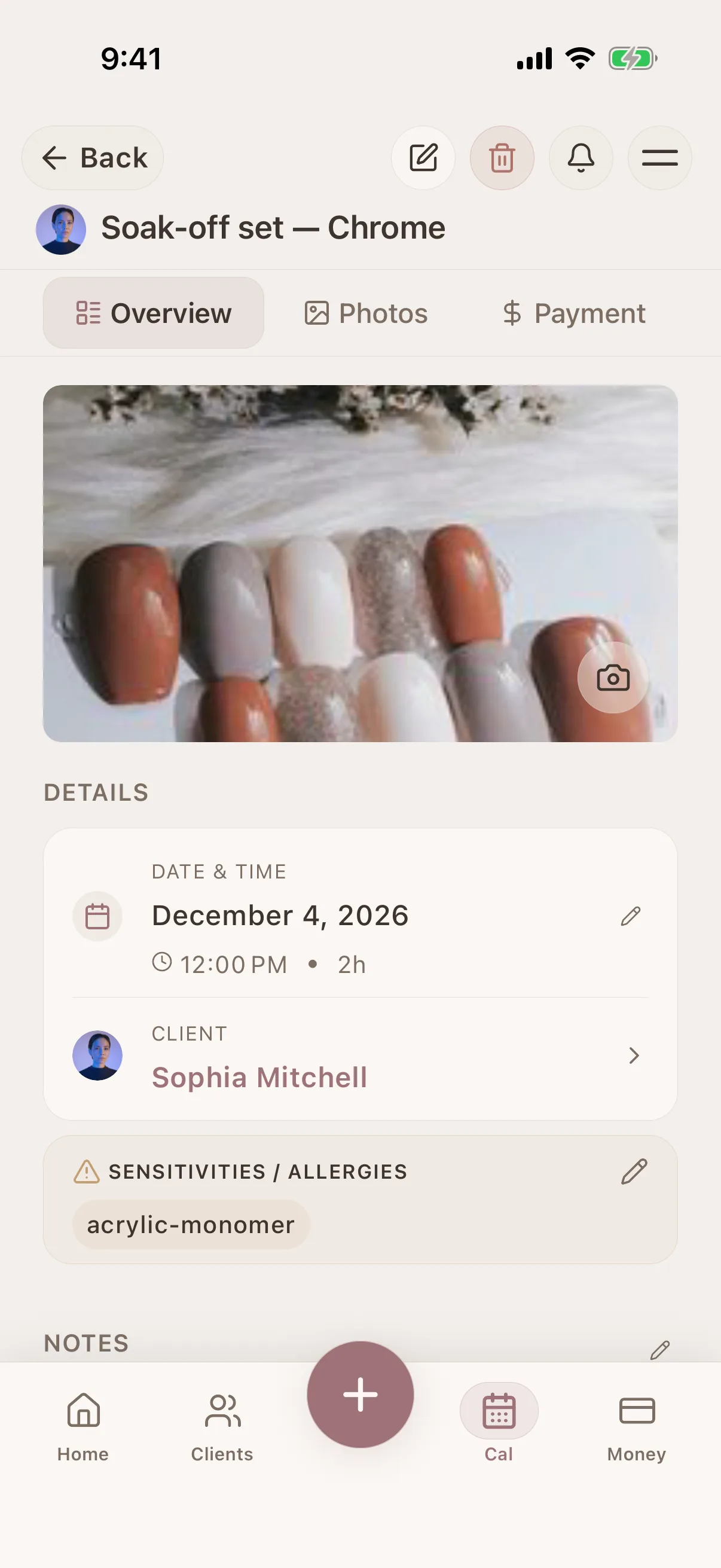
Session detail view
Products, notes, photos & payment per session
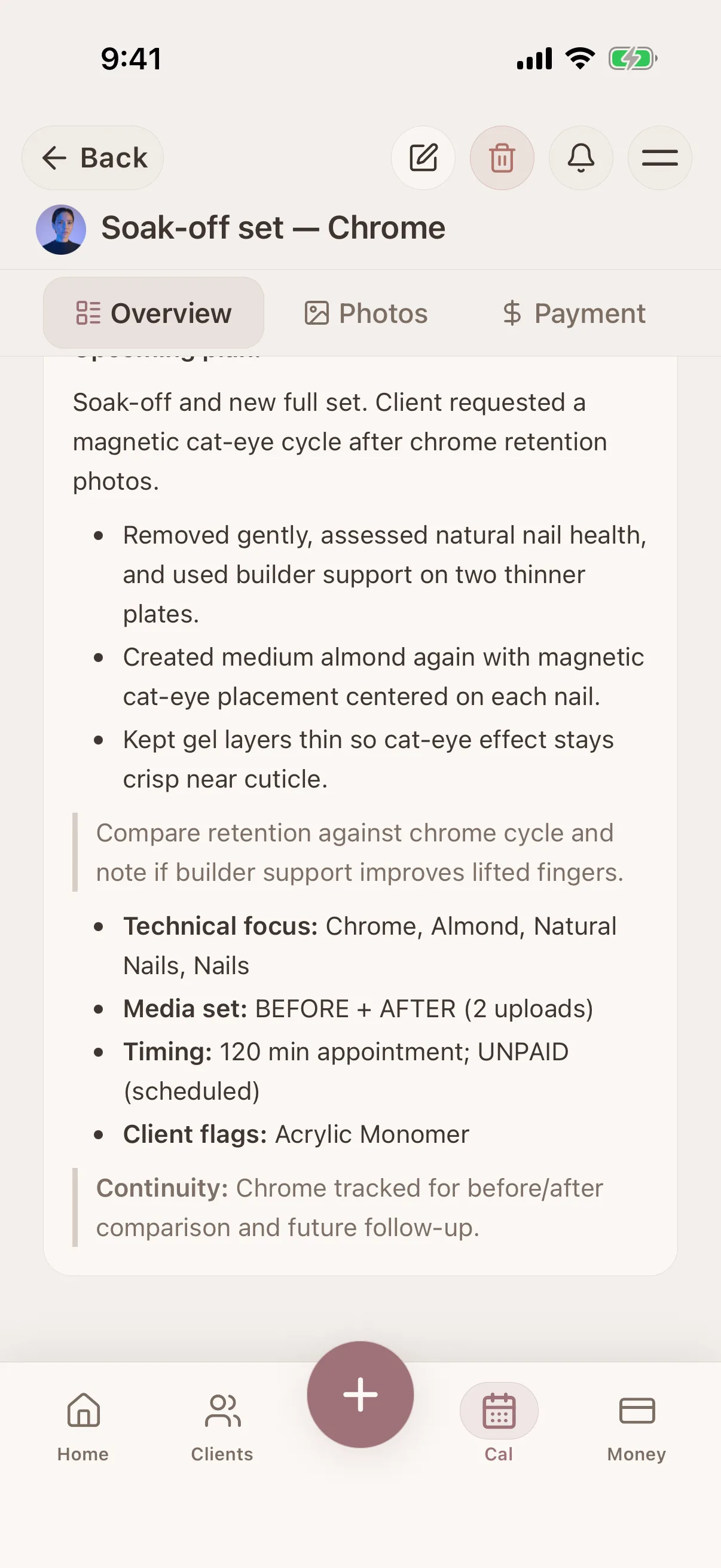
Session detail view
Products, notes, photos & payment per session
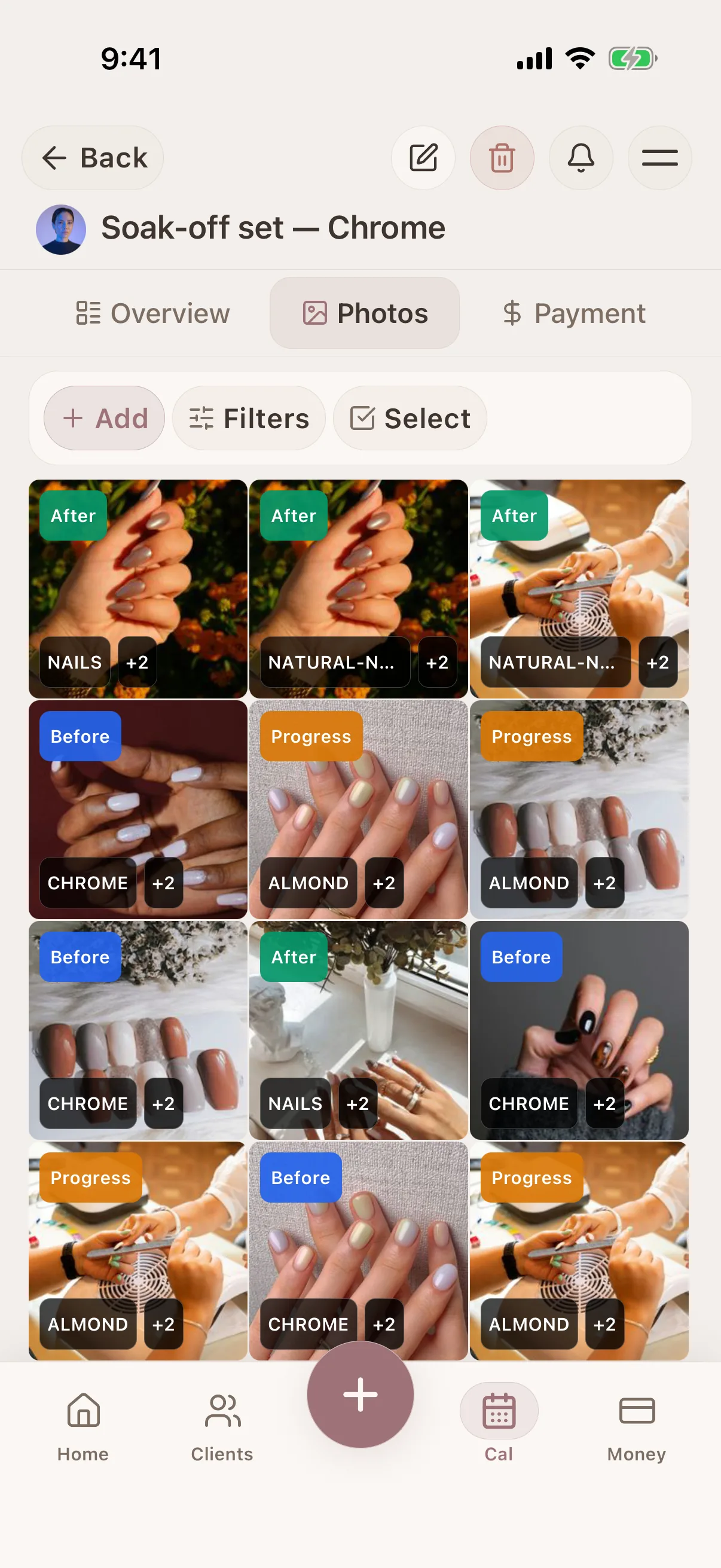
Photo tagging & search
Tag and filter photos in the client record
Photo tagging & search
Tag and filter photos in the client record
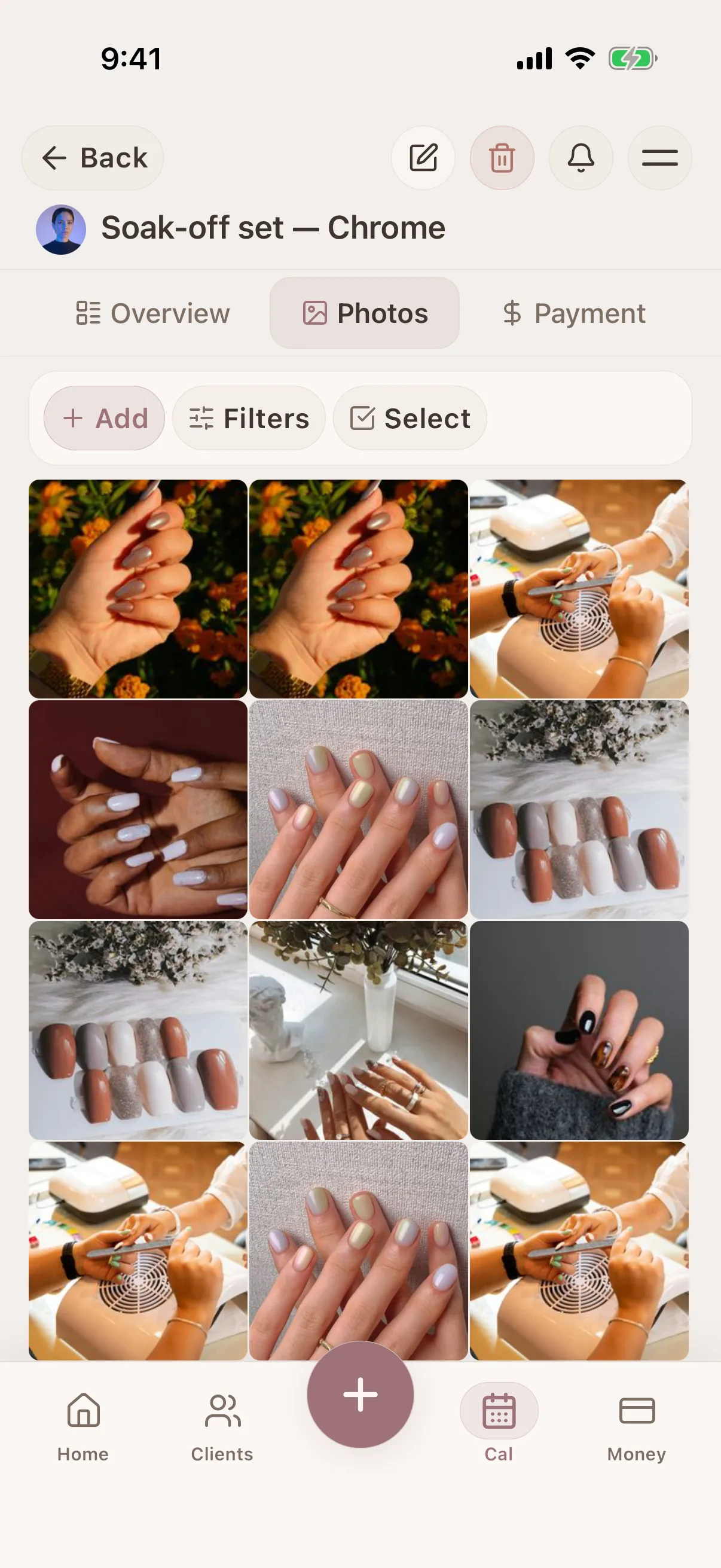
Photo tagging & search
Tag and filter photos in the client record
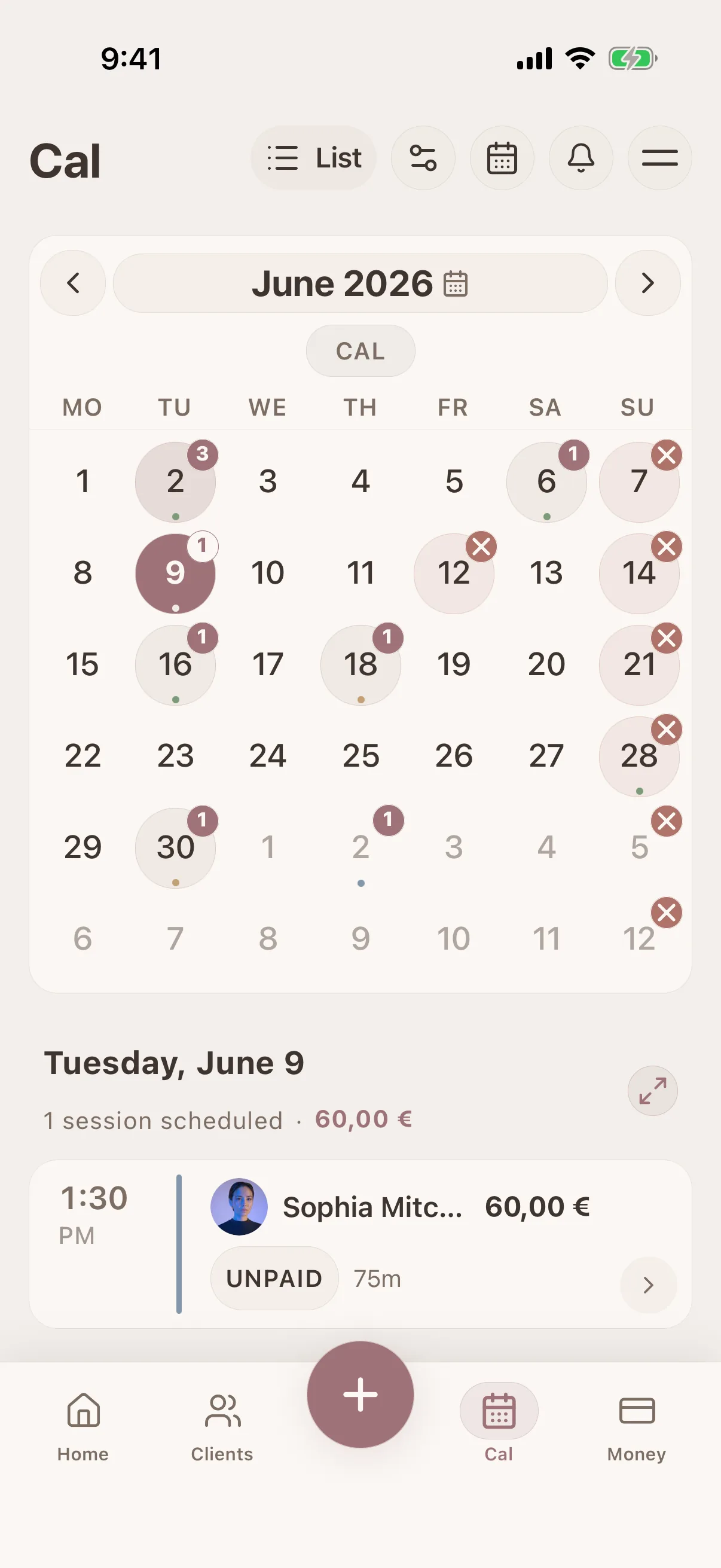
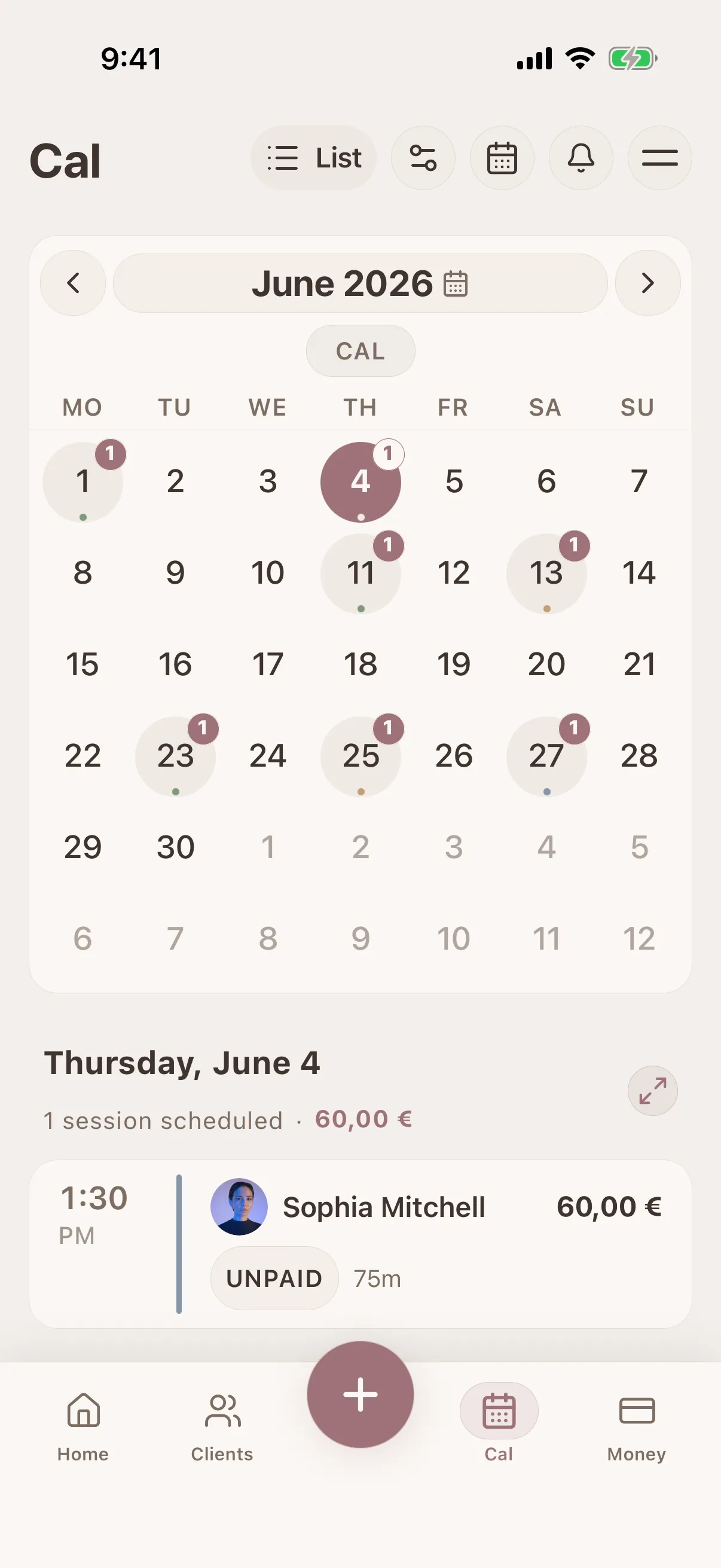
Calendar & scheduling
Visual calendar with drag-and-drop booking
Calendar & scheduling
Visual calendar with drag-and-drop booking
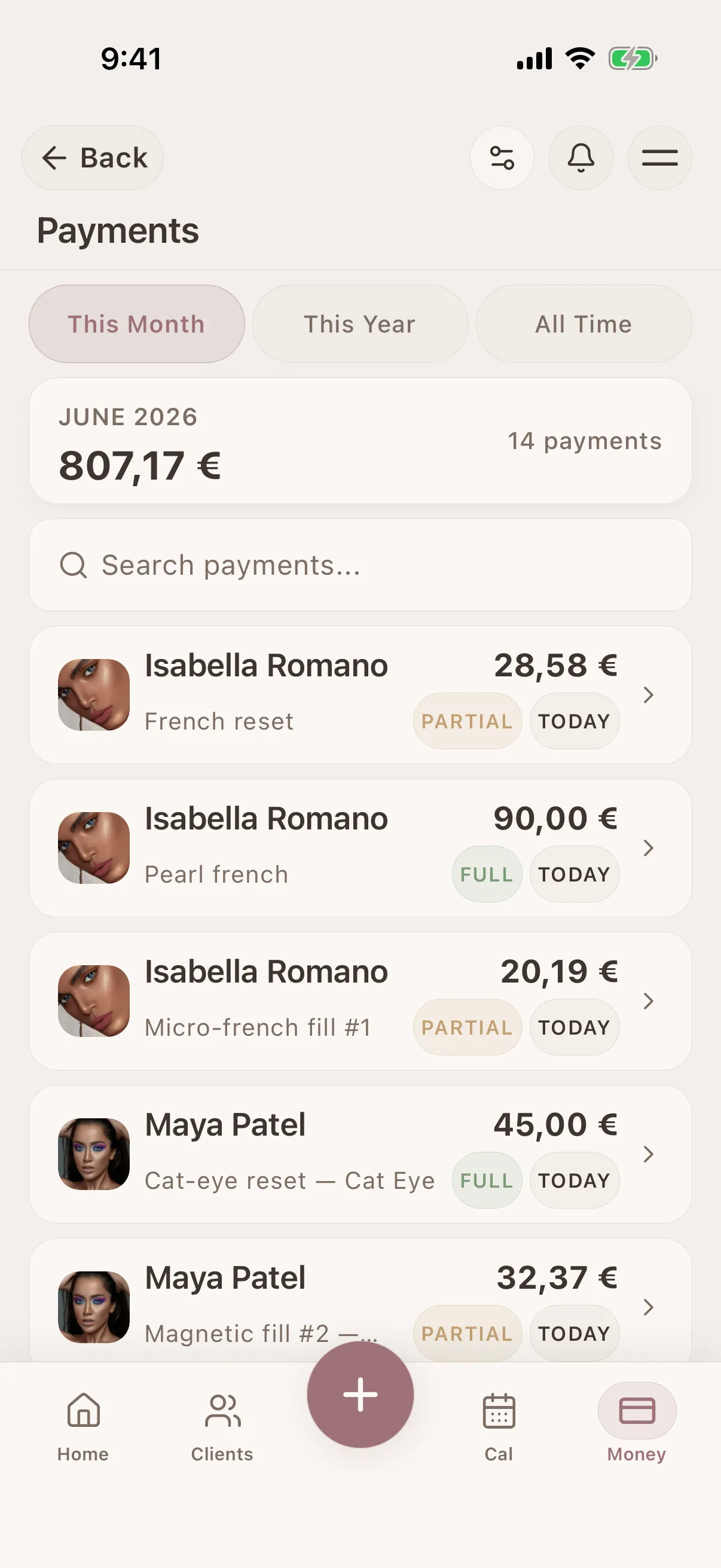
Payment history
Client payments and outstanding balances
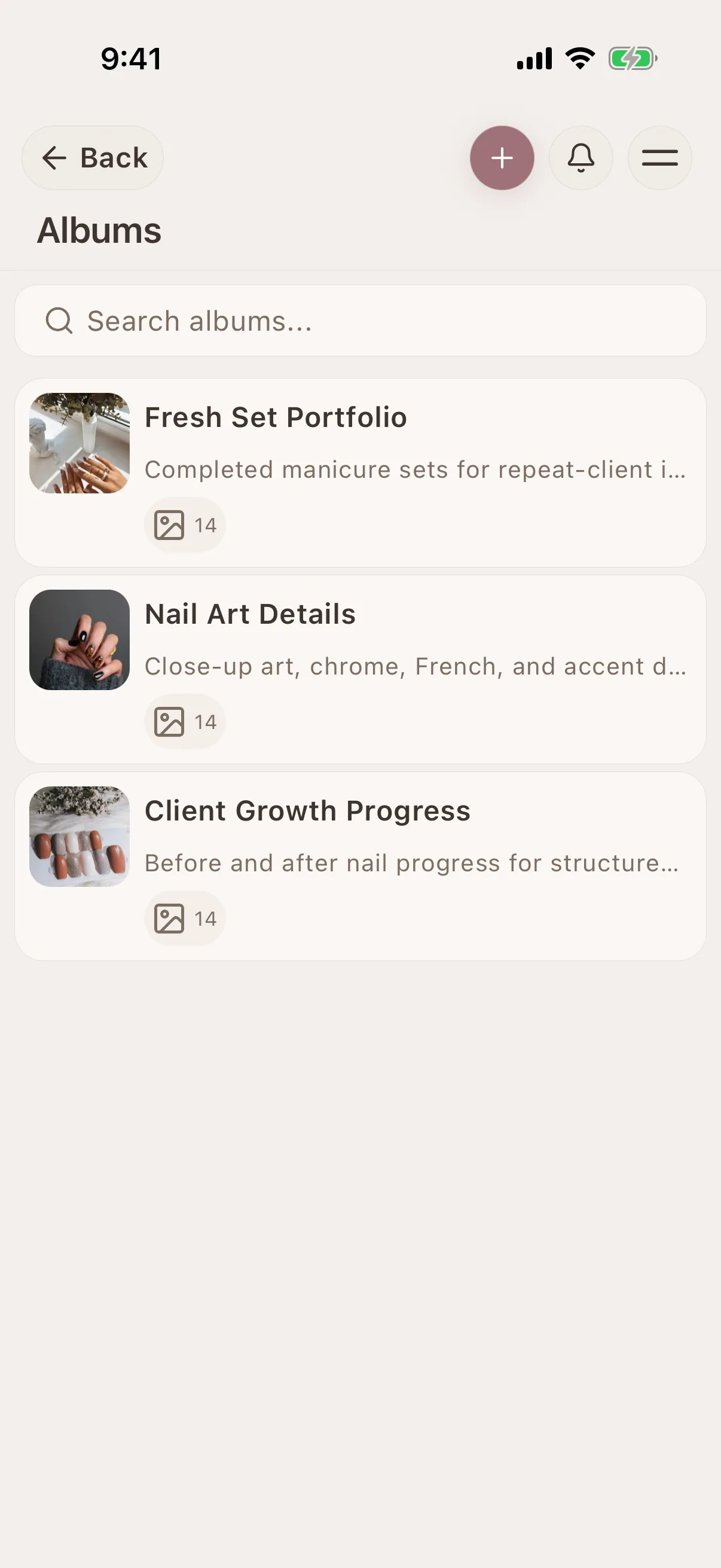
Shareable galleries
Share selected galleries with clients by link
See Glamorph for your beauty profession
Glamorph connects client profiles, treatment history, formulas, photos, documents, appointments and payments in one workspace without turning a small beauty business into an enterprise-software project.

"Built from beauty work, developed for the business around it"
Glamorph co-founder Konstantina Tsormpa is a makeup and bridal artist. That background informs the attention to client history, while booking, payments and shared workspaces support independent professionals and small teams across beauty services.
Use Glamorph on iOS, Android and the web
Glamorph is beauty business software for independent professionals and small teams. It brings online booking, calendars, client history, photos, signed documents, payments, and team work together in one place.
Starting from €11.99 per month · Free trial included
Frequently asked questions
Can I record nail products, designs and fill history?
Yes. Keep preferences and reported sensitivities in the client profile. Add the system, brand, shade, shape, service notes and photos to each session so the next fill has its own reference.
Can clients book online, or can I enter appointments myself?
Both. Add appointments to your calendar yourself, or set up services, hours and booking rules and publish your booking page when it is ready. Online booking is optional. Confirmed bookings connect to the calendar and client history.
Can I collect payments, not just record them?
Yes. Connect an eligible Stripe, SumUp or Square account to collect through supported payment links, phones or terminals. Methods depend on your business country, account and device. Recording cash or another payment manually does not charge the client.
Can clients sign forms, and can I keep existing PDFs?
Yes. Prepare documents for in-person or remote signing and keep the finalized PDF with the client or session. You can download, print or upload existing PDFs. Documents do not require online booking. You remain responsible for suitable wording and use.
Can I use Glamorph alone or with a small team?
Both. Work on your own without setting up a team, or invite people to a shared workspace with separate logins and calendars. Roles control access to clients, documents, booking and financial information.
Can I use Glamorph on my phone and computer?
Yes. Use Glamorph on iPhone, Android and in your browser. Client records and appointment history sync across your devices when connected to the internet.
What is included in the subscription?
The base subscription includes core features and one active appointment calendar. Additional active calendars can cost extra. Profiles and logins alone do not count as calendars. Check the current pricing and checkout terms. Integrated collection fees are separate from recording a payment manually.
Also works for
Ready to keep every client detail close?
Start with a client record. Add online booking and team access when you need them.
€11.99 per month
Trusted by beauty professionals across