Hair color formula app and client history for hairstylists
Keep roots, lengths, toner, shades, grams, developer, ratios, processing time, result photos, feedback, and the next adjustment with the client and visit that produced them.


The messy part of beauty work
The client details hairstylists need before the next appointment
Glamorph keeps those details attached to the right client
- 01
Color formulas lost in notebooks
You wrote down that perfect balayage formula somewhere. Was it the blue notebook? The Notes app? A text to yourself?
- 02
Can't remember processing times
30 minutes or 45? Did you use 20 or 30 volume? When details matter, guessing isn't an option.
- 03
Returning clients expect consistency
They loved their last cut. They want the exact same thing. And you're trying to remember from 3 months ago.
- 04
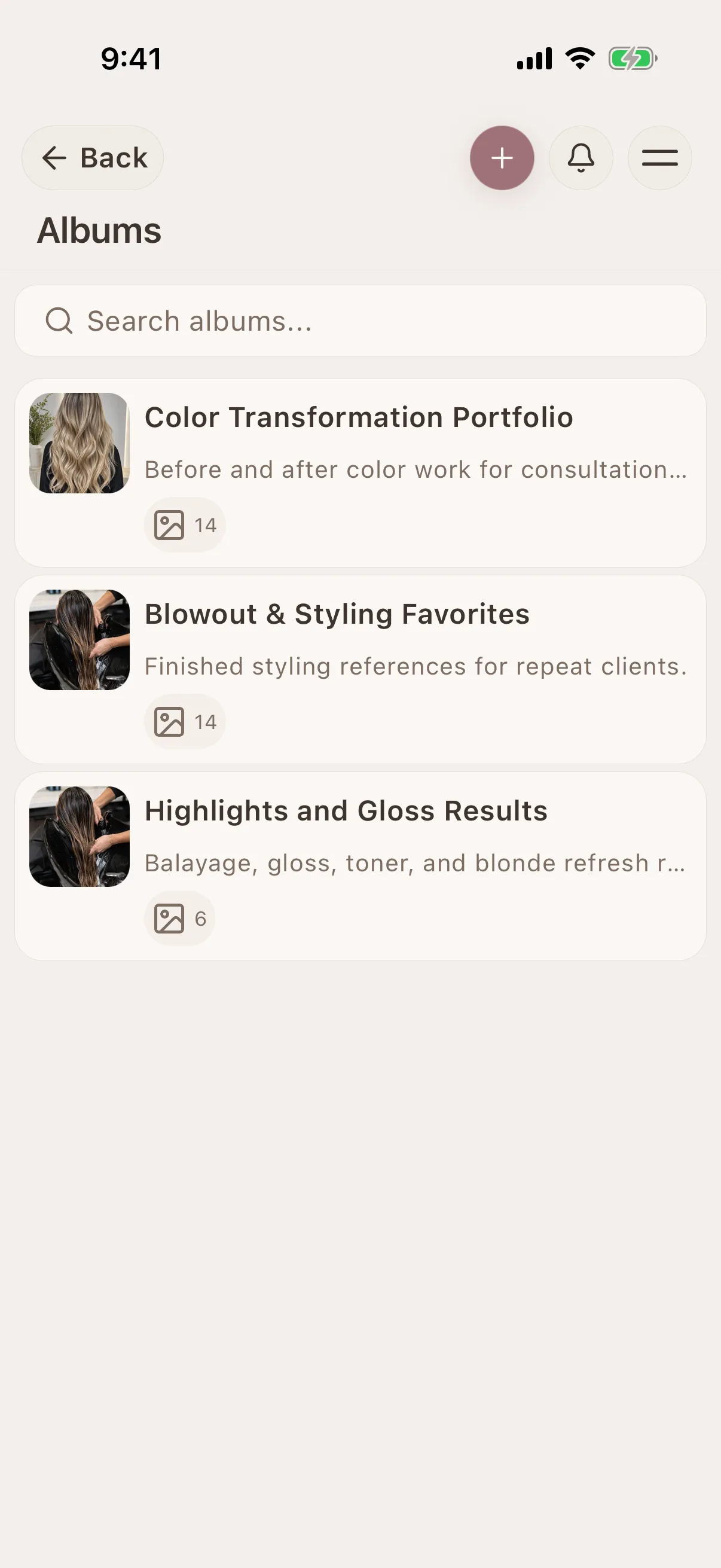
Transformation photos lost in your camera roll
The previous result is in your phone gallery, but not connected to the formula, client or appointment that produced it.
- 05
No idea who's paid and who hasn't
Payments arrive by different methods. Without a record beside the appointment, it is harder to see what was paid and what is still due.
- 06
A reported sensitivity should not disappear into an old note
Record what the client reported, which product and visit were involved, and what must be reviewed under your professional protocol before the next color service.
Who Glamorph is built for
Glamorph is built for hairstylists who need formula history, transformation photos, sensitivity notes, and payments ready before a client sits down.
Good fit
Solo and freelance hairstylists
Keep color formulas, reported sensitivities and result photos with each client's visit. Open the previous record before mixing the next formula.
Chair-renters and booth-renters
Your client book is yours. It follows you if you switch chairs, salons, or go full freelance.
Color specialists (balayage, blonding, lived-in color)
Track separate formulas for roots, lengths, ends, lightener and toner, with grams, ratio, developer, processing time, result and next adjustment.
Mobile and home-visit hairstylists
Open previously synchronized client records and photos in the mobile app when a home visit has a weak connection.
Small salon teams
Share client histories in one workspace, give each stylist a separate login and calendar, and control access to records and finances by role.
Not the right fit
Salons that need a full operations suite
Glamorph supports booking and shared client work, but does not replace fiscal POS, inventory, payroll, complex room scheduling or enterprise multi-location systems.
What is Glamorph?
Glamorph is beauty business software for independent professionals and small teams. It brings online booking, calendars, client history, photos, signed documents, payments, and team work together in one place.
Your workflow, transformed
Keep bookings, client notes, photos and payments together.
Before Glamorph
Color formulas scribbled in a notebook you can't find
With Glamorph
Color formulas saved with the client and visit
Before Glamorph
Processing times guessed from memory
With Glamorph
Processing times, products, and techniques logged per session
Before Glamorph
Result photos mixed with personal photos
With Glamorph
Photos organized by client, visit, technique and product
Before Glamorph
No idea what you actually earned this month
With Glamorph
Payment tracking shows daily, weekly, and monthly earnings
Results you can repeat
Keep the notes, photos, payments, and history that make the next appointment smoother.
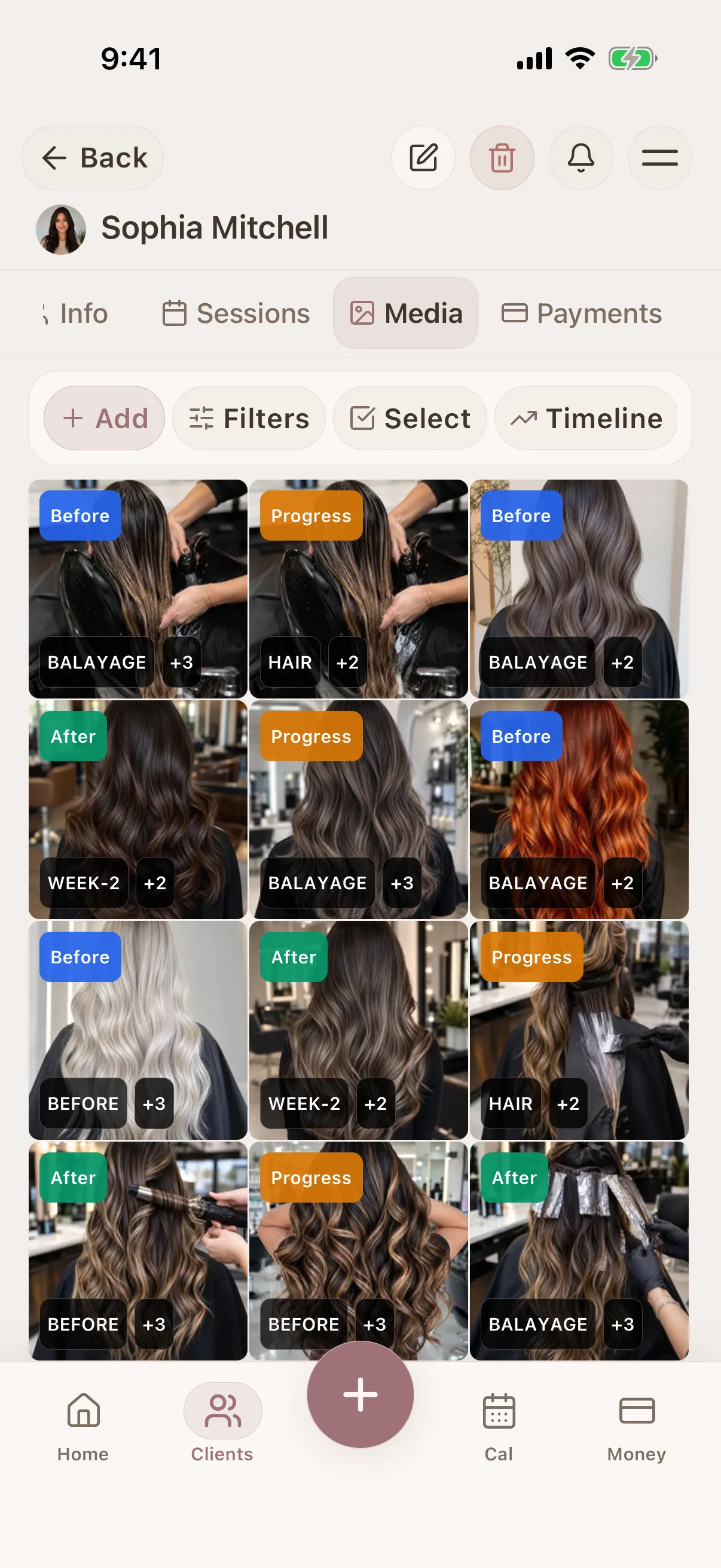
Hair color formulas saved with the visit
Save shades, amounts, mixing ratios, developer and processing time in session notes. Keep the result photos with that visit for the next consultation.
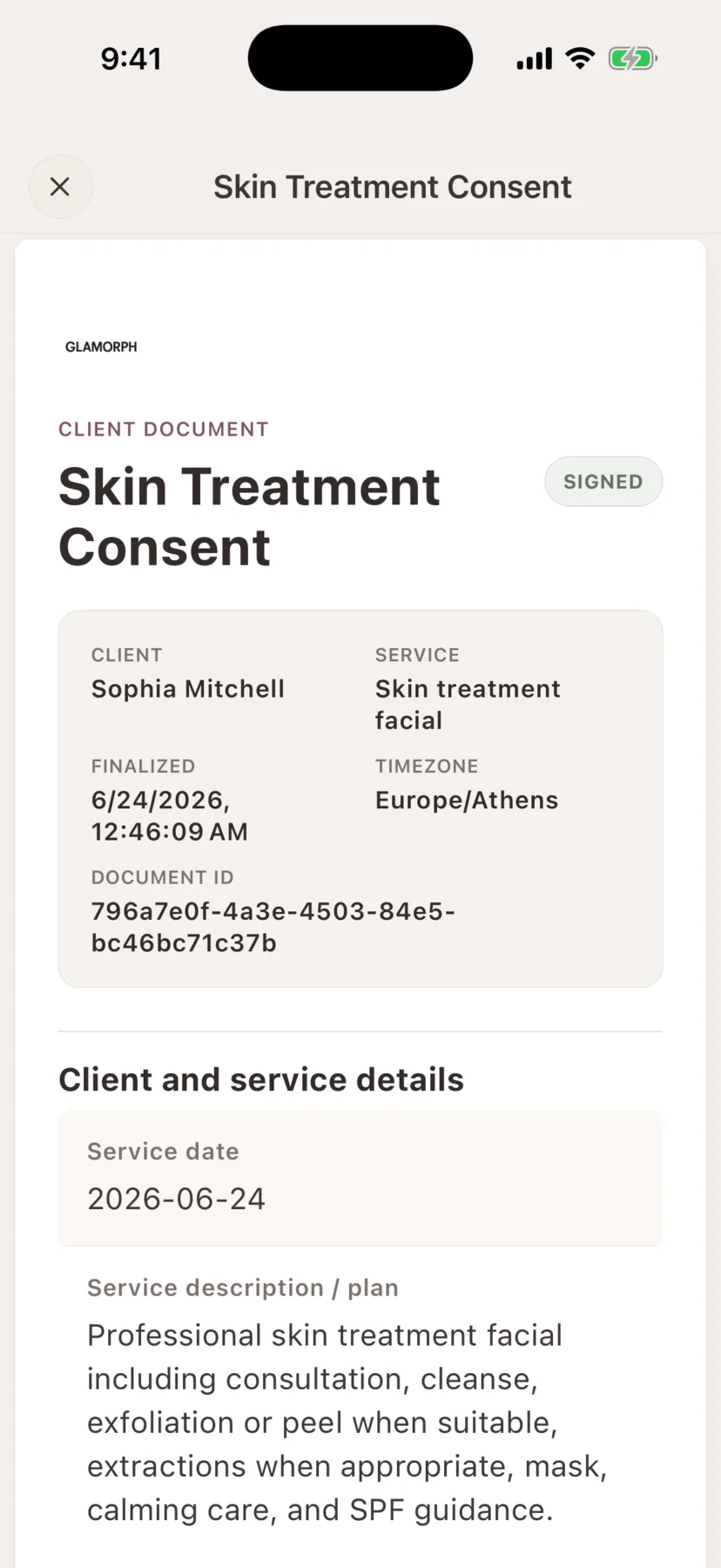
Consent, intake and photo-release forms in the client record
Create consultation forms, patch-test records, aftercare instructions and photo releases. Keep signed documents with the client's history, independently of online booking.
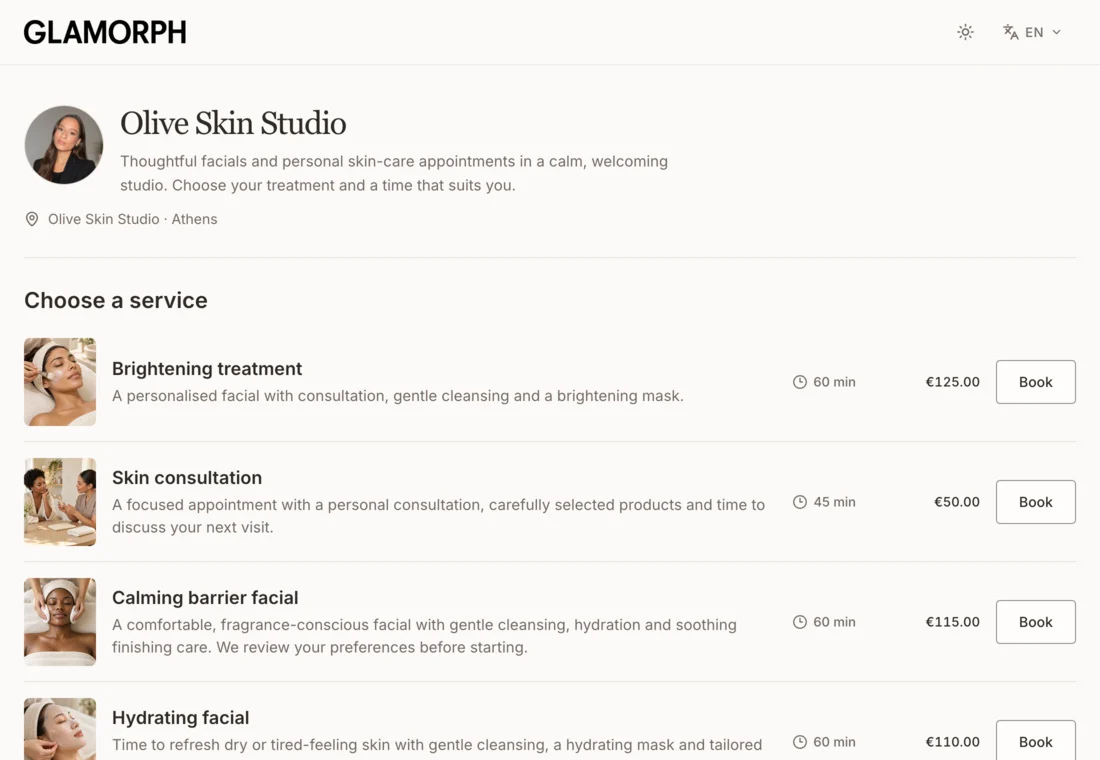
Online booking connected to the client record
Let clients book services, variations and add-ons on your own booking page. Keep appointments, client history and payments connected, whether you work solo or with a team.
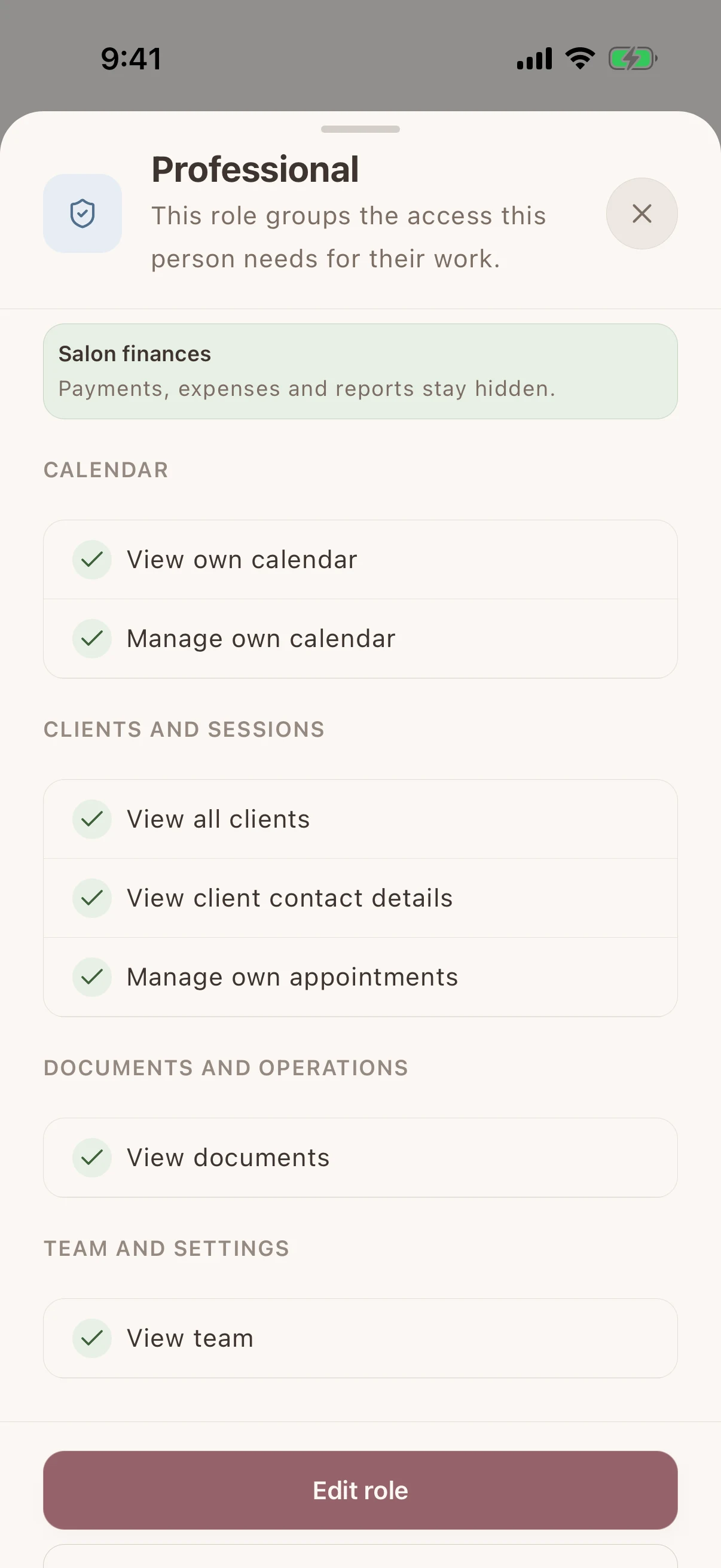
Shared client history, separate staff access
Give each team member their own login and calendar. Choose who can see client records, signed documents and financial information without sharing the owner's account.
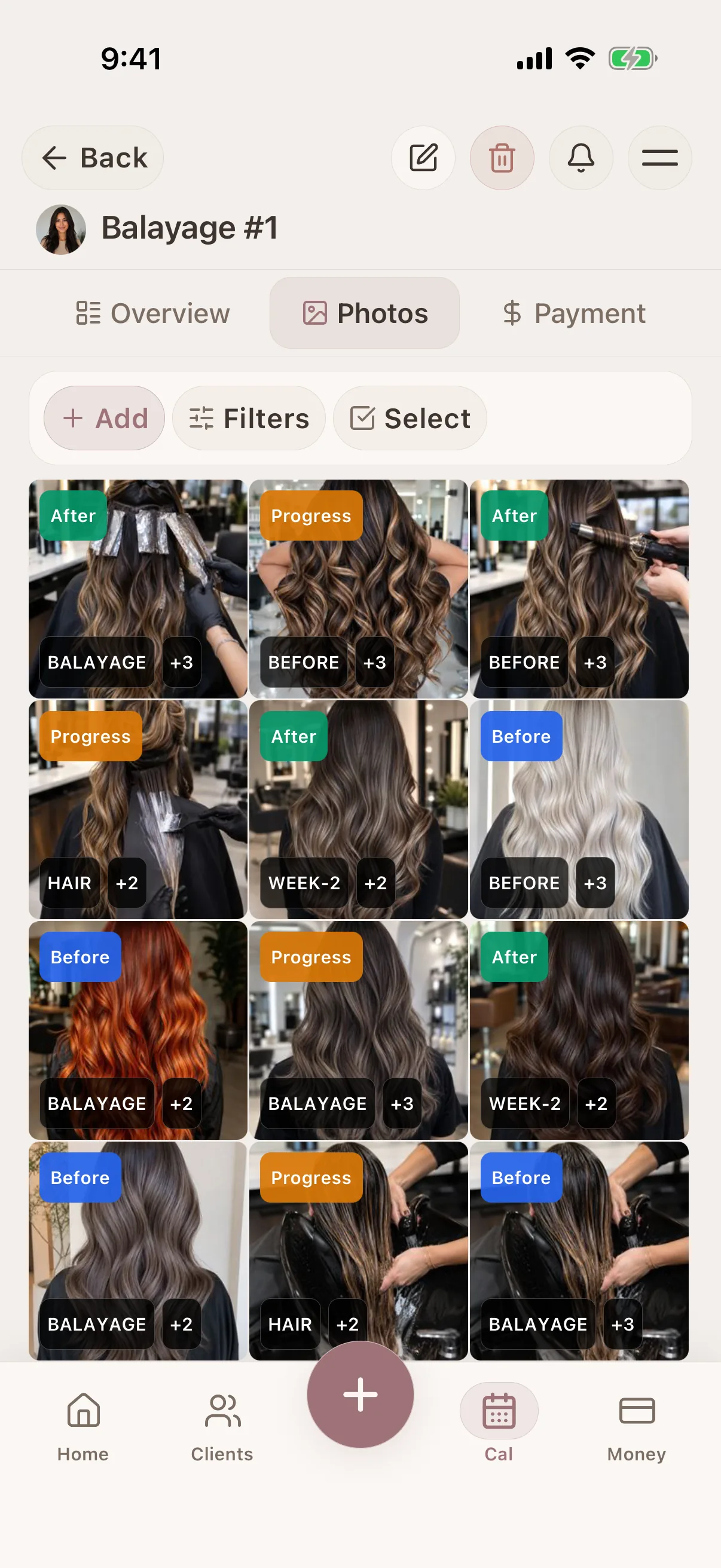
Before & after photos per session
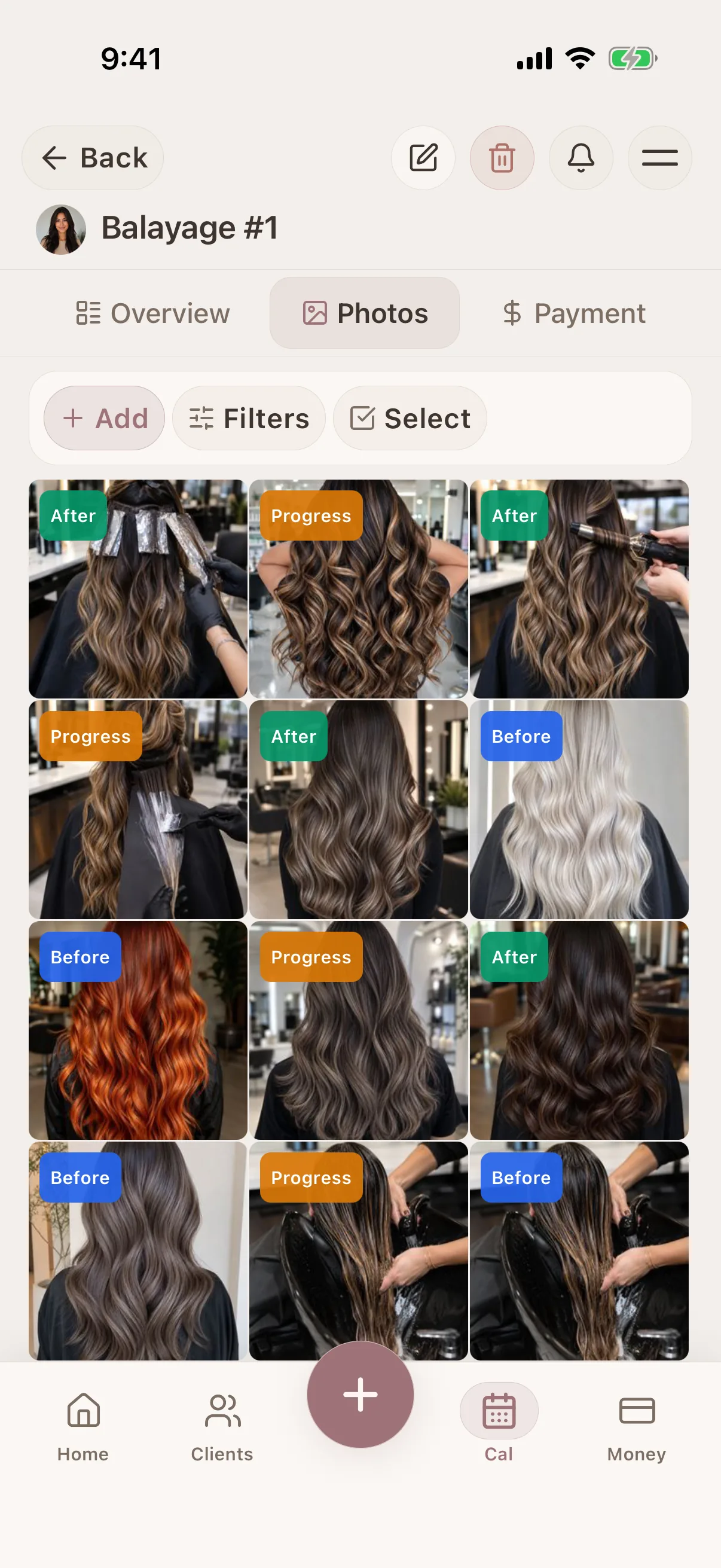
Keep before and after photos with each color service. Compare results over time and add selected photos to a shareable album when you want to show your work.
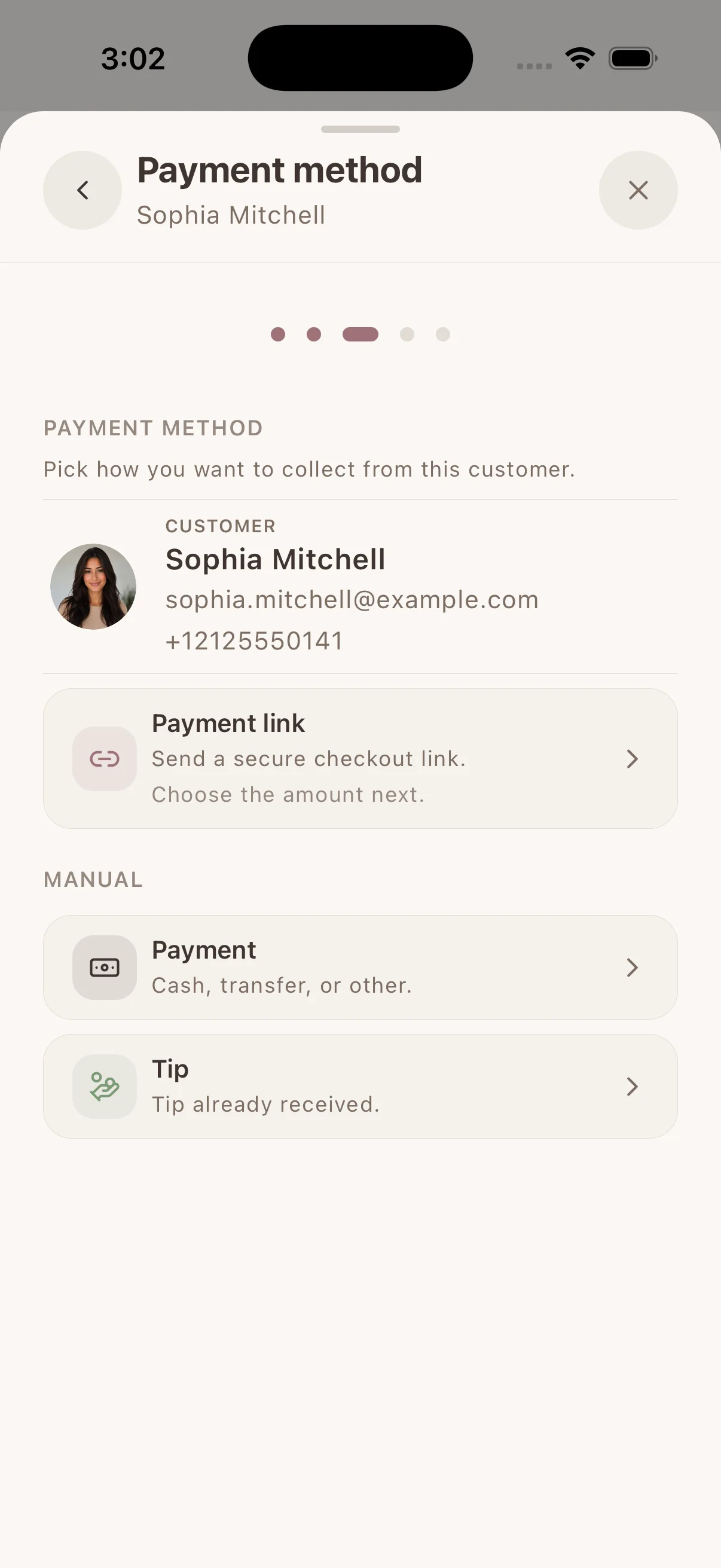
Collect & track payments
Collect by payment link, supported phone or connected terminal through Stripe, SumUp or Square. Available methods depend on your provider, business country and device. Keep confirmed payments with the client. Record cash or other payments separately.
Real workflows
A simple way to keep the details together before, during, and after the appointment.

Prepare for every repeat beauty appointment from real client history
See what happened last time, what the client preferred, what changed, and what is booked next—without reconstructing the story from memory or messages.
Learn more
Find every beauty client photo in the session where it belongs
Keep consultation, before-and-after, progress, and reference images connected to the client, service history, and notes that explain them.
Learn more
Let beauty clients book without back-and-forth messages
Share one booking link from your social profiles, website, or anywhere clients find you. They choose a service, professional, and genuinely available time without waiting for you to answer.
Learn morePlan your appointments and price the work
Use service history to review colour pricing, and compare booking software for your salon.

How to Price Hair Color Services as a Solo Stylist in 2026
Price hair color services with time, product cost, toner, corrections, and client history, using practical formulas and service examples.
Learn more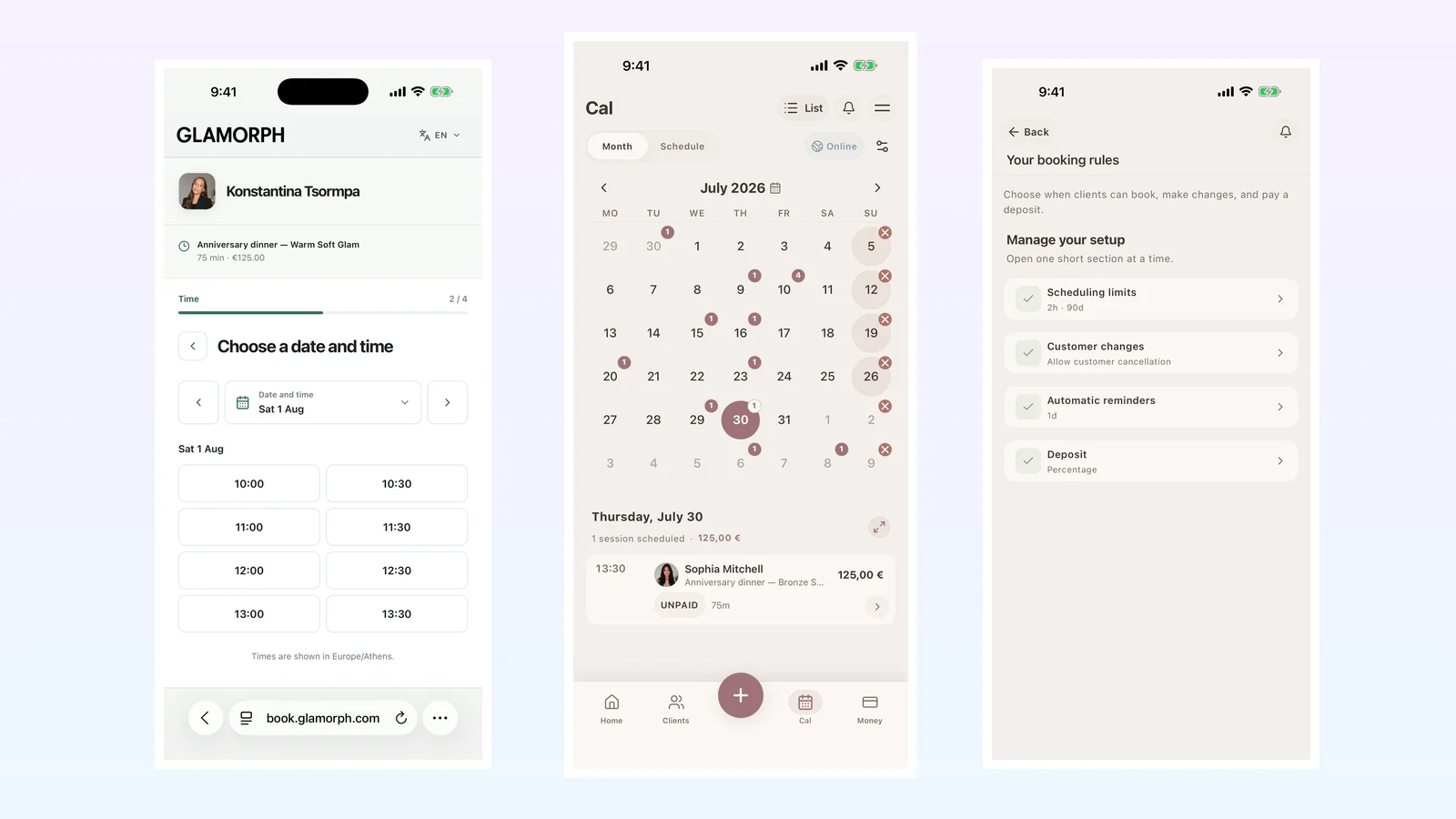
Best Beauty Salon Booking Software in 2026: 6 Systems Compared
Compare six beauty salon booking systems for solo professionals and small teams: online booking, deposits, reminders, client records and everyday use.
Learn moreFrom the first booking to the next visit
Spend less of the appointment finding information. Keep the booking, the work and the payment with the same client.
Let clients choose a time that works
Share your own booking page with services and live availability. Confirmed bookings and appointments you enter yourself use the same calendar.
Hair color formulas saved with the visit
Save shades, amounts, mixing ratios, developer and processing time in session notes. Keep the result photos with that visit for the next consultation.
Finish the visit with everything in place
Save the work, photos and signed forms with the appointment. Collect an eligible payment or record what was paid, then find that history at the next visit.
iOS · Android · Web App
See it in action
Swipe through real app screens
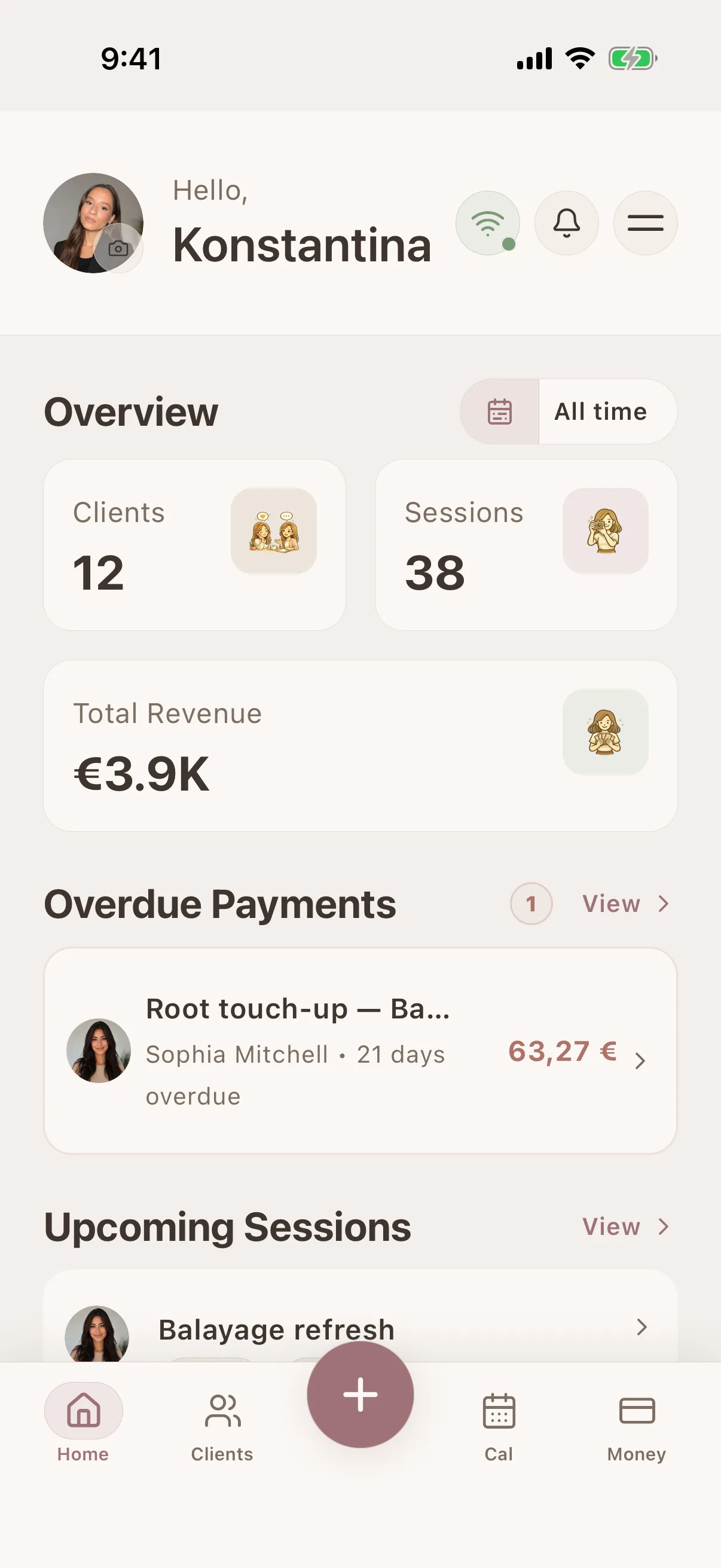
Glamorph
Swipe through real app screens
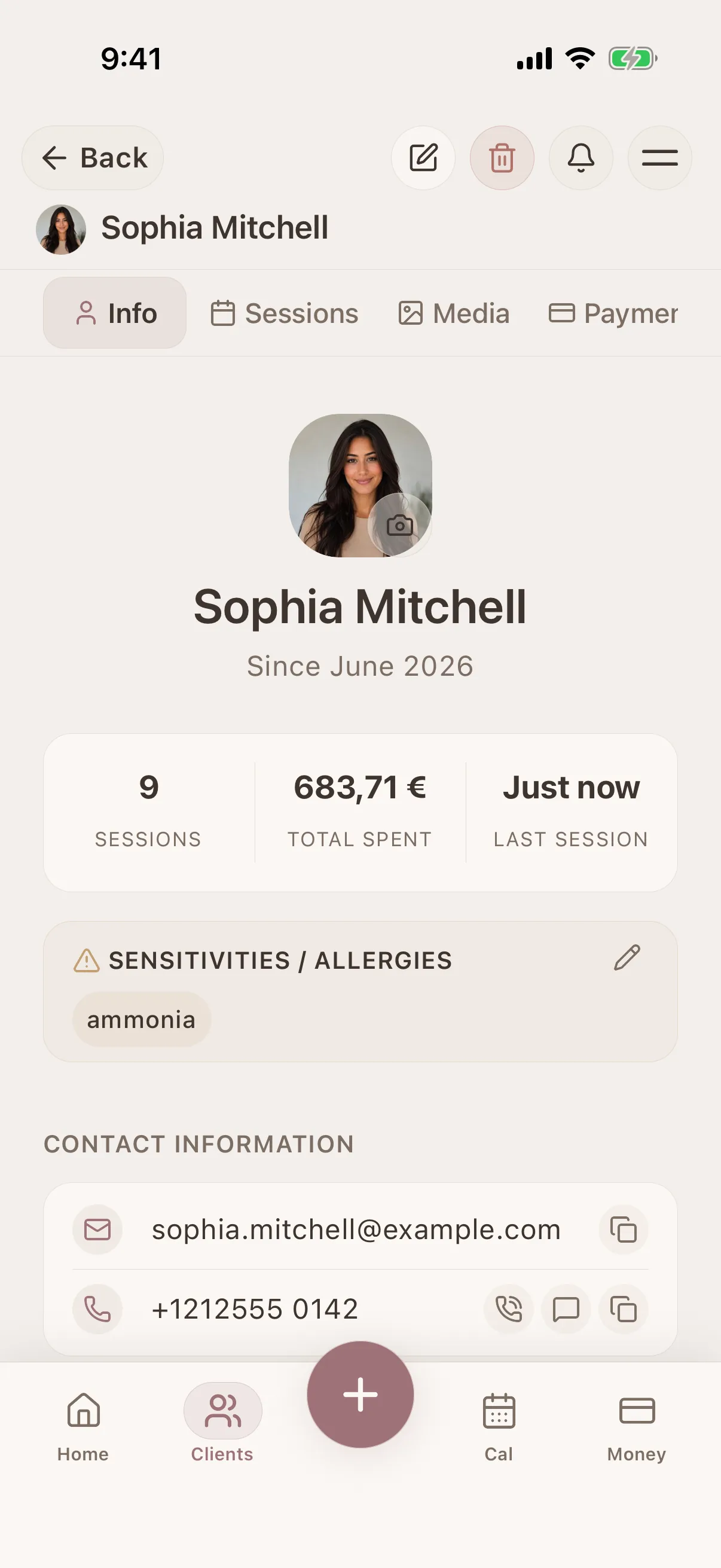
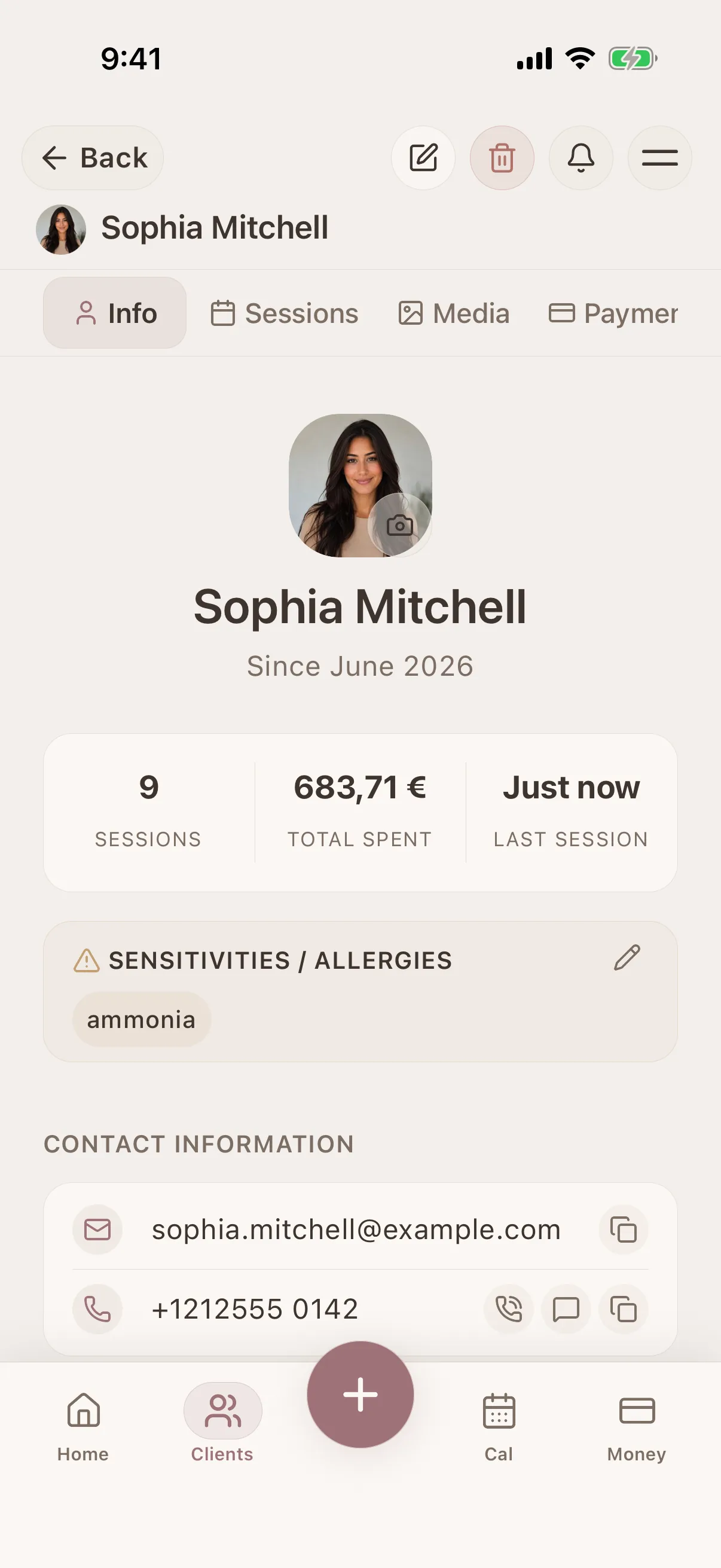
Client profile view
All details, history & preferences in one place
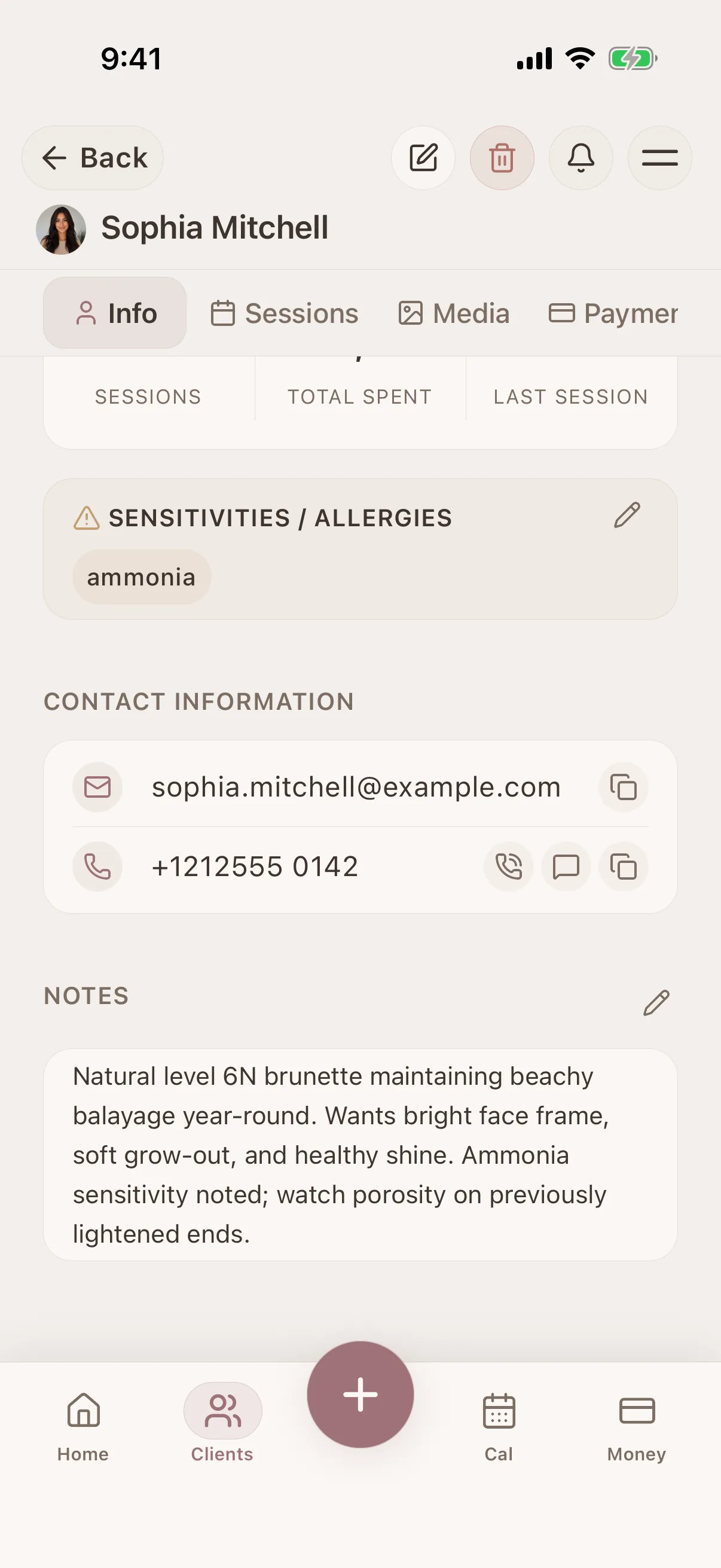
Client profile view
All details, history & preferences in one place
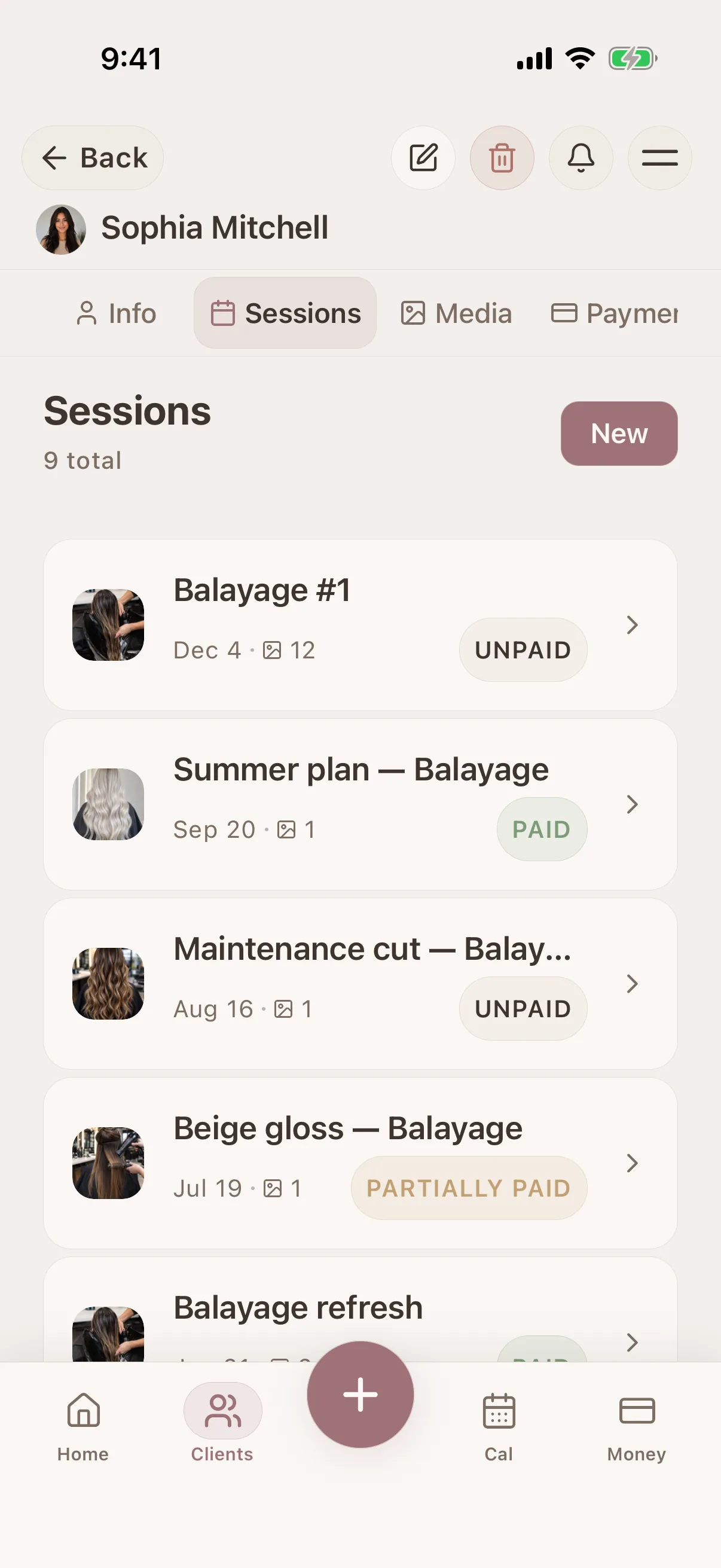
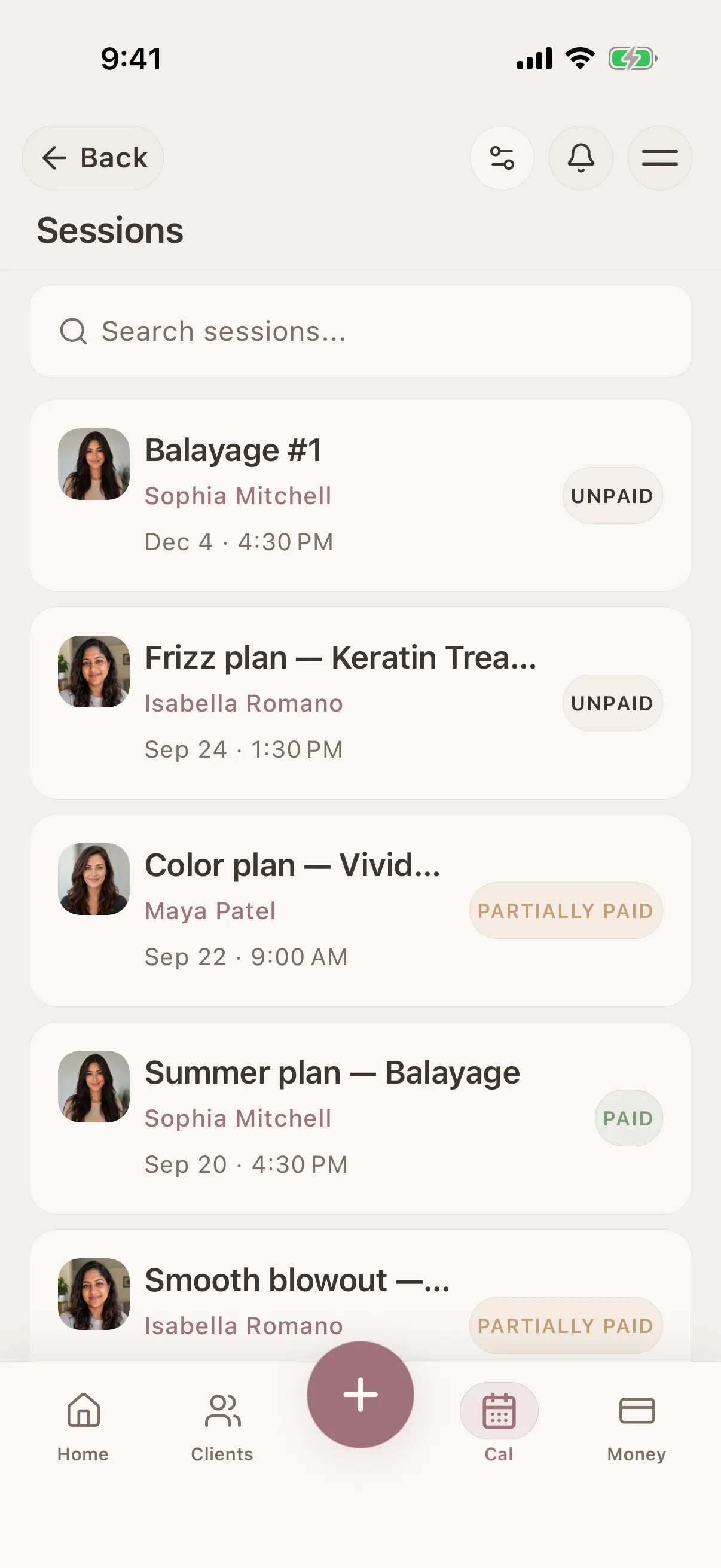
Session timeline
Full history of every client interaction
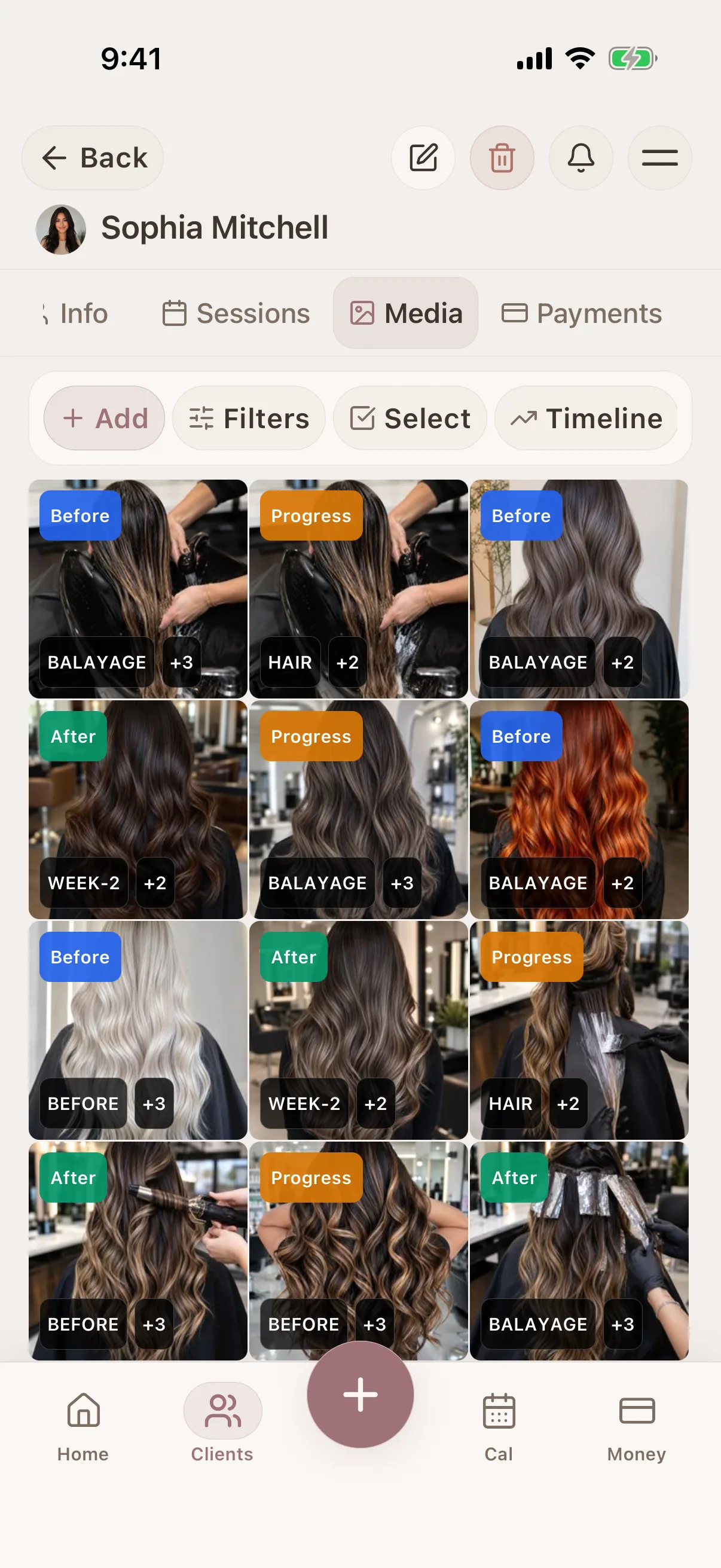
Photo tagging & search
Tag and filter photos in the client record
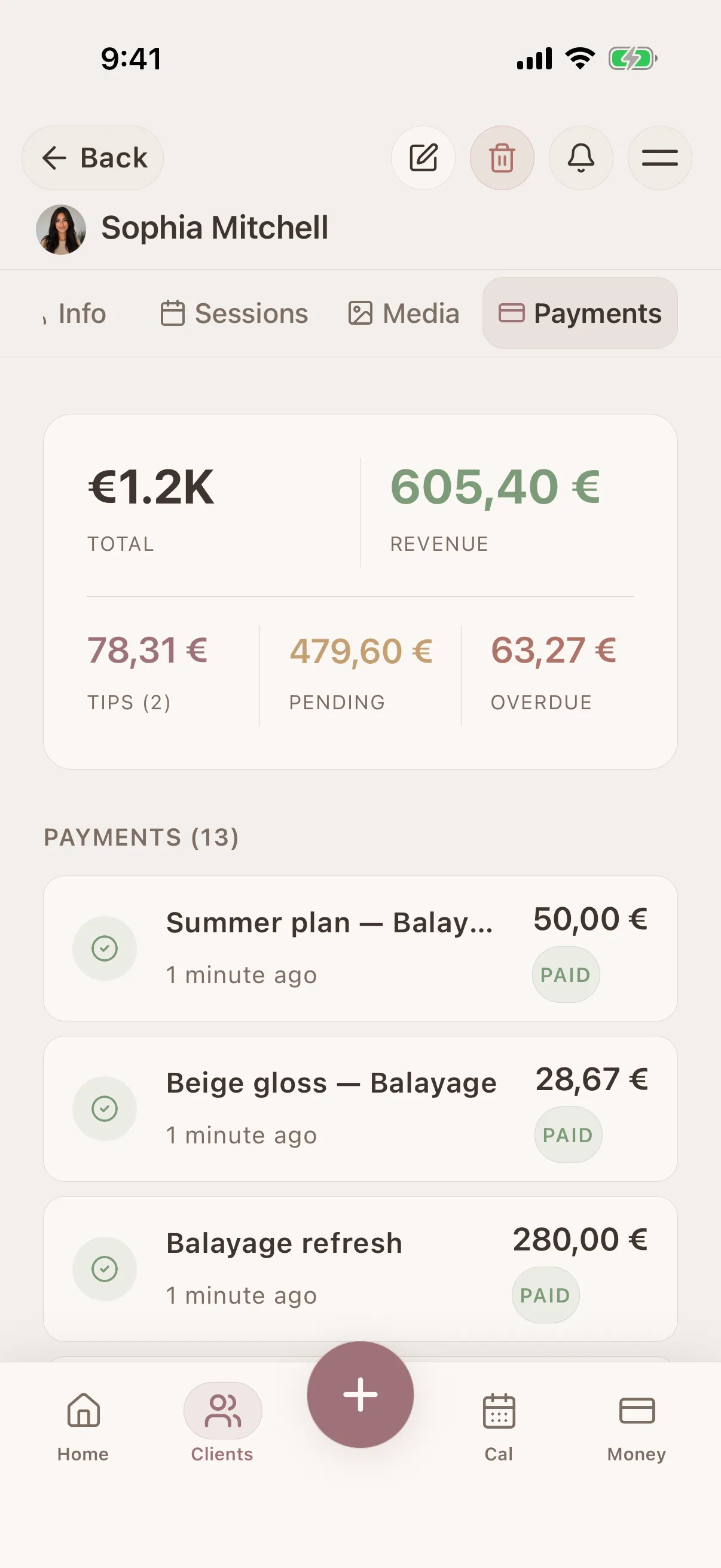
Payment history
Client payments and outstanding balances
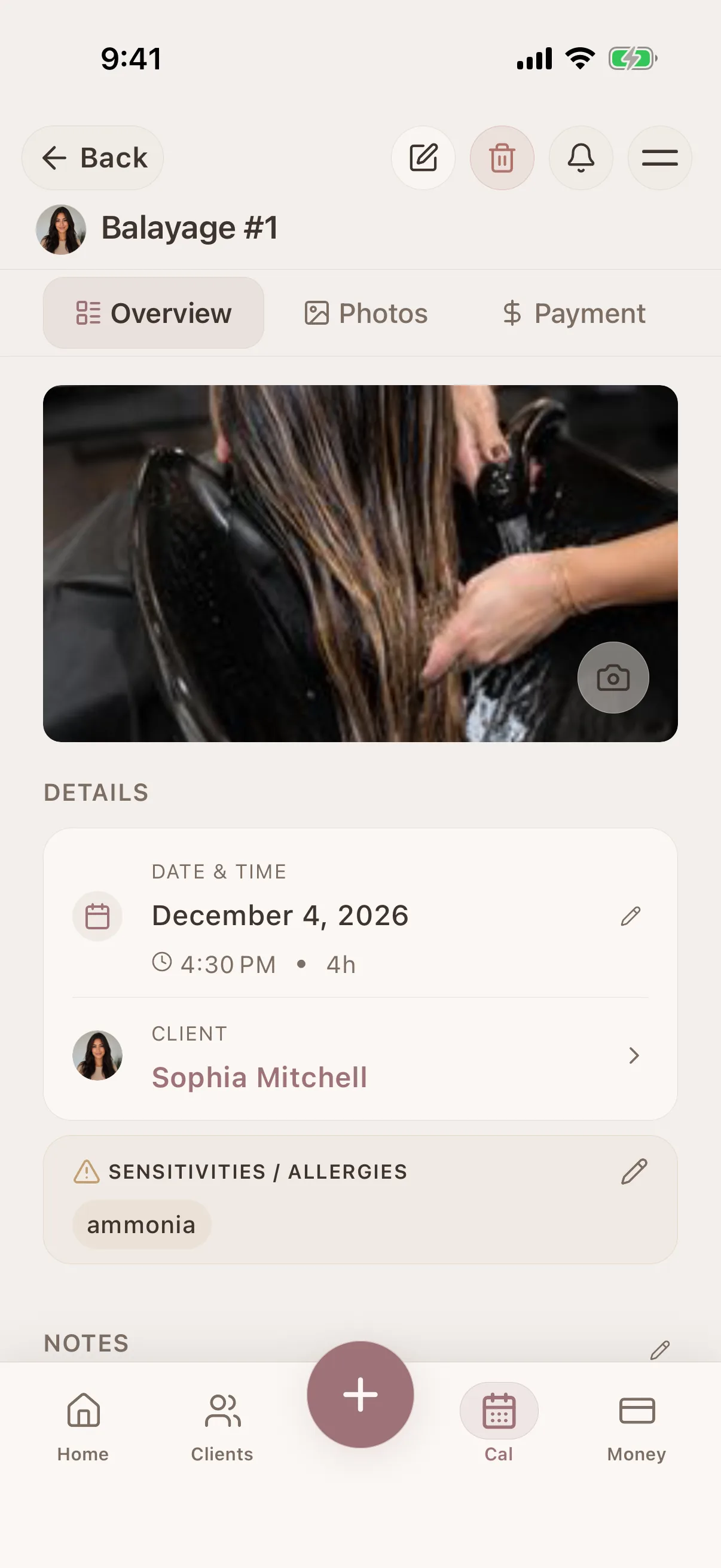
Session detail view
Products, notes, photos & payment per session
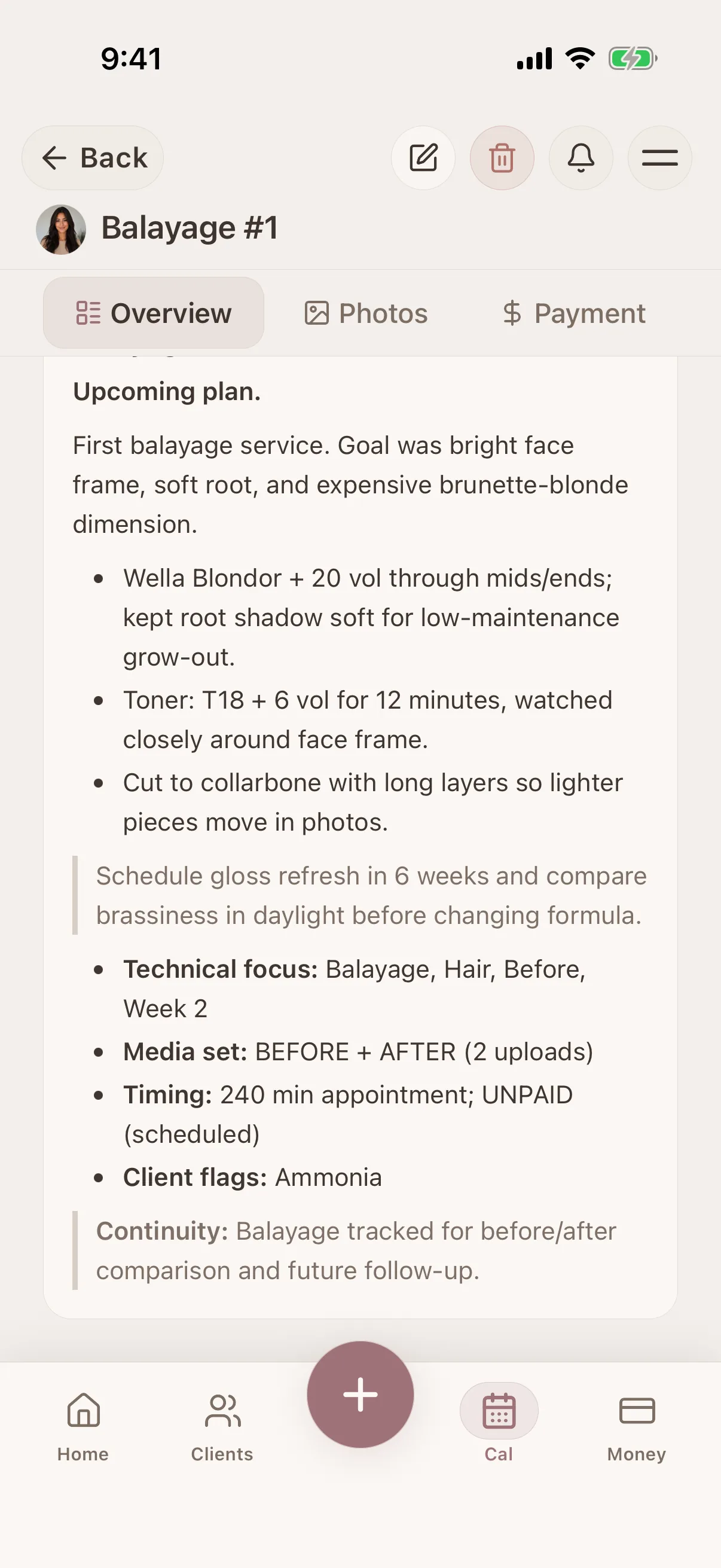
Session detail view
Products, notes, photos & payment per session
Session detail view
Products, notes, photos & payment per session
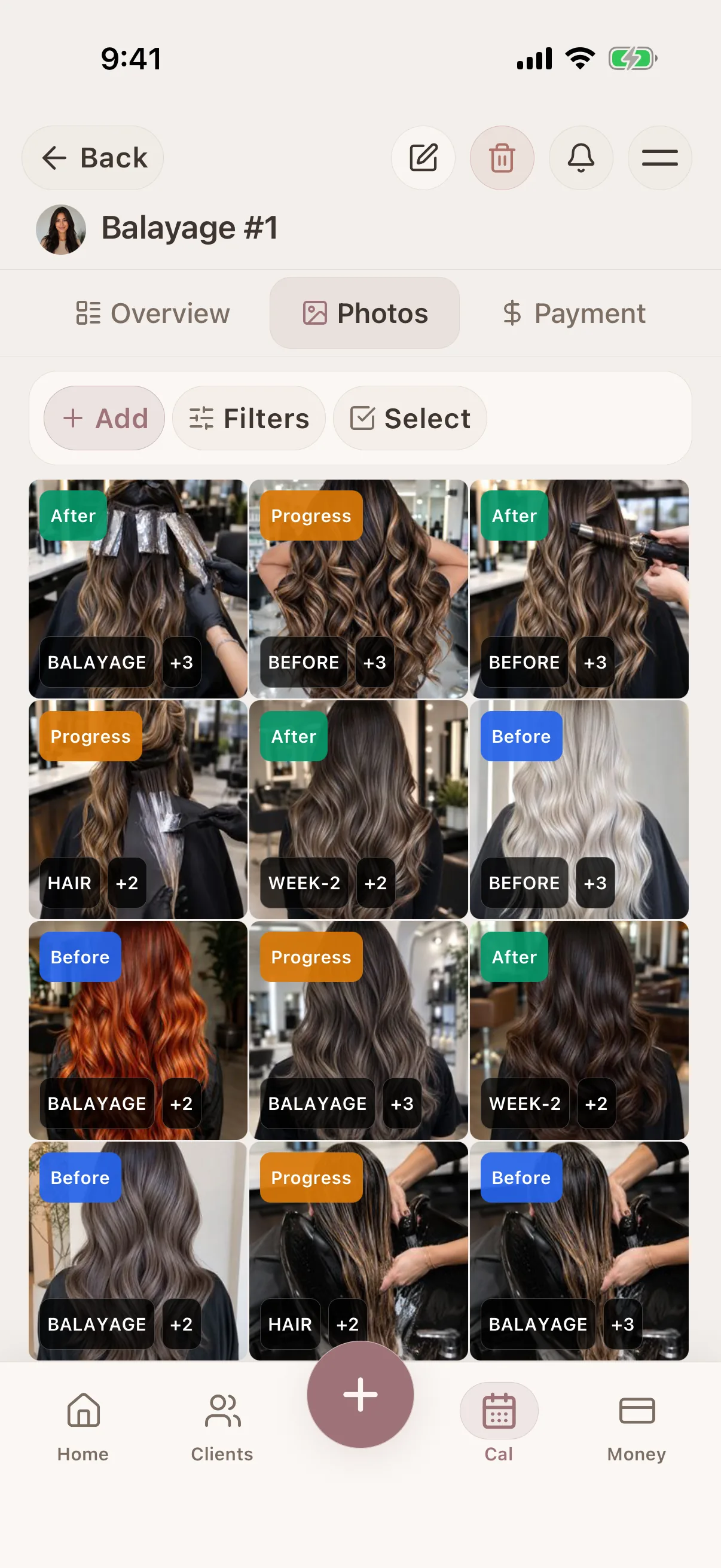
Photo tagging & search
Tag and filter photos in the client record
Photo tagging & search
Tag and filter photos in the client record
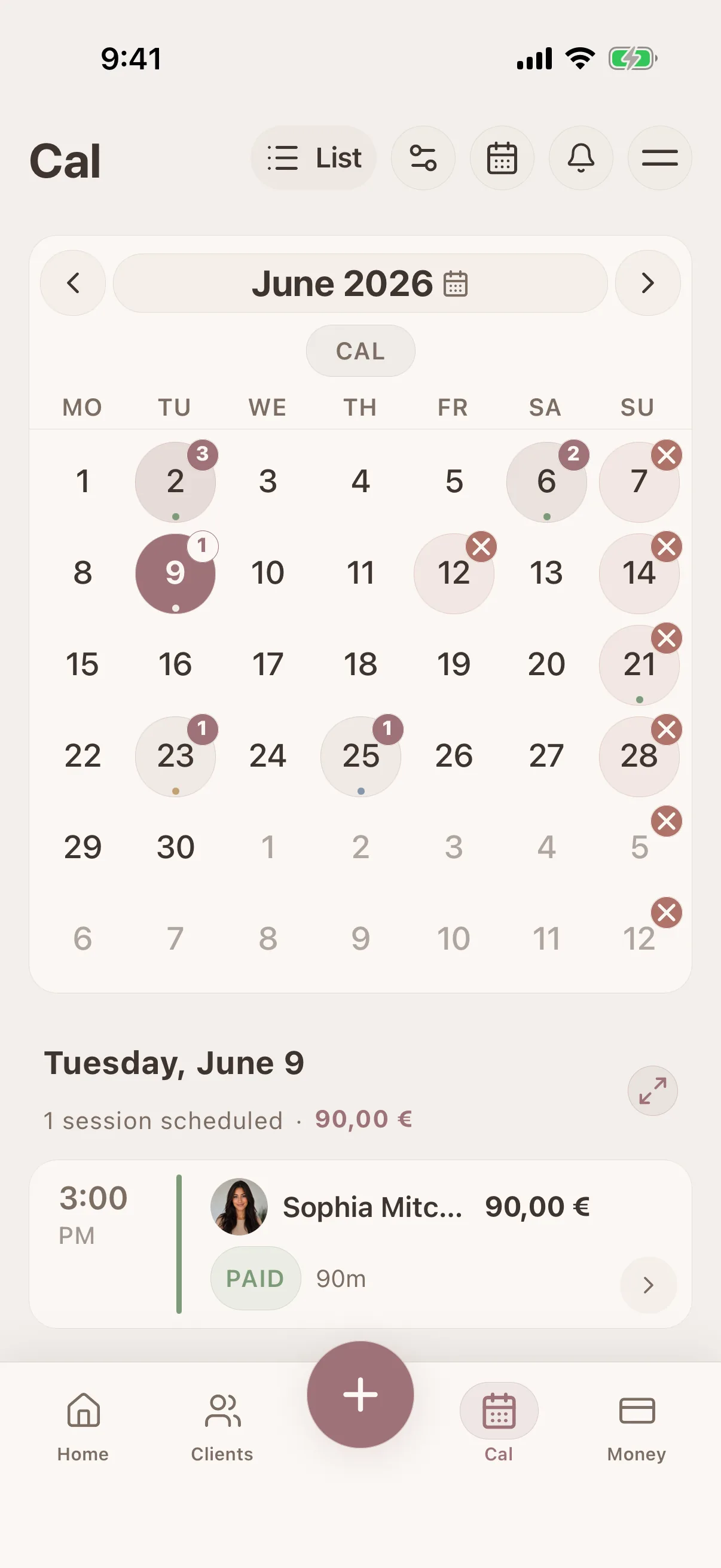
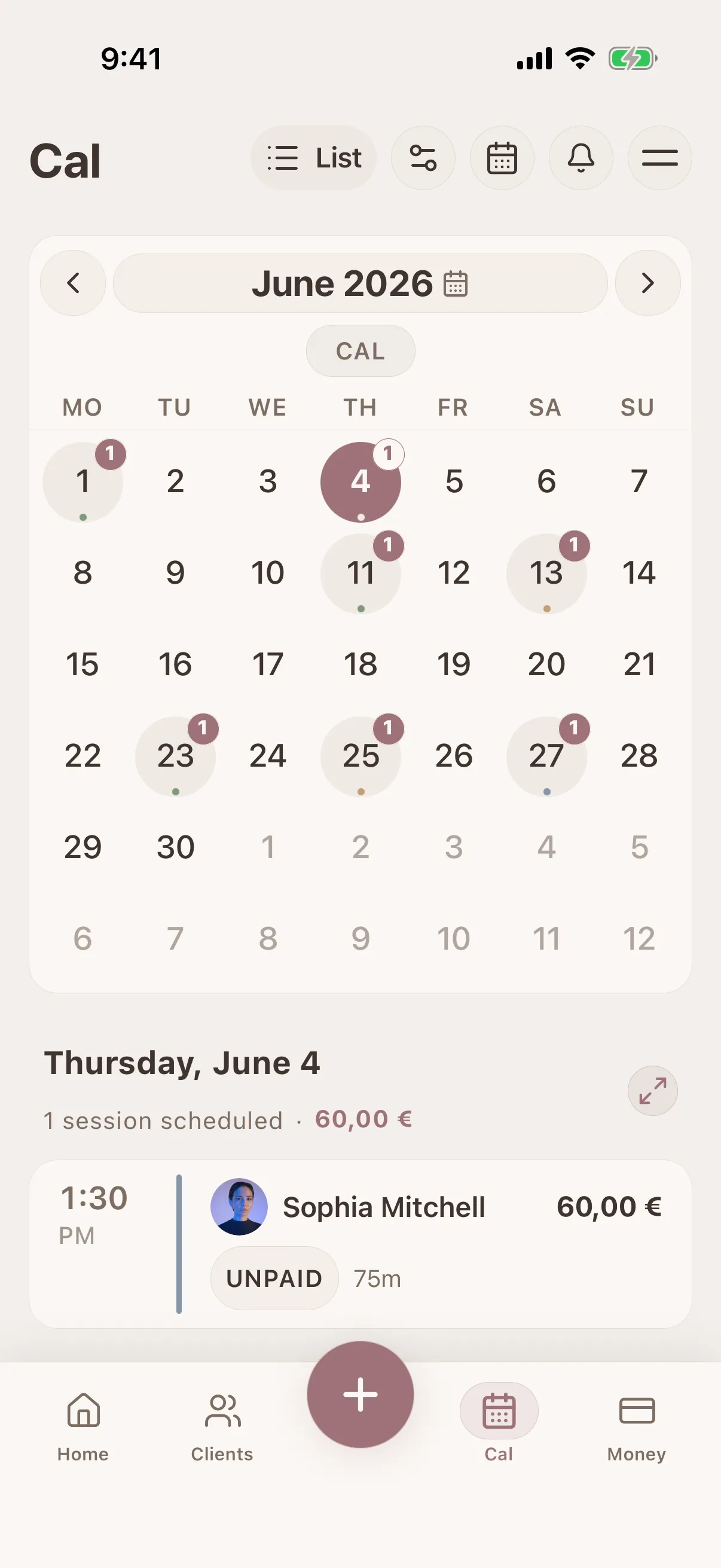
Calendar & scheduling
Visual calendar with drag-and-drop booking
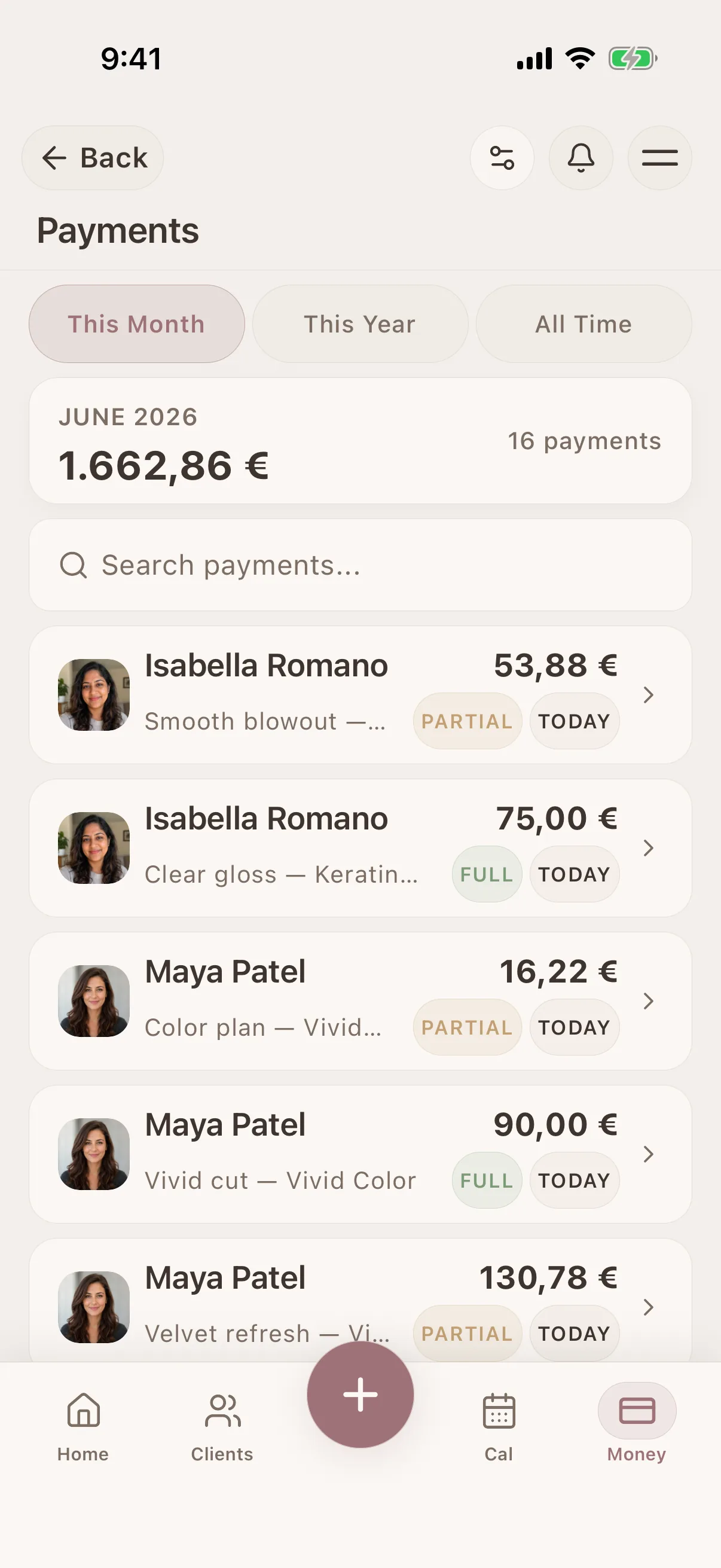
Payment history
Client payments and outstanding balances
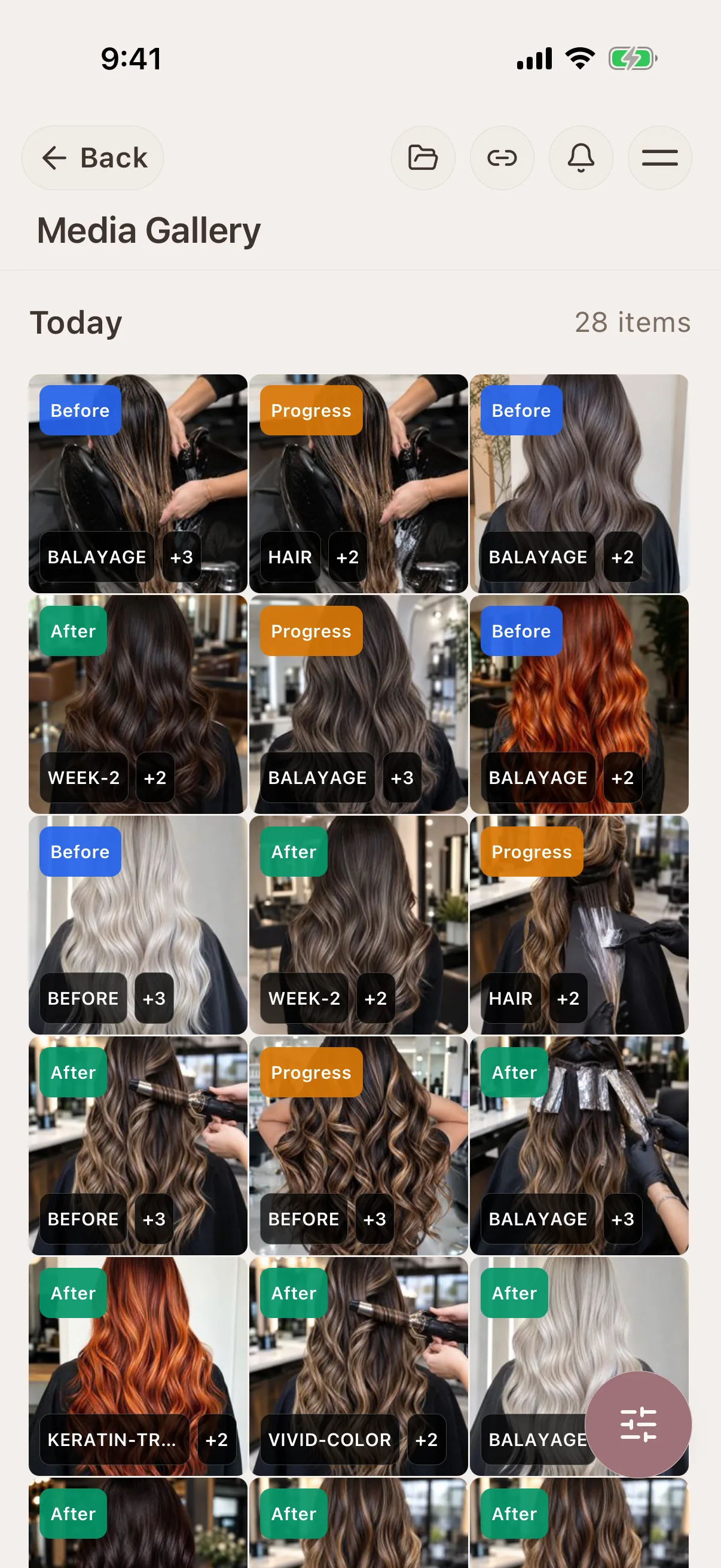
Photo tagging & search
Tag and filter photos in the client record
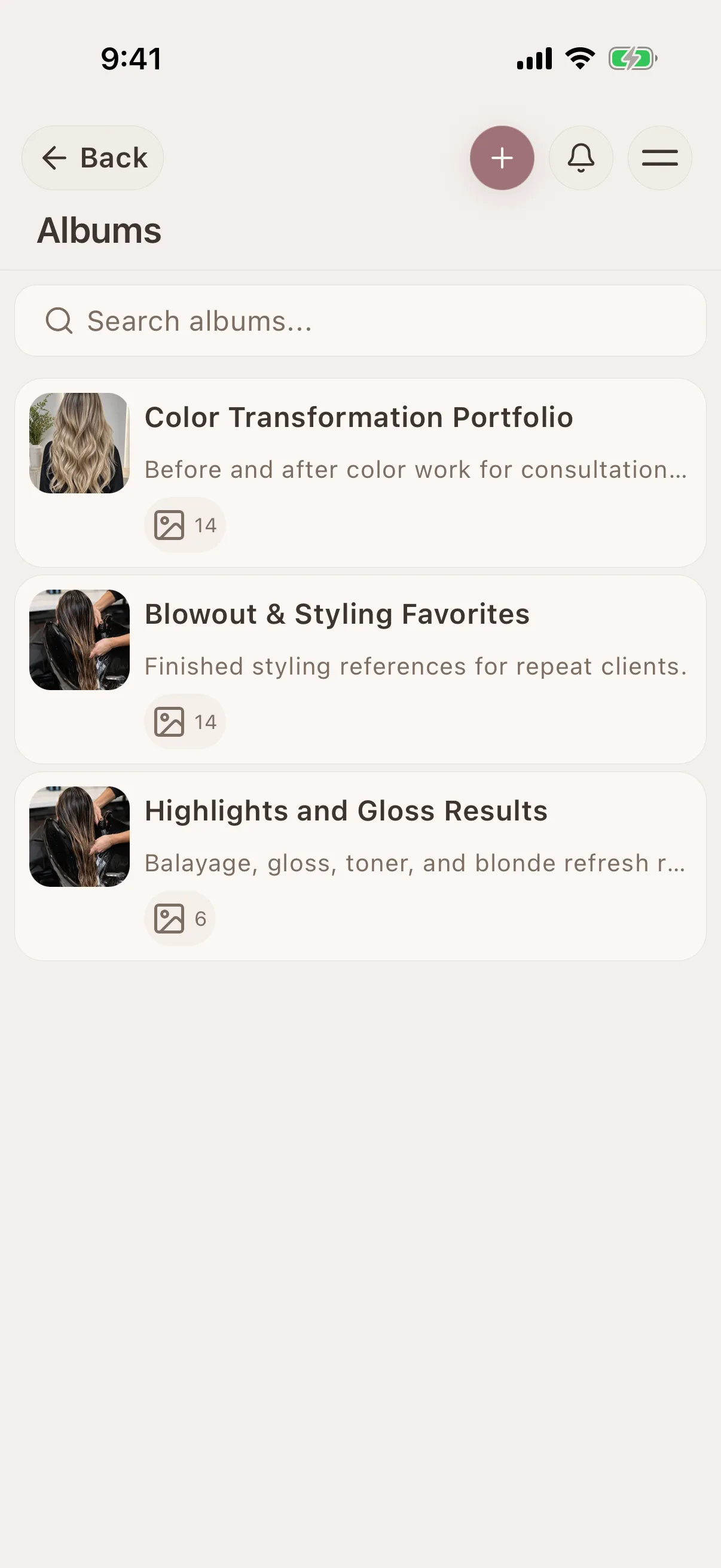
Shareable galleries
Share selected galleries with clients by link
See Glamorph for your beauty profession
Glamorph connects client profiles, treatment history, formulas, photos, documents, appointments and payments in one workspace without turning a small beauty business into an enterprise-software project.

"Built from beauty work, developed for the business around it"
Glamorph co-founder Konstantina Tsormpa is a makeup and bridal artist. That background informs the attention to client history, while booking, payments and shared workspaces support independent professionals and small teams across beauty services.
Use Glamorph on iOS, Android and the web
Glamorph is beauty business software for independent professionals and small teams. It brings online booking, calendars, client history, photos, signed documents, payments, and team work together in one place.
Starting from €11.99 per month · Free trial included
Frequently asked questions
Can I save colour formulas for each visit?
Yes. Record products, mixing ratios, developer and processing notes in the session, with photos of the work. Each visit keeps its own record, so you can review earlier formulas without overwriting them.
Can clients book online, or can I enter appointments myself?
Both. Add appointments to your calendar yourself, or set up services, hours and booking rules and publish your booking page when it is ready. Online booking is optional. Confirmed bookings connect to the calendar and client history.
Can I collect payments, not just record them?
Yes. Connect an eligible Stripe, SumUp or Square account to collect through supported payment links, phones or terminals. Methods depend on your business country, account and device. Recording cash or another payment manually does not charge the client.
Can clients sign forms, and can I keep existing PDFs?
Yes. Prepare documents for in-person or remote signing and keep the finalized PDF with the client or session. You can download, print or upload existing PDFs. Documents do not require online booking. You remain responsible for suitable wording and use.
Can I use Glamorph alone or with a small team?
Both. Work on your own without setting up a team, or invite people to a shared workspace with separate logins and calendars. Roles control access to clients, documents, booking and financial information.
Can I use Glamorph on my phone and computer?
Yes. Use Glamorph on iPhone, Android and in your browser. Client records and appointment history sync across your devices when connected to the internet.
What is included in the subscription?
The base subscription includes core features and one active appointment calendar. Additional active calendars can cost extra. Profiles and logins alone do not count as calendars. Check the current pricing and checkout terms. Integrated collection fees are separate from recording a payment manually.
Also works for
Ready to keep every client detail close?
Start with a client record. Add online booking and team access when you need them.
€11.99 per month
Trusted by beauty professionals across