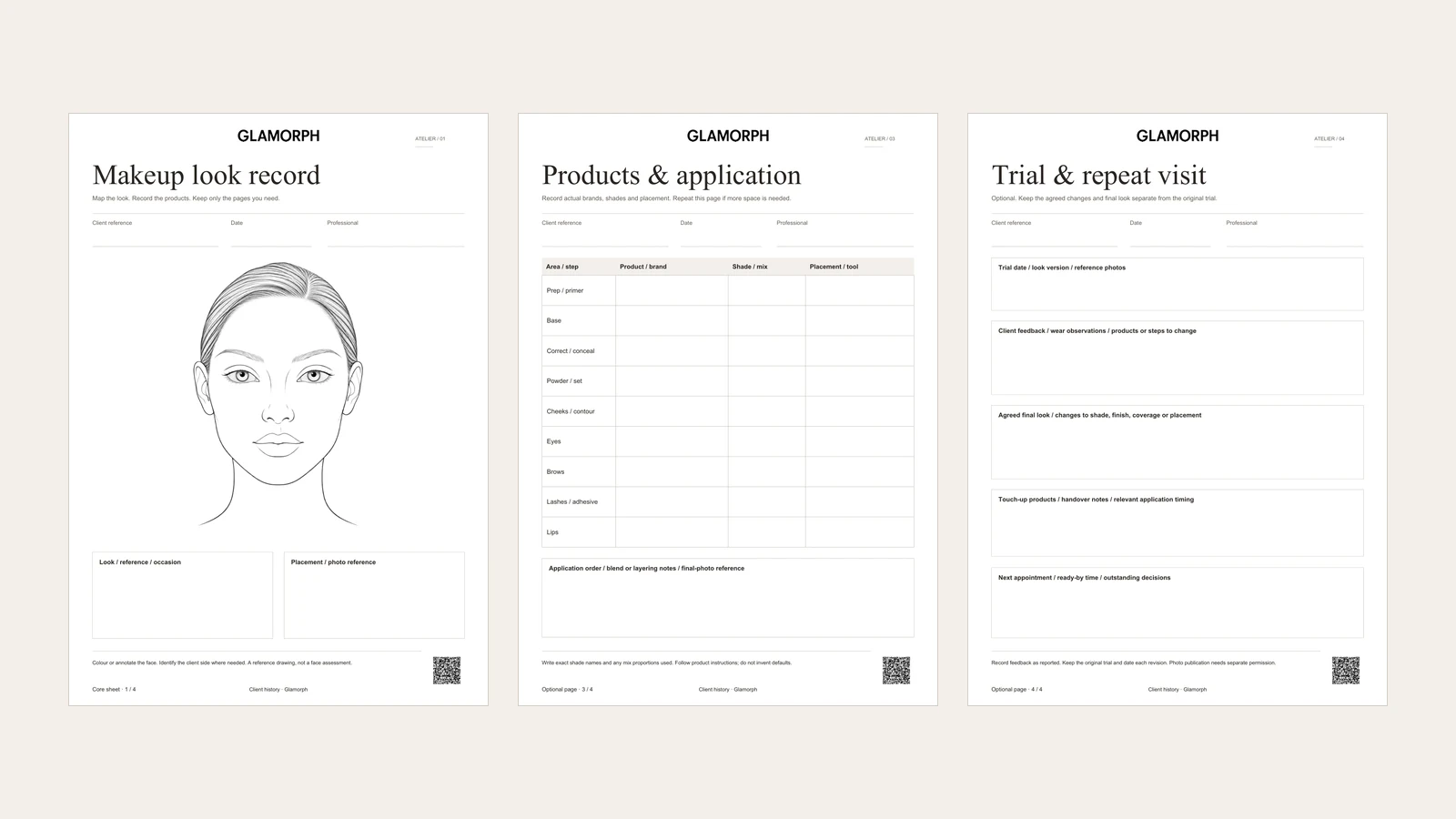
A makeup face chart records placement. The product record explains how to recreate it: brand, shade, mixture, tool and application notes. This four-page PDF keeps those details together, with optional client-brief and trial-review pages. Use the face chart on its own or add the pages needed for the appointment.
In Glamorph, keep the completed workbook with the client or dated session through client documents, alongside the look’s notes and photos. Attaching a PDF preserves the file. It does not automatically turn its fields into structured app records. You can start this workflow without publishing an online booking page.
I’m Konstantina Tsormpa, a makeup artist, bridal MUA and Glamorph’s founder. This guide explains our workbook and client-history workflow. The product screens below use fictional demonstration records, not a customer story.
Download the makeup workbook
Which pages should you use?
| Page | Purpose |
|---|---|
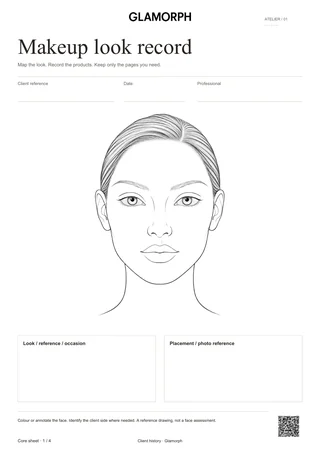
| 1. Makeup look record | Colour or annotate the face and connect it to the look, occasion and reference photos |
| 2. Client brief | Record the agreed finish, preferences, relevant sensitivities, preparation and timing |
| 3. Products and application | Record actual products, brands, shades or mixtures, placement and tools |
| 4. Trial and repeat visit | Keep feedback, agreed changes, touch-up notes and the next appointment separate from the original trial |
The three supporting pages are optional. Reference an existing client profile rather than copying information you already have. Print another product or trial-review page when a look needs more space.
Pair the drawing with exact product notes
The professional use of a face chart is more than drawing a finished look. Make-up Designory’s continuity charts pair a drawing surface with sections for products and colours. Our workbook follows that practical separation with an original face illustration and a full product-record page.
On the chart, mark the placement or number areas that need an explanation. State the client’s left or right where it matters. The outline is a general reference, so keep a photo or additional sketch when the client’s features or an asymmetric look require more detail.
On the product page, write the actual product and brand, shade name and any mixture used. Add the placement or tool only where it helps someone repeat the application. For several eye products, use the notes area or another copy of the page instead of squeezing everything into one row. A list of colour names without product references can be difficult to use later.
Record the brief without collecting unnecessary details
Use the brief for decisions that affect this application: finish, coverage, requests to avoid, relevant reported sensitivities, preparation and when the client needs to be ready. Leave irrelevant fields blank. This is a working record, not a medical assessment or a substitute for a service-specific consent process.
The preparation field can refer to existing skincare, contact lenses or lash considerations when relevant. It does not supply a default product choice or application instruction. Record what you discussed and follow the instructions for the products actually used.
Keep trial changes separate from the original look
For a bridal trial or repeat appointment, retain the original chart and product list. Use the last page for the client’s feedback, wear observations and the changes agreed for the next application. Reference the trial date and photos so that a later revision does not silently replace the first version.
A note such as “softer lip next time” needs enough detail to act on. Record the chosen shade or finish when it is agreed, and leave undecided changes clearly marked as outstanding. The sheet also has space for touch-up products and the ready-by time.
Fill, save and keep it with the appointment
Type in a compatible PDF reader. The face illustration itself is an annotation surface: use the reader’s drawing tools, or print and mark it by hand. Choose paper appropriate to your drawing materials. Ordinary printer paper may behave differently from specialist face-chart paper.
Keep a blank original, save a completed copy and reopen it to check the entries. The PDF does not send client information to this website. Publication permission for photos belongs in a separate record. A completed face chart does not grant it.
In Glamorph for makeup artists, add a dated session under the client, attach the workbook and keep the relevant photos with that visit. For a wedding, keep the trial and wedding-day sessions distinct in the client history, so you can find both the original look and the final changes.
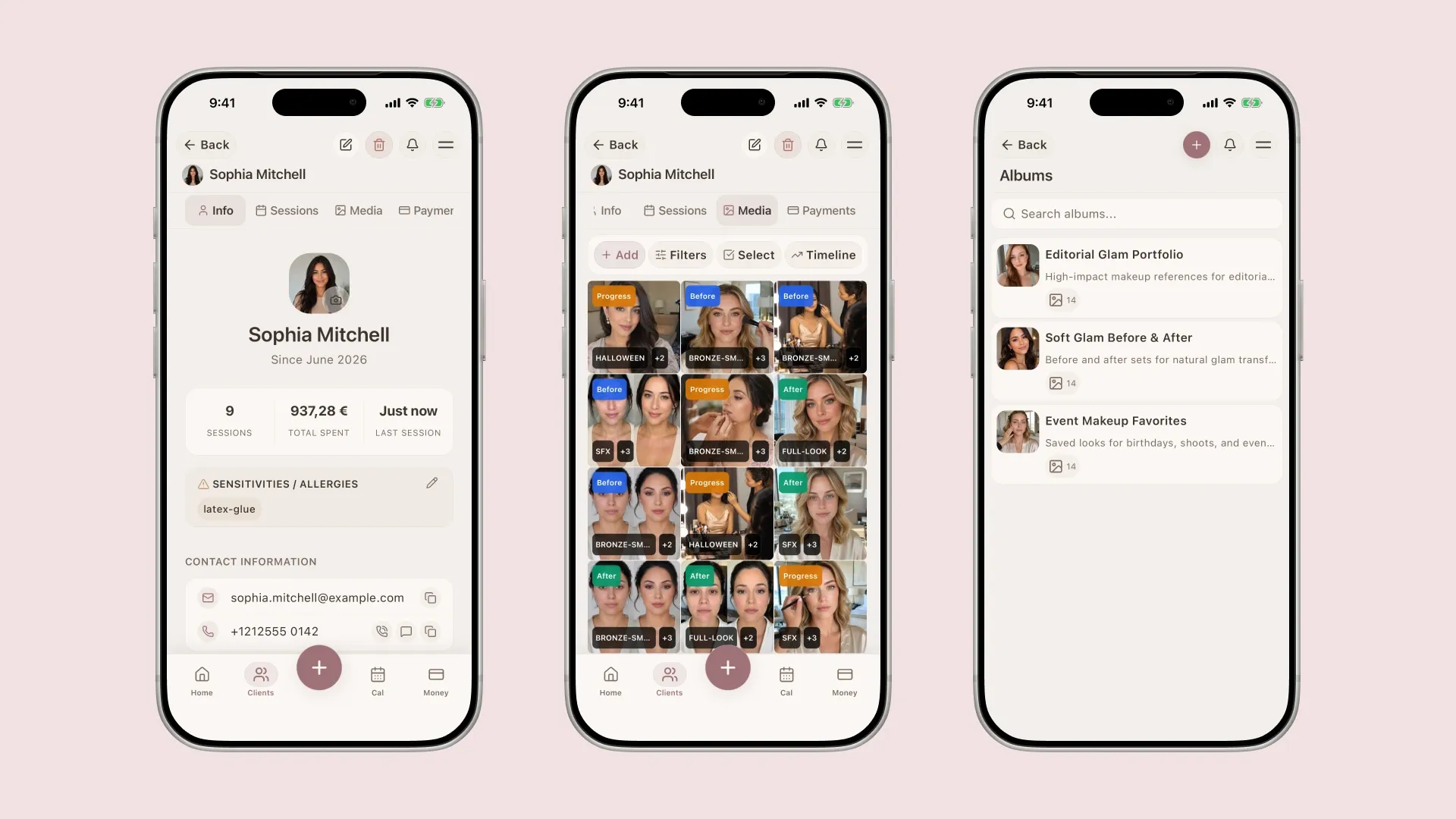
Existing Glamorph screens with fictional demo records show the profile and photo context. They do not show automatic PDF-field import.
Written by
Professional makeup artist and founder of Glamorph
Makeup artist and Glamorph founder with 5+ years of experience. Working closely with professionals across the beauty industry, she writes about client management, booking and everyday salon workflows.