The best makeup artist software depends on the job: choose Glamorph when public online booking must feed a deep client and session record, MUA Studio for MUA-specific travel requests and contracts, Goldie for booking-first simplicity, GlossGenius for branded booking and marketing, Square Appointments for a payments and POS ecosystem, or ClientFlow for a lightweight client, scheduling, payment, and WhatsApp workflow.
Glamorph publishes this comparison, so you should know our bias. We reviewed public product pages on July 21, 2026 against the same makeup-specific criteria and linked the evidence. We did not create paid competitor accounts for hands-on testing. “Not verified” means the reviewed official pages did not clearly promise that capability, not that it is absent. Goldie’s photo-gallery documentation was rechecked on September 6. Glamorph’s booking, document and payment sections were updated on September 21, 2026.
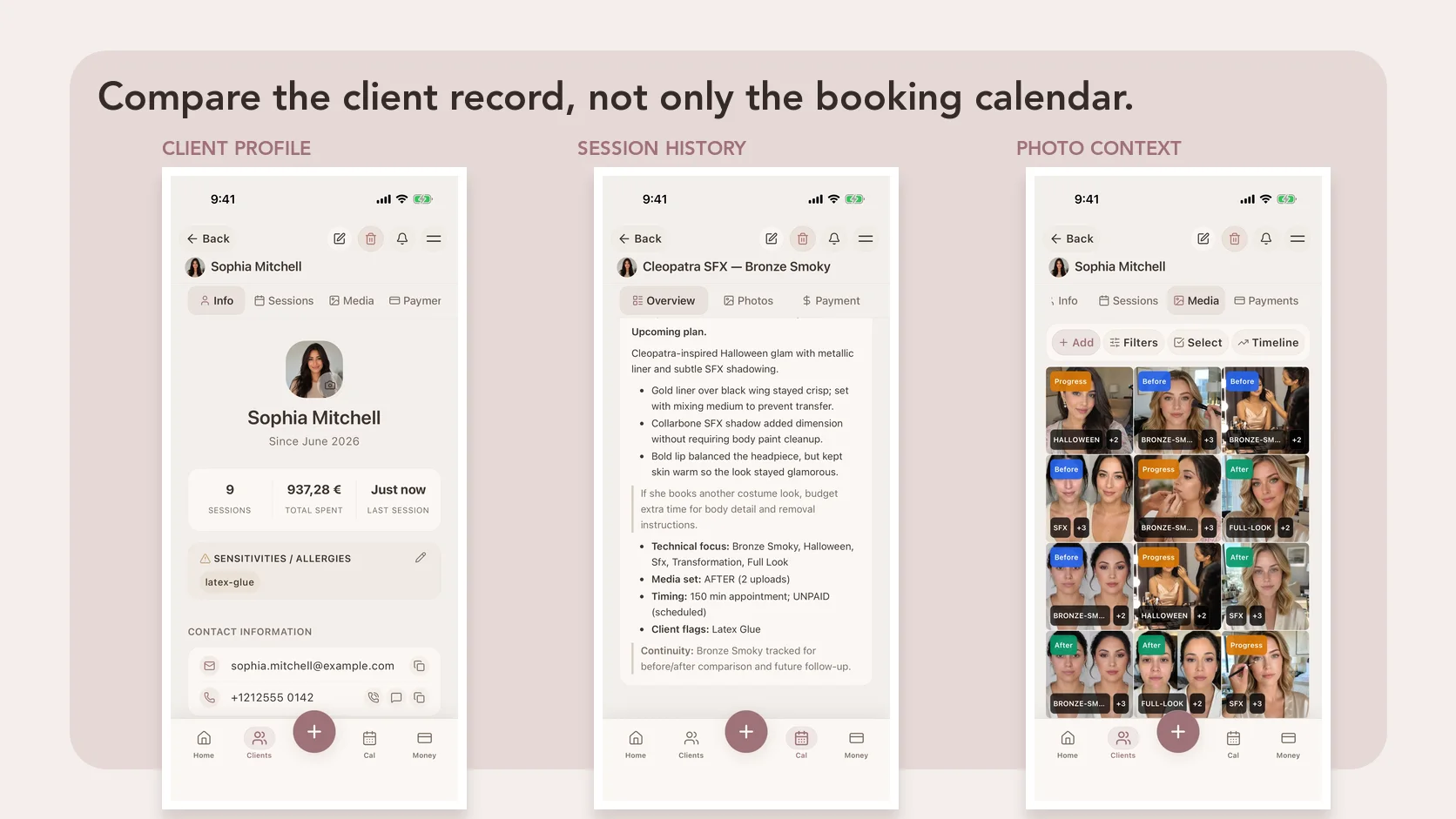
Glamorph is an all-in-one booking and client-management platform for makeup artists: public booking, professional calendars, deposits and eligible payment collection, signed documents and small-team access share the same detailed client history. Saved formulas, sensitivities and photos are the reason the next booking starts with useful context. See online booking or explore payment collection.
Which makeup artist software is best for each job?
| Your main job | Best fit to investigate first | Why |
|---|---|---|
| Let clients book while keeping skin notes, shades, photos, documents, payments, and session history together | Glamorph | Public self-booking and the complete beauty client record in one mobile-and-web workflow, with supported offline client history and eligible payment collection |
| Run MUA-specific booking, travel requests, quotes, contracts, deposits, invoices, and client formulas in one product | MUA Studio | The most directly MUA-specific booking and business workflow in this shortlist |
| Give clients an easy booking link with reminders, deposits, client profiles, and forms | Goldie | Booking-first workflow with practical client management and form tools |
| Combine a branded booking website, client profiles, marketing, forms, payments, inventory, and team tools | GlossGenius | Broader beauty-business platform with strong booking and growth features |
| Connect appointments to payment processing, POS, inventory, staff, rooms, and payroll | Square Appointments | Broad operations and payments ecosystem for businesses already using Square |
| Keep clients, session notes, scheduling, invoices, payments, and WhatsApp reminders in a light web workflow | ClientFlow | Focused small-service-business dashboard with useful reminders and payment follow-up |
There is no honest universal winner. A bridal MUA trying to preserve a trial look has a different problem from a studio owner trying to fill five calendars and run payroll.
How we compared the apps
We used one realistic job:
A bridal client completes an intake, reports a sensitivity, uploads inspiration, pays a deposit, attends a trial, approves a look, changes one product, and returns months later for the wedding. Can the artist retrieve the complete story quickly at a venue with unreliable internet?
We looked at the client record, exact products and shades, photo organization, forms and contracts, booking, payment tools and device access. For a bridal MUA, the important question is whether those details still make sense together when the client returns for the wedding.
We included products that appear for current makeup-artist software searches or represent a clearly different buying choice. There are no affiliate links or paid placements in this article.
Best makeup artist software by workflow
Best for booking and detailed makeup client records: Glamorph
Glamorph for makeup artists is the strongest fit here when complete, reliable client history is central to how you deliver and repeat your work.
Setup is quick and self-serve. Start with a client and a session, or set up your services and hours and preview a booking page. You can invite artists and assign roles without making every feature a prerequisite for getting to work.
Each client can have:
- Skin, undertone, preferences, reported allergies, and sensitivities
- One session for each trial, event, lesson, photoshoot, or wedding day
- Products, shades, mixes, skin prep, lashes, lip combinations, and changes
- Before, inspiration, trial, after, and detail photos connected to the session
- Intake, consent, photo release, aftercare, signatures, and finalized PDFs
- Deposits, balances, payment status, tips, expenses, and history, with payment links and supported phone or terminal payments
- Offline access to supported mobile client workflows, with sync after reconnection
The profile, session history and client documents form one continuous beauty record. Prepare a consent form, request a signature remotely or in person, and keep the finalized PDF with the trial or wedding session. You can download or print documents and store existing PDFs without setting up online booking first.
For payments, connect Stripe, SumUp or Square. Send a deposit link before a trial, collect the wedding-day balance using a supported phone payment method, or use a paired SumUp Solo or Square Terminal at the studio. Glamorph keeps the confirmed payment with the client and appointment, alongside any remaining balance.
For a returning client, you can also save a card with their permission in the web app. At the next checkout, select an eligible saved card, review the service amount and any tip, then confirm the charge. The card stays with the provider account that saved it. Saving it does not authorize every future charge.
Supported booking rules can request a fixed deposit, a percentage or full payment. Eligible full or partial refunds remain linked to the original payment. Available methods and processing fees depend on your business country, connected account, provider and device. Collection requires an internet connection. Recording cash or a payment received elsewhere is a separate action.
Glamorph is a complete client-to-booking platform for solo beauty professionals and small teams rather than a generic salon-operations suite. Its online-booking flow lets clients choose a service, professional, and live time, verify by email, receive confirmation emails, and securely reschedule or cancel when the MUA’s rules allow. Email, SMS and WhatsApp appointment reminders have separate settings. WhatsApp uses your connected business number with approved messages and client permission. SMS availability and messaging costs vary. Confirmed appointments join the same calendar and detailed client history. It covers the working flow from booking and calendar to documents, payment and follow-up. Separate fiscal, inventory, payroll, marketplace or enterprise multi-location systems may still be required.
The calendar also supports professional work hours, service buffers, breaks, travel/admin time and time off. Reserved time can block online bookings, so a travel break or holiday does not need to be disguised as a client appointment. Manually entered sessions remain a professional override.
In a shared studio, the owner can add each artist as a separate person, invite them to use their own login, and choose a ready-made or custom role. A Professional role can keep the client records and calendars needed for work available while salon payments, expenses, and reports remain hidden. See the small-team workspace controls for the current boundary.
Best MUA-specific all-in-one: MUA Studio
MUA Studio is the closest direct specialist in this shortlist. Its official page describes a public booking page, guided appointment requests, travel-area checks, deposits through Stripe, quotes, invoices, contracts, e-signing, custom intake, inspiration-photo uploads, private client profiles, and formula logs for shade matches, skin types, and look styles.
That makes it especially compelling for an MUA who wants one system to own the path from inquiry through booking and paperwork. It also says the app is available on iPhone and Android and that the schedule can be viewed offline.
Choose it over Glamorph when travel-area checks, quotes, invoices, and MUA-specific contract workflows are more important than Glamorph’s connected booking, deeper session-photo organization, finalized client-document library, payment/expense context, web workspace, and broader beauty-record workflow. Test the exact record and offline fields you need before importing clients.
Best booking-first option for a solo MUA: Goldie
Goldie’s client-management page confirms client contact details, notes, preferences, appointment history, and spending. Its client forms can collect custom intake, allergy disclosure, photo consent, and signatures, with the completed form stored on the appointment. Goldie also provides booking, deposits, reminders, payments, iOS and Android apps, and a web app.
Goldie is a practical first choice when the main job is letting clients book and reducing no-shows without adopting a heavier salon system.
Goldie also documents individual client photo galleries on its nail-professional page. That establishes photo storage, not an MUA-specific formula workflow. Test how you connect trial photos, exact foundation mixes and later changes to the right appointment, and verify any offline requirement directly.
Best for branded booking and marketing: GlossGenius
GlossGenius’s makeup-artist software page is broader than a booking calendar. It advertises a branded booking website, deposits, payments, invoices, reminders, marketing, client profiles, inspiration images, allergies, notes on past looks and product preferences, inventory, and reports. Its feature list also names forms and waivers, before-after reminders, client notes, and desktop, tablet, and mobile access.
Choose GlossGenius when converting followers into bookings, presenting a polished brand, automating marketing, and running payments or inventory are central jobs. It is not fair to describe it as having no client records. It clearly has meaningful client-profile and MUA-note features.
Choose a connected client-work workflow when you need every product change, image, signed document, payment, and follow-up attached to a chronological client/session history, especially when offline access matters. Also verify country availability and payment terms before deciding.
Best for payments, POS, and growing operations: Square Appointments
Square Appointments combines online booking, staff availability, locations, rooms, classes, reminders, prepayments, cards on file, no-show rules, forms, contracts, customer profiles, documents, images, files, transaction history, POS, inventory, retail, shifts, and payroll across the wider Square ecosystem.
That is the strongest fit in this list when payments and operations are the centre of the business, particularly if you already use Square.
Using Square for payments does not mean you must choose Square Appointments for booking. Glamorph can also connect a supported Square account and Square Terminal. Compare the booking and client-record workflow you want, then check whether you need Square’s wider POS and retail tools.
The trade-off is specialization. A customer profile that can hold images and documents is useful, but Square’s public page does not present an MUA-specific trial, formula, shade, or before-after workflow. Build one realistic bridal client before committing and count how many screens or workarounds it takes to reconstruct the final look.
Best lightweight web workflow: ClientFlow
ClientFlow for makeup artists advertises client profiles, private session notes, history, scheduling, recurring appointments, calendar sync, invoices, payment tracking, imports, retention metrics, and WhatsApp or email reminders.
It is worth testing if you want a light dashboard and WhatsApp-based follow-up without a full salon stack. The official page also mentions product notes, which may be enough for a simple service record.
The reviewed page does not clearly verify inspiration or session-photo storage, consent forms, e-signatures, finalized PDFs, native mobile apps, or offline access. Ask the vendor or test those jobs directly if they matter to your work.
Test an app with one real bridal workflow
Before subscribing, create one fictional client and complete this test:
- Add skin notes, a reported sensitivity, preferences, and contact details.
- Create a bridal trial with products, exact shades, mixes, lashes, and skin prep.
- Attach inspiration, trial, close-up, and after photos to the correct appointment.
- Store intake, service consent, contract, or photo permission where you can retrieve it.
- Record the deposit, travel fee, trial payment, and wedding-day balance. If you need payment collection, check that your supported link, phone or terminal payment returns to the correct client history. Use the provider’s supported test environment before collecting real payments.
- Add a change: less powder, different lip, new lash style, or a product to avoid.
- Turn off the internet and check what remains available where you will actually work.
- Open the client from a second supported device.
- Pretend six months have passed and rebuild the final look without using DMs or the camera roll.
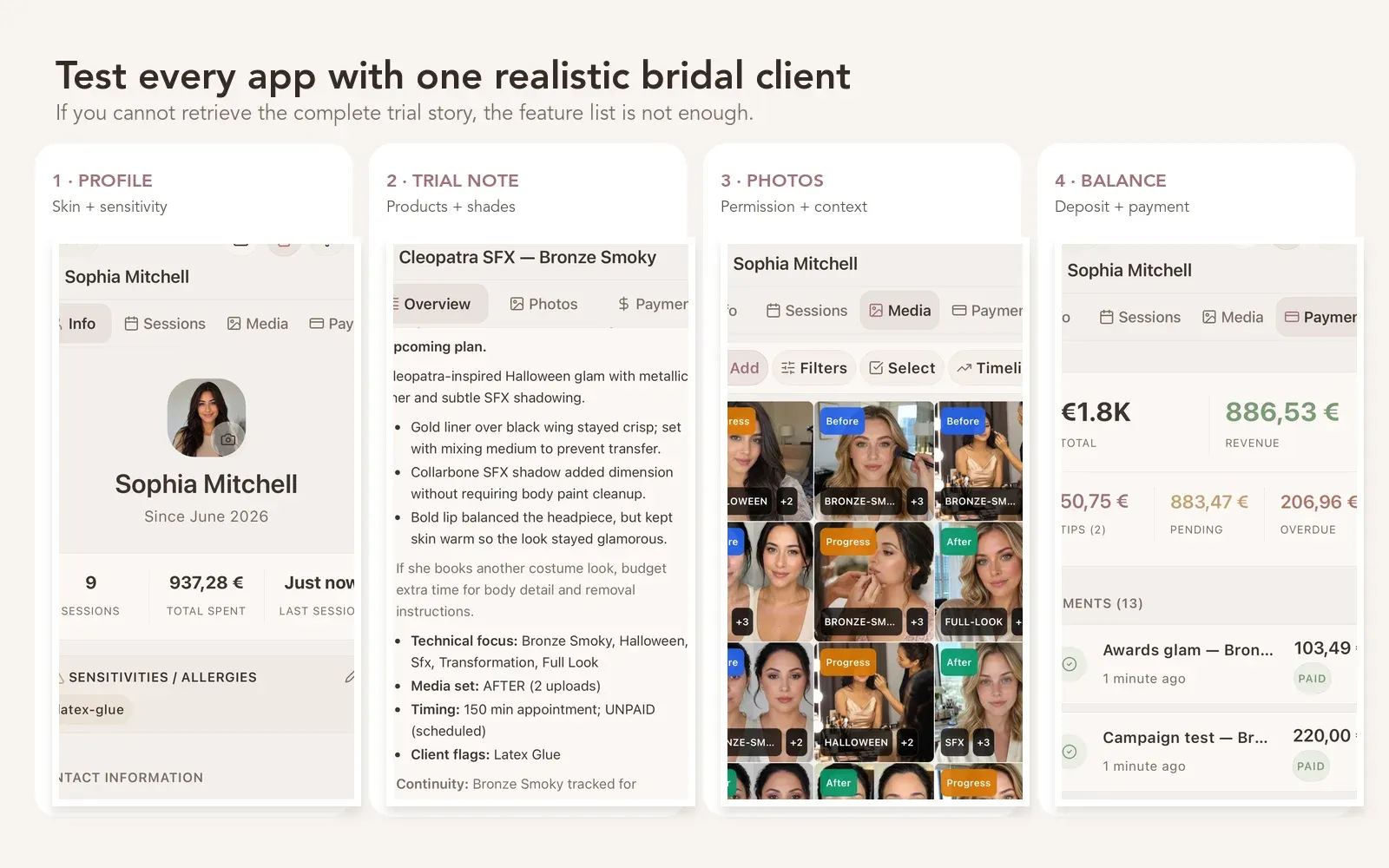
A long feature list matters less than being able to retrieve one complete bridal story under real working conditions.
For the fields themselves, use the practical freelance makeup artist client-management system to prepare your test record.
Which app should you choose?
Choose Glamorph when you want online booking, professional calendars, makeup client records, signed documents and payments together. Solo artists can start with their own clients. Small studios can add separate member logins and permissions. Supported offline mobile records help you retrieve the previous look when a venue’s connection is unreliable.
Choose MUA Studio if you want the most MUA-specific route from public booking through travel requests, quotes, contracts, deposits, and client formulas.
Choose Goldie if simple booking, reminders, deposits, and forms are the priority for a solo business.
Choose GlossGenius if brand presentation, booking conversion, marketing, payments, inventory, and client profiles need to live in one beauty-business platform.
Choose Square Appointments if you want appointments connected to a wider payments, POS, inventory, staff, and payroll ecosystem.
Choose ClientFlow if its lightweight web workflow for scheduling, notes and payment follow-up fits your business. Both ClientFlow and Glamorph offer WhatsApp reminders. Compare the client record, documents, devices, consent and message costs rather than treating WhatsApp alone as the deciding feature.
Choose Glamorph when client self-booking, calendar operations, payments and the complete client record need to stay in one workflow. Choose a broader booking-first or MUA-specific system when travel requests, quotes, contracts, POS, inventory, payroll, rooms or marketplace discovery are the deciding requirements.
Frequently asked questions
What should a makeup artist client management app track?
At minimum: contact details, skin and sensitivity notes, preferences, products and shades, session history, trial changes, photos, documents or permission, deposits, balances, and next-time notes. Bridal artists should also test travel, party, timeline, contract, and wedding-day continuity.
Is a booking app enough for a makeup artist?
It can be if availability, reminders, and deposits are the only problems. It is not enough when the artist still searches DMs, Notes, camera rolls, and payment screenshots to rebuild a previous look. Test the depth of the client and appointment record, not only the booking page.
Which makeup artist app works offline?
Glamorph supports offline mobile client workflows and syncs after reconnection. MUA Studio’s public page says its schedule can be viewed offline. The reviewed Goldie, GlossGenius, Square Appointments, and ClientFlow pages did not clearly verify offline access to the complete client record, so confirm that job directly before choosing.
Can a makeup artist collect deposits or balances with Glamorph?
Yes. Glamorph payments lets supported businesses collect through Stripe, SumUp or Square and keep the confirmed amount with the relevant client and appointment. Choose a payment link, supported phone method or connected terminal according to your account and device. You can also record cash or payments received elsewhere. Check provider availability and fees for your business before choosing a payment method.
What is the best app for bridal makeup artists?
Glamorph is the strongest connected booking-and-record choice in this comparison: public online booking feeds the complete trial-to-wedding client history. MUA Studio remains the stronger fit when MUA-specific travel requests, quotes and contracts are the deciding requirements.
Can I use two apps together?
Yes, but Glamorph can already handle public online booking and the deeper client record in one workflow. Keep a second product only when you need its marketplace, fiscal POS, travel requests, quotes, contracts, inventory, payroll or another capability Glamorph does not provide. Avoid duplicate data entry by deciding which system owns each remaining job.
Written by
Professional makeup artist and founder of Glamorph
Makeup artist and Glamorph founder with 5+ years of experience. Working closely with professionals across the beauty industry, she writes about client management, booking and everyday salon workflows.
You might also like
Freelance Makeup Artist Client Management
See how Glamorph connects makeup bookings, trial notes, product shades, photos, signed forms and payments in one client-management workflow.
Read more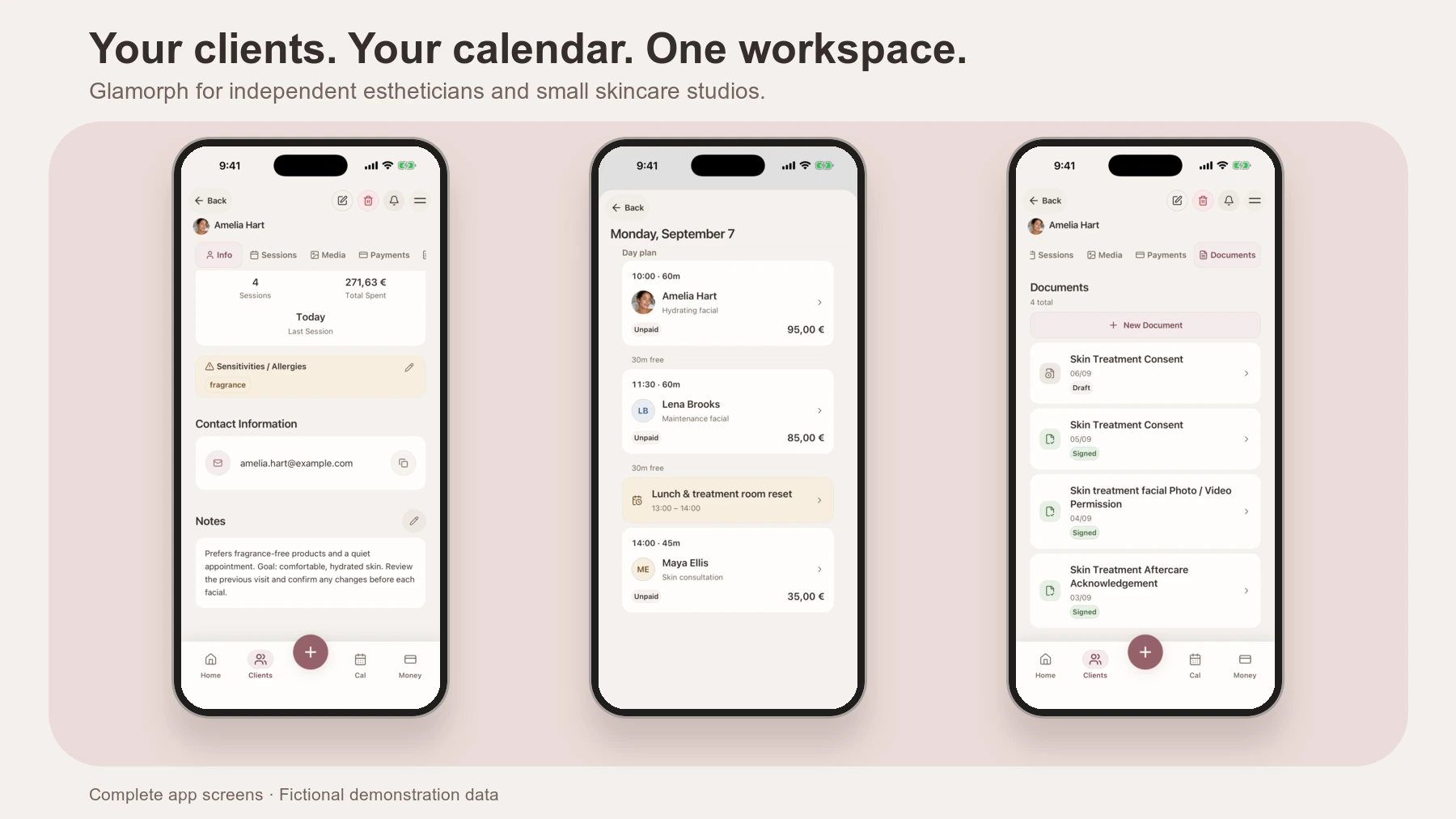
Best Apps and Software for Estheticians
Compare Glamorph, Vagaro, GlossGenius and Fresha for esthetician booking, consultation forms, treatment records and payments. Find the fit for your studio.
Read more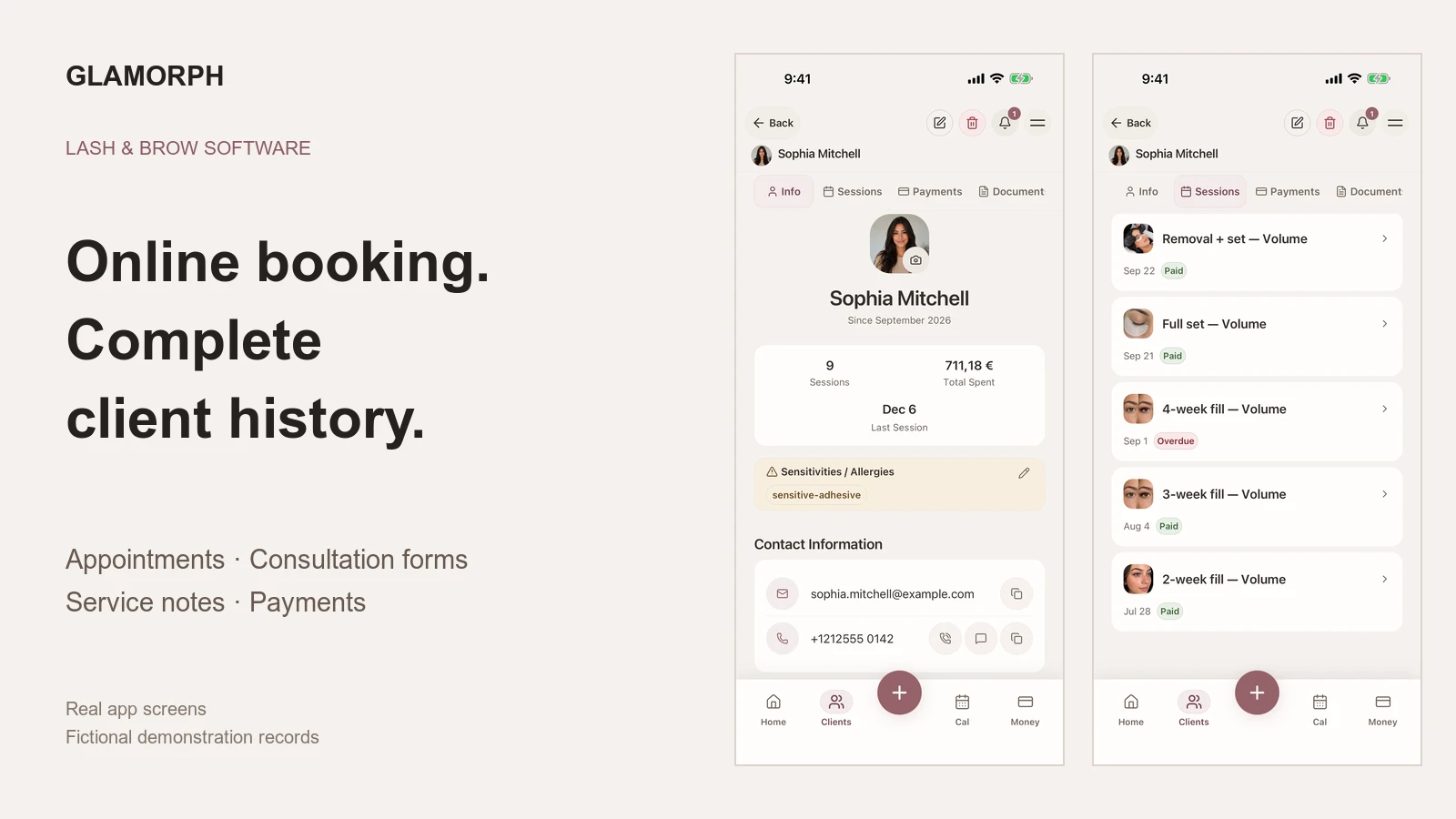
Best Booking Software for Lash and Brow Artists
Compare Glamorph, GlossGenius and Vagaro for lash and brow bookings, deposits, consultation forms and returning-client history, solo or with a small team.
Read more